Master 80% of Notion with this ONE Feature
| Notion
First things first: If you're looking for a structured system to organize your work, I recommend starting with the free Workspace Toolkit, a hands-on guide to building a reliable workflow with the tools you already use.
Most professionals are held back by their systems, not their abilities. I know this because I lived it.
When I first joined Google back in 2016, I was the first person ever to fail the sales case study three times in a row.
I had joined the SMB Sales team as an Account Manager, and to say I was struggling would be an understatement. My manager literally had to contact People Operations (HR) to check if failing this many times would affect my probation.
I was objectively the worst person on the team.

Fast forward two years, and I was consistently ranked in the top 5% of Google salespeople globally. In one quarter (2019 Q4), I even ranked as the number one salesperson in Google, worldwide.
What the hell happened?
After almost handing in my resignation letter, I created a simple spreadsheet to track every single call I made to my clients:
It wasn't fancy, but it worked. It allowed me to double down on what was driving results, even though I was still objectively a bad salesperson.
Over time, that basic spreadsheet evolved into a full system I now call the CORE Workflow.
It took the productivity frameworks from the classics (Getting Things Done, Make Time, Building a Second Brain) and implemented them in an actual corporate environment.
Before we get into the system itself, there are three ideas that made the whole thing click for me. If you take nothing else from this page, take these.
James Clear said it best in Atomic Habits: "We do not rise to the level of our goals. We fall to the level of our systems."
You don't need more discipline. You need a system that doesn't require it.
Not the days when you're motivated and caffeinated and have a clear calendar. The days when you're tired, running between back-to-back meetings, and don't feel like doing the thing.
If your system only works when conditions are perfect, it's not a system. It's a wish.
I can already hear the objection: "Jeff, this is so much extra work."
Fair point.
But here's what I've learned: The short-term discomfort of building a new routine will always be less than the ongoing stress of not making progress on the things that matter most.
Broadly speaking, there are four types of information we encounter in the workplace:
The CORE Workflow gives us a framework to deal with all four, so nothing slips through the cracks.
And even though I use Google tools in my examples, the system itself is platform-agnostic. Notion, Todoist, Apple Notes, the inferior Microsoft Suite, it doesn't matter. The workflow stays the same.
Let me walk you through a real example:
Our brains are for having ideas, not holding them. So we need to offload them onto an external platform (an app, a notebook, anything) as quickly as possible.
I use Google Keep here because it's designed for quick capture, not long-term storage.
The goal is to make capture so easy it becomes a reflex, not a decision.
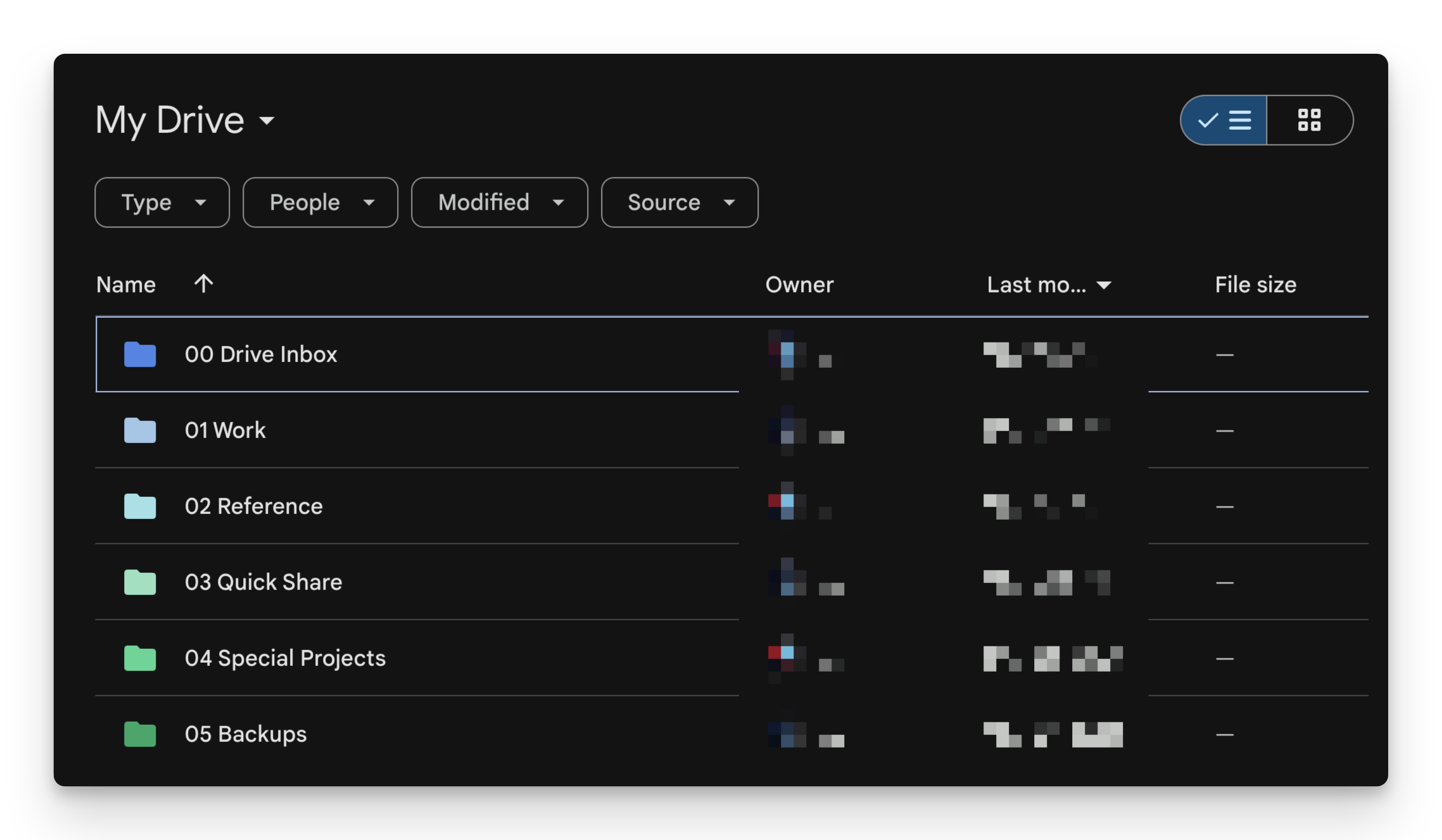
Once information has been captured, we need a lightweight system to sort it for easy processing later.
In this case, the organize step happened at the moment of capture: I tagged the note with "#thoughts." That's it. The note now sits in my Google Keep inbox until it's processed in the next step.
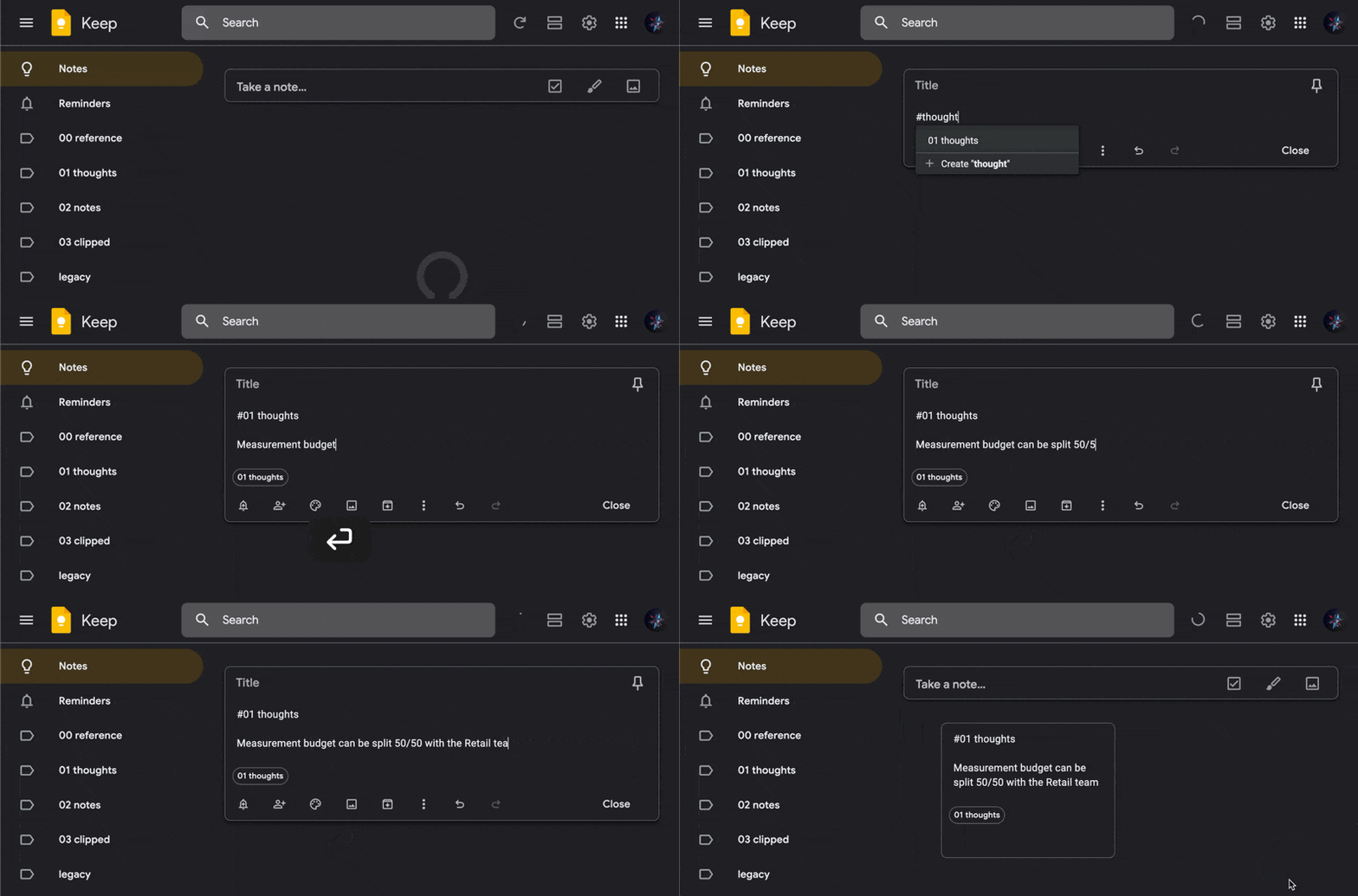
Quick aside: information that originates from ourselves gets categorized as "thoughts," while information from external sources (meetings, videos, articles) gets categorized as "notes." This distinction matters when you're processing dozens of items at once.
The Review step is where most people's systems fall apart. Capturing and organizing information means nothing if you never look at it again.
Most people skip this because it feels like extra work. The key is to schedule your review sessions and protect that time like any other meeting, because none of us can rely on motivation alone.
I have three 30-minute review blocks scheduled every day:
When I see the idea about negotiating my pay raise, I do three things:
This step is about executing: actually doing the work.
After I use AI to prepare for the negotiation, I add detailed talking points in my 1:1 meeting doc so I'm fully prepared for the conversation.
And that's the CORE Workflow.
We turned a fleeting idea during a commute into a fully prepared salary negotiation, all because we captured it, organized it, reviewed it, and engaged with it.
If you're looking for specific, actionable tutorials, these are my most-read productivity posts:
If you're a professional looking to build a system that actually sticks, I highly recommend the Workspace Academy: a comprehensive video course where I break down exactly how the CORE Workflow applies to the essential Google tools:
So you can build a system tailored to how you actually work, instead of starting every week from scratch.

Thousands of students have gone through the course, and a crowd favorite is an automation I built for Google Drive that automatically organizes all your new files and folders, so you don't even have to think about the Organize step.