(you can filter previous editions by application!)
Context
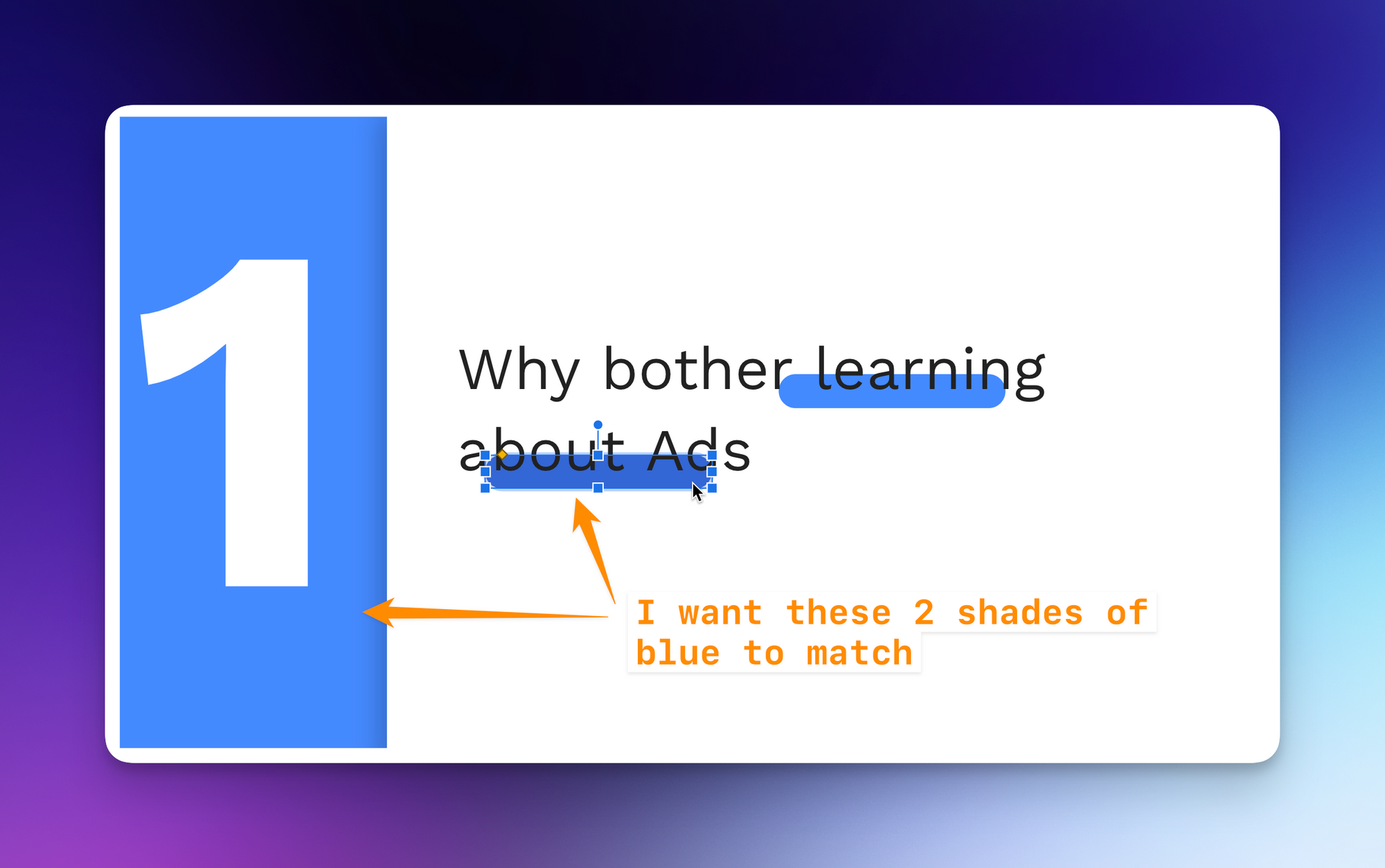
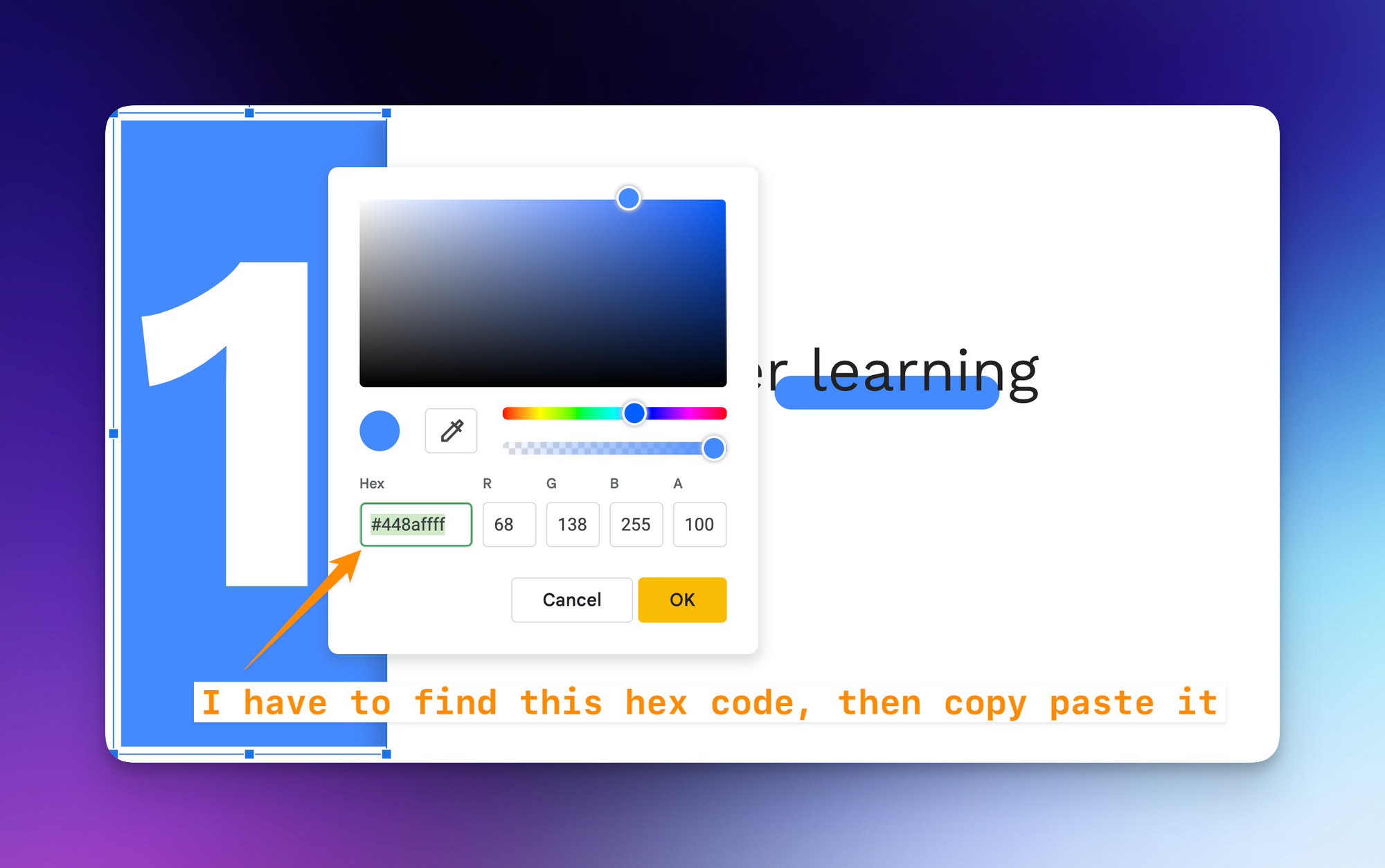
Previously, if you wanted to use a specific color in Google Slides (to match another element for example), you had to:
- First find the hex code of the color you want to use
- Copy and paste that hex code
In other words, it was very annoying.
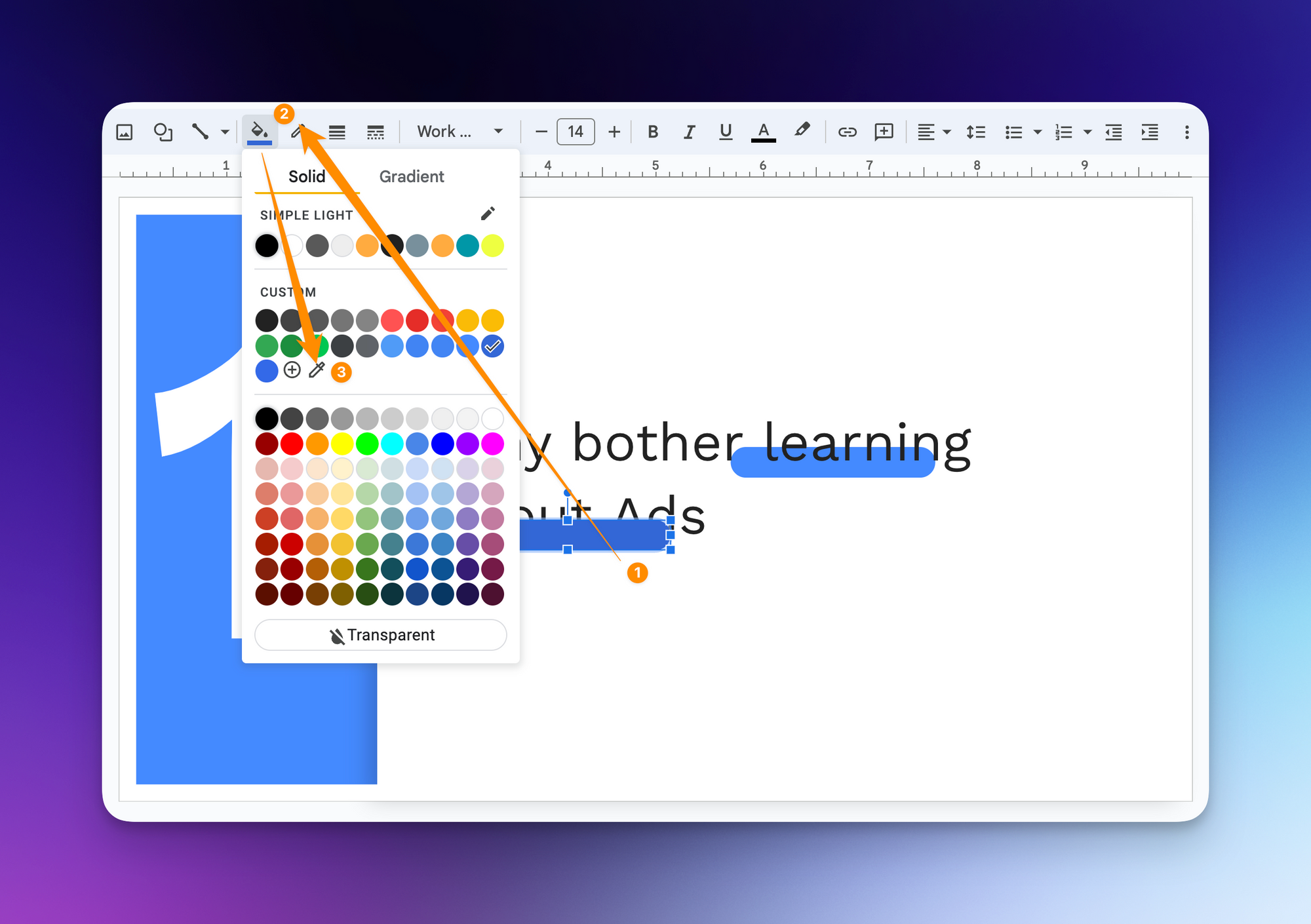
Slides (finally) introduces the Eyedropper tool
You can now use the eyedropper tool directly to (1) Identify the color you want and (2) Apply it, all in 1 step!
⌨️ Keyboard shortcut
- CMD or CTRL + M to create a new slide
I’m always looking for ways to improve so give me anonymous feedback here 📝
Want someone to be more productive? Let them subscribe here 😉
Thanks for being a subscriber, and have a great day!