|
Google Docs
| #244
Google Docs: 2 features I wish I set up sooner
Want to see these tips early? Subscribe to the newsletter!
Hey friends, I've been using these two Google Docs tricks for years now, and they still save me a ridiculous amount of time, so let's dive right in! 😁
Tip #1: Create AND Name a Google Doc in One Step
You probably know typing "doc.new" in the address bar creates a new Google Doc. But then you're stuck staring at "Untitled document," clicking on it, deleting it, typing a name... every single time.
There's a one-time setup that fixes this forever (I've been doing this since my Google days).
Here's the setup:
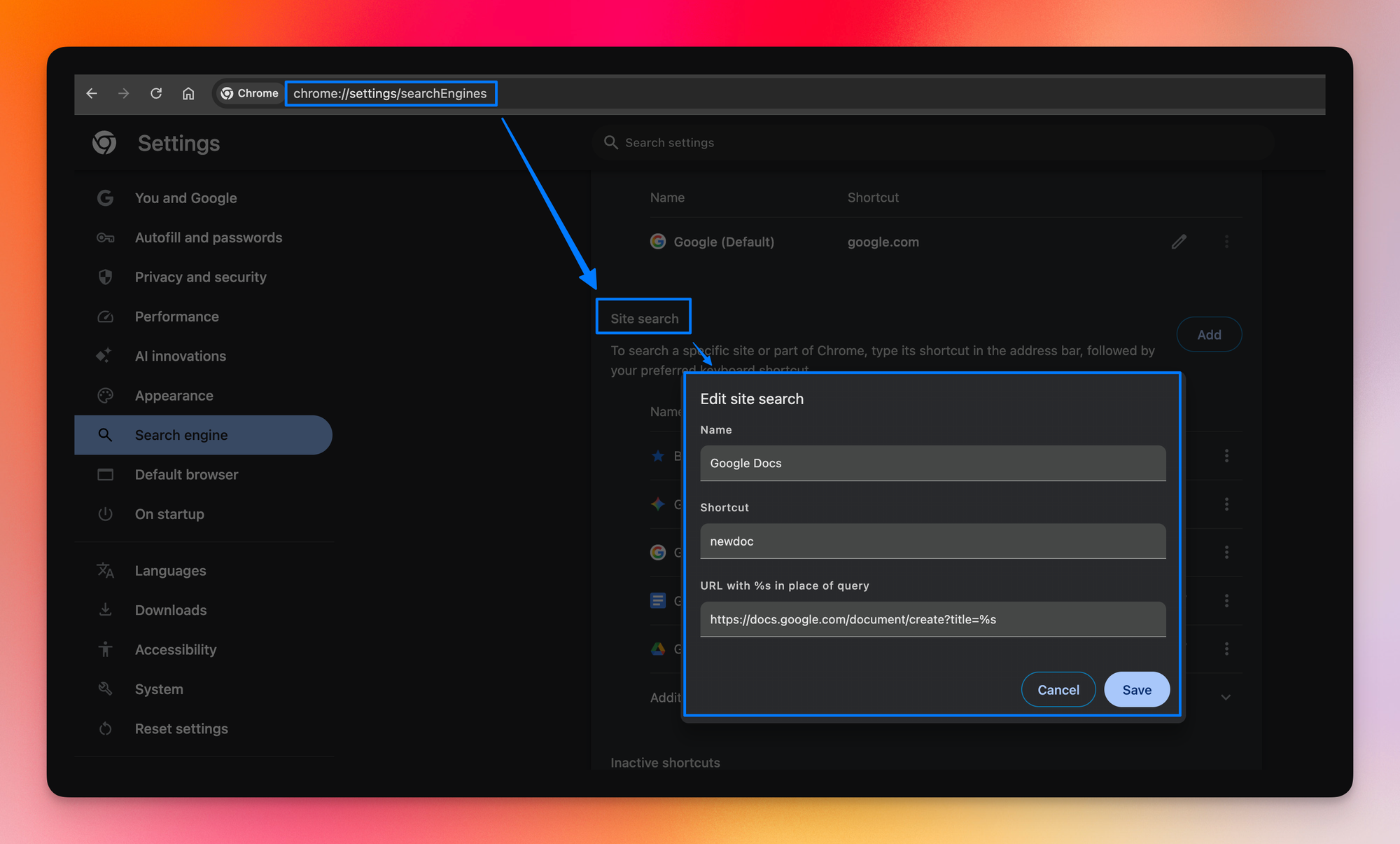
- Type chrome://settings/searchEngines in your Chrome address bar and press Enter
- Under the Site search section, click Add
- Fill in the fields: Search engine = Google Docs, Shortcut = newdoc, URL = https://docs.google.com/document/create?title=%s
- Click Add
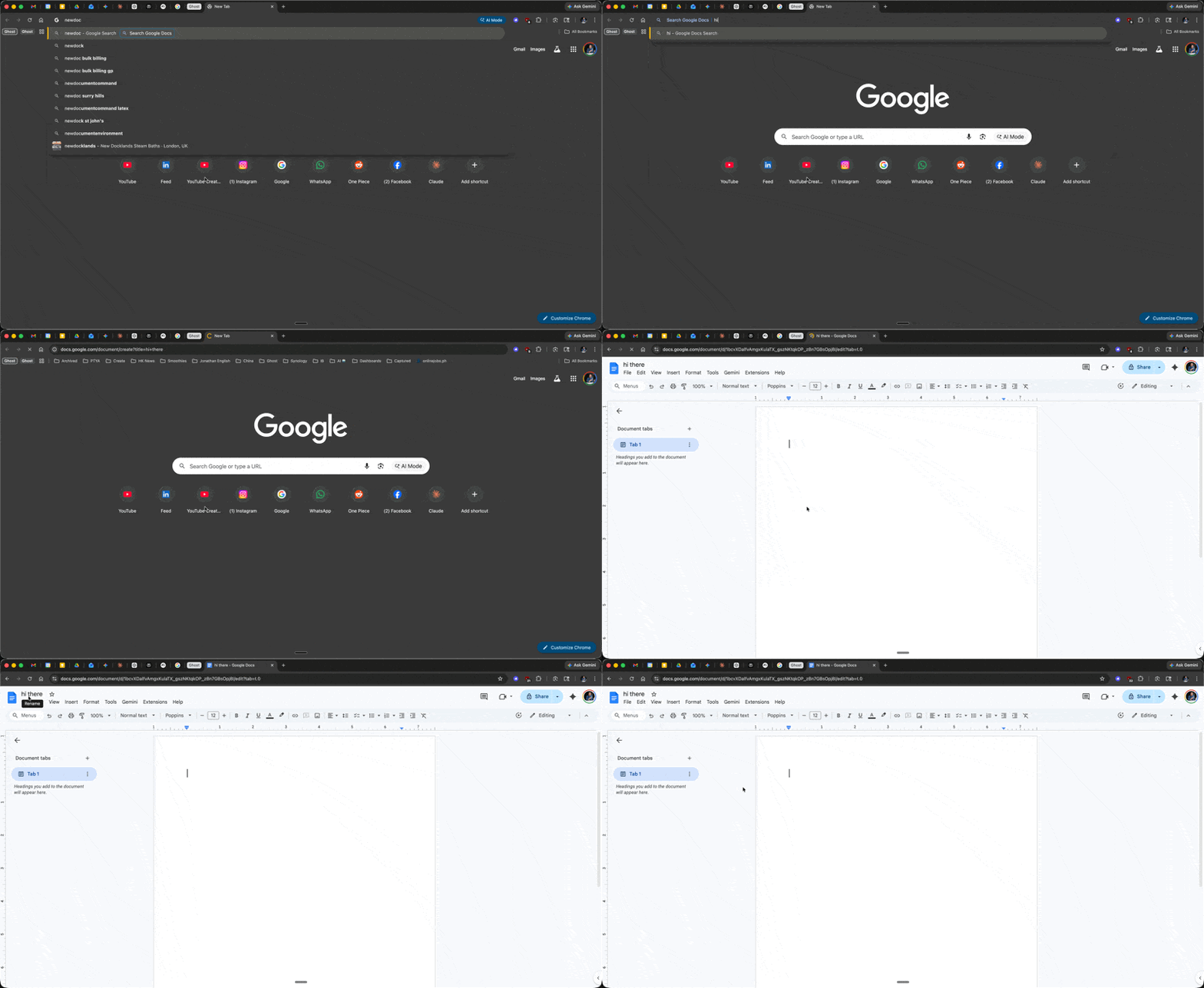
Now, whenever you want a new Doc:
- Type newdoc in the address bar
- Press Tab (or Space)
- Type the name of your new doc and press Enter
Tip #2: Insert a Bookmark in 5 Seconds
Long Google Docs are a pain to navigate. You scroll, you search, you lose your place (and that's 10 whole seconds of your life you're not getting back).
The Bookmarks feature in the menu technically fixes this, but most people skip them because the old way was buried under Insert > Bookmark.
So, here's a better way:
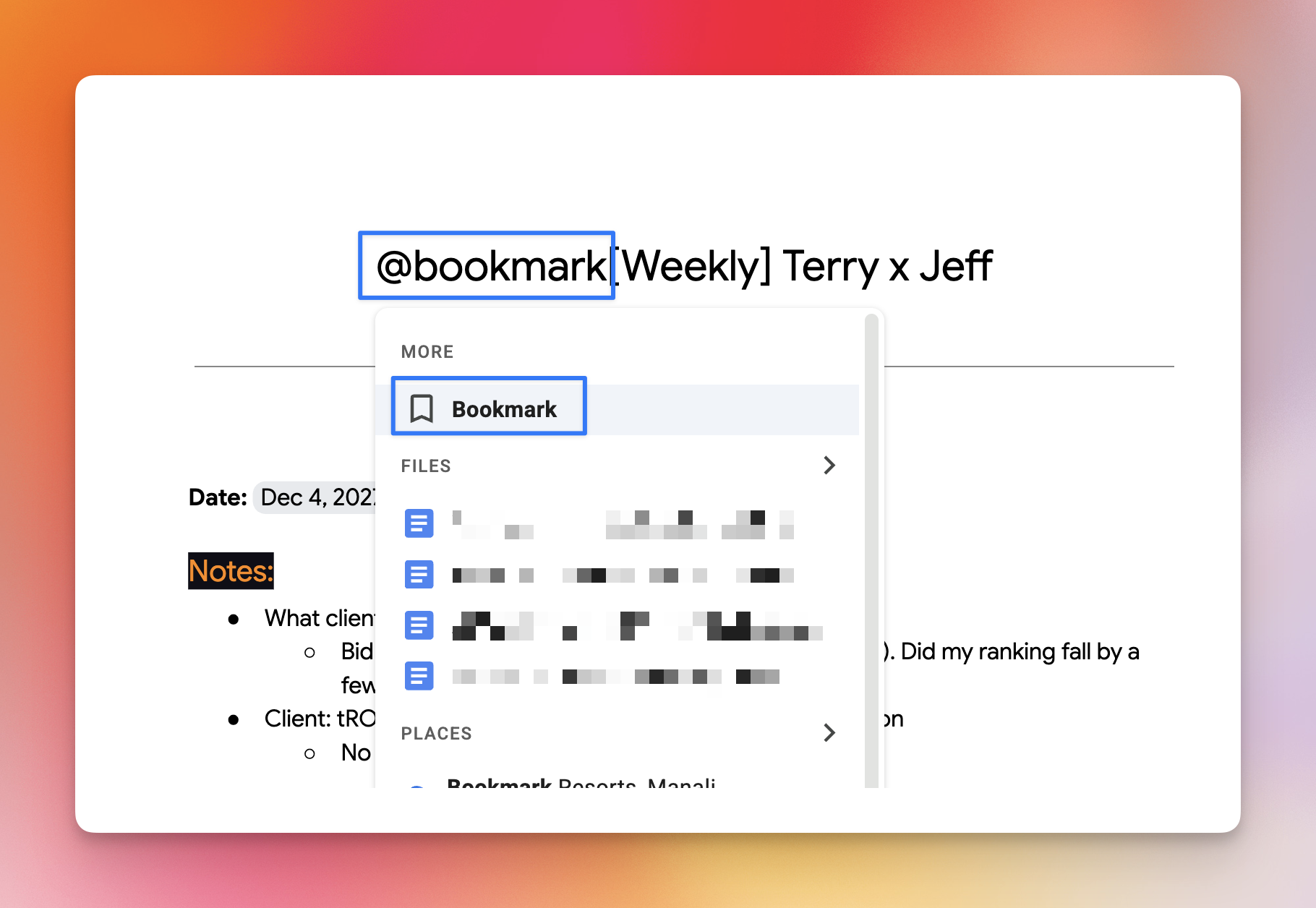
- Place your cursor where you want the bookmark
- Type @
- Select Bookmark from the dropdown menu
Boom. That's it.
💡
Pro tip: Once you've added bookmarks, you can link to them from anywhere in the doc. Highlight the text you want to link, press CMD/CTRL + K, and select the bookmark from the list. This is how I navigate 50+ page strategy docs without losing my mind.
⌨️ Keyboard Shortcuts (Google Docs)
- CMD/CTRL + \ = Clear all formatting
- CMD/CTRL + Shift + X = Strikethrough
- CMD/CTRL + Alt + M = Insert a comment
Try one of these this week and let me know how it goes! 😁
Whenever you're ready, here are some other ways I can help you:
💻 The Workspace Academy: Never lose a file, task, or note again with my CORE workflow for Google Workspace. Adopted by over 10,000 Googlers.
✅ Build Your Command Center in Notion: Plug-and-play dashboard that surfaces today’s priorities automatically and organizes your life in seconds. #1 rated Notion Course globally.