|
AI
| #264
ChatGPT: Get better answers with this 3-sentence prompt
Want to see these tips early? Subscribe to the newsletter!
I promise you that if you add this to the end of your next prompt (no matter what prompt it is, the longer and messier the prompt, the better), your output will be 100% better no matter WHAT the task is.
For context, I brain dump into AI A LOT, usually by rambling into Wispr Flow and so my prompts are usually extremely long, unorganized, and half-baked.
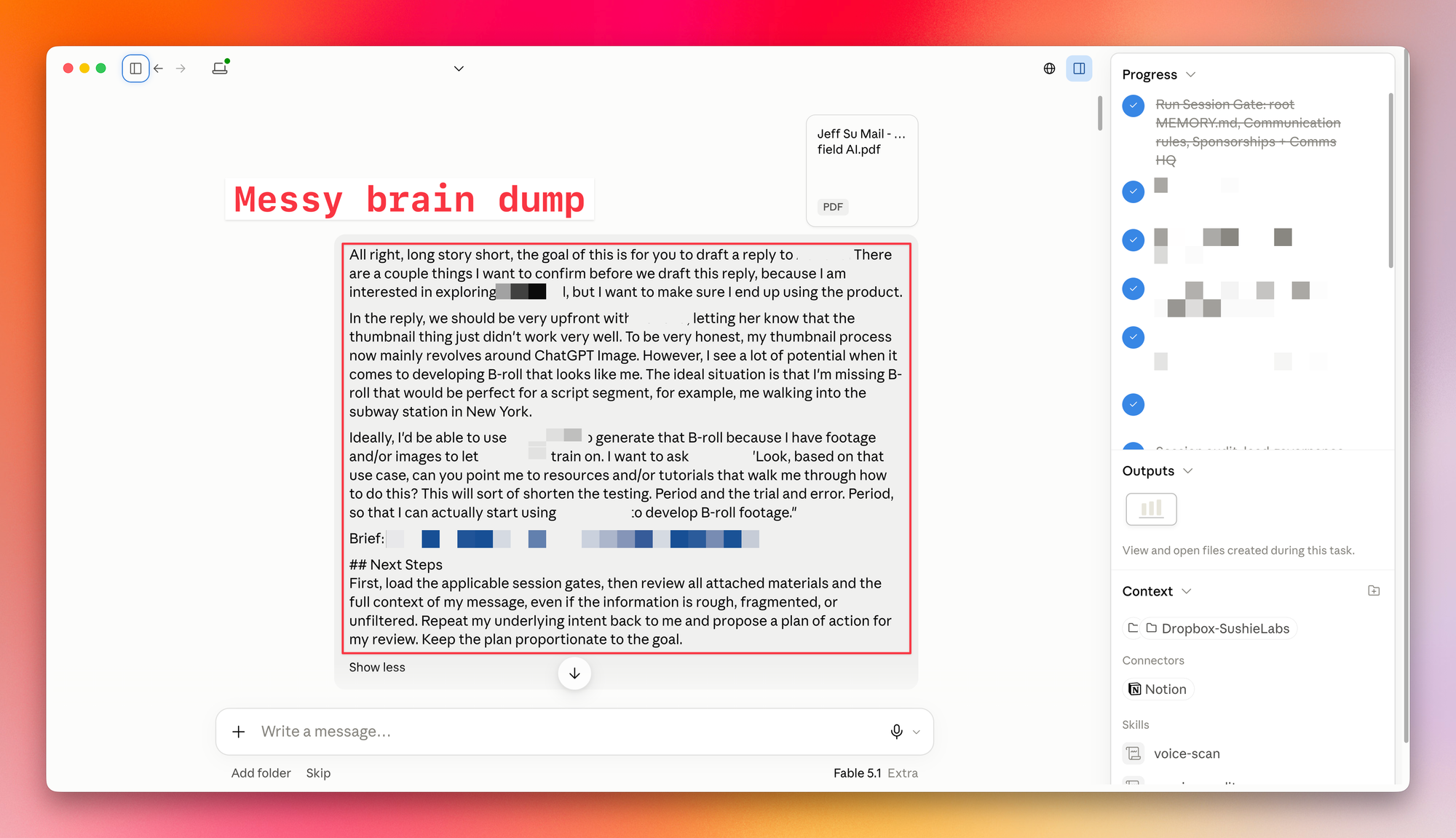
The actual request is “somewhere” in there, but the AI still has to figure out which parts are instructions and which parts are me thinking out loud. 😛
Side note: There are two versions of this tip. Start with the simple one below; the second is for people who already have an AI system with saved instructions and project context.
Add these three sentences to your next prompt
If you use ChatGPT, Claude, or Google Gemini in a normal chat window, paste this after your request:
First, review my full message and any attached files, even if my thoughts are rough, fragmented, or unfiltered. Tell me what you think I'm actually trying to achieve, then propose a plan for me to review. Stop and wait for my approval before starting the task.
This gives you a chance to catch a misunderstanding while the answer is still a short plan. You can course correct or change the approach before the AI writes an entire document around the wrong assumption.
Once the plan looks right, tell it to go ahead.
Catch the wrong assumption before it becomes an answer
Imagine you type:
Help me reply to my manager. She wants a report by Friday, but my week is already full. Keep it short and professional.
The AI might give you the following message to send:
Would Monday work instead? I’m at capacity this week.
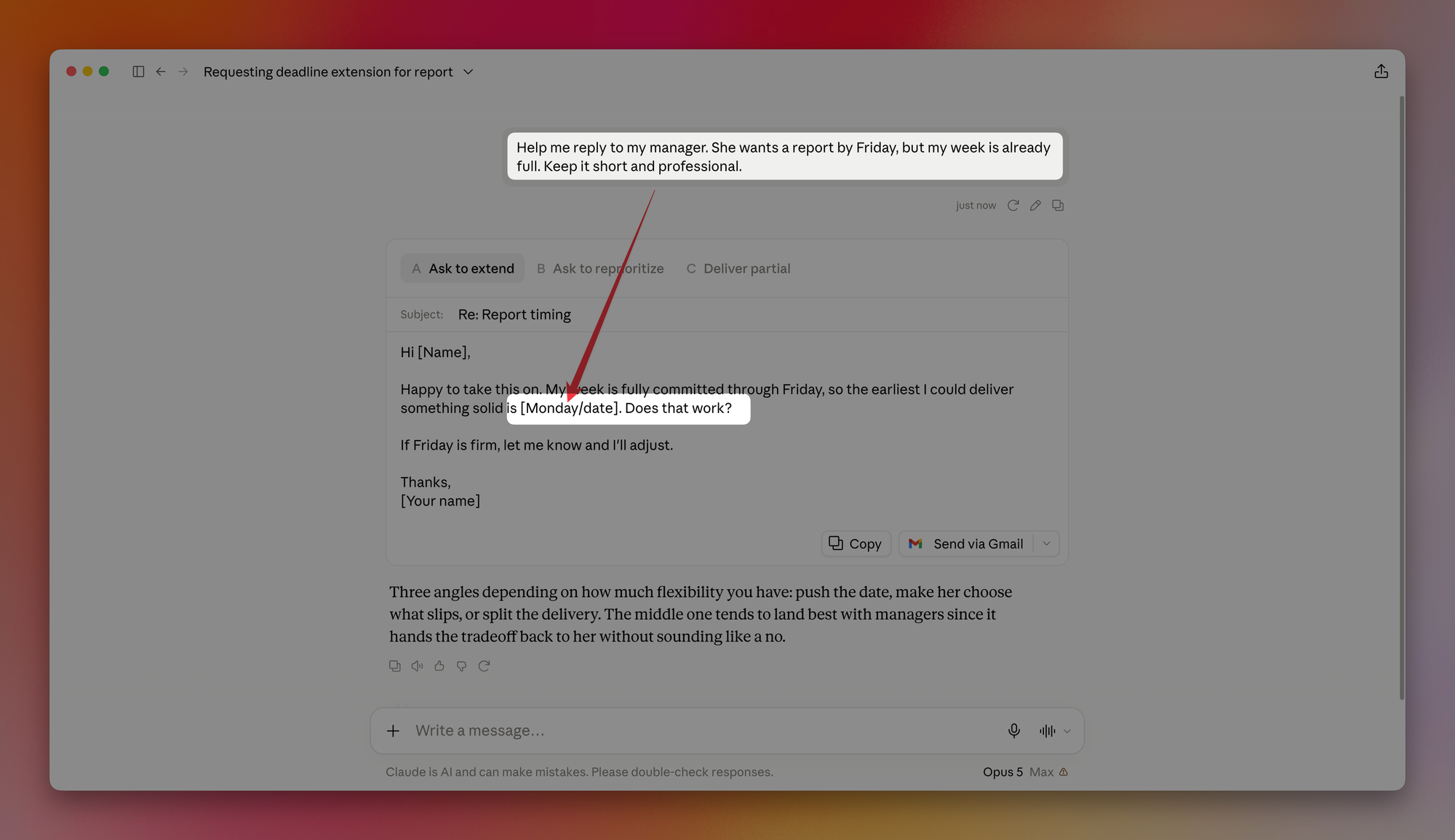
Short? Yes. Professional? Yes.
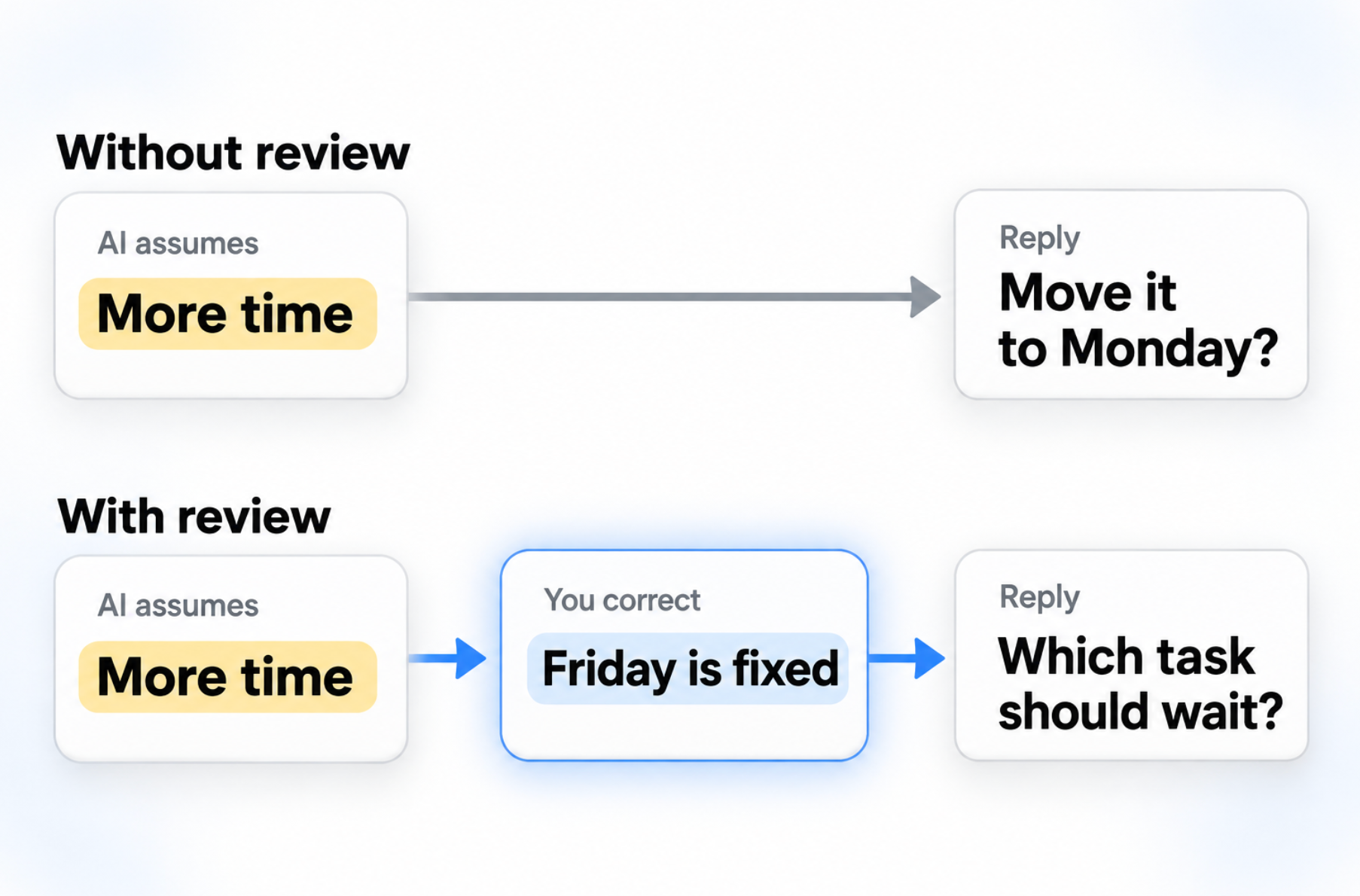
But you left something unsaid: Friday is a fixed deadline. You wanted help deciding which task to deprioritize, and the AI assumed you wanted an extension.
With the three sentences added, the AI’s first reply might include something like this:
You want more time to finish the report. I’ll draft a brief request to move the deadline to Monday.
This is actually GREAT because now you have a chance to correct it:
Friday is fixed. I want to ask which of my existing tasks should wait.
Now the proposed reply to your manager becomes:
To get the report done by Friday, which of my current tasks should I put on hold?
The AI followed your instructions both times. Reviewing its plan let you catch what it inferred.
If your AI already has saved context
The simple version gets the AI to review what you put in the chat. If you use Claude Cowork, Claude Code, ChatGPT Work, or Codex with saved instructions and project files, you can ask it to bring that background into the plan too.
In my AI Command Center, I call the instructions for what to read at the start of a task “session gates.”
For that setup, I use this version:
First, load all session gates, then review all attached materials and the complete context in my message, even if the information is rough, fragmented, or unfiltered. Repeat my underlying intent back to me and propose a plan of action for me to review. Stop and wait for my approval before starting the task.
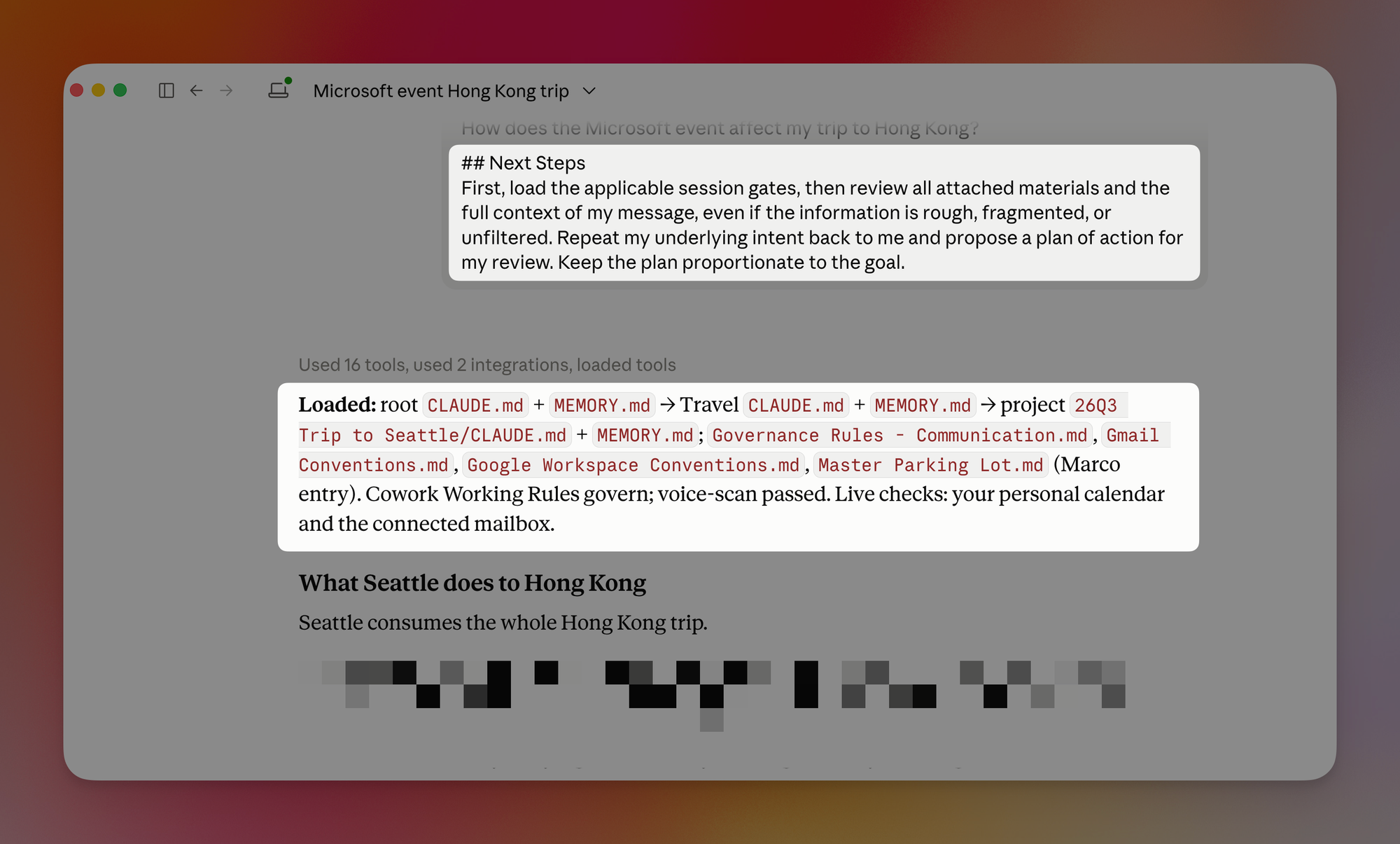
Look at the “Loaded” section in the Cowork screenshot. For a trip-planning request, it brought together my general instructions, Travel rules, the trip’s project files, and guidance for checking email and calendar.
The system tells it where to find the relevant files. The first sentence tells it to load them before proposing a plan, so it can account for context beyond the message I just typed.
If you’re using a regular chatbot, the first version is all you need. Add it to your next messy prompt, read the plan, and correct anything the AI misunderstood before letting it get to work. 😁
Whenever you're ready, here are some other ways I can help you:
🎛️ The Cowork Academy: Ready-to-install AI Command Center that loads your context automatically and makes every Claude session sharper than the last. 90% built when you download it.
✅ Build Your Command Center in Notion: Plug-and-play dashboard that surfaces today’s priorities automatically and organizes your life in seconds. #1 rated Notion Course globally.