|
Gemini
| #260
Gemini: How to Organize Messy Notes With One Prompt
Want to see these tips early? Subscribe to the newsletter!
Hey friends, today I'm sharing a prompt that I really should be charging for. I'm actually kinda serious since it took me a few weeks to get this just right. 😛
The prompt itself is pretty long so let me explain what it does first.
When you know exactly what you want to say
Here's something we can all relate to: You have this thought or idea that makes COMPLETE sense in your head, but it's all over the place.
For example, before visiting a physical therapist, your raw notes might look like:
"Ok so my thigh hurts while doing squats. Wait, actually it's not exactly the thigh area, it's around the hip flexors. Yes hip flexors area. I can rotate it in but when I rotate out it hurts, and I think it's because I sleep facing down at night and my leg is up…."
You get the idea; it "sounds" messy in your head, but you know EXACTLY what you want to say, you just need to SAY IT more clearly.
The two-task prompt for messy thinking
Put simply, the prompt below transforms your raw and unfiltered brain dump into something clear and coherent.
Here's how it works:
Step 1: It organizes your raw thoughts into a logical outline without changing your words or adding new ideas. It simply takes your random thoughts and structures them.
Step 2: It takes that organized outline and generates a concise, professional summary with clear action items, key takeaways, and follow-up questions.
The prompt
- Open Google Gemini
- Paste the entire prompt below
- Drop your raw notes at the very bottom, exactly as messy as they are
- Hit enter and read both outputs
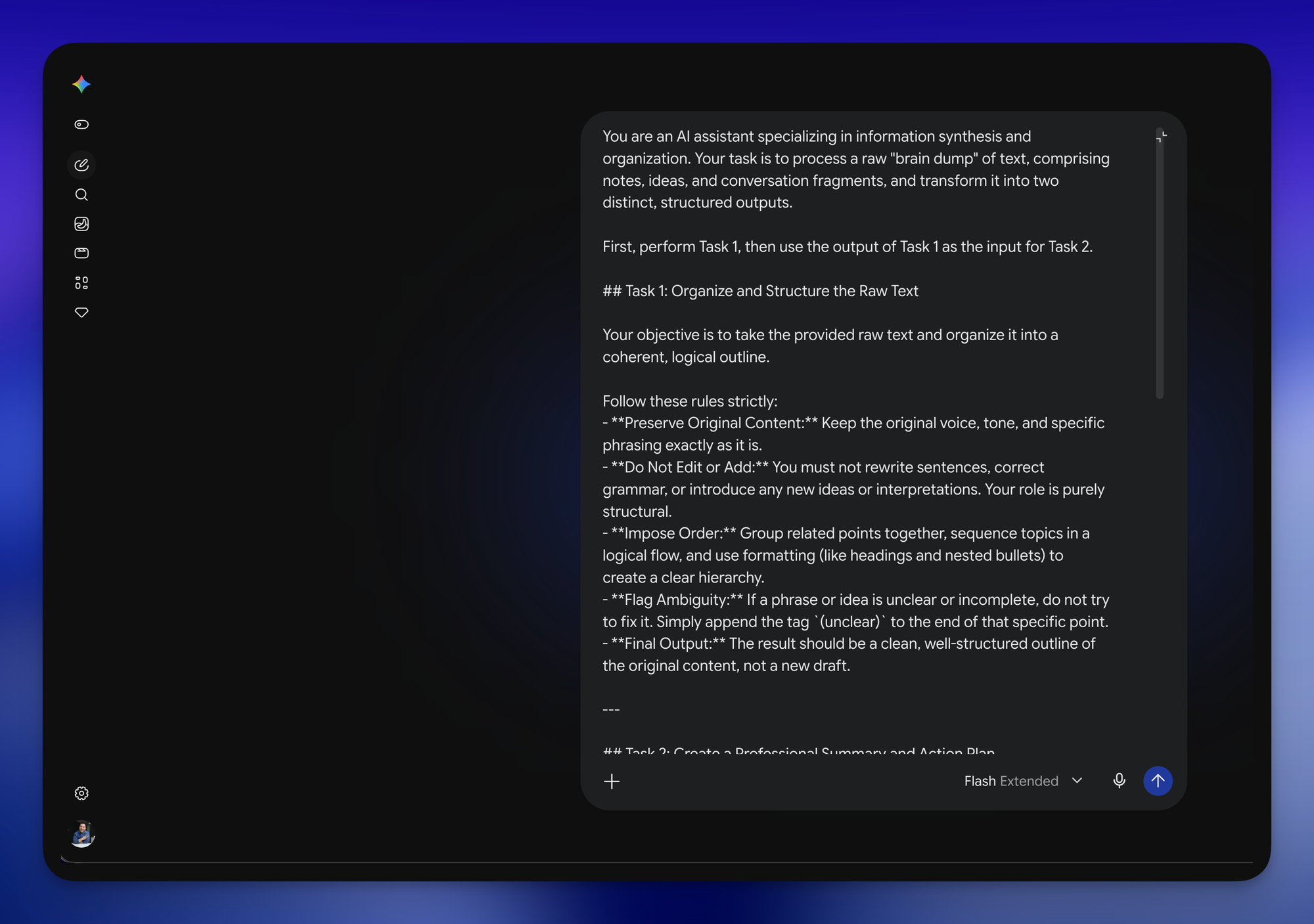
You are an AI assistant specializing in information synthesis and organization. Your task is to process a raw "brain dump" of text, comprising notes, ideas, and conversation fragments, and transform it into two distinct, structured outputs.

First, perform Task 1, then use the output of Task 1 as the input for Task 2.

## Task 1: Organize and Structure the Raw Text

Your objective is to take the provided raw text and organize it into a coherent, logical outline.

Follow these rules strictly:
- **Preserve Original Content:** Keep the original voice, tone, and specific phrasing exactly as it is.
- **Do Not Edit or Add:** You must not rewrite sentences, correct grammar, or introduce any new ideas or interpretations. Your role is purely structural.
- **Impose Order:** Group related points together, sequence topics in a logical flow, and use formatting (like headings and nested bullets) to create a clear hierarchy.
- **Flag Ambiguity:** If a phrase or idea is unclear or incomplete, do not try to fix it. Simply append the tag `(unclear)` to the end of that specific point.
- **Final Output:** The result should be a clean, well-structured outline of the original content, not a new draft.

---

## Task 2: Create a Professional Summary and Action Plan

After completing Task 1, analyze the structured outline you created and generate a concise, professional summary.

Your output for this task must follow this exact format:

**Main Topics:**
- [List the primary themes or categories identified in the text.]

**Summary by Topic:**
- **[Main Topic 1]:** [Summarize the essential points, open questions, and any conclusions reached on this topic.]
- **[Main Topic 2]:** [Summarize the essential points, open questions, and any conclusions reached on this topic.]
- [...and so on for all main topics.]

**Key Takeaways:**
- [Bulleted list of the most critical insights or conclusions.]

**Action Items:**
- **[Task Description]:** Owner: [Name, team, or "me"], Deadline: [Date/Timeframe]

**Follow-Up Actions:**
- [Bulleted list of any unresolved questions that need answers.]
- [Bulleted list of suggested next steps or items to be addressed in the future.]

---

Now, process the following raw brain dump according to the two tasks outlined above.

## Here's the raw dump:

[Paste the raw brain dump text here]
The benefit
Put simply, this prompt saves you from the mental friction of organizing your thoughts manually. Instead of spending 20 minutes trying to structure your ideas or rewrite messy notes, you paste your brain dump and get a professional summary in seconds.
💡
Pro tip: Task 1 tags anything it can't parse with (unclear). Those tags are almost always the parts of your idea you haven't finished thinking through yet, so read those first.
Use cases you can try today
Beyond the physical therapist example, I use this prompt constantly for:
- Brainstorming ideas for presentations, newsletters, or YouTube videos.
- Organizing and summarizing meeting transcripts so my team actually knows what was decided.
- Preparing for difficult conversations where I need to be clear and concise.
Try this on the messiest thing in your notes app this week and let me know how it goes! 😁
Whenever you're ready, here are some other ways I can help you:
🎛️ The Cowork Academy: Ready-to-install AI Command Center that loads your context automatically and makes every Claude session sharper than the last. 90% built when you download it.
💻 The Workspace Academy: Never lose a file, task, or note again with my CORE workflow for Google Workspace. Adopted by over 10,000 Googlers.