|
Gemini
| #258
Gemini: How to Write Your Self-Review with AI
Want to see these tips early? Subscribe to the newsletter!
Hey friends, I recently caught up with a few ex-Google colleagues and they reminded me it's performance season again, so today I'm sharing the prompt that saved me HOURS of brainstorming new ways to say, "I did the bare minimum but I still deserve a raise."
Long story short, I absolutely HATED writing performance reviews. It was SUCH a massive waste of time, since I basically had to spend 2-3 weeks reconstructing the past 3-6 months of accomplishments from memory.
💡
Side-note: when I left Google last year I made a copy of all my past performance reviews (something you're supposed to do) and reading through them was cringe as f***.
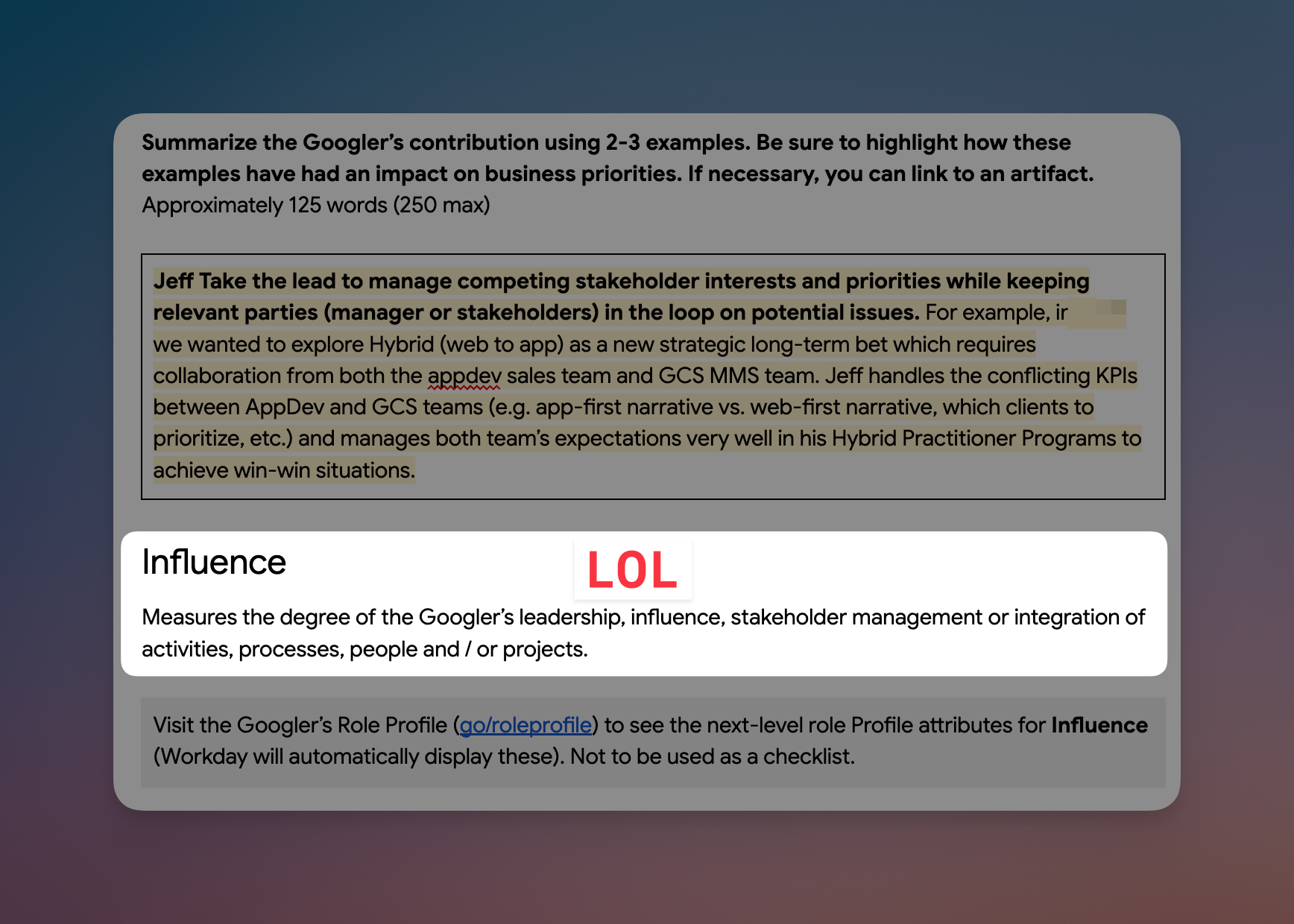
Here's how it usually goes:
- Step 1: Open up the GRAD platform (internal platform Google uses for performance reviews)
- Step 2: Skim the first 3-4 lines of the performance rubric and realize you've never seen so many meaningless buzzwords in your life (see above screenshot)
- Step 3: Open a new tab and watch YouTube videos for 30 minutes
No but seriously, digging through old emails for project updates, scanning through Google Calendar to jog my memory, and searching through Google Drive for that one debrief file was a dragggggggggg.
Anddddddd a week or so later you've still got a mediocre draft that undersells what you actually did.
Let Gemini pull it all out at once
Every one of those steps is you doing retrieval by hand. Google Gemini can read Gmail, Drive, and Calendar together, so instead of reconstructing the quarter you just ask it what happened.
Here's how:
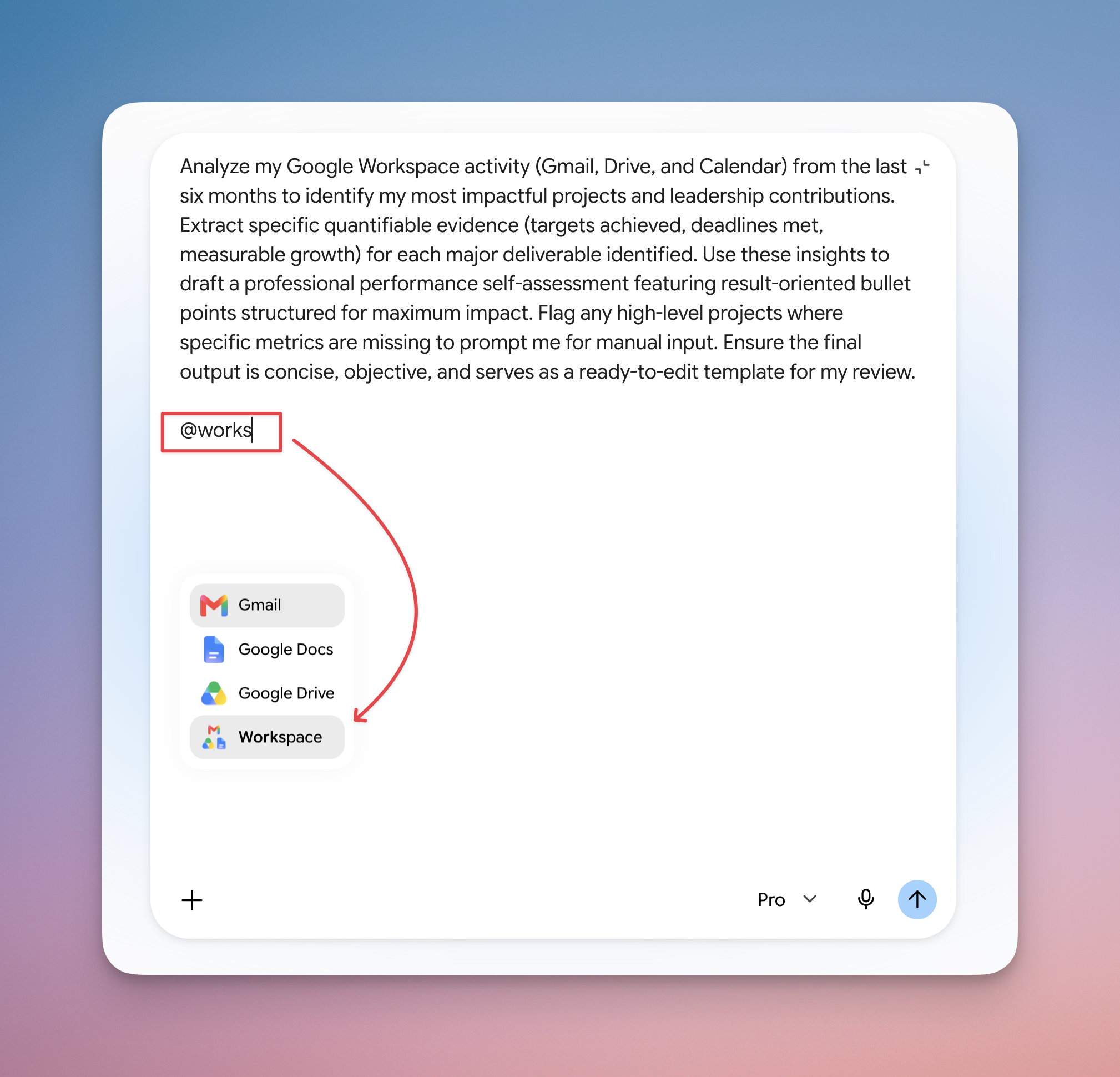
- Open Google Gemini and connect Google Workspace under Connected Apps (gemini.google.com/apps)
- Start a new chat and paste the prompt below, naming Gmail, Drive, and Calendar explicitly.
- Fill in whatever it flags as missing, then edit it into your own words
Analyze my Google Workspace activity (Gmail, Drive, and Calendar) from the last six months to identify my most impactful projects and leadership contributions. Extract specific quantifiable evidence (targets achieved, deadlines met, measurable growth) for each major deliverable identified. Use these insights to draft a professional performance self-assessment featuring result-oriented bullet points structured for maximum impact. Flag any high-level projects where specific metrics are missing to prompt me for manual input. Ensure the final output is concise, objective, and serves as a ready-to-edit template for my review.
The numbers, the project names, the dates, all pulled from your own work history instead of your memory of it. Which matters most if you never got around to keeping a brag doc this year (nobody does), because this builds one retroactively in about a minute.
💡
Pro tip: if your company forces a specific format, upload one of your old reviews and add this to the prompt: "Reference this file for the structure and tone." Google Gemini will match the format while filling in the new accomplishments.
One more thing: if you'd rather this happen without you remembering to ask, Gemini Spark just started rolling out to Google AI Pro subscribers (it was Ultra-only until last week). Spark can run tasks like this on a schedule, so your brag doc stays current all year instead of getting rebuilt the night before a week before it's due. I made a full walkthrough here: Gemini Spark: Google's Most Powerful Personal Agent.
Run this before your next self-review and let me know how it goes! 😁
Whenever you're ready, here are some other ways I can help you:
💻 The Workspace Academy: Never lose a file, task, or note again with my CORE workflow for Google Workspace. Adopted by over 10,000 Googlers.
✅ Build Your Command Center in Notion: Plug-and-play dashboard that surfaces today's priorities automatically and organizes your life in seconds. #1 rated Notion Course globally.