|
Google Drive
| #257
Google Drive: How to Free Up Storage Space
Want to see these tips early? Subscribe to the newsletter!
Hey friends, chances are you open Google Drive every single day but only ever use it to dump files and dig them back out, so today I'm sharing three tips that go a bit deeper. 😉
Tip #1: Free up storage without paying for more
Sooner or later you hit the "Your storage is almost full" wall. What you might not know is that Gmail, Google Drive, and Google Photos all share the same 15 GB (base plan), so one giant email attachment quietly eats into the space you wanted for your files (and selfies).
Here's how to free up some space:
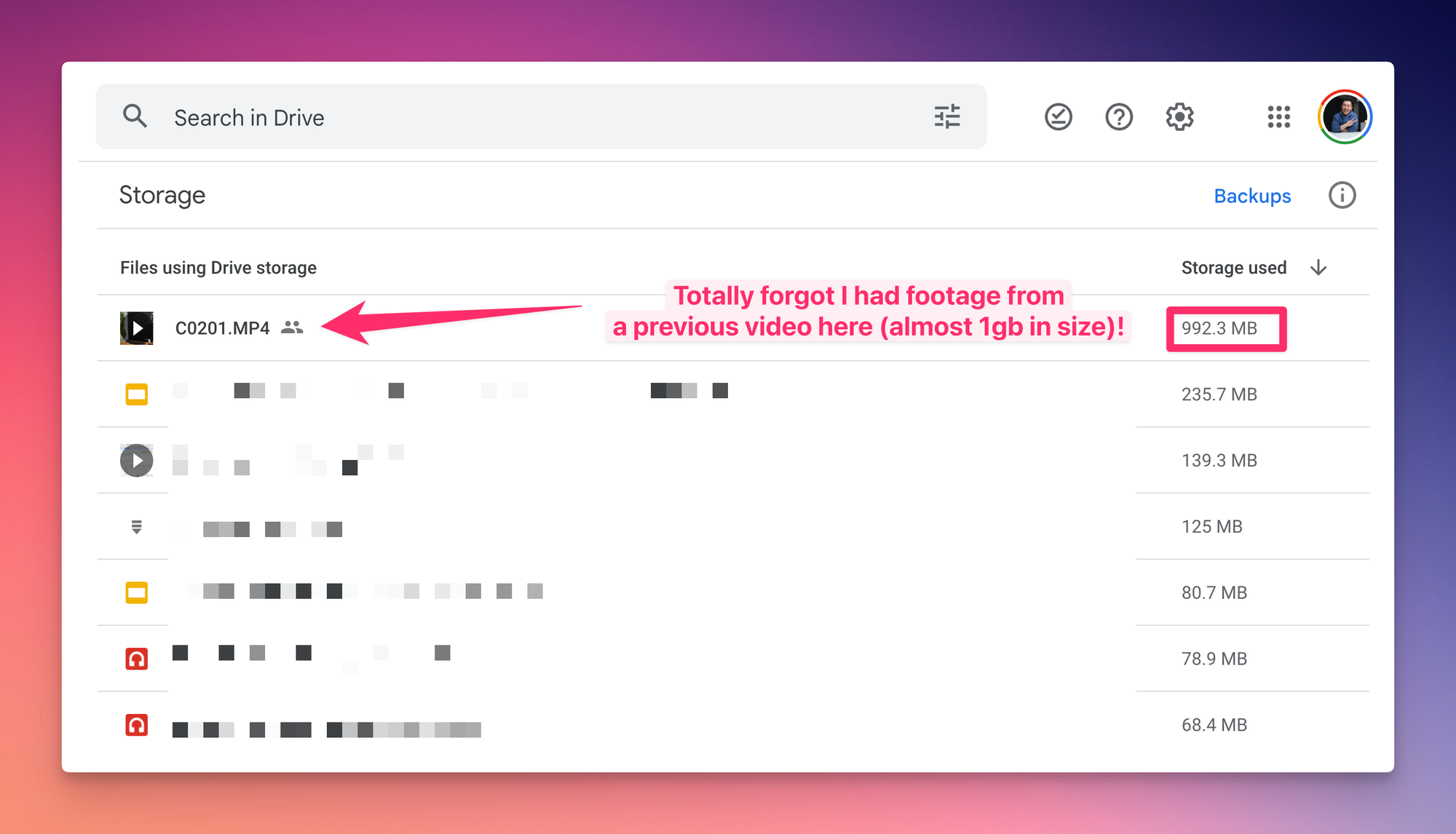
- Google Drive: go to drive.google.com/drive/quota to see every file sorted biggest-first, then delete the ones you'll
definitely need somedaynever open again - Google Photos: open photos.google.com/quotamanagement and scroll to Review and delete for your largest photos and videos
- Gmail: search
larger:10MBand clear out the heavy emails you don't need
💡
Pro tip: The space hogs are almost always attachments, so search
has:attachment larger:10MB in Gmail to go straight to them.Tip #2: Instantly find comments assigned to you
You get tagged in a comment on a Doc, Slide, or Sheet, Google emails you about it, and the moment you archive that email it's gone. Good luck finding it again when you actually have time to reply.
Google Drive has a filter built for exactly this:
- Open Google Drive and click the search bar at the top
- Click the To-do filter chip that appears below it
- Choose Comments assigned to me
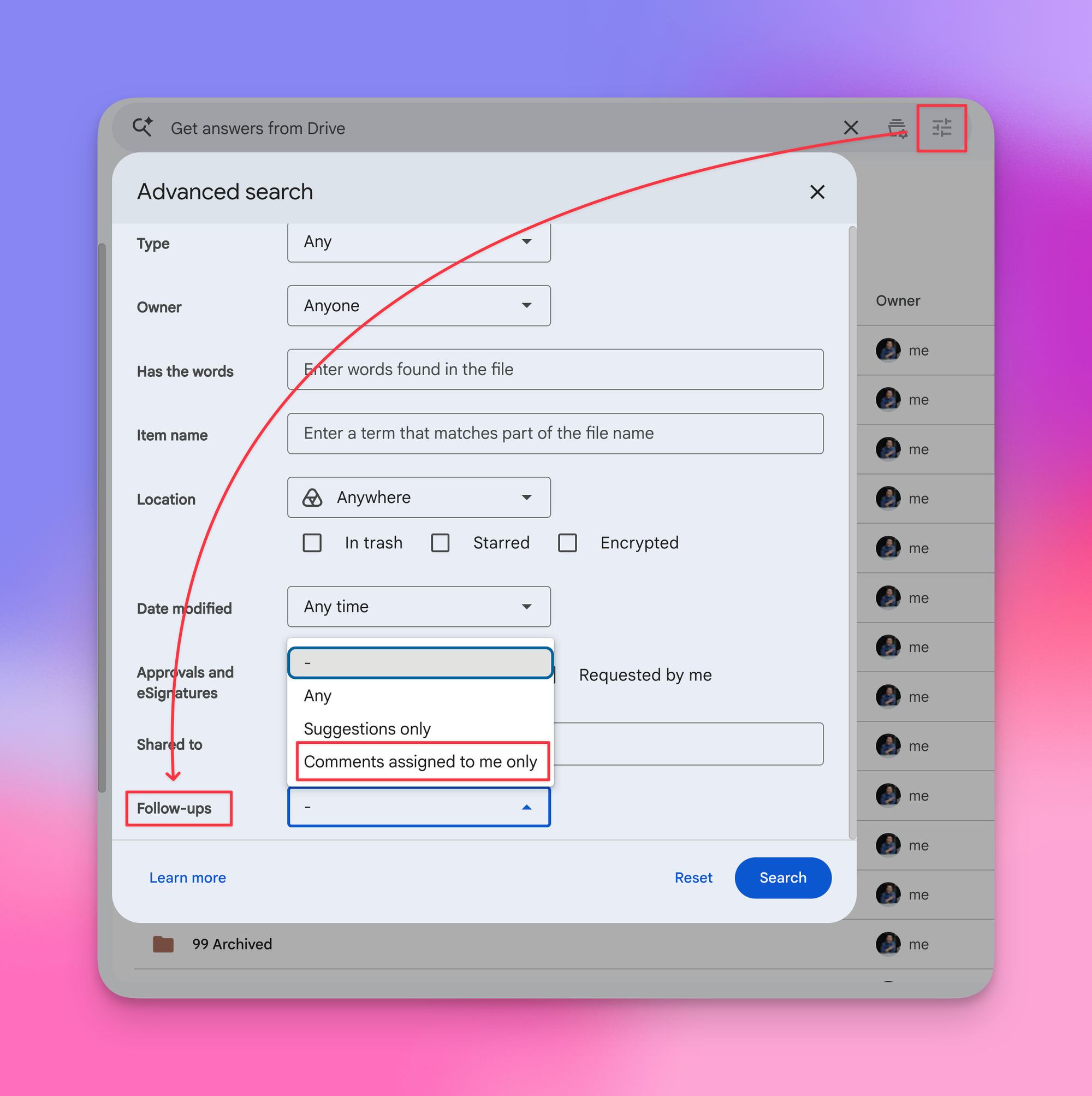
Now only the files where someone's actually waiting on your reply show up.
Tip #3: Share a video from the exact second that matters
You drop a recorded meeting or workshop into Drive, and someone asks about the thing you said "around the 34-minute mark." Normally you'd tell them to skip ahead and hope they land in the right spot.
Drive can copy a link to the exact timestamp, just like YouTube:
- Open the video in Google Drive and pause at the moment you want to share
- Click Share (top right)
- Select Copy link to this time
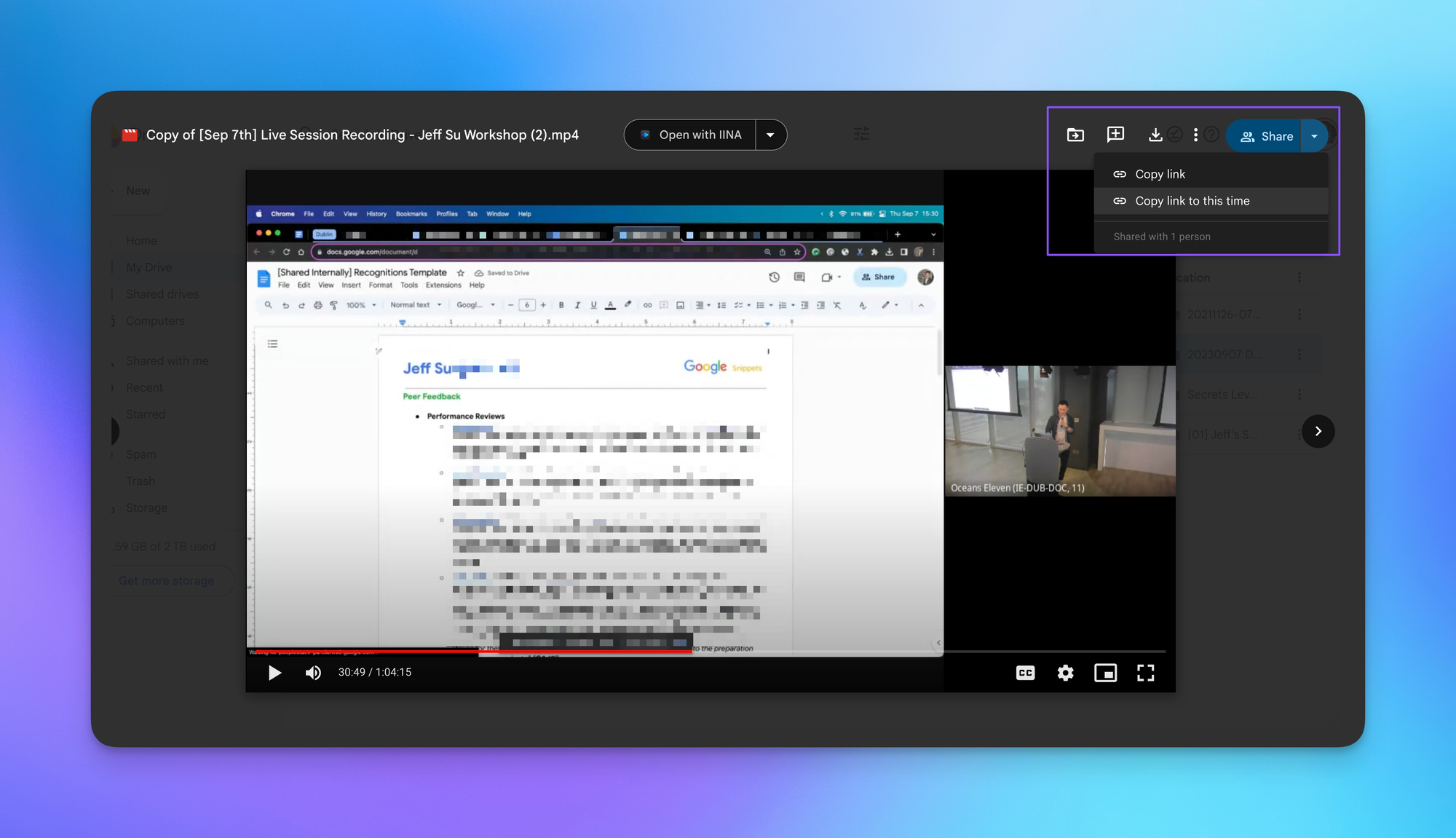
Anyone who opens that link lands on the exact second you picked (no "skip to 34:12" required).
⌨️ Keyboard Shortcuts
- / = jump straight to the search box
- SHIFT + A = select every file in view
- CMD/CTRL + / = pull up Drive's full shortcut list
Try one of these in your Drive this week and let me know how it goes! 😁
Whenever you're ready, here are some other ways I can help you:
💻 The Workspace Academy: Never lose a file, task, or note again with my CORE workflow for Google Workspace. Adopted by over 10,000 Googlers.
✅ Build Your Command Center in Notion: Plug-and-play dashboard that surfaces today's priorities automatically and organizes your life in seconds. #1 rated Notion Course globally.