|
Gmail
| #259
Gmail: How to Stop Google Calendar Notification Emails
Want to see these tips early? Subscribe to the newsletter!
Hey friends, tell me this hasn't happened to you: Send a meeting invite to eight people and your inbox spends the next ten minutes notifying you that the meeting is, in fact, going to happen:
- "Alex has accepted this invitation"...
- ..."Priya has accepted this invitation"...
- ..."Meeting room 4B has accepted this invitation"...
- ...and somewhere underneath, the one person who declined and wants to move it to Thursday.
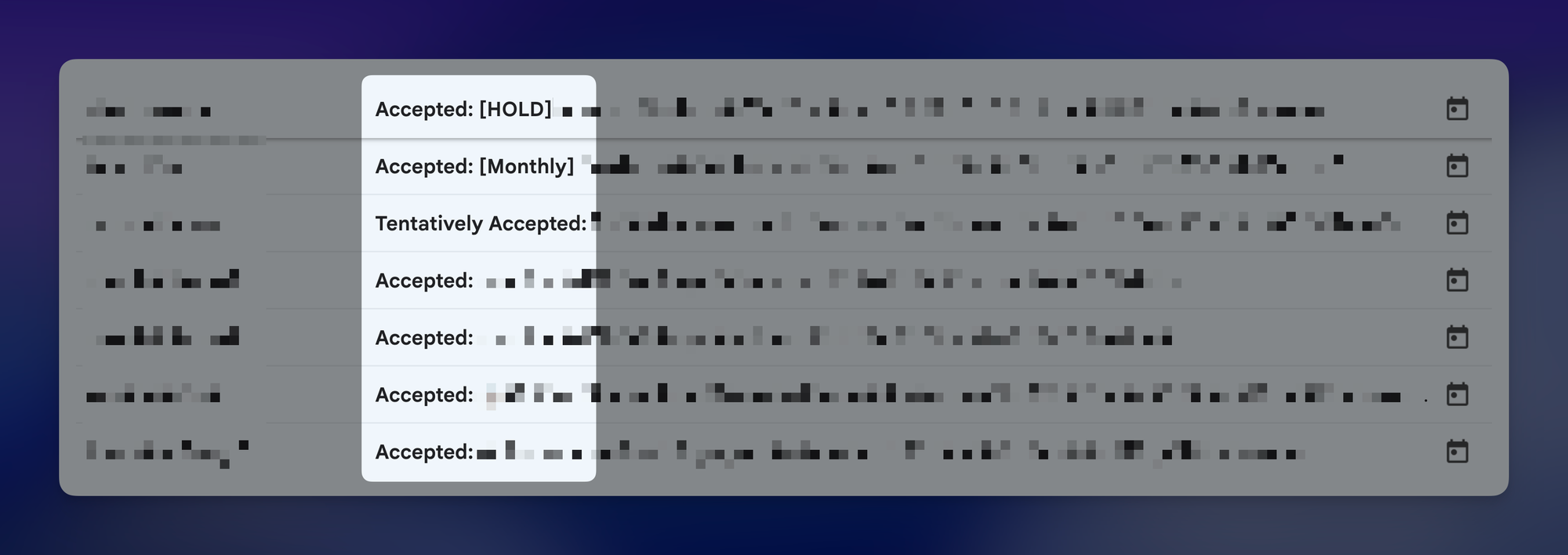
You'd think Google Calendar would let you mute the useless ones, but it's a single dropdown covering all "Event responses" 😩, so killing the “Accepted” notifications kills the “Declined” notifications too.
💡
Note: Just to be clear you still want the “Declined” notifications to come through so you can follow up and reschedule.
Archive the RSVPs that don't need you
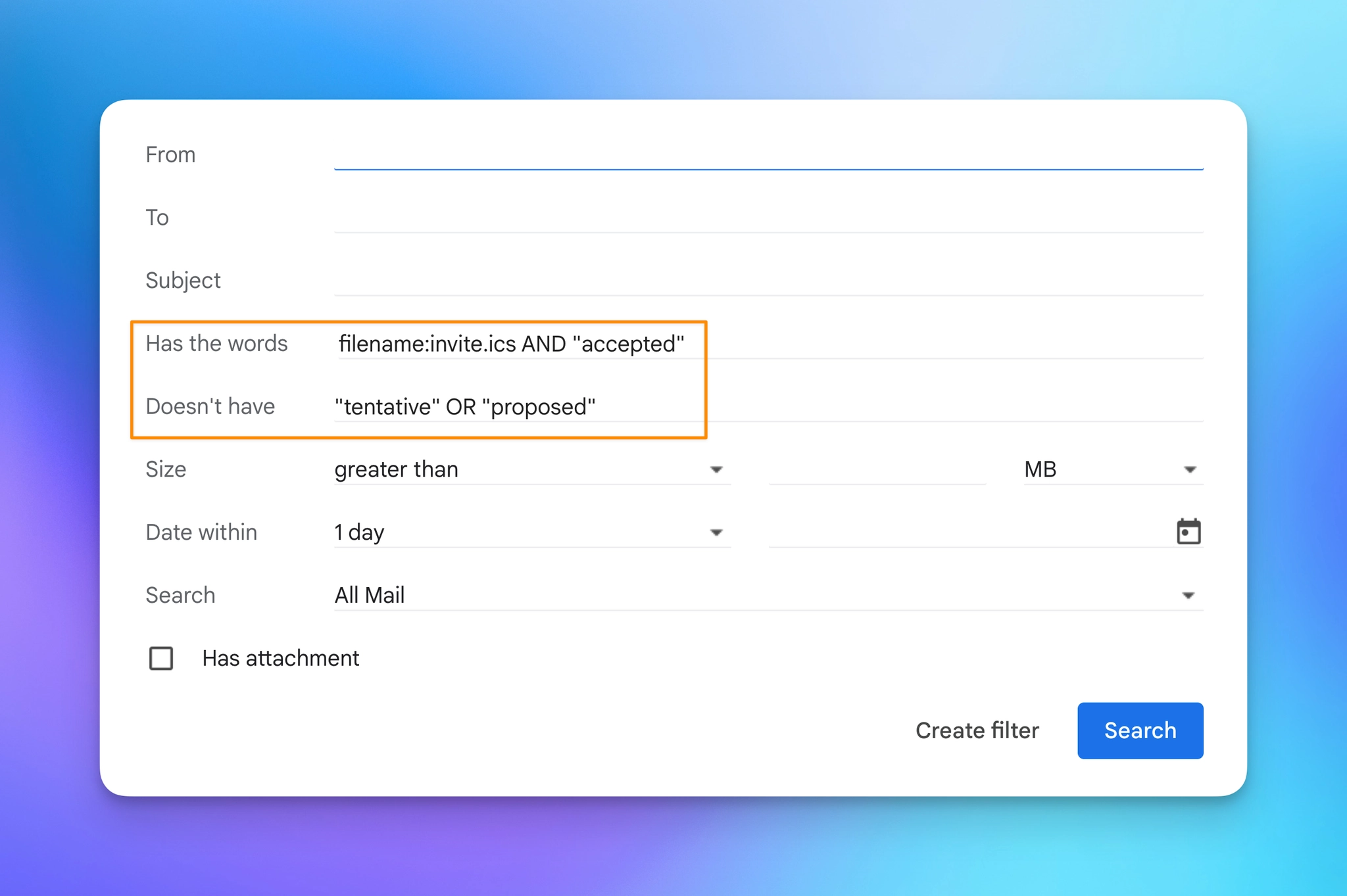
Every calendar reply that lands in your inbox has a small file attached to it, always named ‘invite.ics’. Regular emails don't, so that's how you point Gmail at calendar replies and nothing else.
Here's the setup:
- In Gmail, click Show search options (the sliders icon on the right of the search bar)
- In Has the words, enter
filename:invite.ics AND "accepted" - In Doesn't have, enter
"tentative" OR "proposed" - Click Create filter, then tick Skip the Inbox (Archive it)
- Click Create filter again
That's it.
And thanks to that second box, a "Maybe" or a request to move the meeting still shows up in your inbox alongside the declines.
💡
Pro tip: Archiving doesn't delete anything, so you can still check who's coming. Tick Apply the label on that same screen, create one called "Calendar RSVPs," and every accept stacks up in one place you can open right before the meeting.
Try this one out this week and let me know how it goes! 😁
Whenever you're ready, here are some other ways I can help you:
🎛️ The Cowork Academy: Ready-to-install AI Command Center that loads your context automatically and makes every Claude session sharper than the last. 90% built when you download it.
💻 The Workspace Academy: Never lose a file, task, or note again with my CORE workflow for Google Workspace. Adopted by over 10,000 Googlers.