|
Gemini
| #262
Gemini: How to Turn an Audio Recording Into a Google Doc
Want to see these tips early? Subscribe to the newsletter!
Hey friends, you know what’s annoying?
No, not me. I know where your mind went. 😛
What’s actually annoying is asking Google Gemini for a project plan, meeting agenda, or summary, getting a solid answer, and then still having to copy everything into another app and fix the formatting.
Google Gemini can create the finished file directly inside the chat, so let’s use a real example.
Turn a messy audio recording into a clean Google Doc
As a reminder, Google Gemini is the only Frontier model (well…maybe not a frontier anymore 😛) that is natively multi-modal, meaning it was built from the ground up being able to process text, audio, AND video.
Which means it’s the best model to transform information saved in one format (e.g. audio) into another format (e.g. text).
Here’s a workflow I use very regularly: I record my doctor’s appointments so I can revisit anything I miss later, then have Google Gemini turn the recording into a clean one-page Google Doc.
- Open Google Gemini and upload an audio recording (or video)
- Prompt: “Turn this audio recording of a recent doctor’s visit into a one-page executive summary in a Google Doc.”
- Open the Google Doc it creates inside the chat
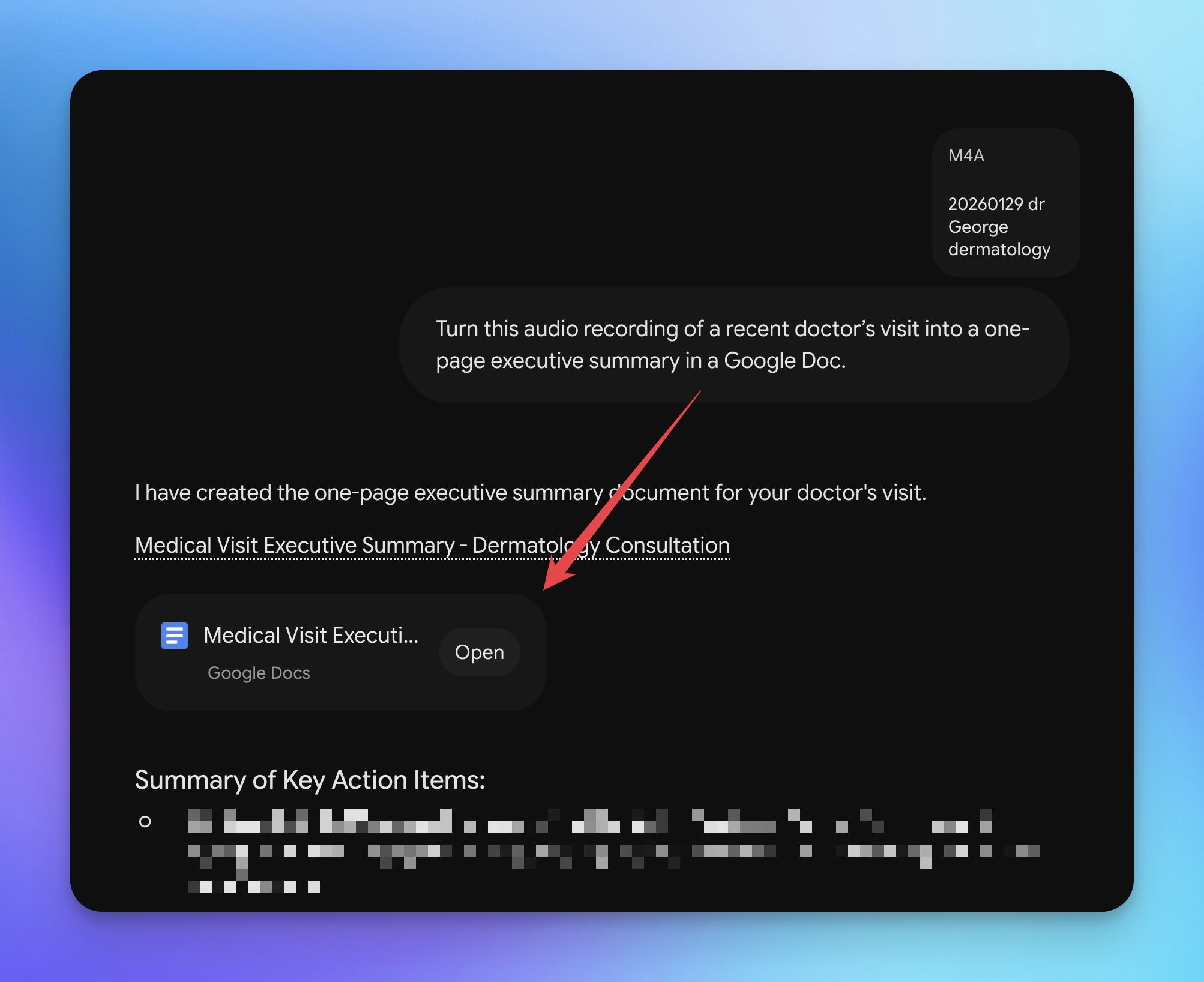
You can (obviously) swap the input and output and use the same workflow to turn a meeting recording into Slides, messy notes into a Word document, or a cluttered spreadsheet into a clean CSV.
💡
Pro tip: Ask for a Markdown file when you want to pass the result to another AI tool. Markdown keeps the structure intact, so you don’t have to clean up broken formatting between chats.
Try the file trick this week and let me know how it goes! 😁
Whenever you’re ready, here are some other ways I can help you:
🎛️ The Cowork Academy: Ready-to-install AI Command Center that loads your context automatically and makes every Claude session sharper than the last. 90% built when you download it.
💻 The Workspace Academy: Never lose a file, task, or note again with my CORE workflow for Google Workspace. Adopted by over 10,000 Googlers.
✅ Build Your Command Center in Notion: Plug-and-play dashboard that surfaces today’s priorities automatically and organizes your life in seconds. #1 rated Notion Course globally.