|
AI
| #265
ChatGPT & Claude: Start a new chat without losing context
Want to see these tips early? Subscribe to the newsletter!
Here’s something we’ve all experienced before: The AI starts off by giving you pretty strong outputs but as the chat gets longer and longer, the AI becomes more and more…stupid.
It forgets something you told it a few chats back (“it’s RIGHT there I JUST told you”), or it confidently tells you something that isn’t true.
By the end of this post, you’ll (1) Know why this happens, and (2) Know how to address it with a very simple fix.
Why AI loses context, and how a handoff helps
Reason #1: Context Rot. Basically, this is the gradual drop in an AI model's accuracy, reasoning ability, and instruction-following as its context window fills up with text.
- Imagine a physical desk: At the start of the chat, the desk just has a single 1-page document on it (your initial task).
- 50 messages later, the desk is piled with dozens of draft pages, terminal logs, half-fixed bugs, and casual chat. The original instructions are still physically on the desk, but they are buried under inches of paper.
Reason #2: Compaction. This is when the AI distills, prunes, and summarizes an ongoing conversation so it can retain key facts and decisions. While this is technically a GOOD thing, the AI often fails to identify the most relevant facts to retain, leading to “forgetfulness.”
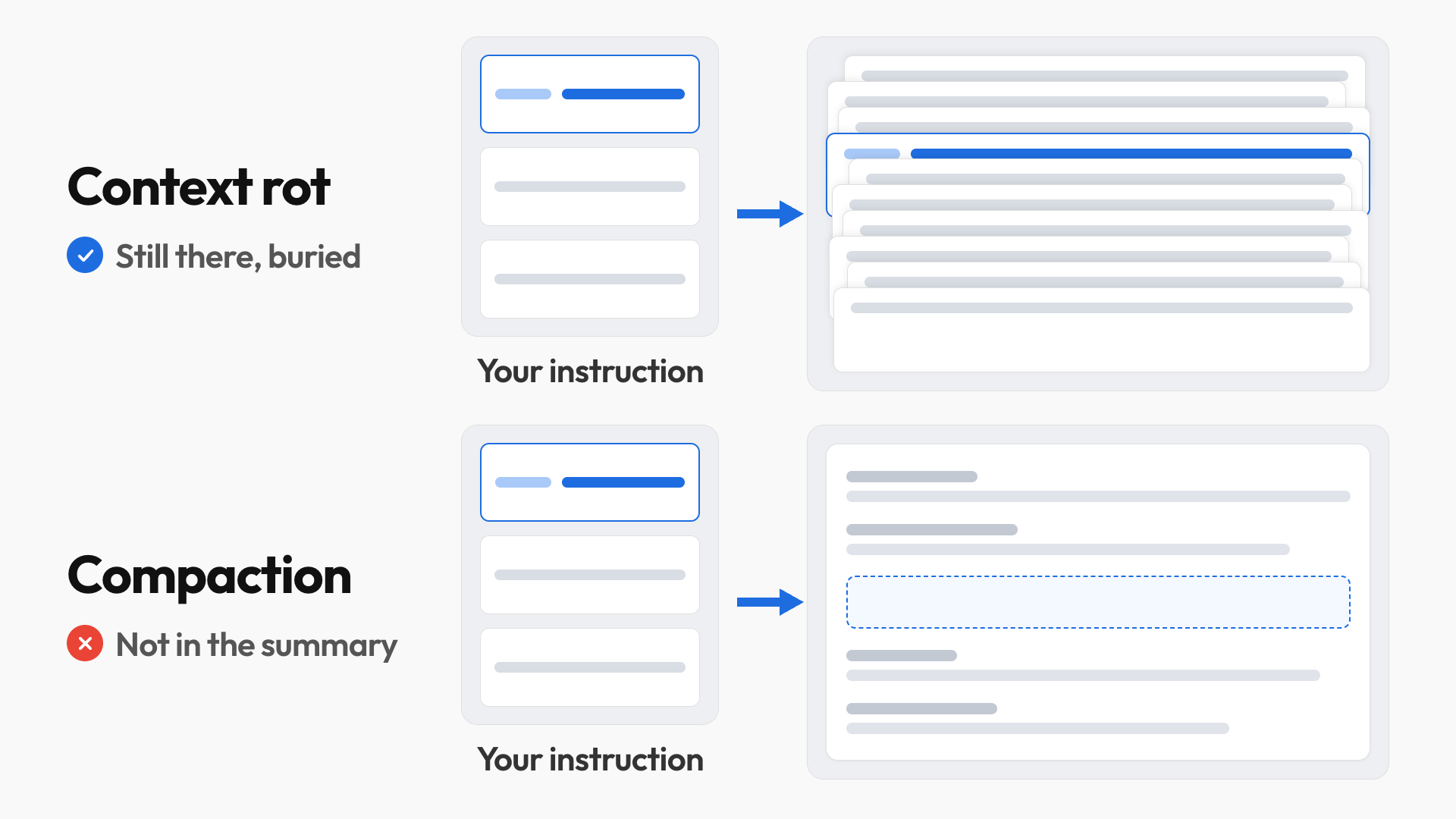
Either way, the AI’s output gets progressively worse and correcting it in the same chat is only a temporary solution.
A handoff gives a fresh chat a focused brief: your goal, confirmed decisions, progress and next action. You review what’s being carried over, then continue with the details that matter.
Download my Context Handoff skill
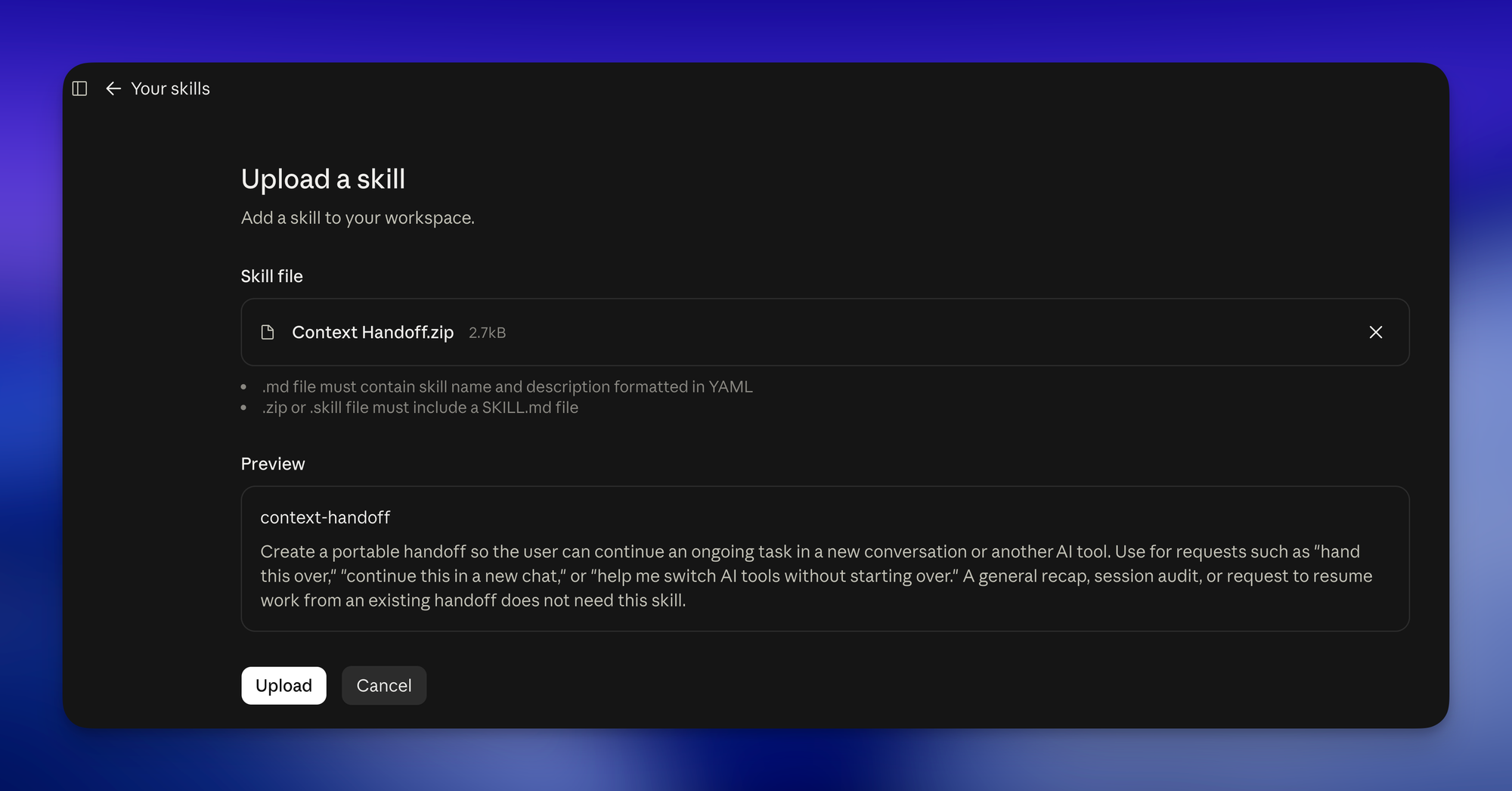
Because I’m an angel (😇), here’s the Context Handoff skill that works across ChatGPT, Claude, and Gemini.
To install it in Claude:
- Open the Upload skill screen.
- Select the downloaded ZIP file directly (no need to unzip it).
- Click Save, then check that context-handoff shows as enabled in your Skills list.
How the skill saved me in real life
I was setting up a second Synology NAS (basically, storage connected to my network) for a new apartment, and I had one long chat walking me through it step by step. And at one point in the later steps, it started pointing me to settings that don’t exist and so I immediately ran the context handoff skill.
Here’s how I used it:
- I ran the skill in the original chat. I typed, “Use Context Handoff to prepare this task for a new chat.”
- It gave me a brief I could copy. This pulled together my setup goal, the key decisions and where we’d left off, so I could check the important details before bringing them over.
- I pasted that brief into a fresh chat and asked the AI to continue. The new conversation had the context it needed for the next step, without me explaining the whole NAS setup again.
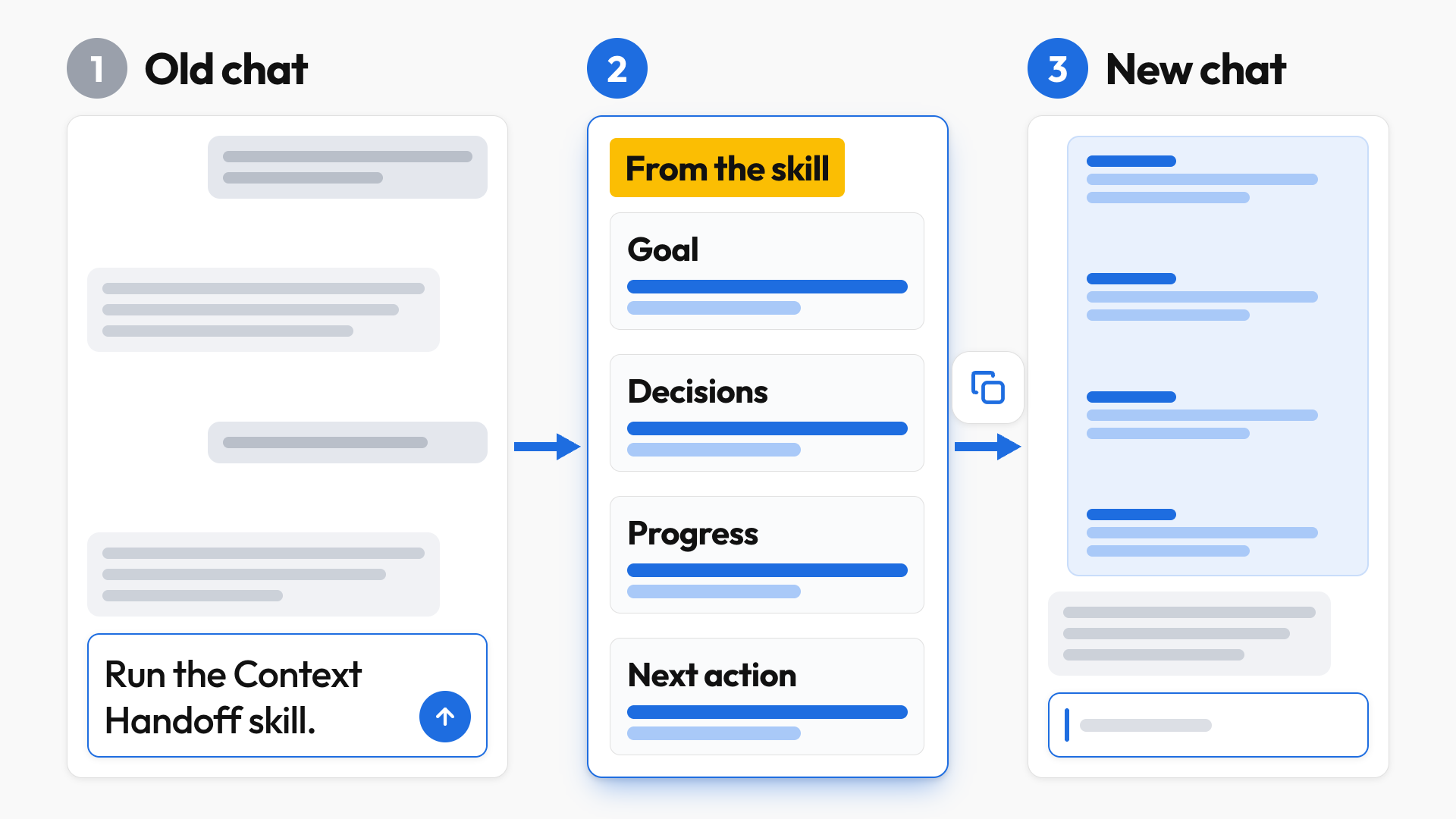
Next time the AI forgets something you told it an hour ago, type "Use Context Handoff to prepare this task for a new chat," check the brief, paste it into a fresh chat, and keep going. Let me know how it goes! 😁
Whenever you’re ready, here are some other ways I can help you:
🎛️ The Cowork Academy: Ready-to-install AI Command Center that loads your context automatically and makes every Claude session sharper than the last. 90% built when you download it.
💻 The Workspace Academy: Never lose a file, task, or note again with my CORE workflow for Google Workspace. Adopted by over 10,000 Googlers.
✅ Build Your Command Center in Notion: Plug-and-play dashboard that surfaces today’s priorities automatically and organizes your life in seconds. #1 rated Notion Course globally.