|
Google Calendar
| #247
Google Calendar: How to Block Spam Calendar Invites
Want to see these tips early? Subscribe to the newsletter!
Hey friends, there are three Google Calendar settings that I make every new team member change on their first day. They take about 30 seconds each and save hours of headaches down the road, so let's just get started!
Tip #1: Let guests modify your events by default
You know that one colleague who books a meeting with you but forgets doesn't bother to give you permission to move it?
So now you have to:
- Message them…
- …wait for a reply…
- …and hope they actually reschedule before the rest of your calendar piles up.
Here's how to make sure you're not that person:
- Open Google Calendar Settings
- Go to Event Settings
- Under Default Guest Permissions, check Modify event
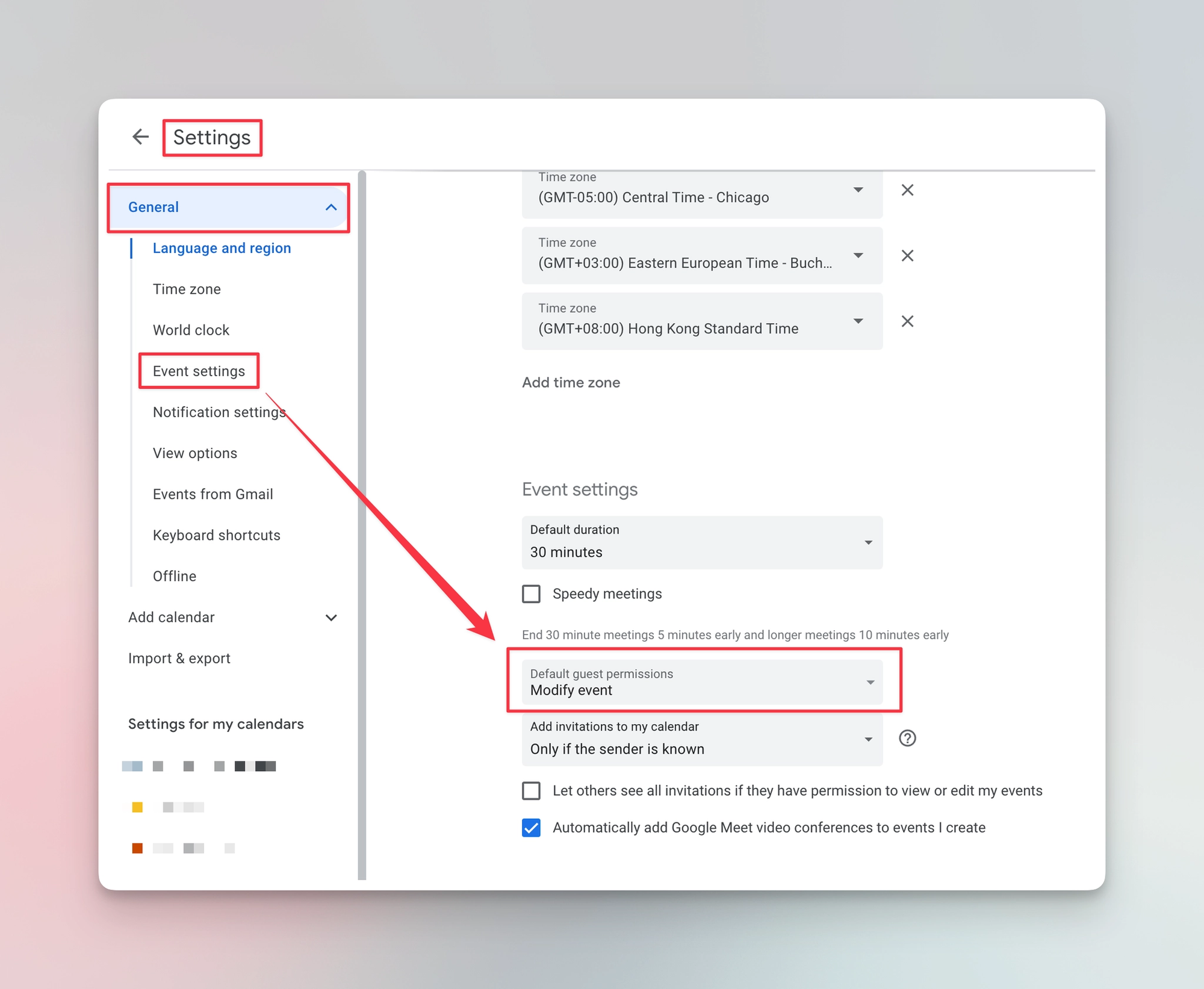
Now if the proposed time doesn't work, your colleague can just drag the event to a new slot without the back-and-forth.
💡
Pro tip: For large team meetings or presentations (where you definitely don't want 50 people rearranging your agenda), uncheck “Modify event” on that specific event.
Tip #2: Block spammy calendar invites
If you've ever woken up to a random “You've won a free iPad!!” event on your calendar, congratulations. By default, Google Calendar adds events from anyone who sends you an invite. Anyone. (Classic Google move 😩)
Here's the fix:
- Open Google Calendar Settings
- Go to Event Settings
- Under Add invitations to my calendar, change it from “From everyone” to Only if the sender is known
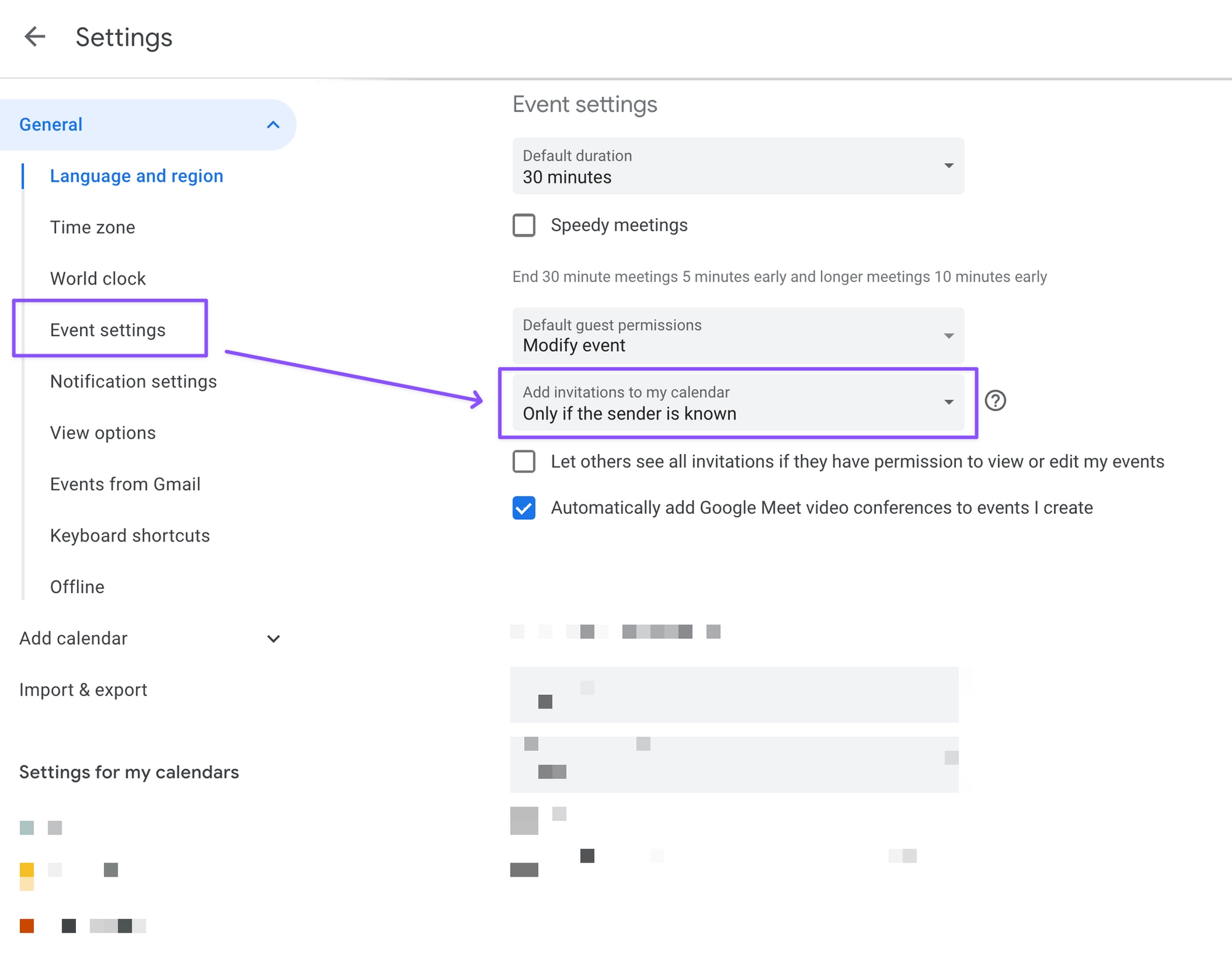
Events will now only auto-add if the sender is in your contacts, part of your organization, or someone you've interacted with before.
Tip #3: Add timezones to your colleagues' names
If you work with people in different timezones, you probably already use Google Calendar's secondary timezone and world clock features (if you don't, go set those up first, I'll wait). But here's something I've rarely seen anyone else do:
You can add the timezone directly to your colleague's display name.
- In the Google Calendar sidebar under Other people's calendars, find your colleague
- Click the three dots next to their name > Settings
- Note the timezone displayed on their settings page
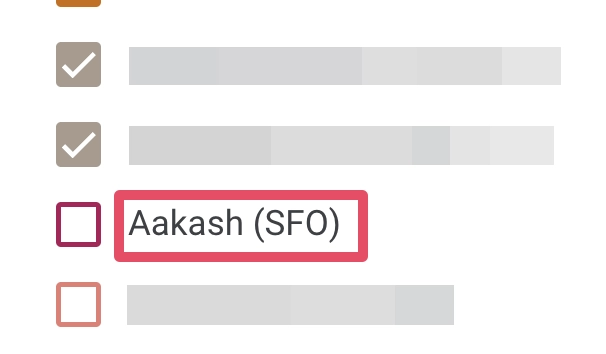
- In the Name field, add the timezone/location after their name (e.g., “Aakash (SFO)”)
💡
Pro tip: The raw GMT value won't mean much at a glance (quick, what's GMT-5? Exactly.), so swap it for something intuitive like “EST” or “London.”
⌨️ Keyboard shortcuts
- S = Open Calendar Settings
- C = Create a new event
- / = Search for events or people
Try one of these this week and let me know how it goes! 😁
Whenever you're ready, here are some other ways I can help you:
💻 The Workspace Academy: Never lose a file, task, or note again with my CORE workflow for Google Workspace. Adopted by over 10,000 Googlers.
✅ Build Your Command Center in Notion: Plug-and-play dashboard that surfaces today's priorities automatically and organizes your life in seconds. #1 rated Notion Course globally.