|
Google Docs
| #251
Google Docs: How to Set Custom Instructions for Gemini
Want to see these tips early? Subscribe to the newsletter!
Hey friends, today's tip teaches Gemini to permanently remember how you like to write in Google Docs specifically, so let's dive right in! 😁
Heads up: While I'm proud of this tip and the feature itself is excellent, I have a rant at the end about how Google made this a lot more complicated than it needs to be.
How does Google Docs NOT know how I write yet?
Every new Gemini chat in Google Docs starts from zero: you re-explain your tone, your formatting rules, and how you want information presented before you get to the actual request.
So wouldn't it be great if we could save persistent instructions somewhere so Google Docs applies them to every output automatically?
Set custom instructions for Gemini in Docs
- Open any Google Doc and click the Gemini icon in the top right
- In the side panel, click Menu (top left) → Settings → Personalization (that wasn't hard to find at all, good job Google 🙄)
- Click Add, type your instruction, and click Save
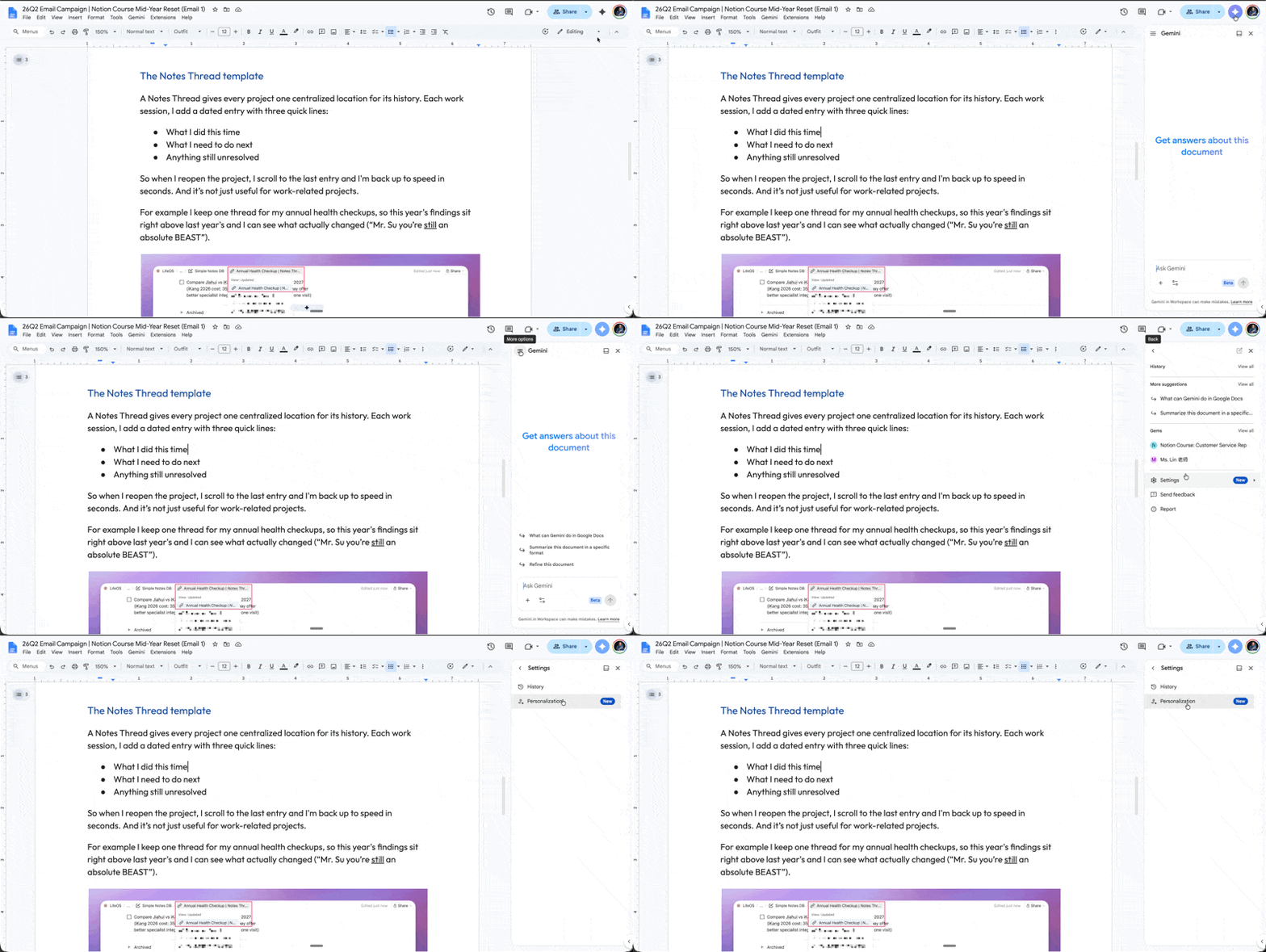
Alternative method if you're lazy: just tell Gemini mid-chat. Phrases like "From now on, keep my paragraphs under 3 sentences" get saved as instructions automatically.
Boom. Every future chat will know - and follow - the rules.
The first 3 instructions I saved
- Tone: "Write like I talk: short sentences, plain English, and no corporate jargon like 'leverage' or 'circle back.'"
- Formatting: "Never use em dashes. Use commas, colons, or parentheses instead." (non-negotiable in this household)
- Summaries: "When summarizing anything, give me the answer in one sentence first, then a maximum of 3 supporting bullets."
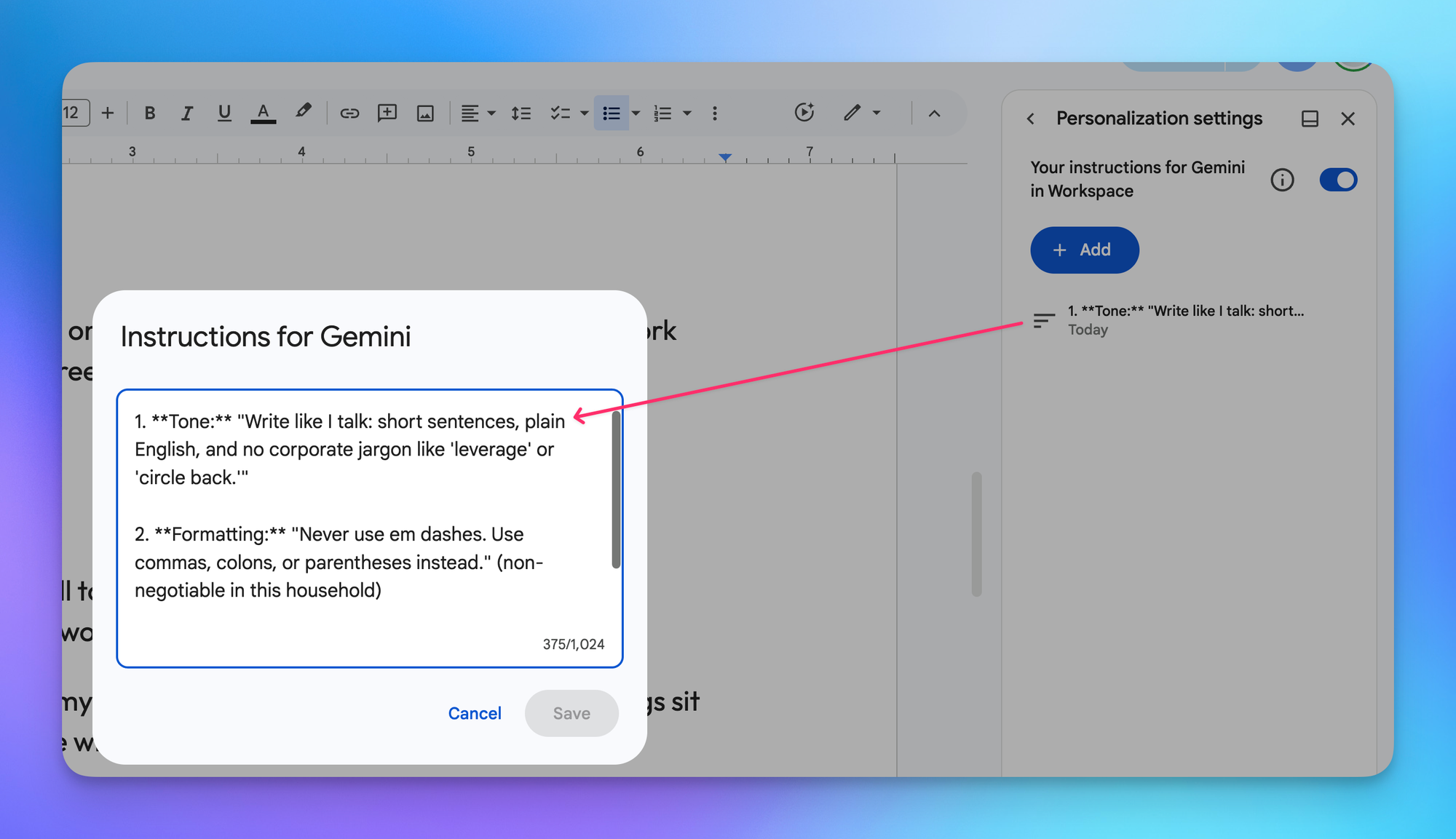
Steal these, then build your own: the next time you catch yourself correcting Gemini's output the same way twice, that correction is an instruction. Save it.
💡
Pro tip: If you have your writing preferences saved somewhere, just ask Gemini to extract the top 3-5 principles for you to paste over.
Rant
Many of you know I worked at Google for 9 years and I love the company, but this is an excellent example of how "weak" the product teams are.
If you think about the concept of writing preferences (e.g. I prefer a warm and friendly tone of voice), that rule should NOT be saved in a Google Workspace tool like Google Docs, but rather at the parent level in Gemini!!!!!
Why would you NOT let us save umbrella rules in one central location (hm…maybe under the "Personal Intelligence" tab in Gemini?!) and instead ask us to add writing preferences within Google Docs…only to have us move those preferences somewhere else down the line?
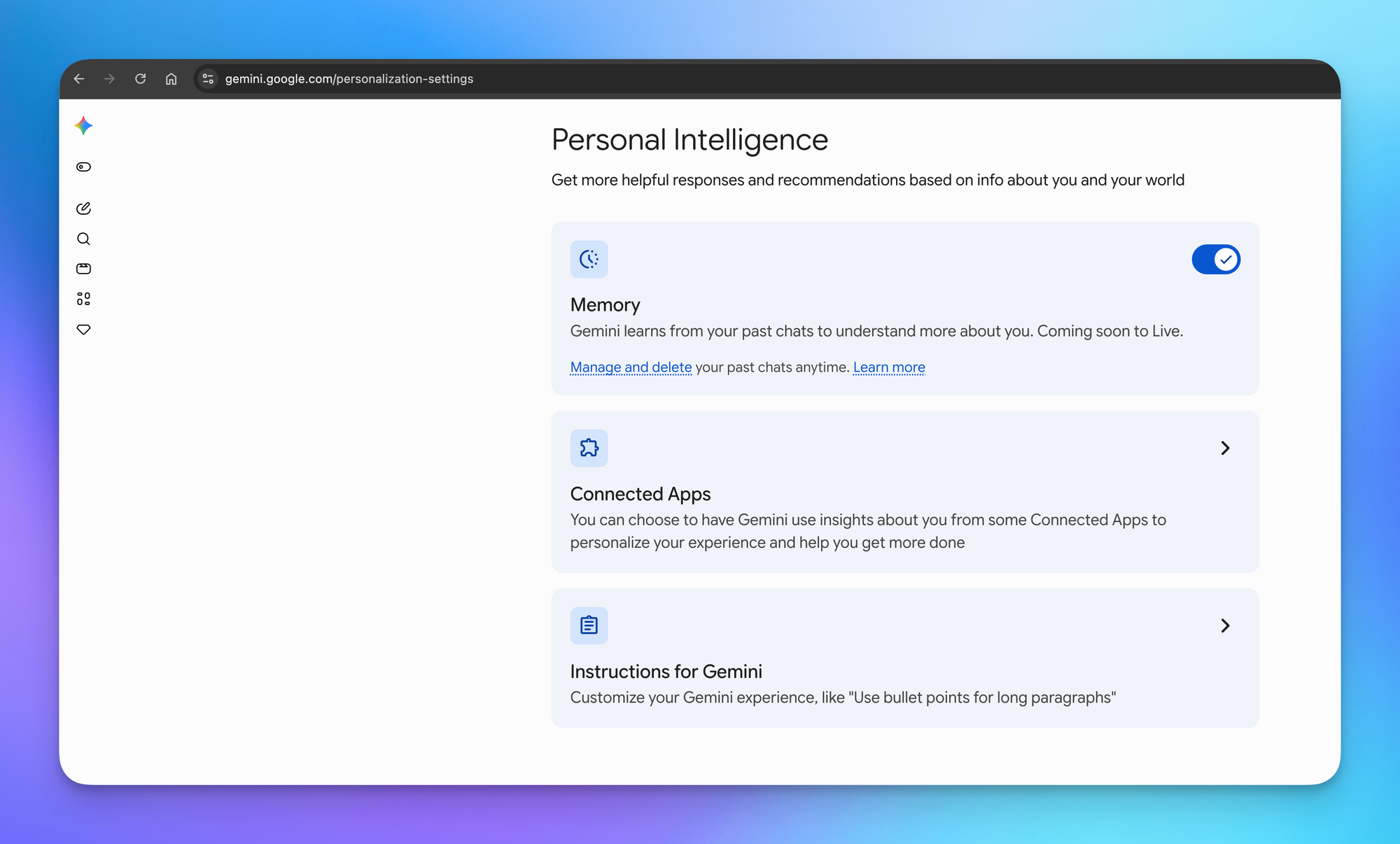
I'm willing to bet money a Googler will eventually realize what I just ranted about and consolidate writing preferences with umbrella rules.
== RANT OVER ==
Anyway, copy my basic setup above and let me know how it goes! 😁
Whenever you're ready, here are some other ways I can help you:
💻 The Workspace Academy: Never lose a file, task, or note again with my CORE workflow for Google Workspace. Adopted by over 10,000 Googlers.
✅ Build Your Command Center in Notion: Plug-and-play dashboard that surfaces today's priorities automatically and organizes your life in seconds. #1 rated Notion Course globally.