|
Google Docs
| #88
Google Docs: Spice things up with Dynamic Table of Contents
(you can filter previous editions by application!)
Spice Up Your Docs: Dynamic Table of Contents
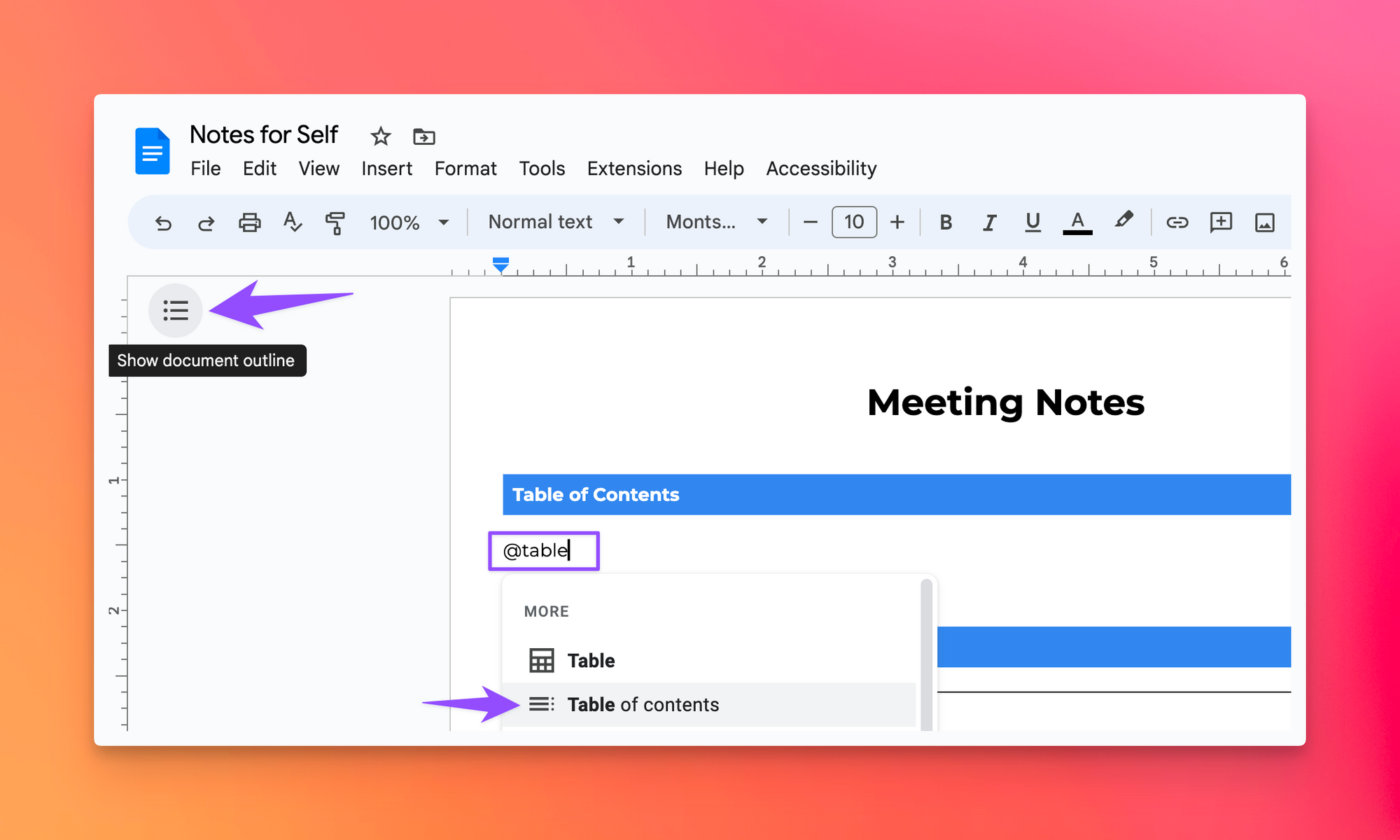
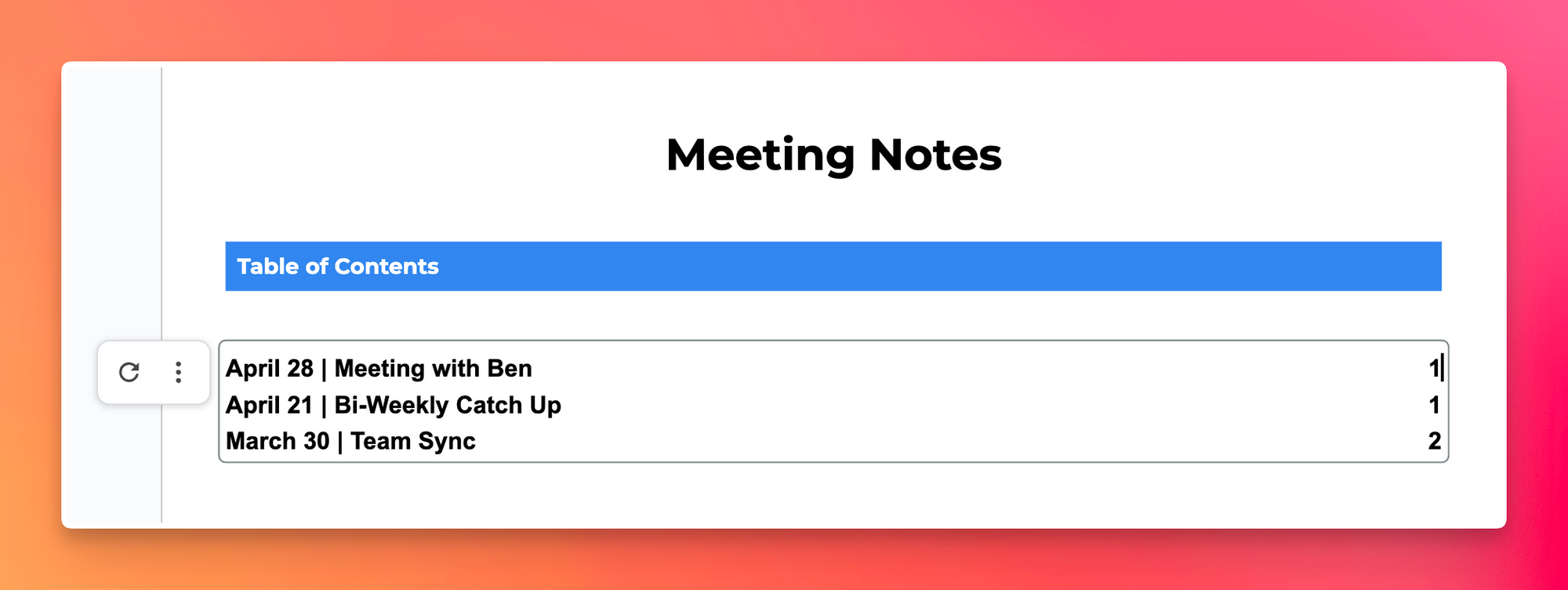
Instead of simply relying on the "Show outline" feature to navigate through your Google Doc, you can now integrate a "Table of Contents" using the "@" command:
💡
Pro tip: Google Docs only recognizes sections tagged with “@header 1” “@header 2” or “@header 3”
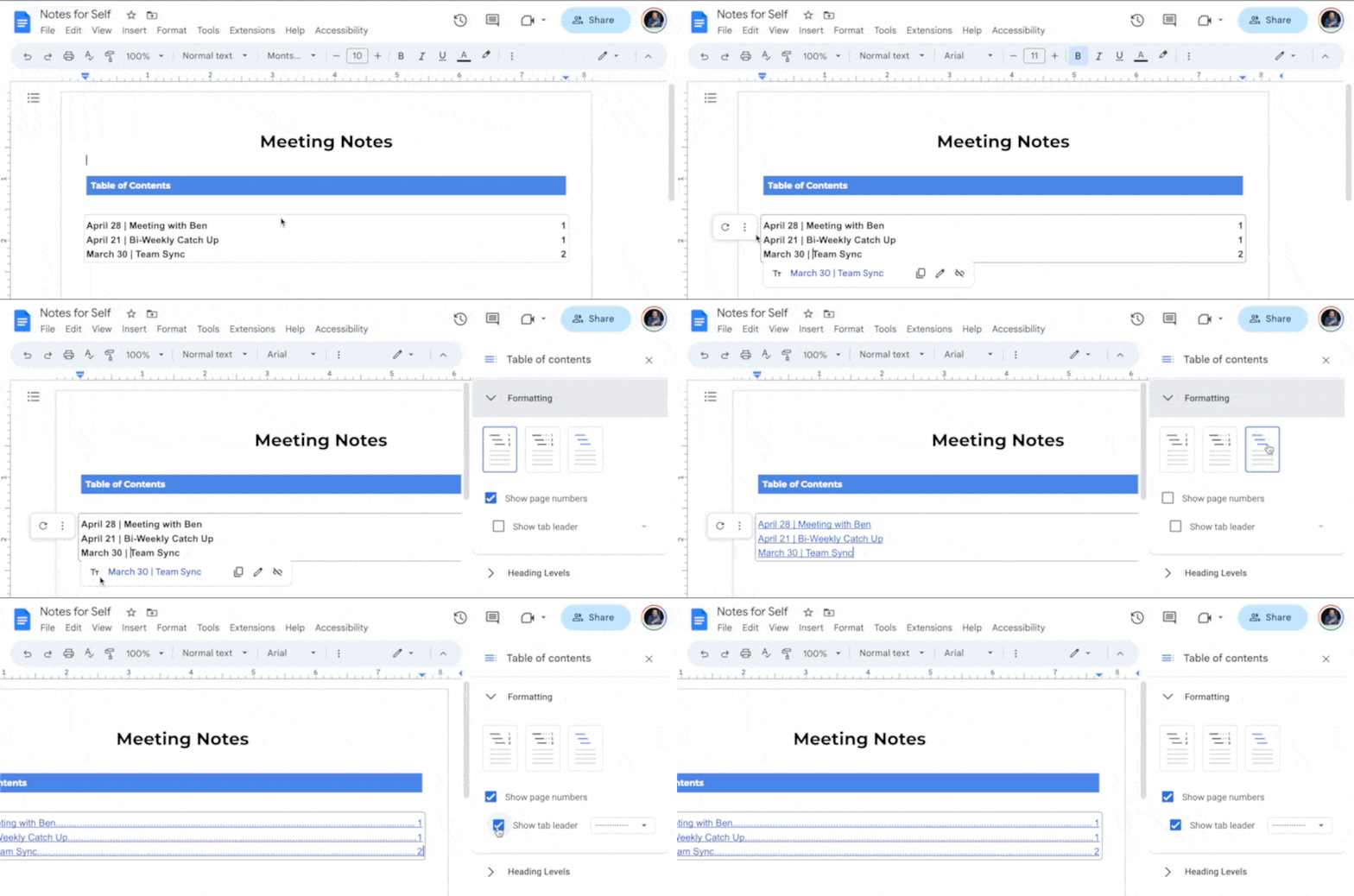
Choose from three style options; the hyperlinked version is a personal favorite:
Bonus Hack: Keep Word Count in Check
- Navigate to Tools > Word Count > and toggle on “Display word count while typing” for real-time word count insights
💡
Pro tip: This is an invaluable tool for presentation scripts or interview prep, as ~250 words translate to roughly 2 minutes of speech.
I’m always looking for ways to improve so give me anonymous feedback here 📝
Want someone to be more productive? Let them subscribe here 😉
Thanks for being a subscriber, and have a great day!