|
Google Docs
| #119
Google Docs: Link to Headers!
(you can filter previous issues by application!)
An Experiment in Productivity
Don’t judge me but last year I tried a silly experiment:
- I sent an email to 10 colleagues asking them to fill out a table in Google Sheets
- I sent the exact same email to 10 other colleagues but this time I linked them to the specific cell I needed them to fill out (see example below)
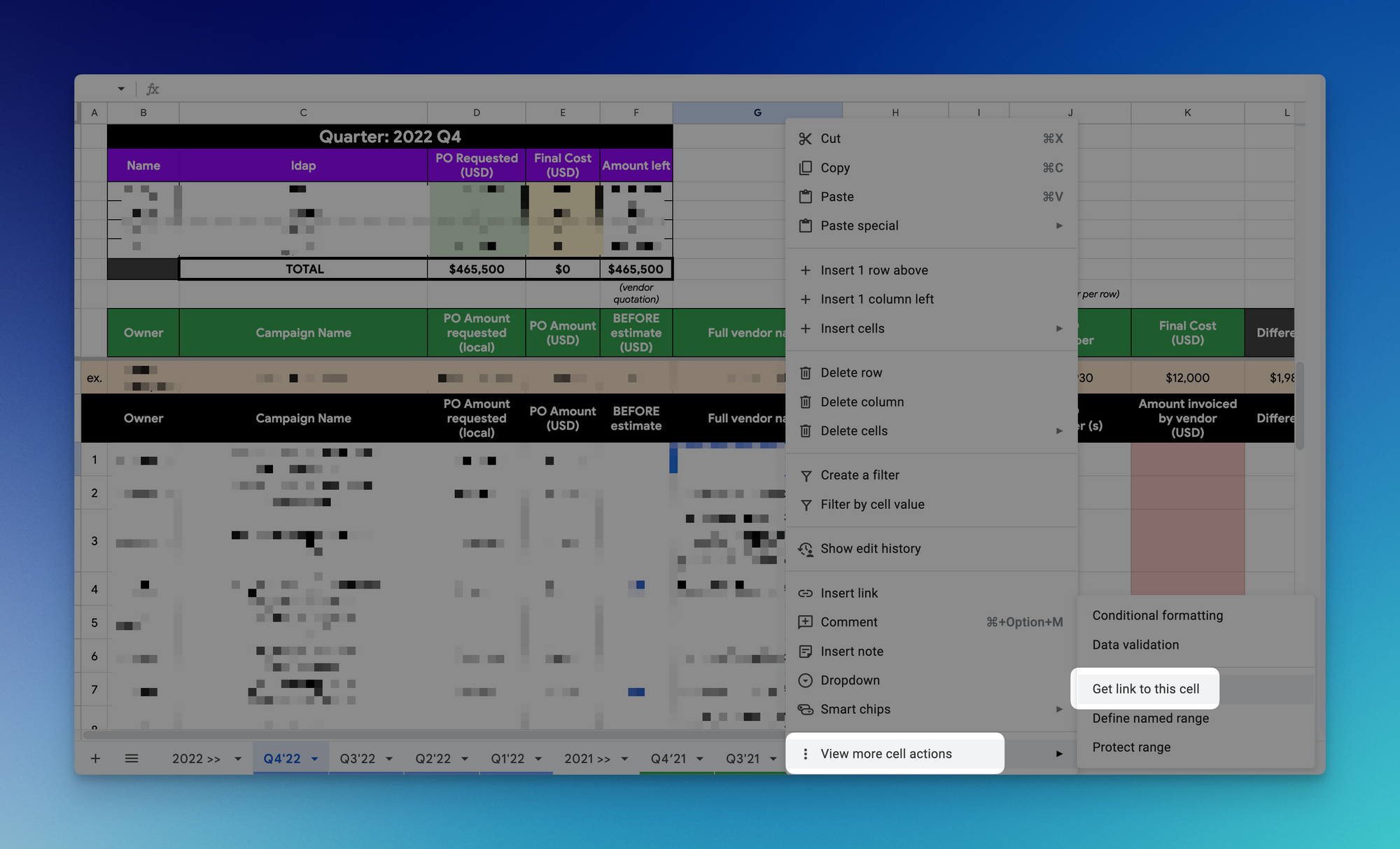
The results? 90% of the second group took action before the end of day vs. 30% in the first group 🤯
Link Directly to Headers
Applying the same concept to Google Docs, you can create a link to headers by:
- Typing “@” and creating Heading 1 / 2 / 3
- Right click on the Heading > Copy heading link
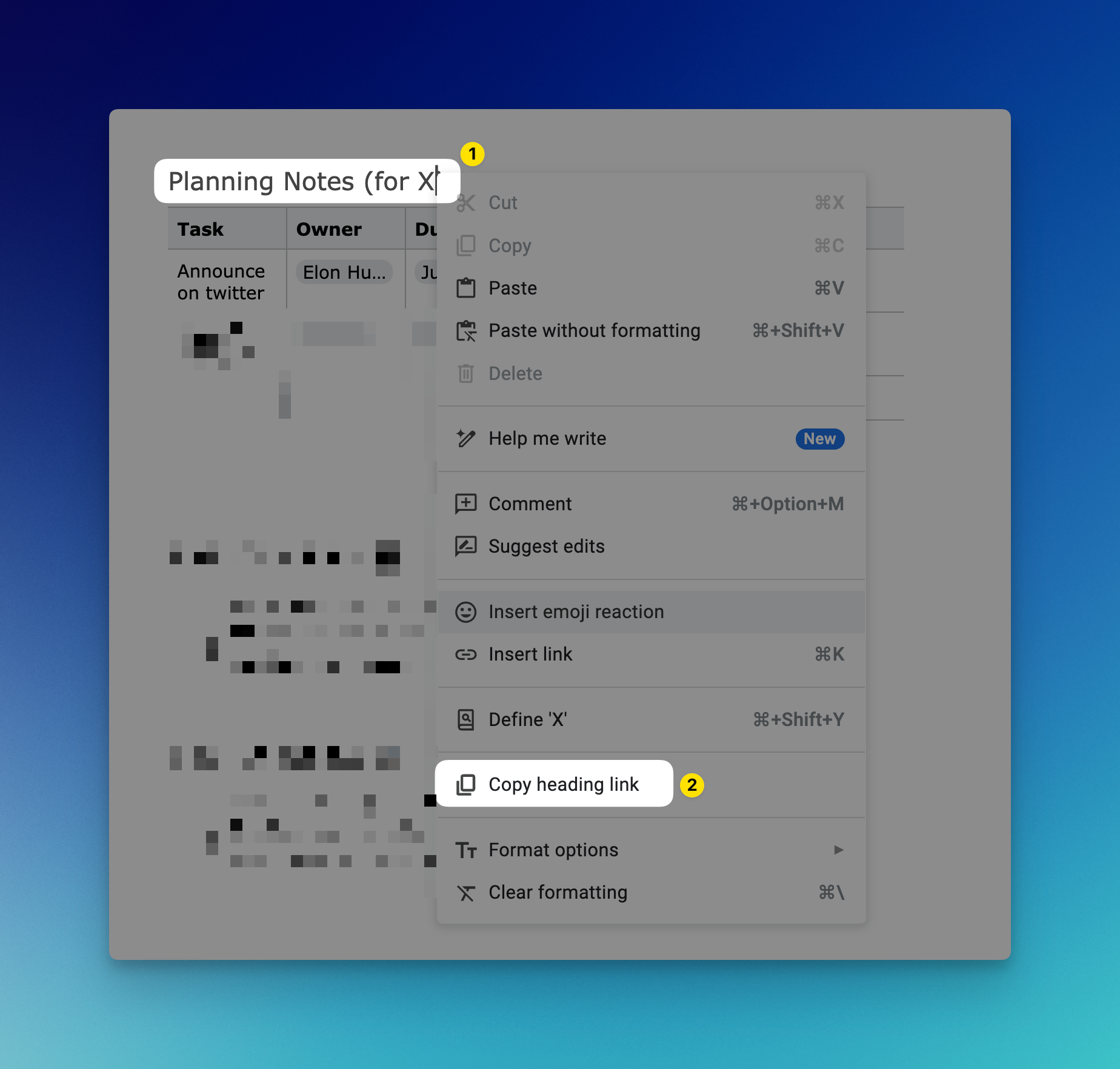
This is particularly helpful to nudge colleagues to take action if you’re asking for input on a long Google Doc for example 😁
I’m always looking for ways to improve so give me anonymous feedback here 📝
Want someone to be more productive? Let them subscribe here 😉
Thanks for being a subscriber, and have a great day!