|
AI
Top 10 AI Productivity Tips that Save Time at Work
Hey friends - if you're tired of AI productivity tips that go out of date almost immediately, these six are for you. I've used every major AI tool since ChatGPT first came out, and the techniques that actually last are the ones I've taught at Google, PwC, and Stanford.
Put simply: you get better results from ChatGPT, Claude, or Gemini when you waste fewer tokens, do less work by hand, and teach the AI how you like to work.
Watch it in action
Resources
- AI Productivity Prompts (all six prompts from the video, ready to copy)
- Claude Toolkit (my free 7-day email course for setting up a Claude workspace)
- Use Claude like an AI Expert (Ruben Hassid’s free guide with HubSpot, including templates you can also use with ChatGPT and Gemini)
- The Cowork Academy (my AI Command Center, 90% built when you download it)
Waste Fewer Tokens
#1: The Markdown Shortcut (PDF to Markdown)
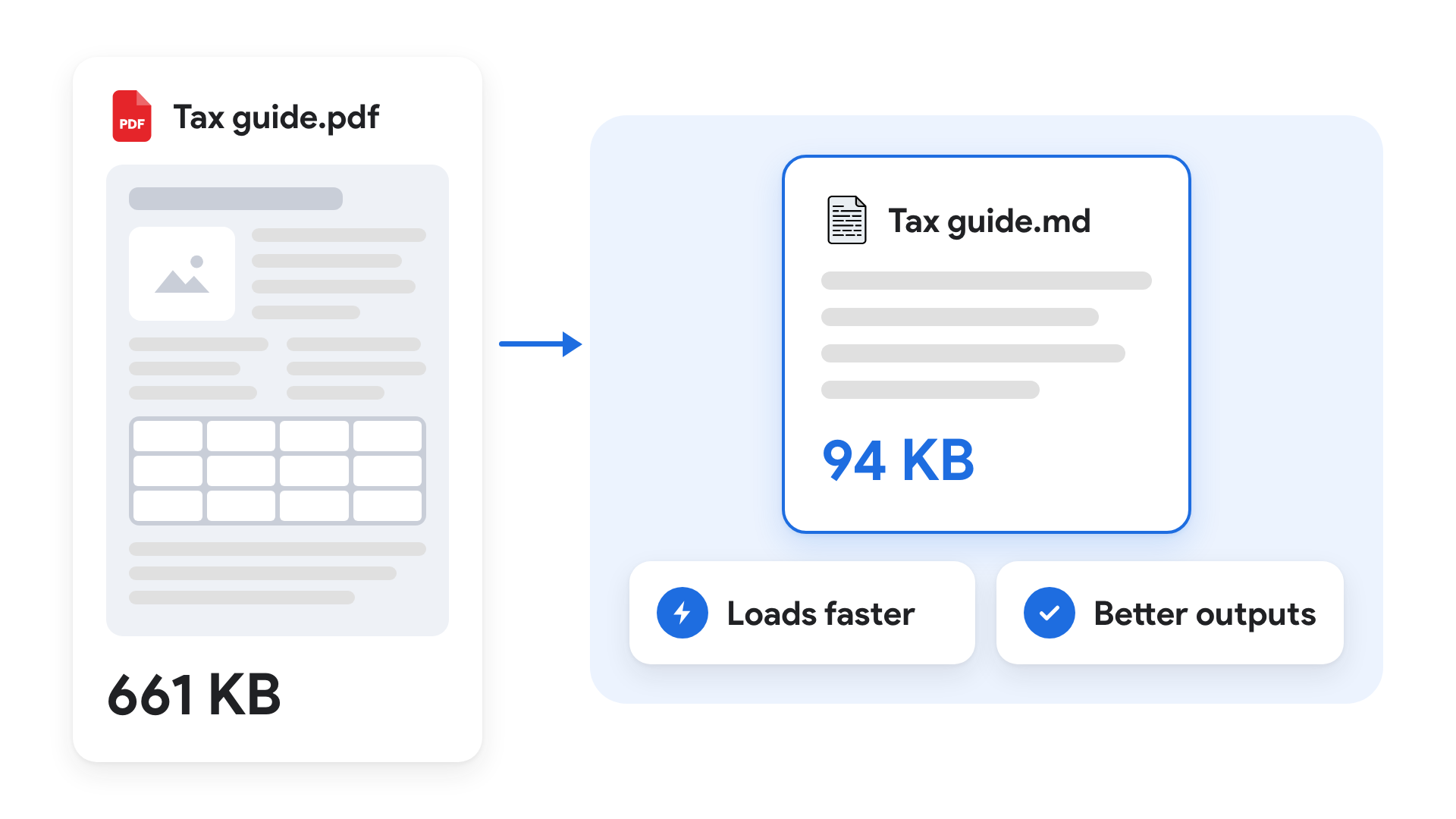
AI wastes A LOT of time and tokens when you upload a PDF, because it processes the page layout along with the text. A Markdown file strips out the formatting, so the AI gets straight to the information.
- For example, copying my (incredibly interesting and addictive) 42-page tax guide into a Google Doc and downloading it as Markdown took it from 661 KB to 94 KB.
If you want to skip that manual step, just ask the AI to save just the parts of the guide that apply to you as Markdown. My file came out over 90% smaller, so that’s what the AI reads for future tax questions. Here’s the full walkthrough, prompt included.
Rule of thumb: give AI the plain-text version of any file that's mostly text, like Markdown instead of a Word doc, or a CSV instead of a messy Excel file full of merged cells.
💡
Pro tip: keep the original as a fallback. In a ChatGPT or Claude web project, upload both files and tell the AI to read the Markdown file by default and only open the PDF when it needs more. In a desktop app, keep the originals in a "Source PDF" folder and put the same rule in your instructions file (AGENTS.md for ChatGPT, CLAUDE.md for Claude).
#2: The Folder Map (Index Your Files for AI)
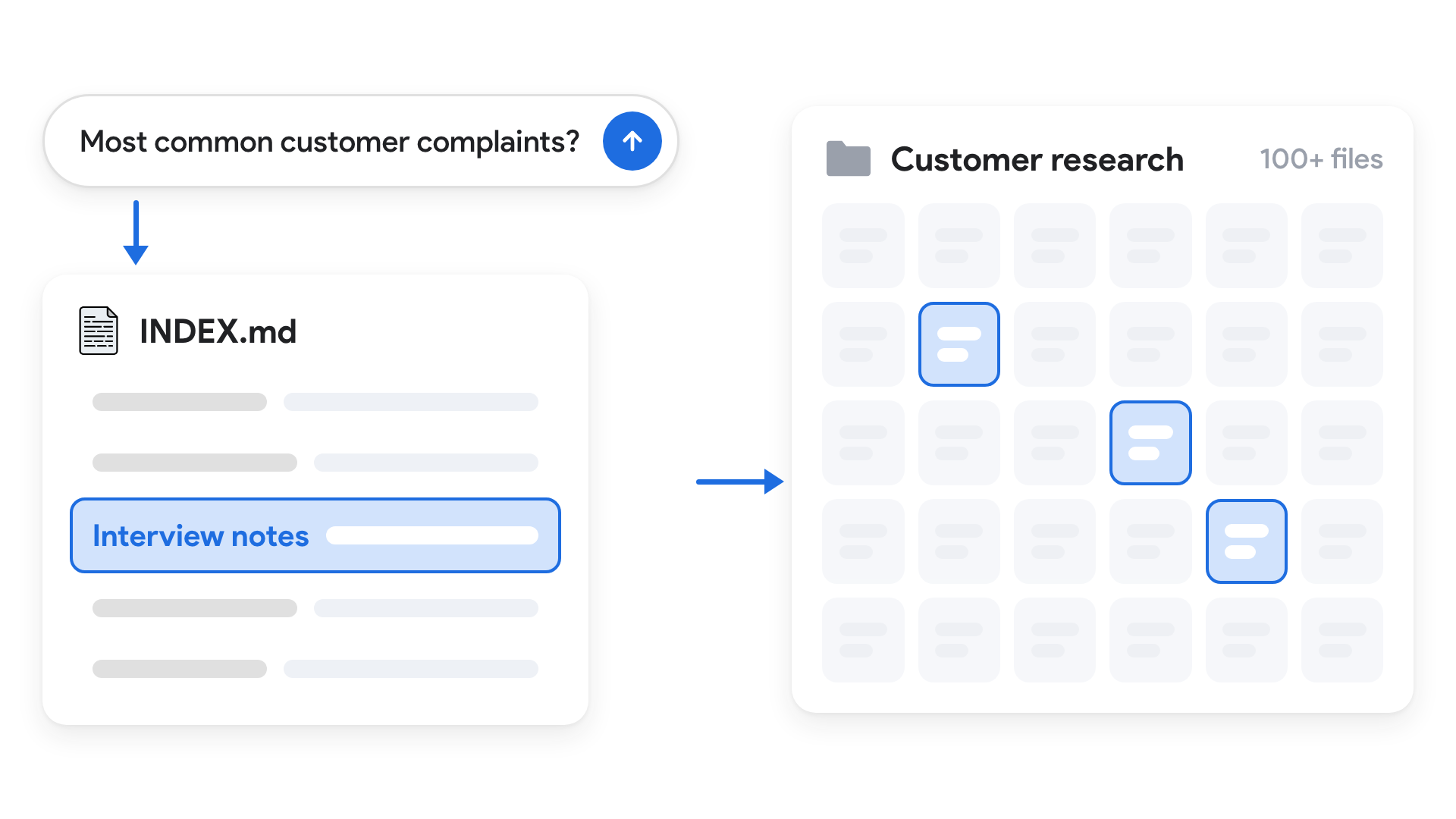
Say you’ve got a hundred files in a folder, including interview notes, survey results, and screenshots. Without a map, the AI wastes time and tokens opening every file just to find the right ones, so have it read the folder once and build an index instead.
Try this prompt:
Read every file in this folder once, including the screenshots, and create INDEX.md. For each file, list its location, a one-sentence description, and when to use it.
Now when I ask about the most common customer complaints, the AI checks INDEX.md first, finds the interview notes with negative sentiment, and only reads those. It works for any big collection of files, like thousands of receipts for an expense claim.
💡
Pro tip: set up a scheduled task that tells the AI to rescan the folder periodically, so the index updates itself when you add or remove files.
Do Less Manual Work With AI
#3: Prompt Shortcuts (Text Expander vs. Skills)
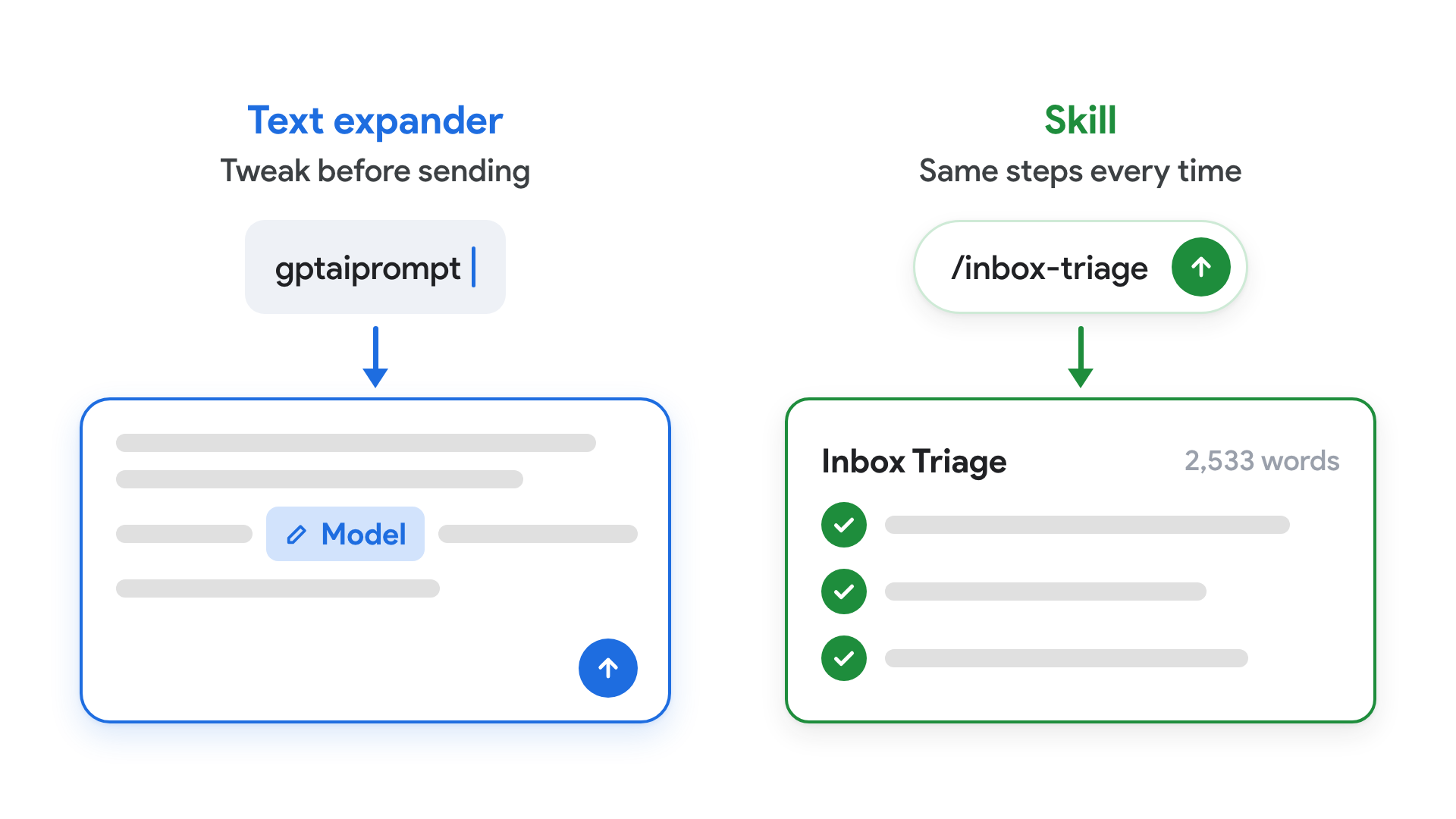
A lot of you have asked whether text expanders are still worth it now that Skills exist. Use a text expander for prompts you tweak before sending, and Skills for multi-step tasks that should run the exact same way every time.
- Text expander. When an email to senior leadership sounds awkward, I type
gptrephraseto paste a prompt for three clearer, more conversational versions. Another shortcut leaves the model name blank so I can fill it in before sending. - Skill. My Inbox Triage Skill is 2,533 words. I’d much rather type
/inbox-triage, and when a new model drops, I can ask the AI to update the Skill itself.
I use the paid version of Alfred, and free alternatives include Raycast for Mac and Beeftext for Windows.
#4: The Intent Check (Ask AI for a Plan First)
Most of us "one-shot" our tasks, and with today's models that's usually fine for low-stakes work. But for high-stakes requests, research from Google, Anthropic, and OpenAI all agrees that getting the AI to clarify the goal and plan the work first can drastically improve the output.
The Intent Check is the simplest way to do this: have the AI repeat your underlying intent and propose a plan before it does any work.
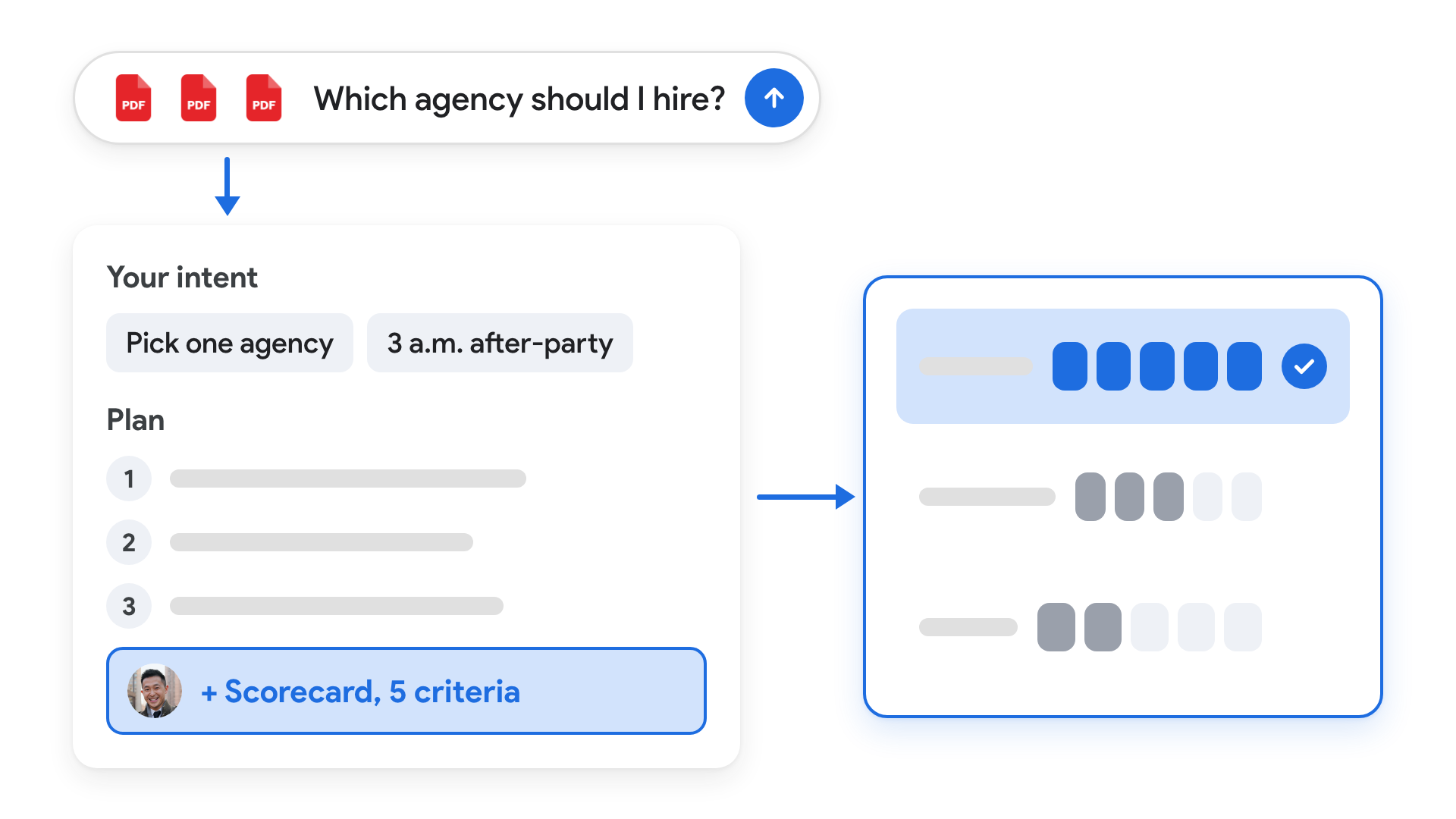
For example, I gave the AI the same task twice: Recommend one wedding planner agency based on proposals from three separate agencies. The only difference between the two tasks is the "intent check" prompt.
- Plain request (no intent check prompt): The AI picked one and explained why in words, with no scorecard (something I'd want for a decision this big).
- With the Intent Check: The AI picked up on my 3 a.m. after-party and showed me its three-step plan. I could see it was about to skip the scorecard.
- This allowed me to correct its understanding right at the planning stage by asking it to score all 3 agencies against five criteria
The final weighted scorecard showed exactly how the AI reached its recommendation, so I could check the criteria and weights against my own preferences.
Here's the prompt (add it after an important request, with the relevant files attached):
Review all attached materials and the full context of my message, even if the information is rough, fragmented, or unfiltered. Repeat my underlying intent back to me and propose a plan of action for my review. Keep the plan proportionate to the goal.
💡
Takeaway: Course-correcting early is a lot cheaper than realizing halfway through that the AI misunderstood you.
#5: The Spare Key (Give AI an API Key)
Most apps have two entrances: the interface we log into and click around, and a separate entrance built for software, called an API. AI can now write the code that second entrance needs, so you can give your AI an API key and describe the change you want in plain English.
I used to pay a freelancer for anything Ghost’s settings couldn’t handle. To replace the kinda ugly carousel on my newsletter page, I described the vibe I wanted and the AI added a scrolling wall of reader testimonials. I’ve also had it check hundreds of pages for typos and formatting issues.
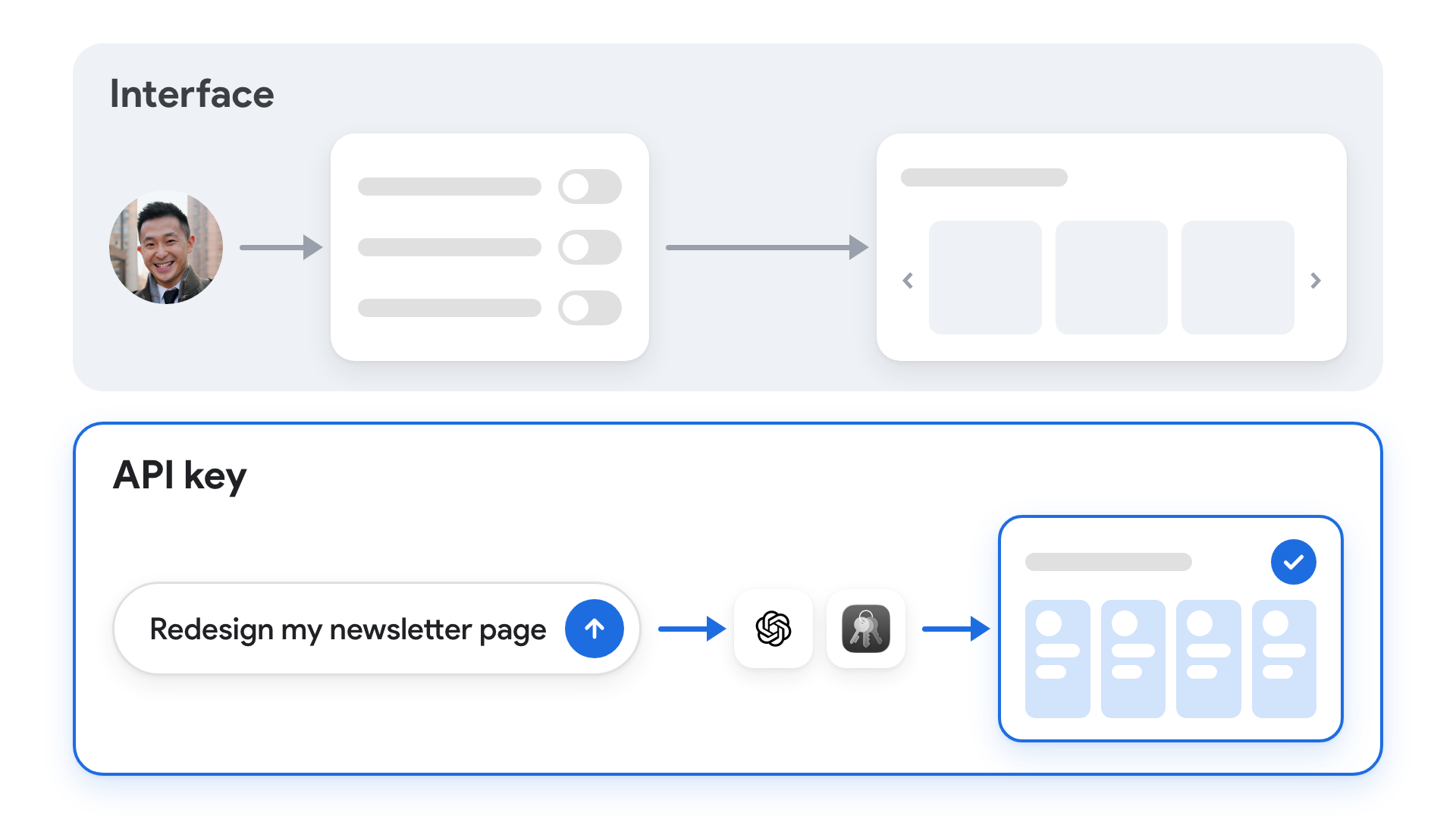
This is especially useful when an app has no plugin or MCP connector, and even when it does, an API key usually gives you broader access. To check, search your app's name followed by "API" for its instructions on creating a key (here's my full walkthrough).
💡
NEVER EVER paste an API key into your prompt. Have your AI walk you through storing it in Mac Keychain or Windows Credential Manager, where you type it in yourself, so the AI can use the key without it ever showing up in the chat.
Teach AI Your Preferences
#6: Tool Rulebooks (Teach AI How You Use Each App)
Connecting Gmail, Slack, or Google Calendar only gives AI access to those tools, so you still need a rulebook for it to use them the way YOU would. It's also the easiest way to see how AI agents like ChatGPT Work, Claude Code, and Google Antigravity learn your preferences over time.
For example, I asked Claude, with Gmail connected, to draft a reply to Fireship's email saying I'd love to help with his Horse Tinder project. The reply was longer than I'd write and signed off with my name, which Gmail already adds. With the same prompt and a folder holding my Gmail rulebook, the reply came back short, with the first sentence bolded and no sign-off, ready to send.
To set one up:
- Create an empty folder and connect it to your desktop AI app.
- Ask the AI to create a main instruction file (CLAUDE.md in Claude, AGENTS.md in ChatGPT) and a Google Calendar rulebook with one rule: events default to 45 minutes.
- Check that the main file tells the AI to read the Calendar rulebook whenever Calendar comes up.
- In a brand-new chat with the same folder, ask for an event at 10 a.m. tomorrow. It should be 45 minutes instead of the usual hour.
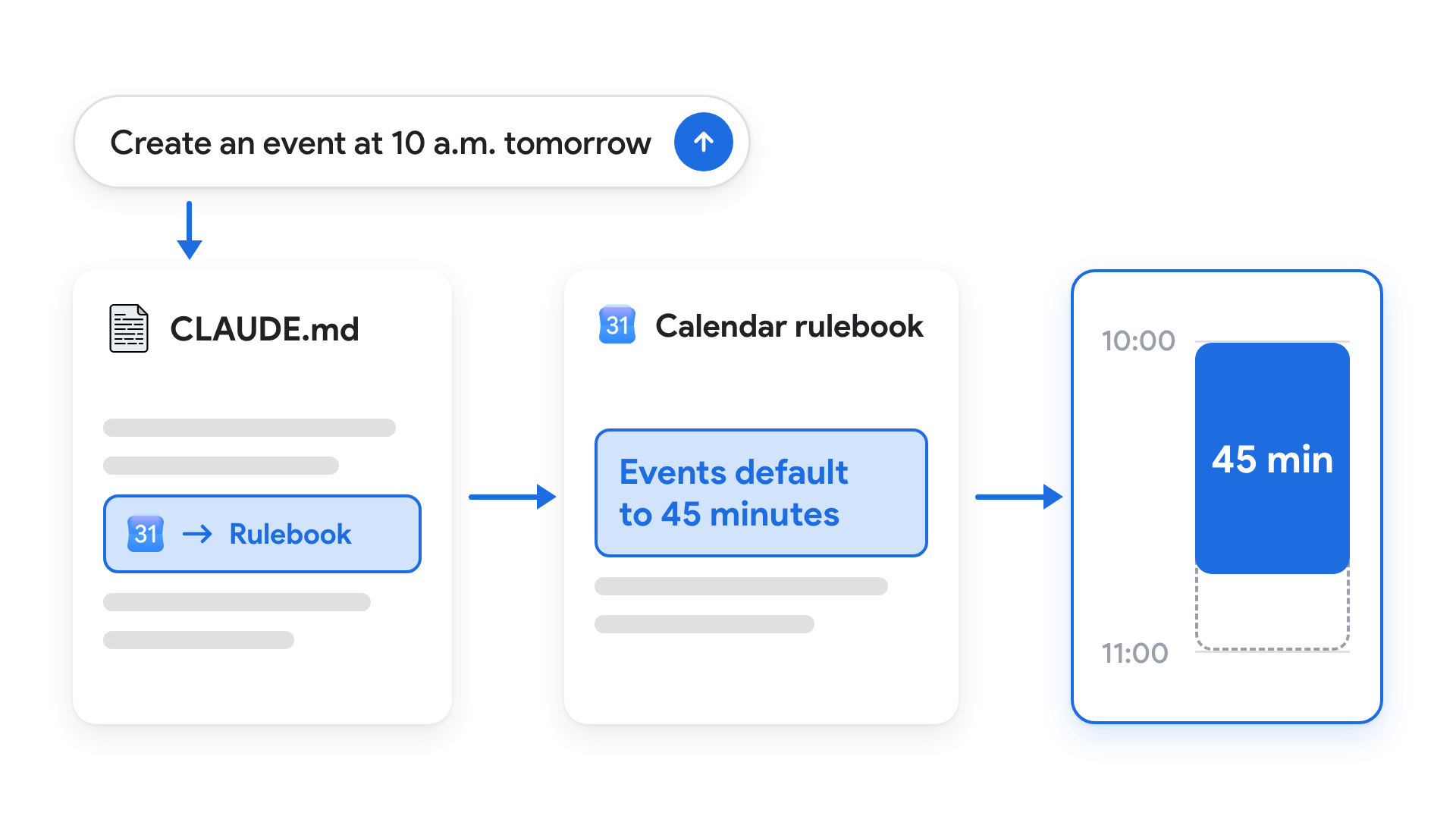
Once that works, try a rule you’ll actually use. Mine would be “Keep private notes out of event descriptions when other people are invited.”
💡
Pro tip: you don't have to write every rule yourself. Ask your AI to draft a rulebook for each connected tool based on how you already use it, and to ask you about anything missing.
Bonus: 4 Quick Tips for Working With AI
- Organize your feedback with hashtags. Put "## Slide 2" above your comments on slide 2 and "### Chart" under it for that slide's chart, so the AI knows exactly where each comment applies.
- One good example beats an over-engineered prompt. Paste last month's report and say "write this month's update in the same format."
- Approve a small sample before the whole batch. If you're renaming 200 files, check the first five, so you catch a problem once instead of fixing it 200 times.
- Let one AI check another's work before you do. Paste an important ChatGPT draft into Claude or Gemini and ask it to flag mistakes and gaps.
If you enjoyed this...
You might also like: Notion + AI: Manage Your Workspace with ChatGPT and Claude