|
AI
How to Give AI Perfect Memory (a complete guide)
Most AI tools say they remember you, but that is only partly true. They can save a few facts and bring information into future chats, but they don't actually manage context the way you would.
Put simply: AI doesn't know what ACTUALLY matters, so it might save irrelevant information and discard the important stuff.
The real issue isn't whether AI has memory. It's who decides what gets remembered, where it belongs, and when it comes back. There are three levels of AI memory, and each one gives you more control than the last.
Watch it in action
Resources
- Join the Cowork Academy
- Download my free Cowork Toolkit
- Try Granola and get your first month free
Key Takeaways
- Global memory is useful but broad. It can remember general facts and preferences across chats, but it can't hold every detail about every project.
- Project memory gives context a boundary. It keeps related work together, but the AI still decides what to retain and when to use it.
- A user-owned memory system gives you control. You decide where information belongs, while the AI handles the upkeep (i.e. the grunt work).
Why AI memory seems unreliable
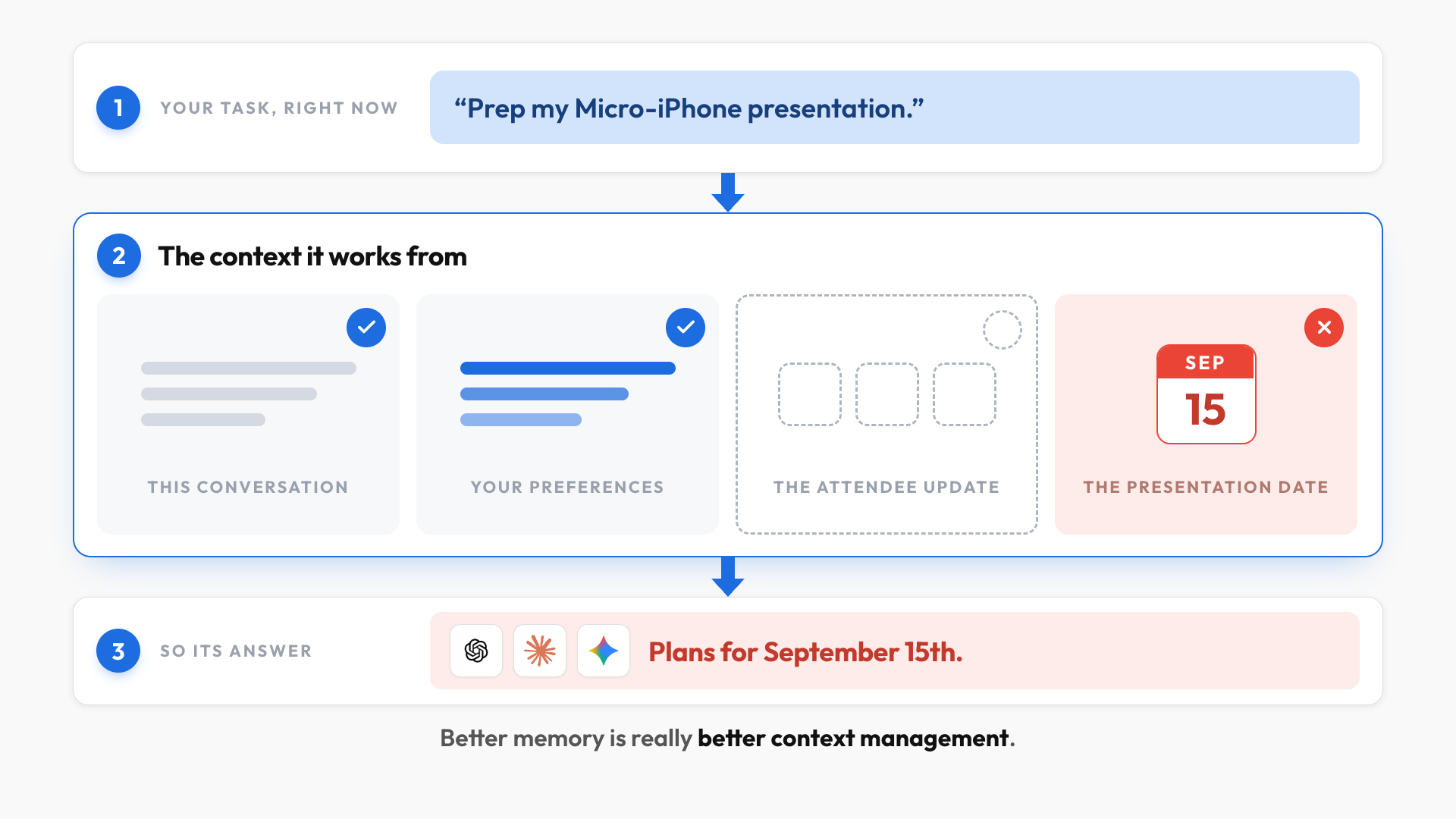
Every time you give an AI a task, it works from the context available in that moment. That includes your current conversation and any saved information the product chooses to bring in.
Memory feels unreliable because relevant details do not always make it into that context. Sometimes the AI remembers a preference but misses a project update. Other times it recalls something correctly, but the information is already out of date.
Better memory is really better context management. The question is how much of that management you want to leave to the AI.
Level 1: Global memory
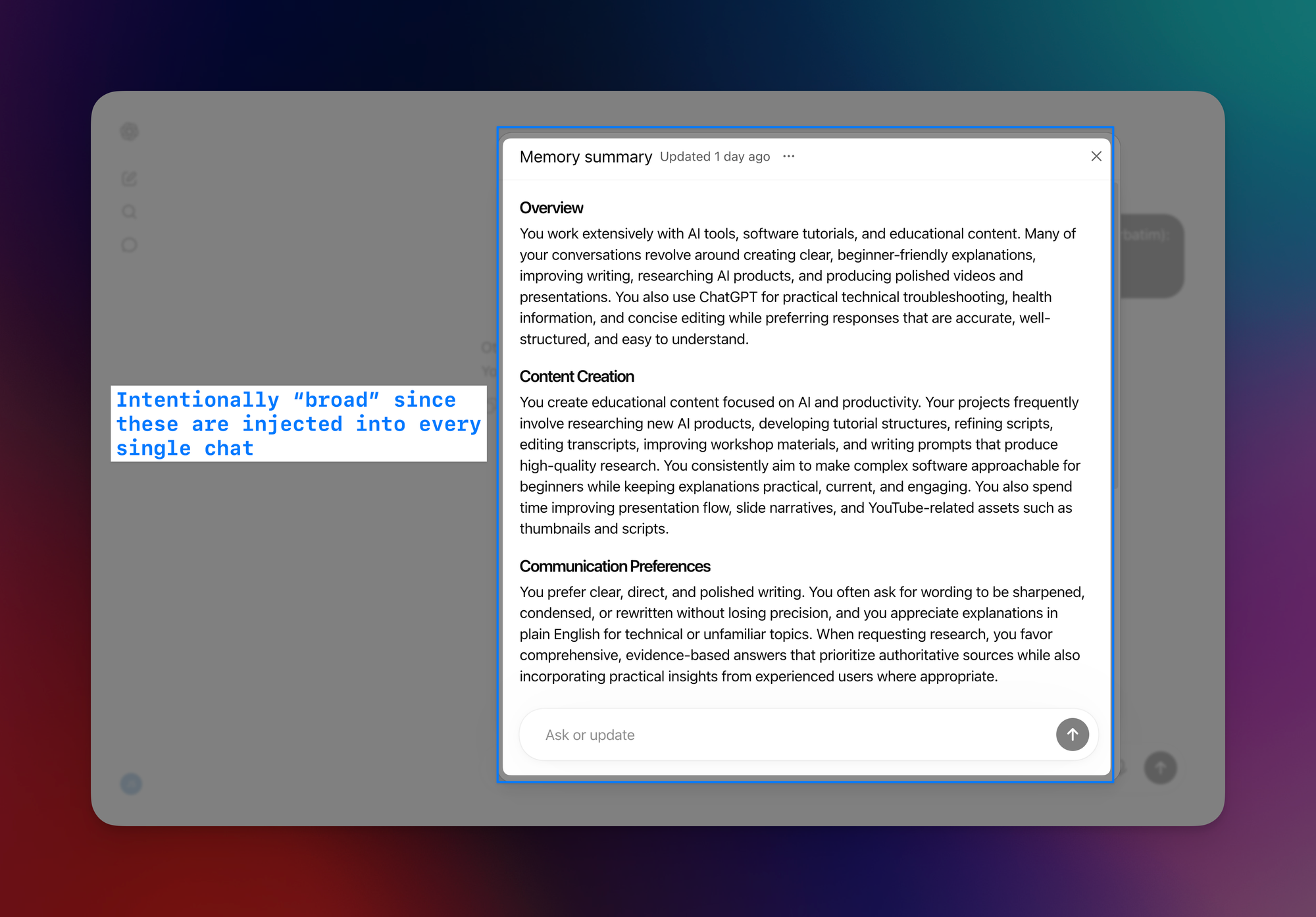
Global memory lives at the account level. It follows you across chats and usually stores broad facts such as your role, company, writing preferences, or recurring goals.
This is useful when you start a new conversation:
- If I ask an AI to help with a presentation about the Micro-iPhone, it might already know I am a product manager and that I prefer concise slides.
- I do not need to repeat those details every time.
The limitation is scope. Global memory has to be relevant everywhere, so it cannot safely carry every project detail into every chat. My audience, deadlines, attendee list, and latest decisions may matter for one presentation but create noise in dozens of unrelated conversations.
You can improve the result by explicitly asking the AI to update a memory or by connecting it to another source.
For example, you can use Granola, an AI notepad, to capture meeting notes and make them available to ChatGPT or Claude. That gives the AI more current context, but it still decides what to retrieve and how to use it.
Global memory is convenient for stable preferences, not dependable project state.
Level 2: Project memory
Project memory puts a boundary around one workstream. Instead of mixing everything together, it keeps that project's conversations, files, and instructions in one place.
Your global preferences can still carry over, while the project adds more specific context. That makes it much better for ongoing work.
For example, the Micro-iPhone project might remember:
- The correct next steps from the latest meeting.
- Only one attendee, even though three leaders are coming.
- The old September 15 presentation date, even after it moved to October 6.
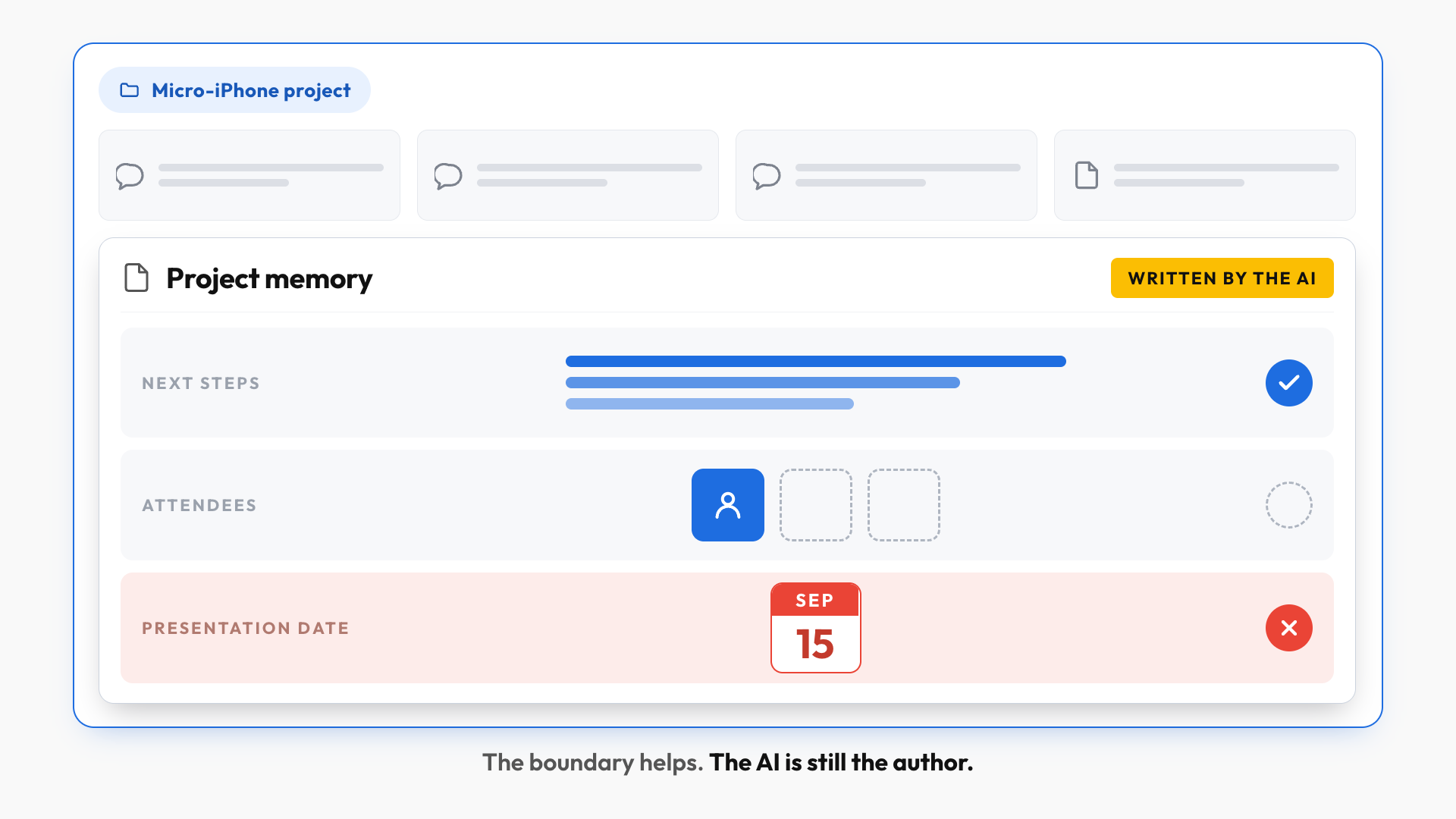
The project boundary narrows the context, but it doesn't guarantee every detail is complete and current.
When the AI gets something wrong, you still need to correct it and tell it what to remember. And more importantly, the AI still decides what gets stored, where it gets stored, and when it shows up again.
Project memory gives you a better boundary, but the AI is still the author.
Level 3: Your own memory system
Level 3 is a memory system you own. The important context lives in files you can see, edit, and reuse, instead of hidden product memory.
The structure doesn't need to be complicated. One small file can act as a routing table for active projects, while each project keeps its own facts, decisions, deadlines, and next steps. When you start a task, the AI reads the relevant files before it does any work.
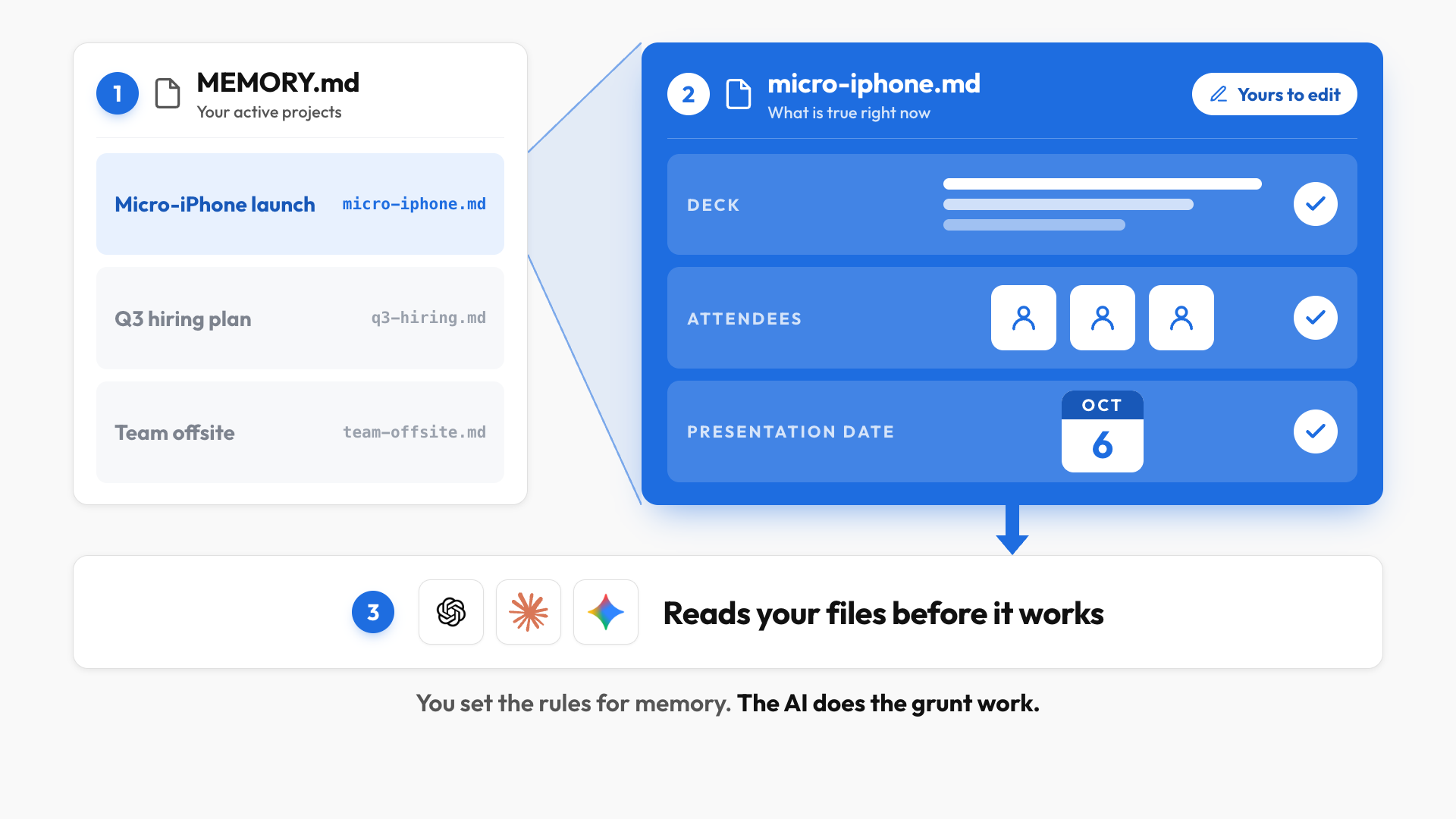
In the Micro-iPhone project, that file could show:
- The deck content is complete.
- The presentation moved to October 6.
- Three leaders are attending, so the meeting needs a larger room.
Now the AI can prepare the right next steps using current information. At the end of the session, it can also propose updates to the memory files, like a changed date or a new rule for future executive presentations.
The difference is control. You can see what the system knows, edit it directly, and decide whether a fact belongs globally or inside one project. The AI handles the reading, routing, and upkeep (i.e. the grunt work).
You set the rules for memory. The AI does the grunt work.
This takes more setup than turning on a built-in memory feature, and it feels different from using a chat box with no visible structure. In return, your project context becomes inspectable, editable, and portable instead of being locked inside one product's memory layer.
Recap: Which level do you need?
- Use global memory for stable preferences. Your role, company, tone, and working style apply across many conversations.
- Start with project memory for ongoing work. It keeps related chats and files together without requiring a custom system.
- Build your own memory system when accuracy and control matter. Visible files give you the strongest foundation when your work depends on current project state, repeatable rules, or context you need to inspect.
You don't need to jump directly to Level 3. Start with project memory, notice where it breaks down, and add structure when missing or outdated context starts costing you time.
If you enjoyed this...
You might also like: Claude Design Tutorial: A Complete Beginner's Guide