|
AI
Claude Cowork for Beginners: Build Your Own Jarvis
Heads up: I recommend watching the full video since it's a bit hard to illustrate my Claude Cowork setup in a text post, BUT I'll try my best.
Put simply, I turned Claude Cowork into a fully-functional AI Second Brain that remembers everything about me and makes managing my life an absolute breeze. Let's get started!
Watch it in action
Resources
- Click here to download the starter templates (CLAUDE.md, MEMORY.md, voice-principles.md) and prompt templates
- Click here to sign up for the free Cowork Toolkit for more templates
- The Cowork Academy (the full course and ready-to-install AI Command Center)
- Click here to get 40% off Coursera Plus (includes Google's AI Essentials Specialization)
How My Cowork Setup Actually Works
Whenever I start a new session, Cowork reads two files: a CLAUDE.md file that contains master rules for how Cowork should behave, and a MEMORY.md file that stores what we did before. These two files run my entire workspace.
Here's the single most important takeaway: these are just two simple text files. Copy the text, paste it into any notes app, and it doesn't look scary at all. You don't even need to write any of this yourself because Cowork writes all of it for you.
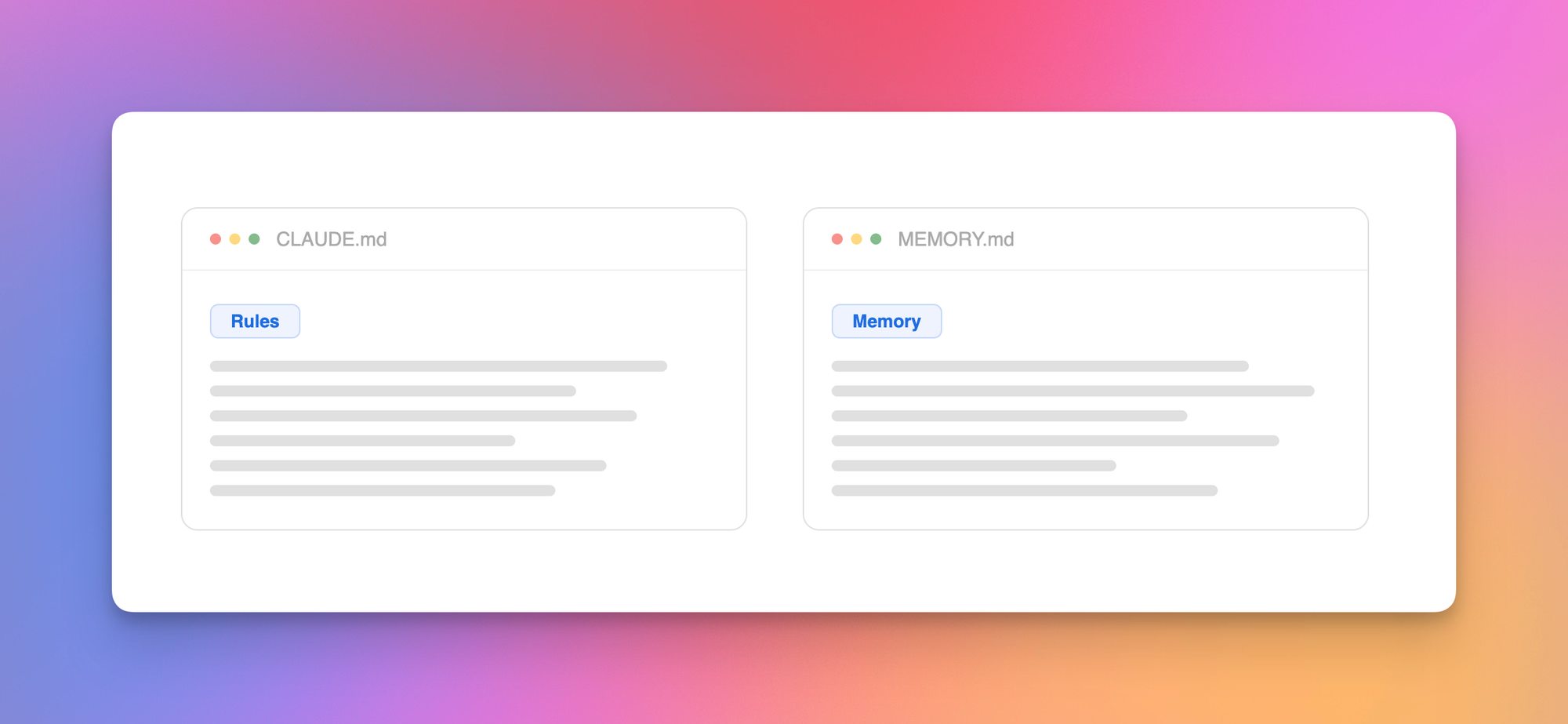
CLAUDE.md is the instruction manual that tells Cowork how to behave, and it points to other files whenever Cowork needs more detail. That's it. That's the entire system.
My CLAUDE.md points to MEMORY.md for active projects, and to a voice principles file for my writing style. That's how Cowork knows what I'm working on and how my newsletter goes from rough talking points to a final draft sounding like me.
A 3-Level Hierarchy
Here's a simple analogy:
- The United States is governed by country-wide laws called the US Constitution that apply to every person in every state (theoretically). This is Level 0, the root level.
- One level down, we have state laws. California has its own laws that help tech billionaires get even richer, and New York, not to be outdone, has laws helping the finance billionaires get even richer.
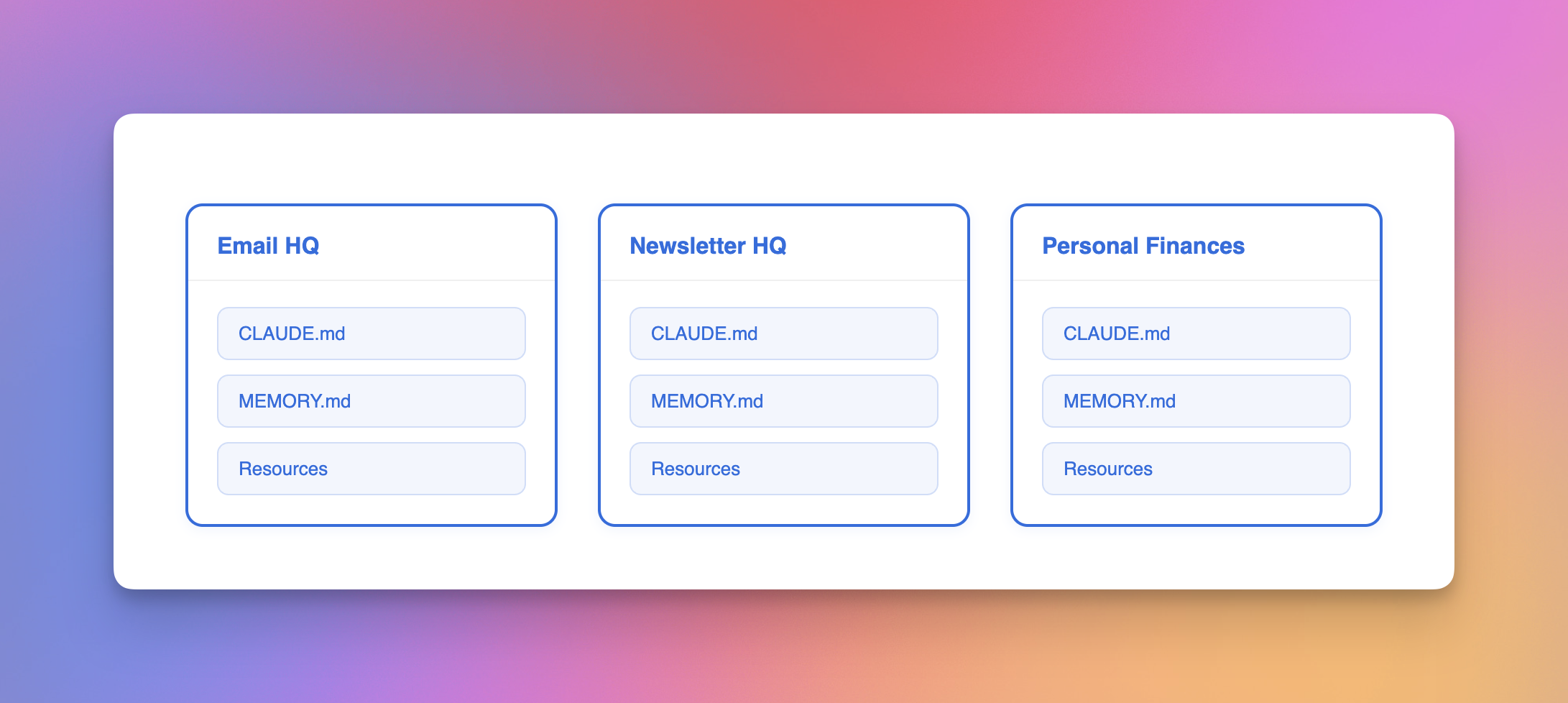
Here's how this maps to Cowork: the root CLAUDE.md file is the Constitution that governs the entire workspace, and one level below, individual workstations like Email HQ, Newsletter HQ, and Personal Finances each have workstation-specific instructions that stack on top.
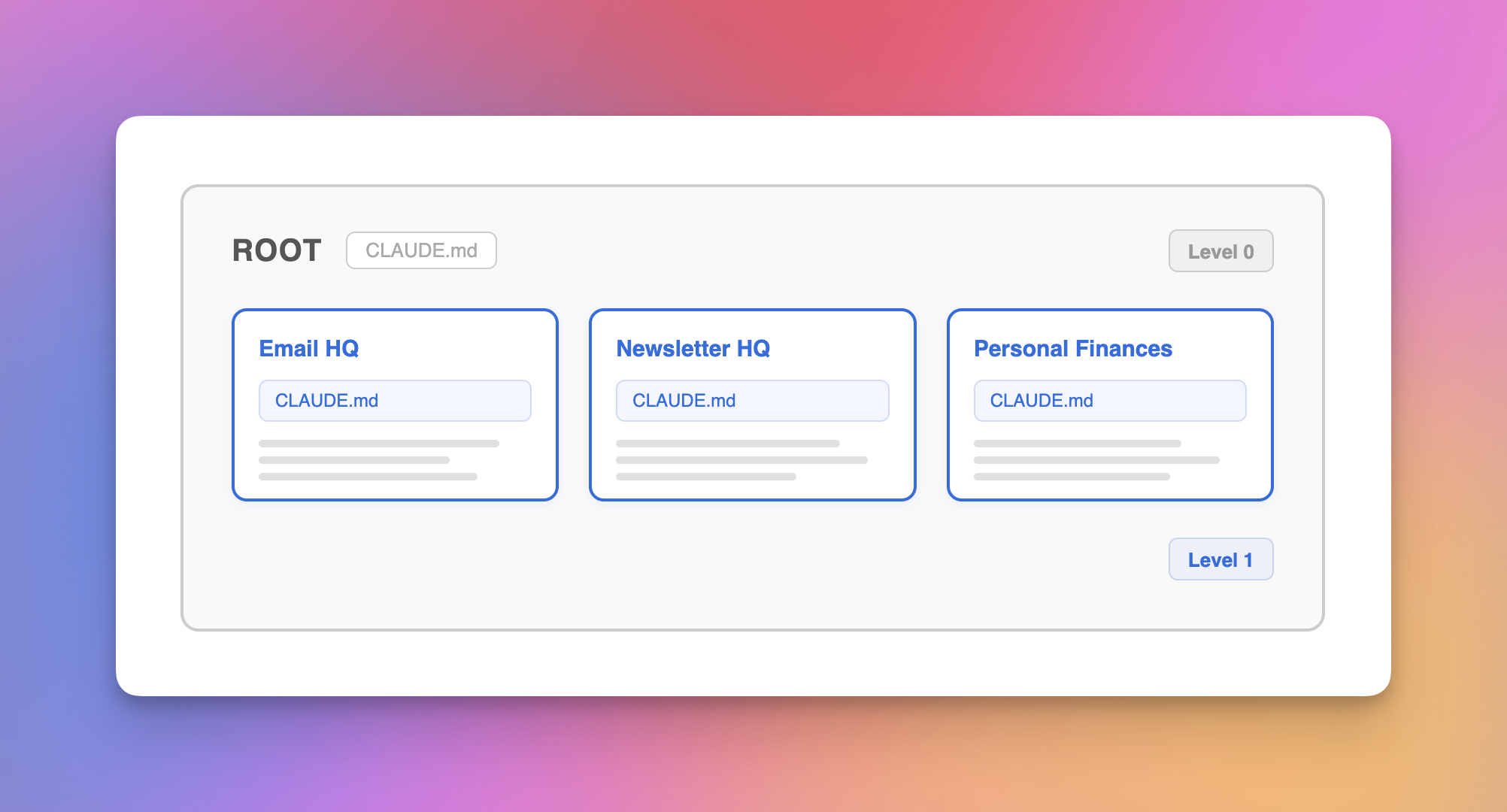
Put simply: the rules in my Newsletter HQ workstation only apply when I'm working on my newsletter, but the root-level rules apply no matter what I'm doing.
We can extend this one level further to project-specific rules, but we'll keep things simple and focus on the top two levels.
Level 0: Root Level
Now that you have the full picture, let's start building.
- Create a folder in your documents and name it "Cowork OS."
- Download the 3 starter templates linked above: a CLAUDE.md file, a MEMORY.md file, and a voice-principles.md file with the exact structure I use myself.
- Pro tip: Open each .md file and go to File > Download > Markdown to make sure you're downloading the right format.
- Drop CLAUDE.md and MEMORY.md into your root folder, then create a
00_Resourcesfolder and move voice-principles.md into it. - In Cowork, select the parent folder and star it so Cowork defaults to this folder every time you start a new session.
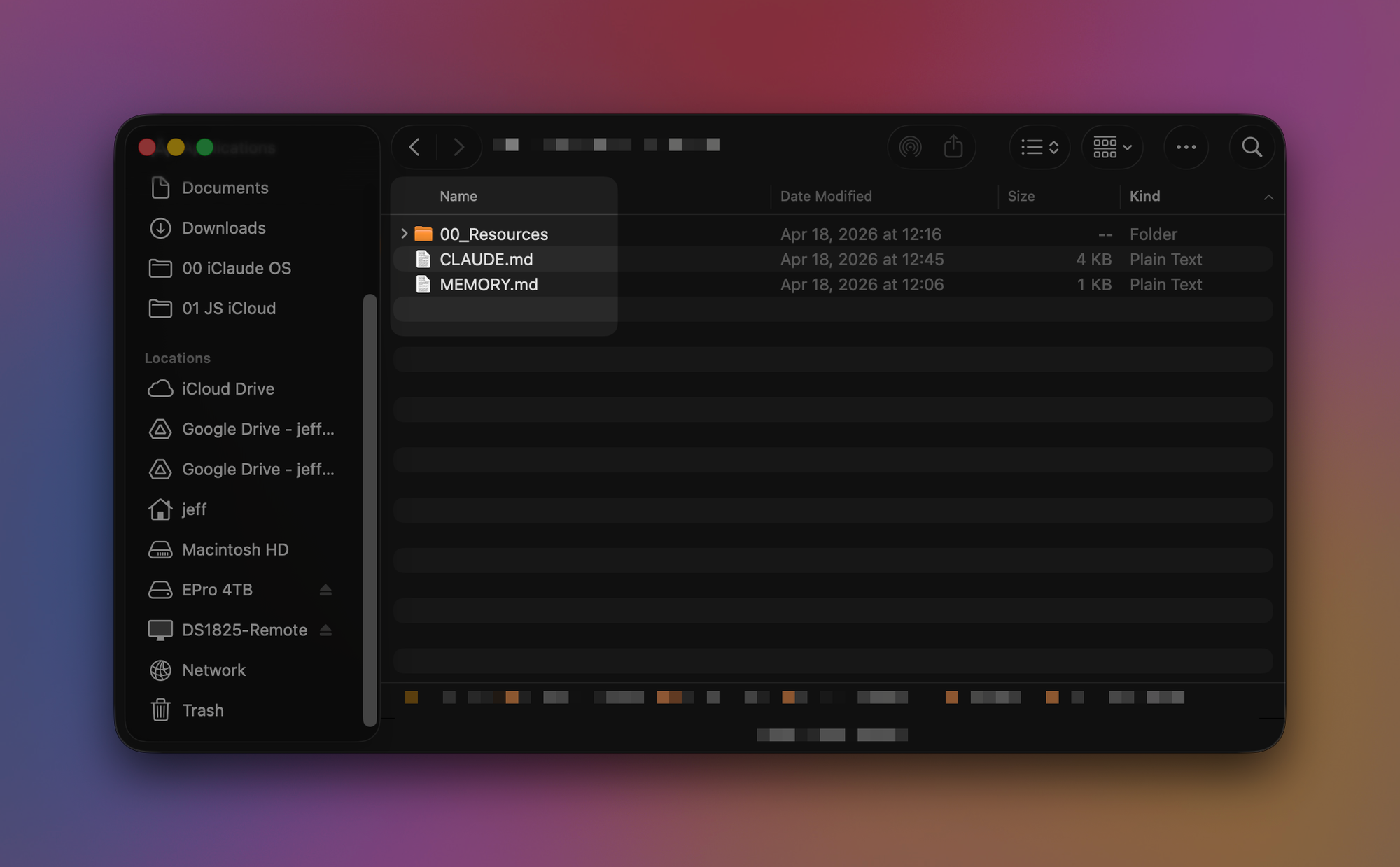
To be clear: CLAUDE.md is the instruction manual, MEMORY.md is the notepad that stores things Cowork should remember between sessions, and the Resources folder contains detailed knowledge that Cowork only loads when it needs to.
Pro tip: Install the free app Obsidian and open your Cowork OS folder as a vault. Now you can view the .md files in a much more readable format. You don't need to learn Obsidian; we're just using it to read the files.
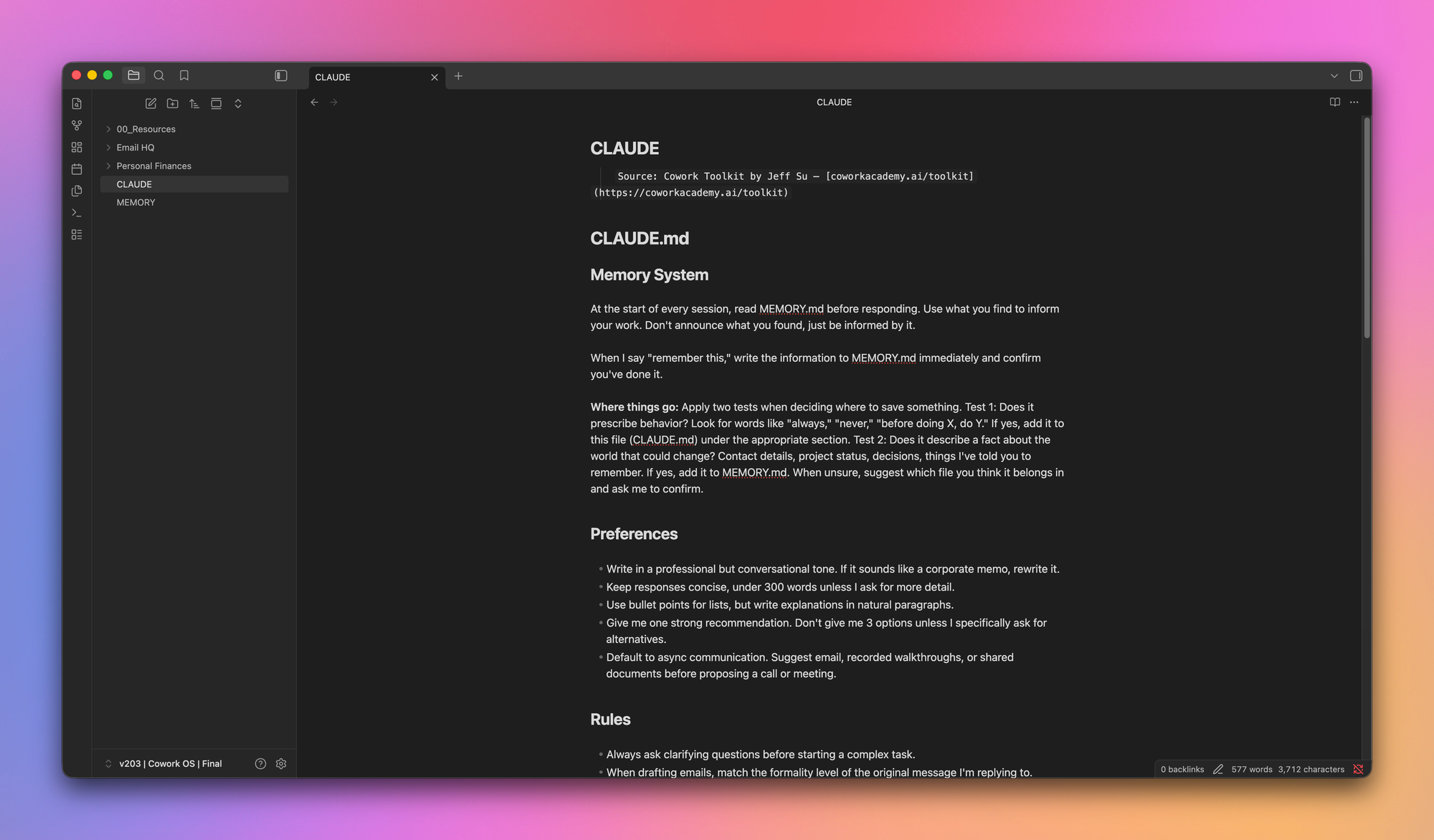
Three sections to know in root CLAUDE.md
- Memory System. Two sentences give Cowork persistent memory: "at the start of every session, read MEMORY.md before responding" and "when I say 'remember' this, write it to MEMORY.md."
- Routing Map. A table telling Cowork which workstation folder to load for which type of task.
- References. Pointers to files in your Resources folder that Cowork only reads when it needs to. This keeps token usage low.
The MEMORY.md file has two sections: Memory (where Cowork logs things you tell it to remember) and Active Projects (where it tracks what you're working on and the progress).
Building your voice profile
Grab the voice-extraction prompt template from the link above and paste it into Cowork. If you've connected Gmail, it will extract writing patterns from your last 30 sent emails. If not, use the "Option 2" template with 5 writing samples pasted in.
Cowork updates the voice principles file with the patterns it extracted, and adds more entries over time as it learns your preferences. For reference, my actual voice principles file is over 150 lines long.
Each workstation one level below gets its own CLAUDE.md, MEMORY.md, and Resources folder, which is why I keep saying "root" to distinguish the top level.
Level 1: Workstations
Workstations are "Areas" of your life, each with its own CLAUDE.md, MEMORY.md, and Resources folder. There are two types:
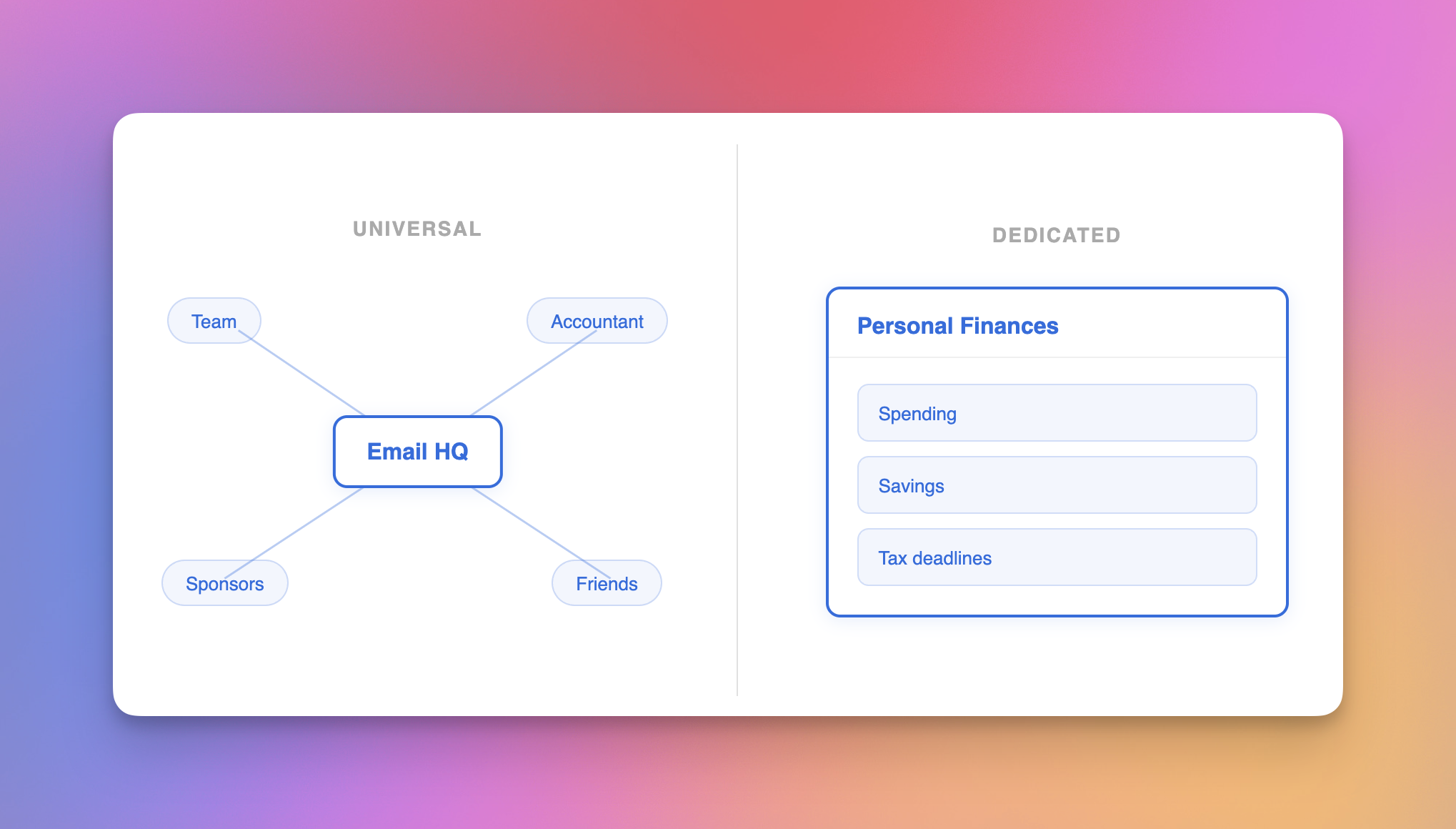
- Universal workstations handle things you do across every area of your life. Email is the clearest example: you email your team, your accountant, your sponsors, your friends, so the rules for how you write email apply everywhere.
- Dedicated workstations handle one specific area. Within Personal Finances, I manage my spending, my savings, my tax deadlines.
Universal workstation: Email HQ
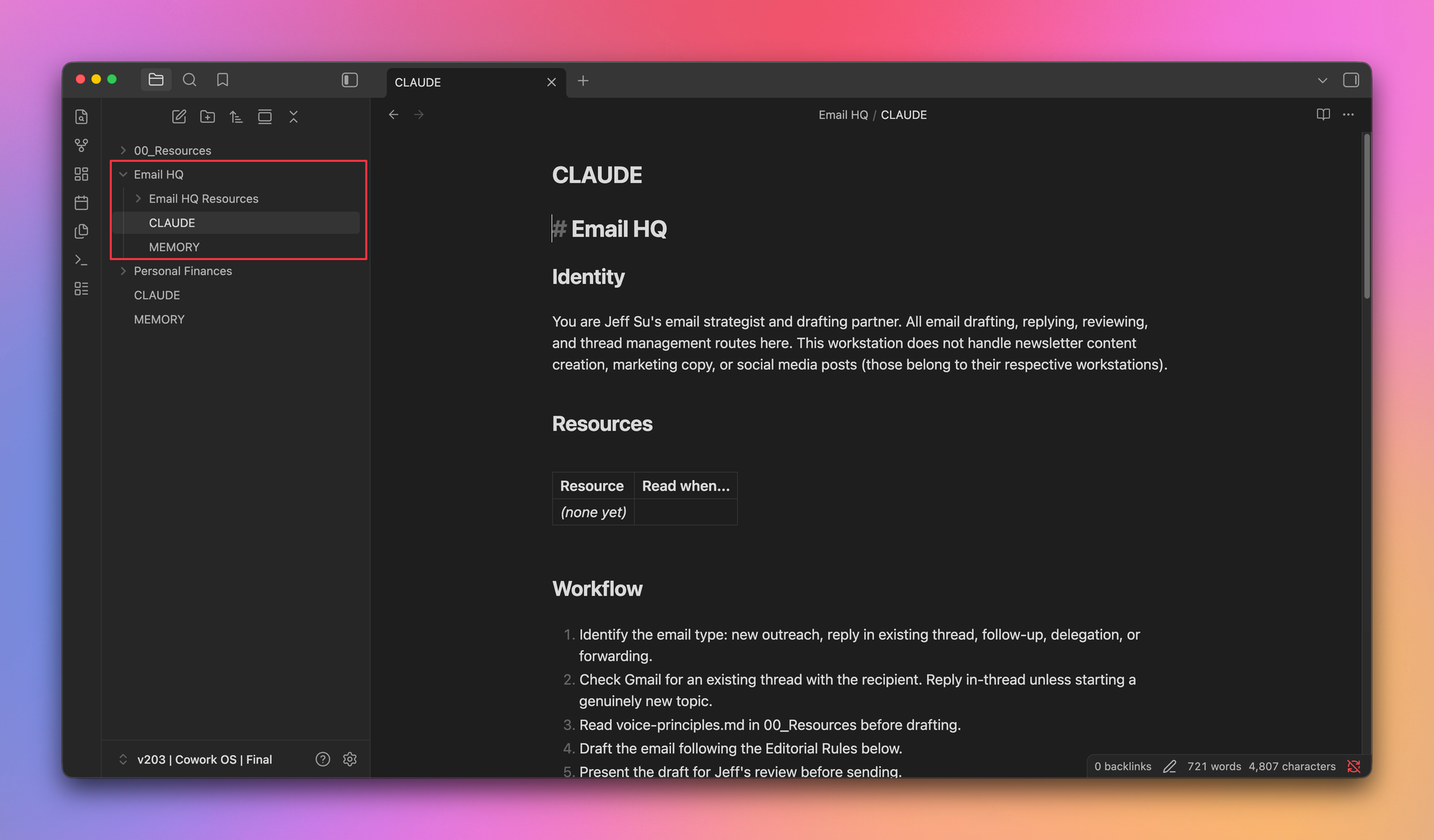
Grab the Email HQ prompt template from the same link and paste it into Cowork. The prompt creates an Email HQ subfolder with its own CLAUDE.md and MEMORY.md, then searches your last 4 weeks of sent emails to extract email-specific patterns (default greeting, sign-off, formality level) into the workstation's Editorial Rules.
This is where rule-stacking comes in. The next time Cowork writes an email, it reads your root voice principles to know you're direct and transparent, then reads Email HQ's CLAUDE.md for email conventions. That's how your emails sound like you AND follow your email preferences. In my actual Email HQ, I've also taught Cowork my inbox zero workflow, the two-minute rule, and what labels I use in Gmail.
Dedicated workstation: Personal Finances
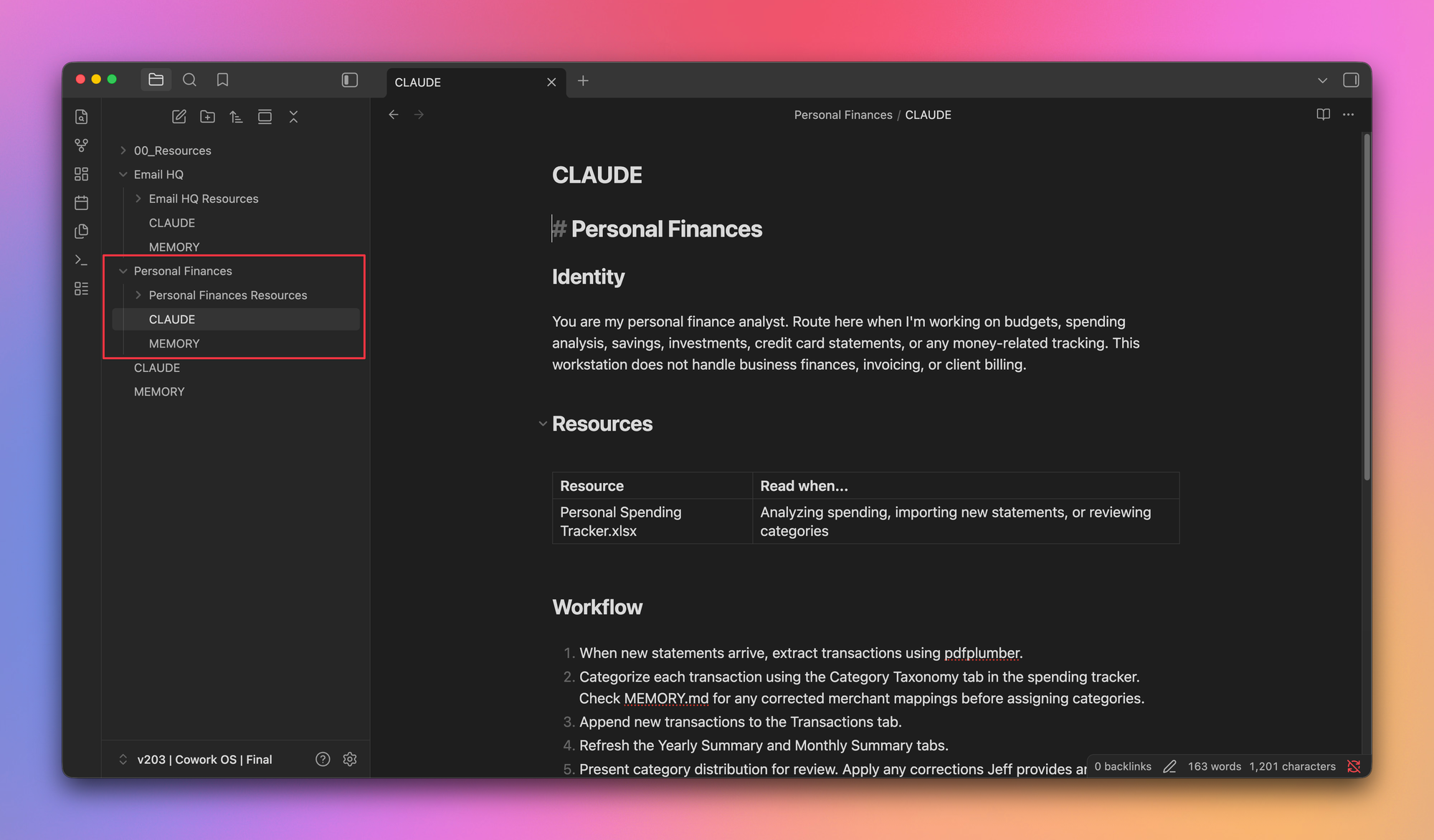
Unlike email, your personal finances live in their own world. Share the past 12 months of your credit card statements, grab the Personal Finances prompt from the same link, and Cowork creates the workstation folder, reads every transaction, breaks down spending by category, and builds a master spending tracker spreadsheet.
If Cowork makes classification mistakes (say, tagging a Canva subscription as "freelancer payment"), that's totally fine. Correct it once and Cowork saves that learning to the Personal Finances MEMORY.md, so next month categorizes correctly.
A note on data privacy: I'm fine sharing my card statements with Cowork. If you're not, don't. It's literally that simple.
Growing Your Workspace
After building 30 workstations, my advice is to start slow. Build 2 or 3, get familiar with the files, and create new ones only when the need comes up.
Under dedicated workstations, I also have project subfolders (mortgage refinance under Housing, every trip under Travel, an upcoming workshop under Speaking Engagements). Each project gets its own CLAUDE.md, MEMORY.md, and Resources folder. Same underlying logic.
Putting It All Together
A few use cases at increasing complexity.
Simple: I screenshot a sales copywriting framework, paste it into Cowork, and say "figure out where to save this." Thanks to the routing map, Cowork files it within my existing copywriting frameworks reference file.
Intermediate: I tell Cowork "I just finished a meeting, draft a follow-up email to all recipients." Cowork pulls the latest event from my calendar, reads the meeting transcript, loads the Speaking Engagements workstation for context, and drafts a follow-up that adheres to Email HQ's voice rules.
Advanced: "I'm going to Boston from July 17th to 24th for a wedding, set up a project in Notion." Because Cowork knows all my Notion conventions, it creates the project page and fills out every property and section exactly how I'd want it. All made possible because I taught Cowork the rules once.
Pro Tips
Two tips that'll save you time and money.
Tip #1: Session audits
Whenever I'm done working in Cowork, I type /session-audit. This triggers Cowork to scan the entire conversation for unsaved principles and preferences it needs to remember for next time. I've included a starter session audit skill in the link above. Upload it via Customize > Skills > Create Skill, and run it at the end of every session.
Tip #2: Keep token usage low
Three ways to keep costs down without sacrificing quality:
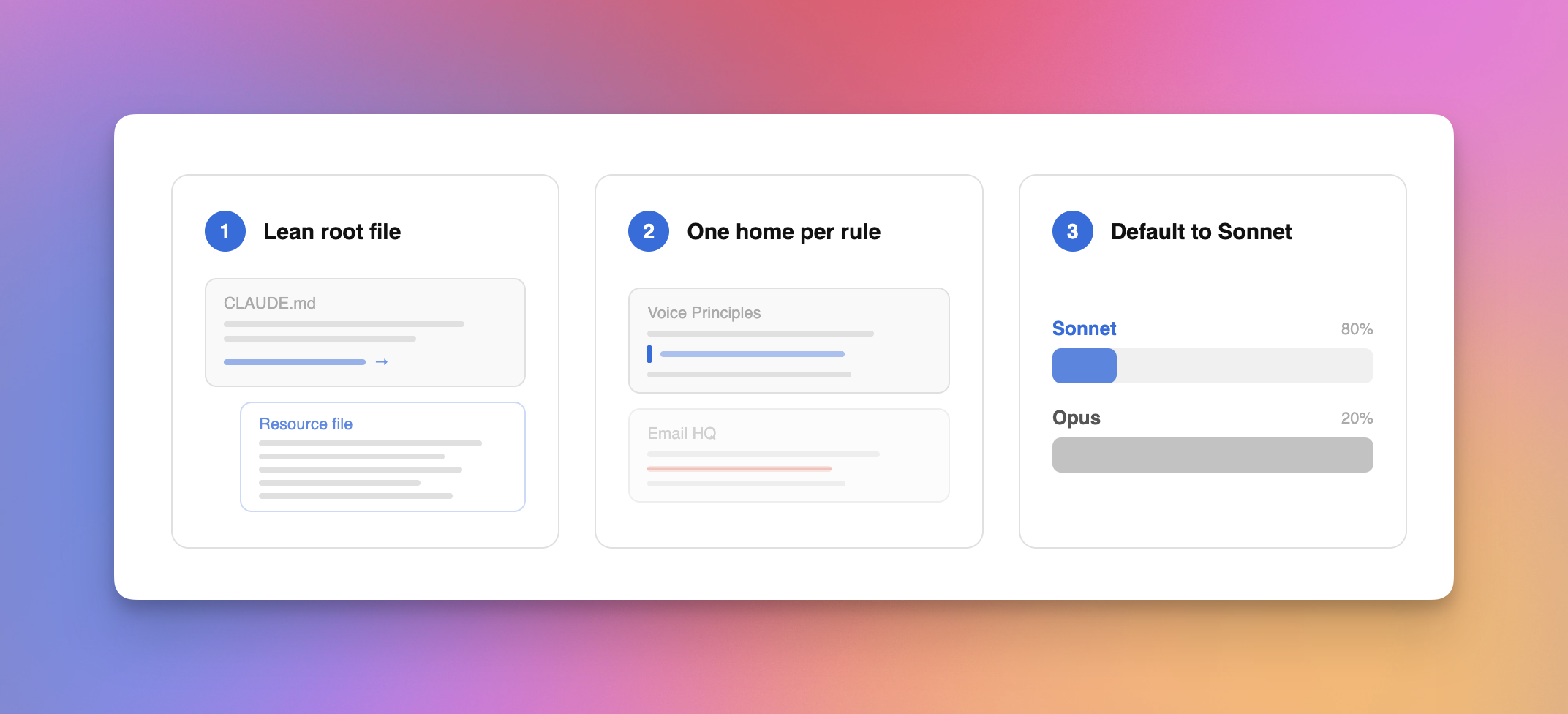
- Keep your root CLAUDE.md within 300 lines. Cowork loads it by default in every session, so keep it lean by pointing to resource files only when needed.
- Don't repeat the same rule in multiple files. My root voice principles already covers "no corporate jargon" and "never bury the lede," so I don't restate that in Email HQ. Each rule gets one home.
- Default to the Sonnet model. 80% of the time, Sonnet is more than enough and it's a fifth of the cost of Opus. Only switch to Opus when the task has 3 or more steps that all depend on each other.
I've been making videos for 6+ years and I've never fearmongered, so I don't say this lightly: you need to start building a system like this today. It doesn't have to be on Claude since Google and OpenAI will ship their own versions, you don't have to use my templates or take my course, but you do need to start building this personal context system as soon as possible.
The rules, the memory, the patterns compound every single session, and you will always be ahead of someone who starts even a day after you.
If you enjoyed this...
You might also like: Learn 80% of Claude Cowork in Under 20 Minutes