|
AI
Personal AI Agents Explained: Which Setup Is Right for You?
Hey friends - if you already use ChatGPT, Claude, or Gemini, you might be wondering what makes personal agents like Muse, Dots, and Grok Bot any different.
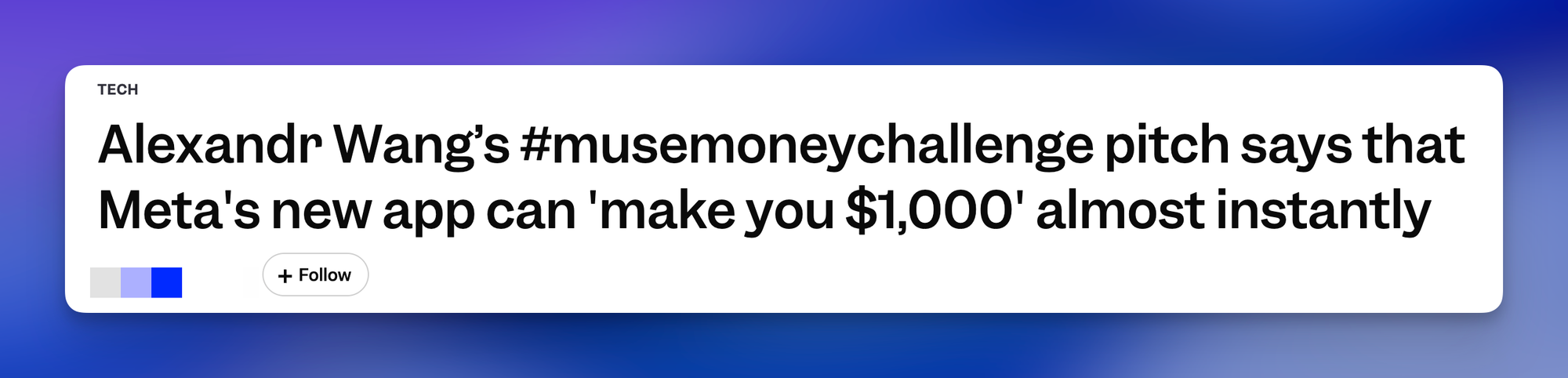
As usual, he demos (and the headlines) look extremely impressive, but are personal agents actually worth investing your time and effort to set up?
Watch it in action
Resources
- My free AI Essentials newsletter (one insanely actionable AI tip you can apply in under 2 minutes every week)
- The Cowork Academy (my exact setup, a ready-to-install second brain that's 90% built the moment you download it)
Chatbots vs. DIY Agents vs. Personal Agents
#1: Chatbots
In a nutshell, chatbots like ChatGPT Chat, Claude Chat, and Gemini Chat are great for one-off tasks that don't depend on information you've shared before.
For example, ChatGPT Chat can summarize your latest health report in plain English, but it only has access to that one report, so it can't connect the findings to your past reports or your doctor's notes.
#2: DIY Agents
Do-it-yourself (DIY) agents like ChatGPT Work, Codex, Claude Code, and Gemini Spark can remember AND update information you've previously shared, so you don't have to explain your situation every time you start a new task.
For example, give ChatGPT Work a Health folder with your past reports and doctor's notes, then share this year's report, and it:
- Saves the report in your Health folder.
- Compares it with your last five years of reports and notes.
- Updates your health history, so next year's comparison starts with everything you shared this year.
#3: Personal Agents
To oversimplify, personal agents like Meta's Muse, ChatGPT Dots, and xAI's Grok Bot are the proactive version of DIY agents: they use what they know about you and offer help BEFORE you ask.
For example, your personal agent might message you the day before your annual checkup and offer a summary of your five-year health trends to take with you.
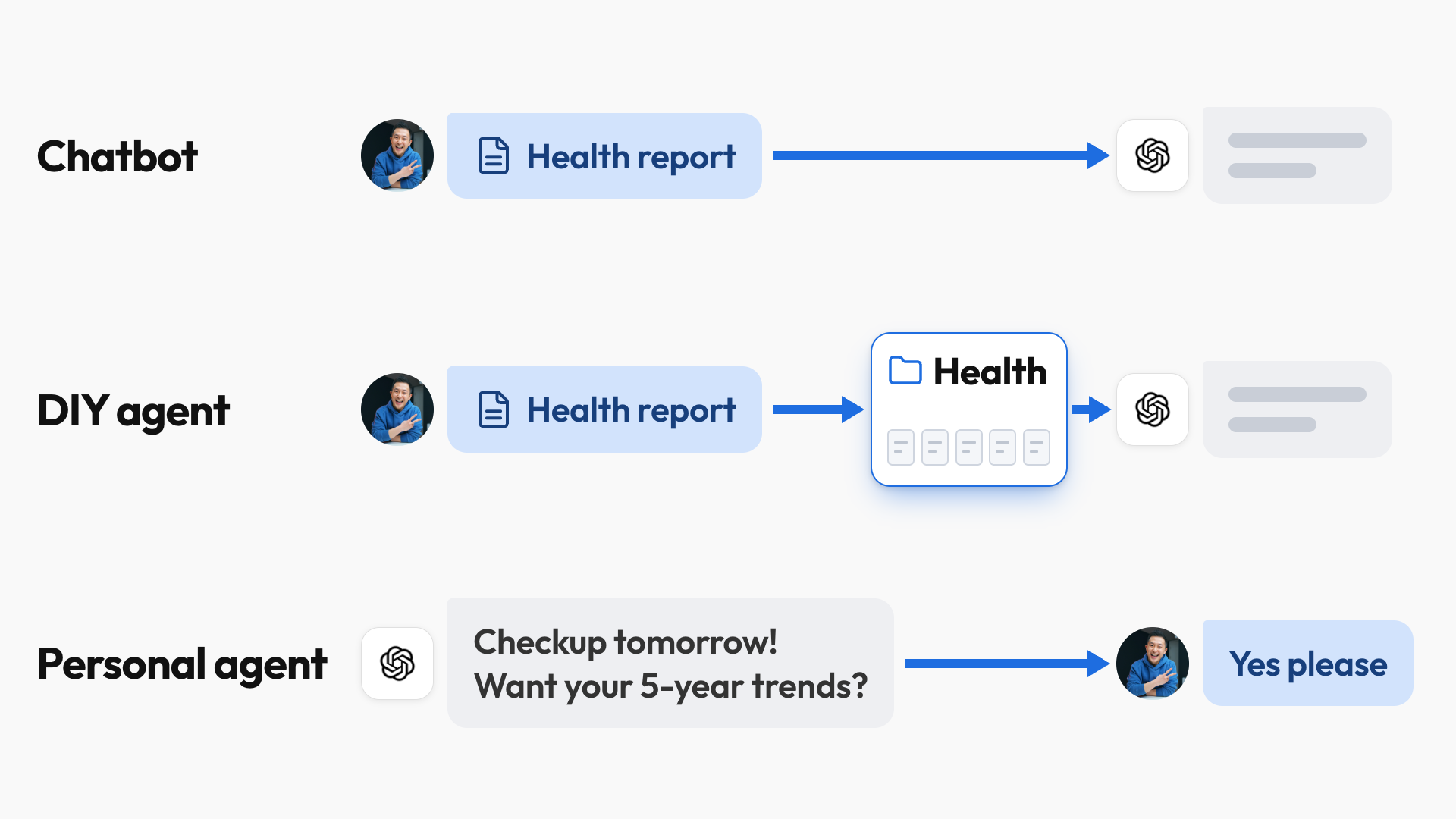
This might sound like a small change, but it takes a MASSIVE weight off your mind.
How DIY Agents Work
DIY agents write down and maintain your rules, preferences, and memory in plain-text files, then read those files whenever a task calls for them, and personal agents work the same way.
- For example, every reply I get from Claude or ChatGPT Work ends with a "What's Next" section, which drastically reduces decision fatigue for me.
- That preference lives in a text file the AI reads before every new task, so I tell the AI my preference once, it writes the rule down, and it follows that rule forever.
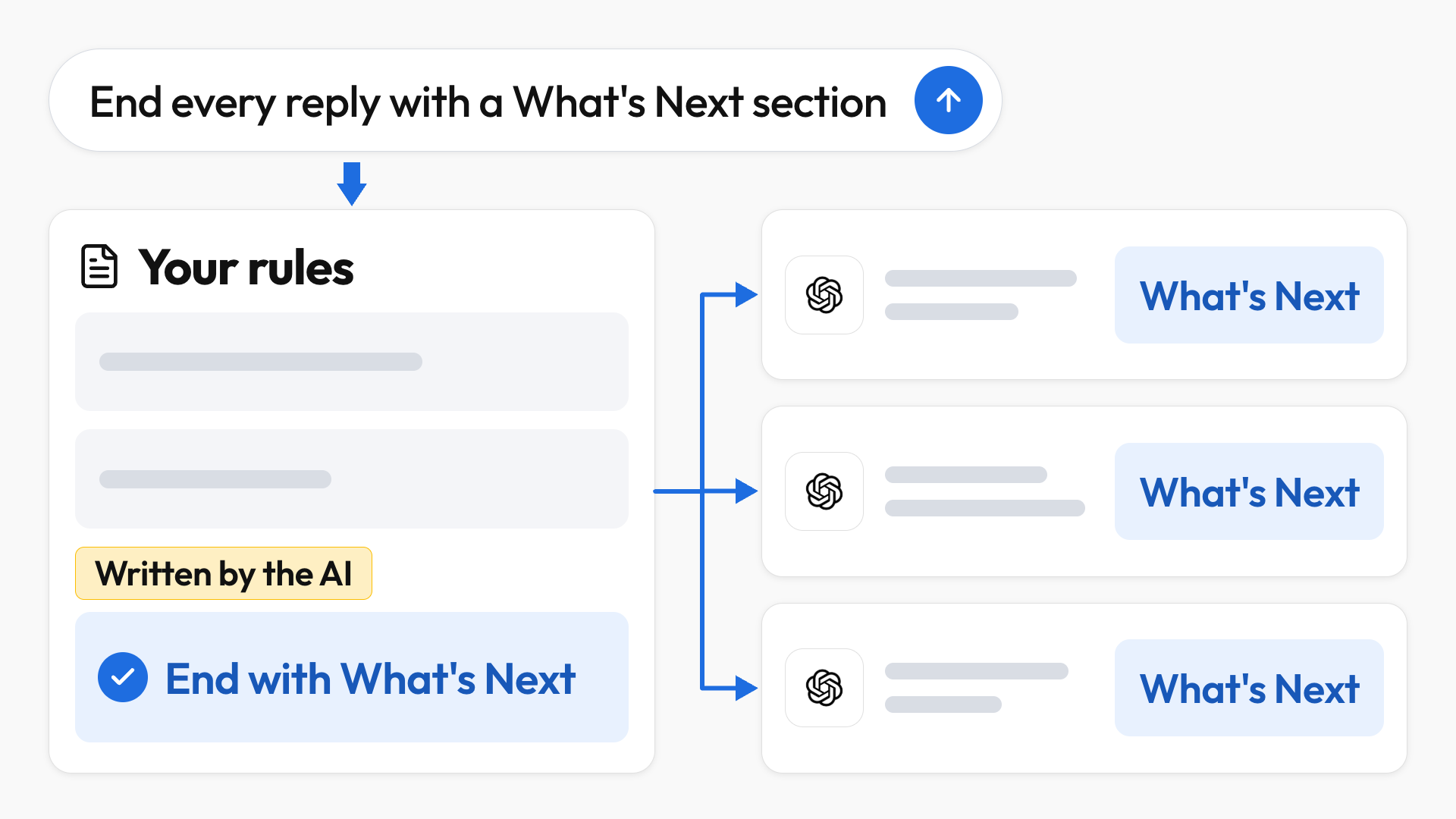
That file is one of 100+ text files in my Home Folder, which I call JeffOS, and I didn't create any of them manually: the DIY agent did the grunt work of writing and organizing more than 30 folders, one for each area of my life.
Use Case #1: Planning a Surprise Birthday
My Friends and Family folder keeps track of birthdays, food allergies, and even presents I've previously bought (because I'm a very petty man). So when I mention a surprise birthday for my brother at a specific restaurant, the AI:
- Checks the menu against what it knows about my brother.
- Flags his severe shellfish allergy.
- Recommends a different restaurant nearby at a similar price point.
Use Case #2: Planning a Trip
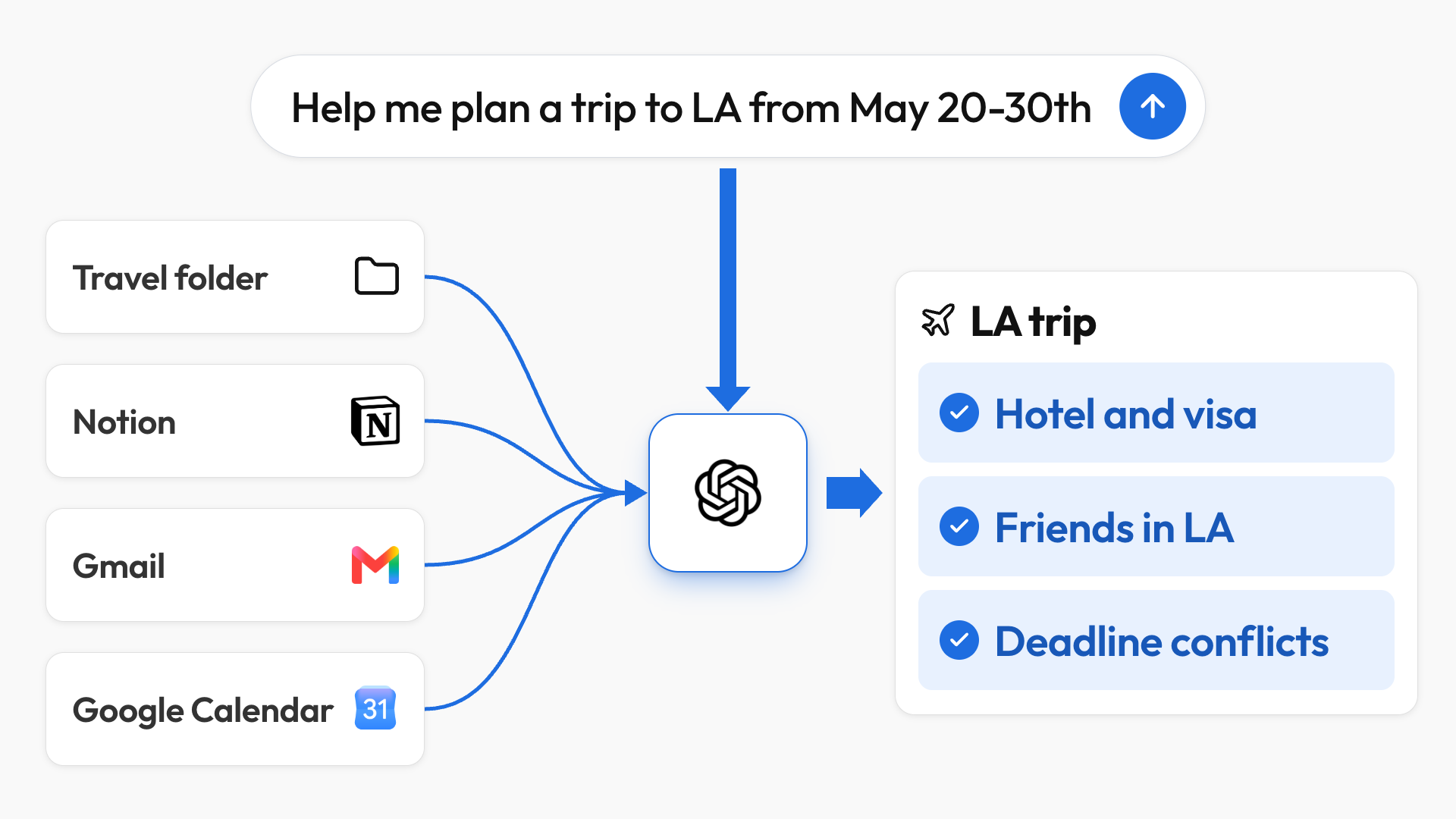
One sentence with no other context, "Help me plan a trip to LA from May 20-30th," is enough for the agent to pull what it needs from my Travel folder, Notion, Gmail, and Google Calendar. It then:
- Finds Marriott hotels in my price range and checks the visa requirements for my passport.
- Finds friends who live there and creates a trip project in Notion using my saved conventions.
- Flags calendar conflicts and deadlines that fall during the trip.
The AI connects details that live in completely different places, so I don't have to re-explain any of them.
💡
Put simply: DIY agents are the ultimate "second brain," where you can offload and retrieve any information you want without really having to organize any of it yourself.
How Personal Agents Like Muse Work
Ready Out of the Box
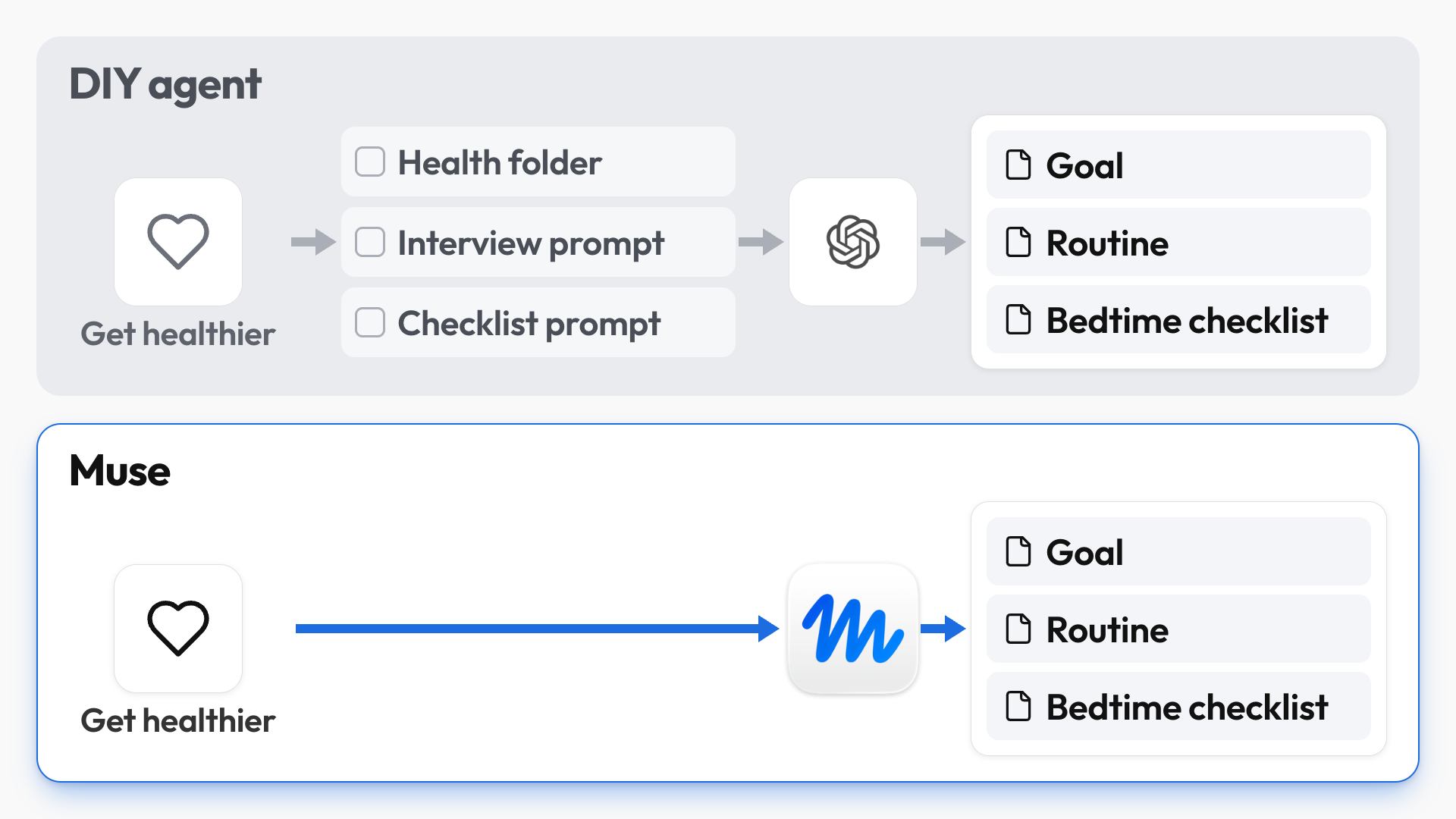
Personal agents are the "ready out of the box" version of DIY agents, so you get a lot of the same capabilities without building your own Home Folder first.
For example, let's say you want to get healthier, but you don't want the hassle of creating a Health folder and figuring out what CLAUDE.md or MEMORY.md files are (like, what kinda NASA-level computer science language is that?).
You can just open Muse, go into Goals, pick Health, and let Muse interview you. When I tried this, Muse:
- Asked about my current routine.
- Saved the new goal in its Goals tab.
- Created a bedtime checklist to improve my sleep quality.
A DIY agent could easily do the same, but you'd have to know to ask for the interview and the checklist, whereas Muse made the process "dummy-proof." Under the hood, Muse even saves everything in files that look remarkably similar to my DIY setup.
💡
Put simply: both setups work the same way. The AI saves your information in files and uses those files to help you, and personal agents just make it much easier to get started.
Personal Agents Are Proactive
There's one more massive difference: personal agents keep an eye on what matters to you and bring you updates without being asked.
For example, you could ask yours to:
- Watch for job openings that match your target role and location.
- Flag overdue invoices, so you're not missing payments from your customers.
Now, you might be thinking: "Couldn't I just set up a scheduled task for that?"
And the answer is yes, BUT if your dream job gets posted in the afternoon and applications close before your once-a-day search runs again, the scheduled task misses it completely, while a personal agent checks throughout the day and notifies you as soon as it appears.
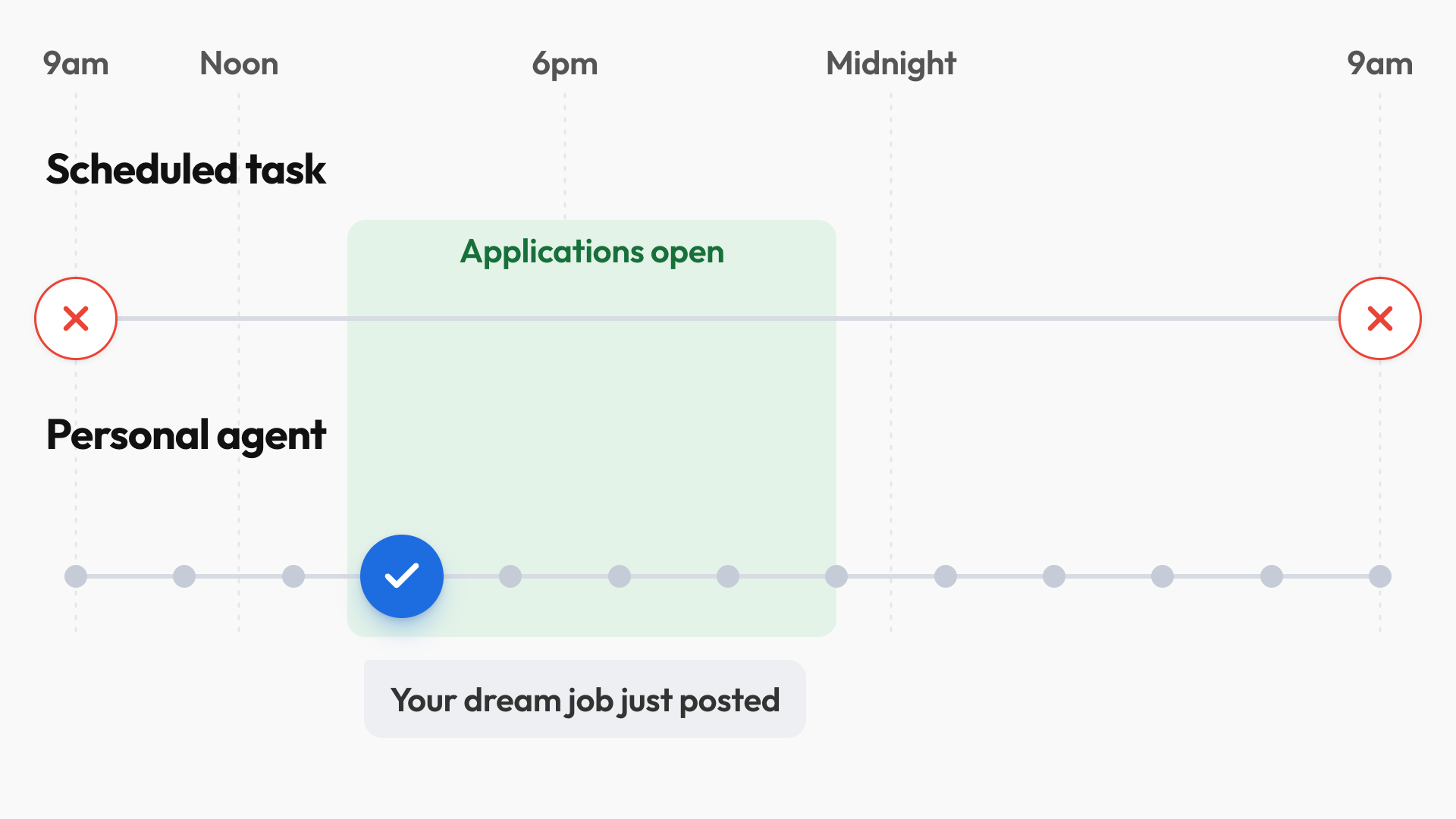
And when your laptop is closed? These personal agents all have their own dedicated computers in the cloud, so they can work around the clock.
So...Why Bother With a DIY Setup?
There are still three reasons to choose a DIY setup:
- Personal agents are still relatively new and immature, so they're a lot less capable.
- DIY agents give you complete control over how your workspace is organized, whereas personal agents "force" everyone into one standardized system.
- You risk getting locked into one ecosystem, since the more a personal agent knows about you, the harder it is to switch.
Personal AI Agents and Privacy
Now, the elephant in the room: privacy. This is going to piss some of you off, but I'm going to die on this hill: my stance on privacy is that it's strictly a personal preference.
Some people refuse to use any Google products, so if you watch YouTube, you're already accepting a trade-off that hardcore privacy enthusiasts would never agree to.
I'm personally wary of Meta's products, especially after the Cambridge Analytica scandal, so even though Meta says they've built Muse in such a secure way that even Meta themselves can't access your data, I'm using Muse as if everything I write is sent straight to Zuckerberg's personal inbox.
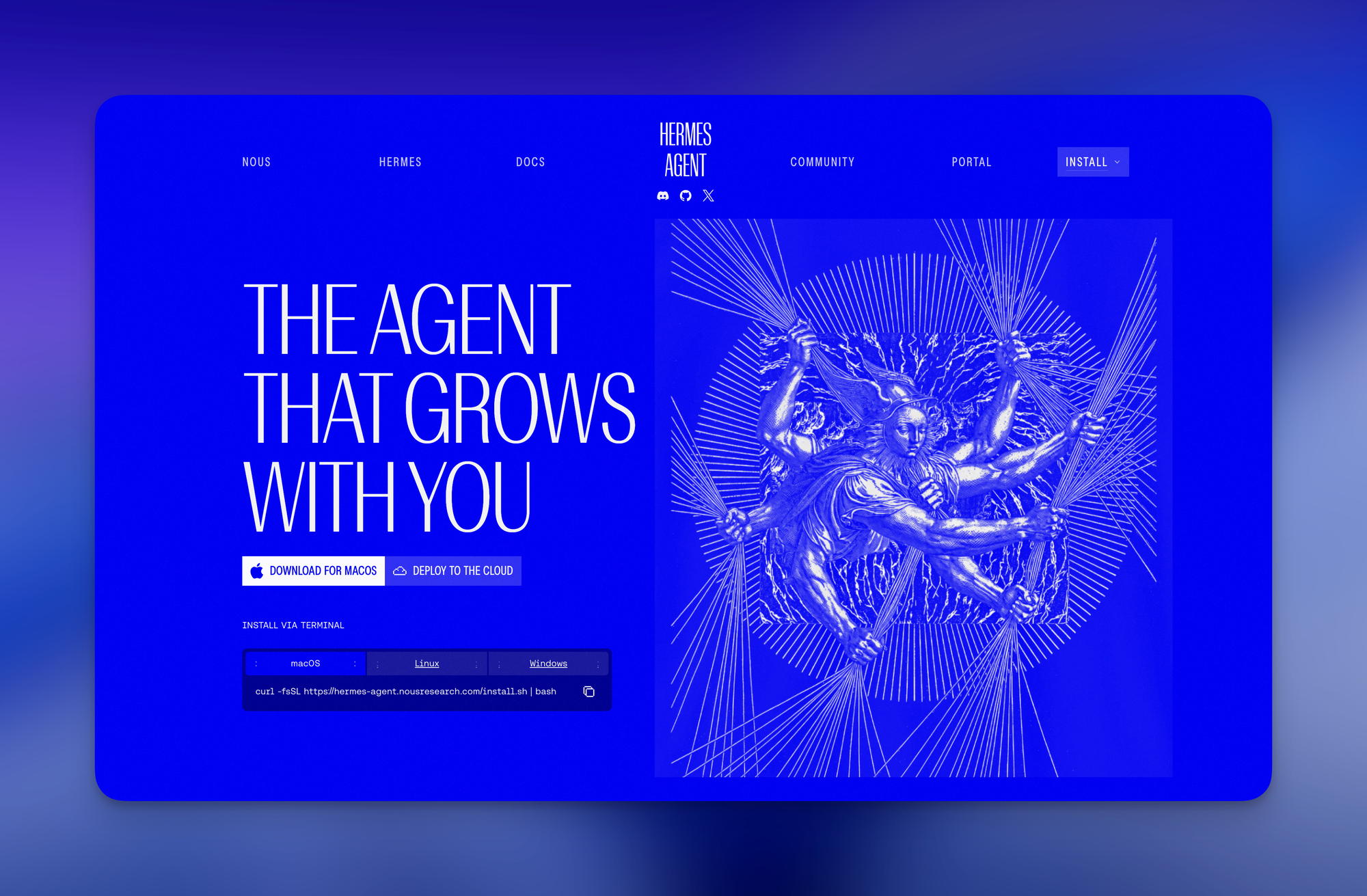
For a privacy-focused personal agent, you'd have to run open-source tools like OpenClaw or Hermes locally on your computer with open-source models. But again, there's a trade-off: they can be very intimidating, and there's no way to run the most powerful AI models locally.
Recap: Which Setup Should You Choose?
Chatbots are becoming obsolete as we move towards agents that remember our preferences and proactively get stuff done, so the real choice is between the two kinds of agents:
- Go with a personal agent like Muse if you want the most beginner-friendly experience without building your own system, but keep the lock-in risk in mind.
- Go with a DIY agent if you:
- Want the most powerful capabilities.
- Enjoy tailoring a system around how you work.
- Don't want to be locked into one platform.
Remember, my JeffOS Home Folder is just a bunch of folders and text files, so it works with closed-source DIY agents like ChatGPT Work and Claude Code, or open-source ones like Hermes and OpenClaw.
And I fully expect the major AI labs to build personal agents into their DIY agents (just look at how Dots was added to ChatGPT Work and Codex), so over time, I feel like we'll get the benefits of both without moving to a new platform.
If you enjoyed this...
You might also like: AI File Management Guide: Let AI Organize Your Files