|
AI
How I'd Learn AI From Scratch in 2026 (skip the useless 80%)
Hey friends - if I had to learn AI from scratch today, I'd be completely overwhelmed since so much of what's out there is either outdated or just theory you'll never actually use!
So today we're skipping the useless 80% and focusing on the 20% that's actually practical and evergreen (i.e. tactics that will still matter a decade from now). Let's get started! 😁
Watch it in action
Resources
- Free Claude Toolkit (templates, prompts, and a starter skill to get a working setup in about a week)
- Google Gemini Pro Tips cheatsheet
- Cowork Academy (my full Cowork course)
Key Takeaways
- Pick one chatbot and go deep. Default to the most powerful model you have access to. The core skills you’ll learn carry straight over to the others, so there's no “wrong” choice.
- Feed the AI the right context, then save it. The right context beats a perfect prompt. Store it in a project (or CustomGPT/Gemini Gem) so you stop re-explaining yourself for recurring work.
- Connect your projects into one AI system. Once your projects can talk to each other, the AI System spots patterns across them and gets smarter the more you use it.
Level 1: Pick one tool and go deep
The whole of Level 1 is one move: pick a single model and go deep on it.
Go deep on one model
There are two reasons this beats jumping around:
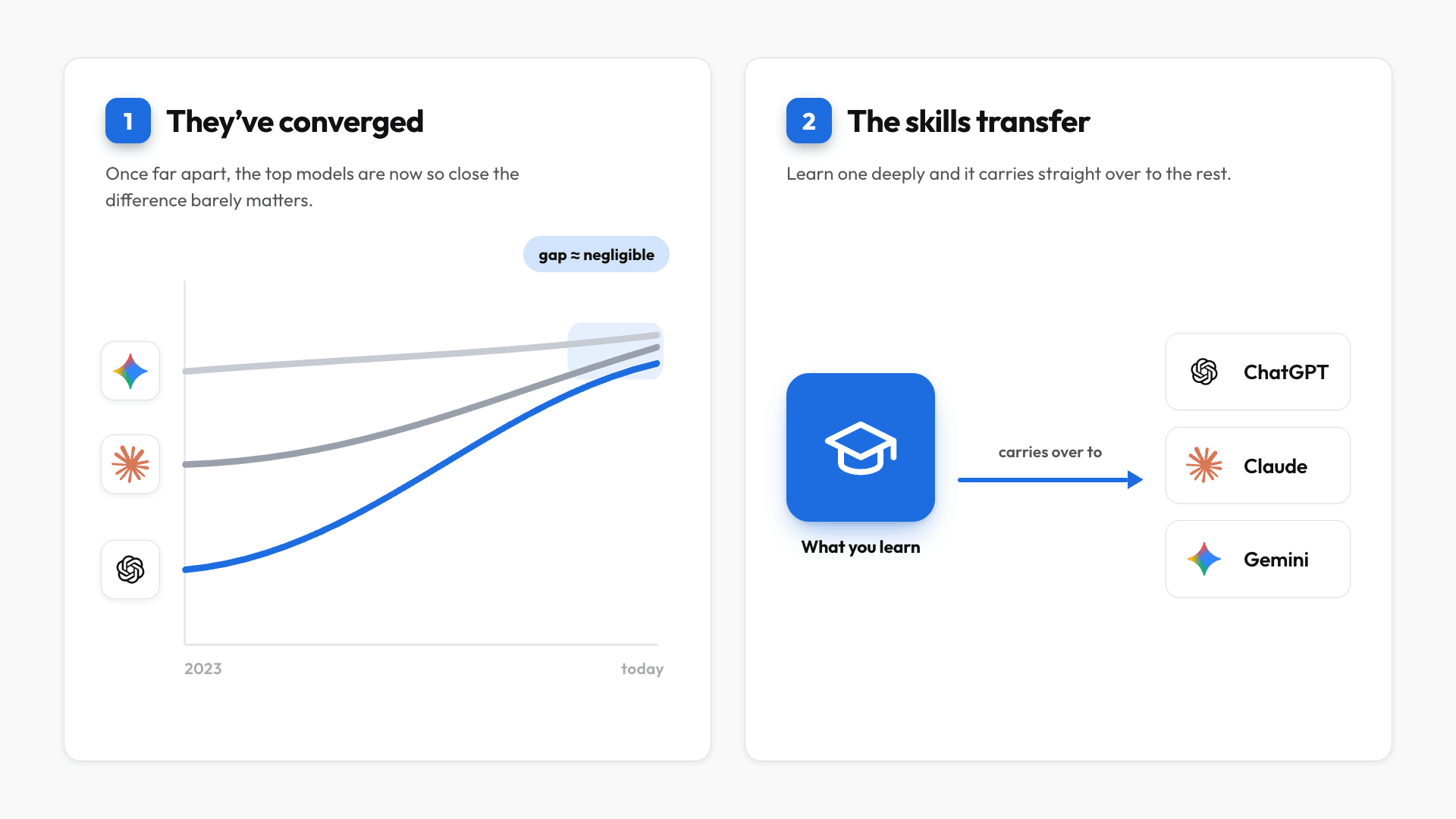
- The models have converged. They used to be far apart in capability. Now the top ones are so close that the difference for the average user is negligible.
- The skills transfer. Because the big AI companies all copy each other, the core features are basically the same, so going deep on one carries straight over to the rest.
So which one should you choose?
Since xAI (Grok) isn't really competitive anymore, Perplexity doesn't have its own frontier model (it's mainly a search tool), and the open-source Chinese models are still a step behind, that leaves ChatGPT, Claude, and Google Gemini.
How to pick your one
Choose between them on three principles:
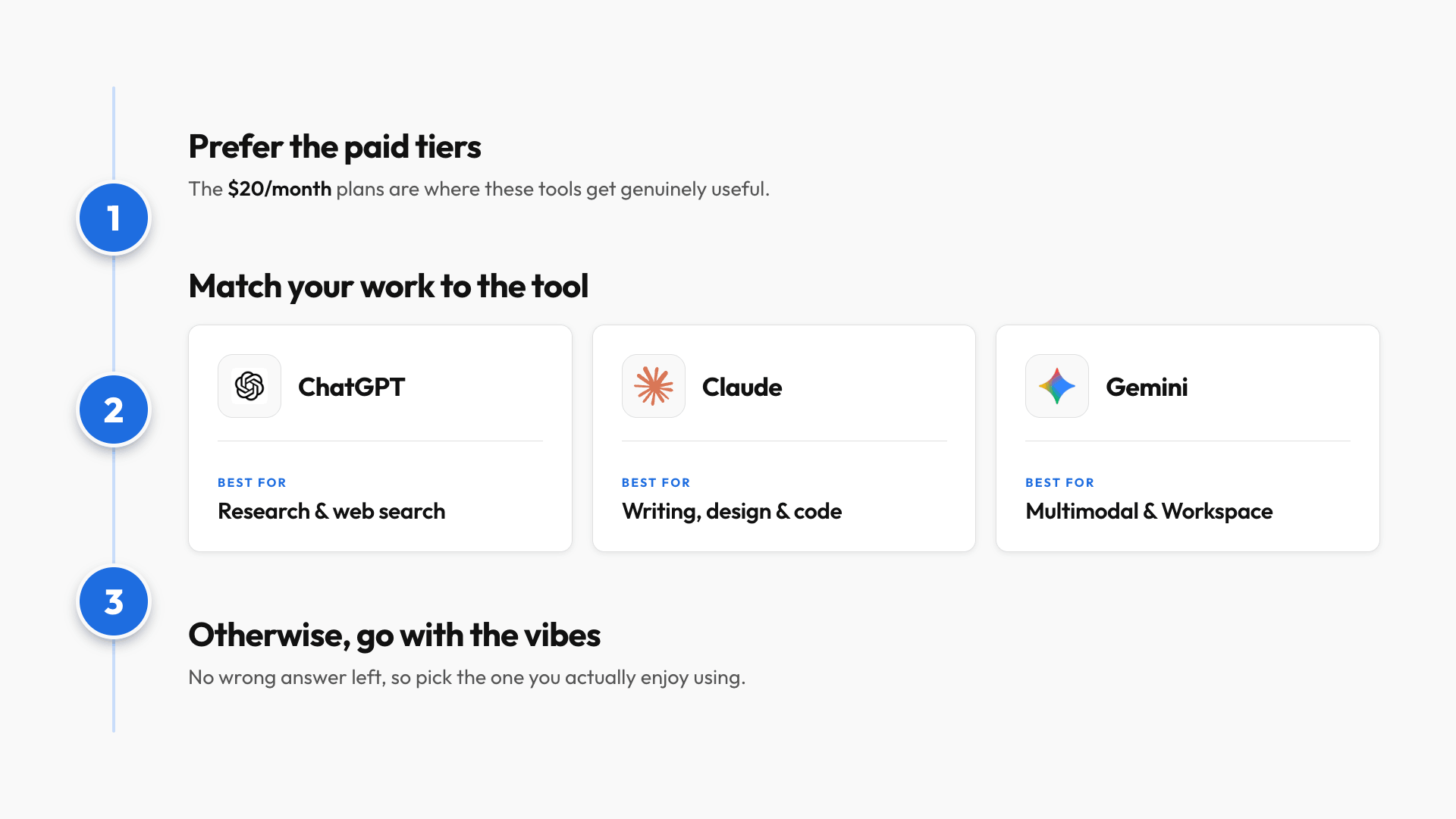
- Prioritize paid tiers. If you're on free ChatGPT but your job gives you paid Gemini, go deep on Gemini. The gap between free and paid is night and day.
- Match the AI to your work. Each one has its own strengths:
- ChatGPT is the most mature and has the most tutorials to learn from. It's also the best at web search, which makes it great for research.
- Claude is excellent at writing and design, and it excels at coding, which matters even if you're not technical, because things like data analysis and clean diagrams run on code under the hood.
- Gemini is best if you work across text, images, audio, and video, since it's the only one that processes mixed media natively. It's also the top pick for heavy Google Workspace users.
- Vibes. I know it sounds dumb, but each AI has its own personality, and the more you enjoy using one, the more you'll use it, and the better you'll get.
Pro tip: Switching is easy. All three have a memory import feature, so you can carry your history over instead of starting from scratch.
Use the most powerful model
For context, the companies default you to their weakest model (e.g. Gemini Flash or ChatGPT Instant) because it's the cheapest for them to run. For real work, always select the most powerful model you have access to, because those actually break down your request, map out the steps, and catch nuances you didn't think to mention.
And notice I haven't said a word about prompting. That's on purpose: now that the models are this powerful, your prompt is no longer the biggest factor in output quality.
Level 2: Context beats prompts
So if it's not your prompt, what determines output quality? The answer is Context.
The only framework you need
Say you need to find a restaurant for your boss. You could either:
- Spend ten minutes describing everything you think your boss likes.
- Or you could hand the AI a list of restaurants your boss has loved before and let it spot the pattern.
The second approach wins every time.
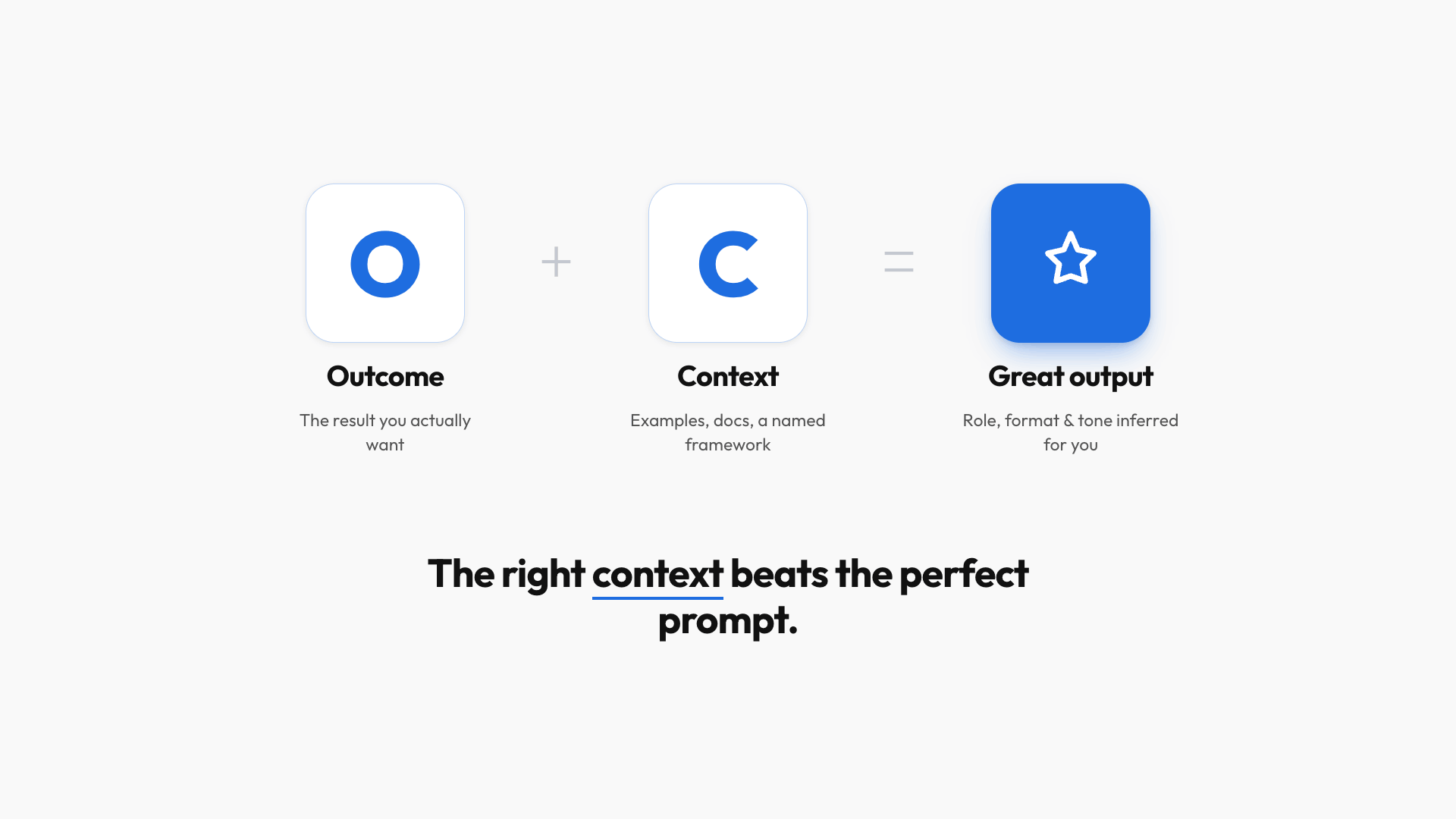
That list is context, and the right context always beats the perfect prompt. Models are now good enough to infer the role, format, and tone on their own, as long as you give them two things: a clear outcome and the right context. So there's really only one framework left worth remembering: Outcome plus Context (OC).
Three ways to find good context
From easiest to most advanced:
- Name a framework. Instead of typing a paragraph on how to restructure a report, tell the AI to "rewrite this using the ~Pyramid Principle~." Those two words carry more than a paragraph of explanation.
- Share real examples. Examples contain everything you'd forget to spell out, like your manager's expectations and your team's conventions. Instead of describing the format for a weekly update, paste in the last 2-3 that landed well, add your raw notes, and say "write this week's update in the same format."
- Connect your tools. Your best context already lives in your email, Google Drive, Slack, and Notion. Connect them, and the AI pulls what it needs directly instead of you downloading and re-uploading files.
Pro tip: Ask the AI for frameworks you don't know, like "what are the best frameworks for setting goals?" Then take the one that fits and use it in your next prompt.
Save your context with Projects
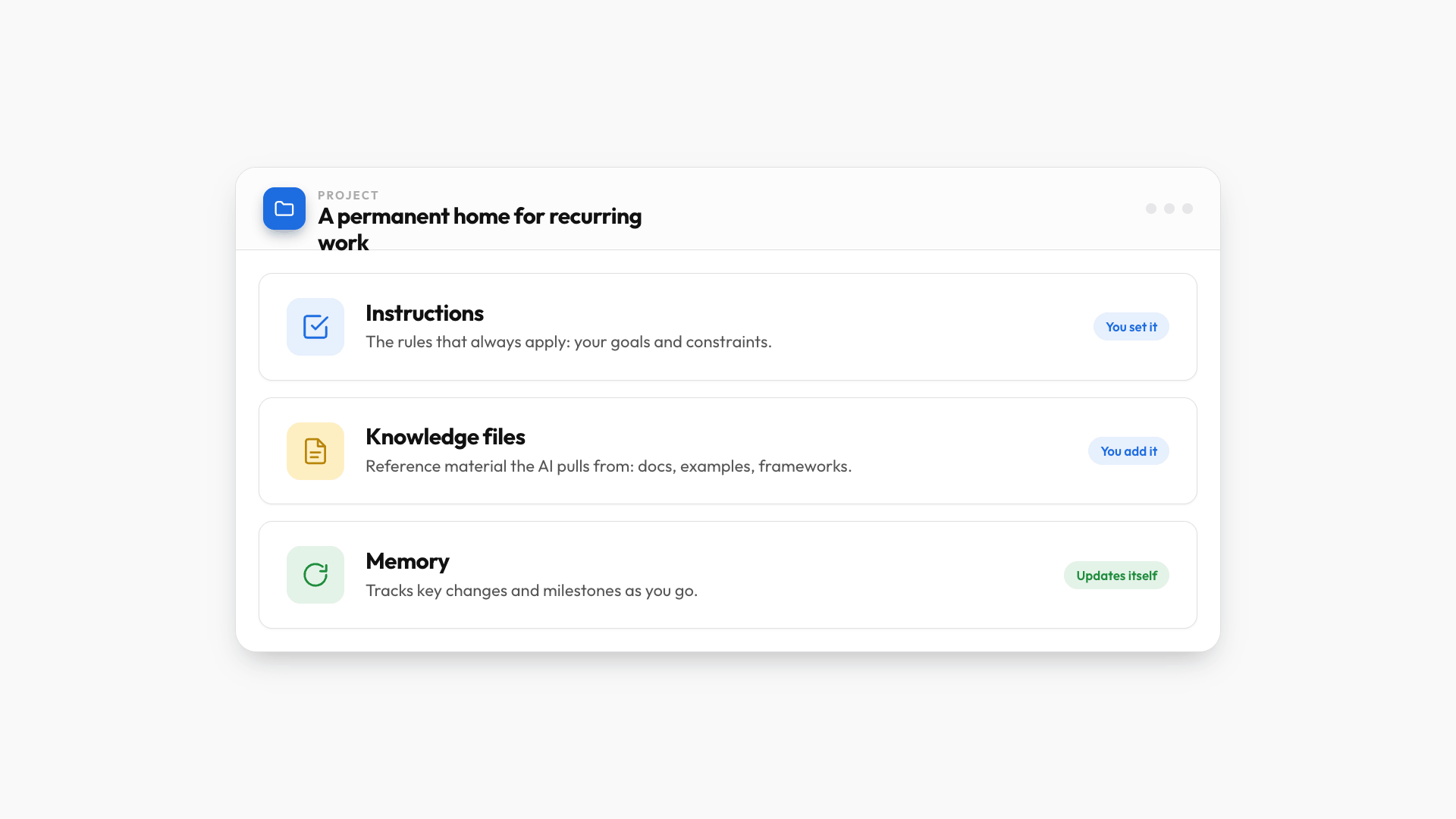
Finding good context is step one. Saving it is what stops you from repeating yourself. In ChatGPT and Claude that feature is called Projects (Gemini calls them Gems but it’s the same idea): a permanent home for recurring work with three parts.
- Project instructions are the rules that always apply, like your goals and constraints.
- Knowledge files are the reference material the AI pulls from, like your source docs, examples, and frameworks.
- Memory updates on its own as the AI tracks key changes and milestones.
For example, I have a workout project in Claude that acts as my coach:
- The Project Instructions contains my goal and setup.
- The Project Knowledge file contains my training program, and because every chat can see that file, I can ask "I only have 25 minutes for a pull day, what do I do?" and get a workout that fits my actual program.
- The Project Memory keeps track of updates like a shoulder injury and steers me away from shoulder work until I heal.
Pro tip: Use .md (Markdown) files instead of PDFs whenever you can. They're easier for the AI to read and cheaper to process, and you can ask the AI to convert a PDF to Markdown in seconds.
Once you get used to Projects, you’ll run into another issue: Each project is a standalone silo and aren’t able to “talk” to each other.
- My workout coach can't see the annual health reports sitting in a separate project, even though they obviously should talk to each other.
That's where an AI system comes in.
Level 3: Build an AI system
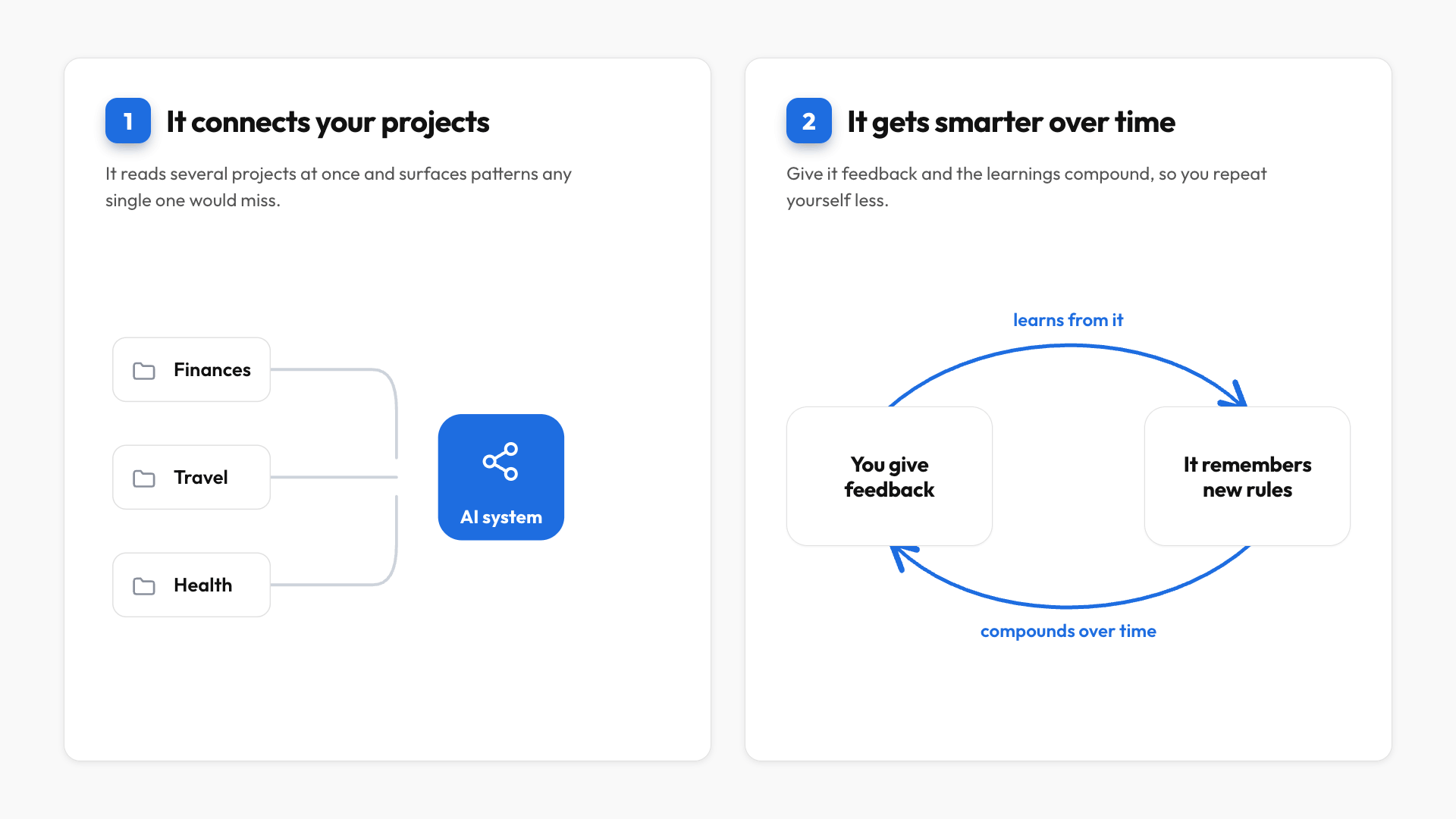
An AI system is a setup that does two things a single project can't.
What an AI system does
- It pulls context across projects. It looks at several projects at once, spots patterns, and surfaces insights any single project would miss. For example: "after going through the annual budget in your Personal Finances project and the research in your Travel project, a trip to Bali would put you over budget."
- It updates itself. Give it feedback and the learnings compound. When I say "reconcile my final draft with your first version," it studies every change I made and proposes rules to remember next time.
Which one should you use
I'll oversimplify a bit, but broadly speaking you've got three options, depending on your comfort level:
- Gemini Spark is the most beginner-friendly and needs almost no setup, since it's already connected to Gmail, Calendar, and Drive. The tradeoff is less control over how it's configured.
- Claude Cowork is built for non-technical people like me, and it's my current daily driver.
- Claude Code and Codex are basically Claude Cowork on steroids: fully customizable and extremely powerful, but you'll want to be comfortable with code.
What it looks like in practice
- I used to keep three separate projects for my health checkups, my supplements, and my workout plan.
- Once they lived in one system, the AI cross-referenced my latest checkup with my workout plan, saw it was all strength training and zero cardio, and told me to add 30 minutes of moderate cardio on my rest days.
- Then it checked my supplement stack, saw I'm already on fish oil for my borderline-high cholesterol, and said to keep the dose where it is.
No single project could have connected those dots on its own, and the more feedback I give it, the smarter it gets, and the less I have to repeat myself going forward.
The gap between using AI and using AI well is invisible, which is exactly why it's so easy to get stuck. Hopefully this gives you a clear read on where you are and what to focus on next.
If you enjoyed this...
You might also like: Top 5 Claude Cowork Tips I Wish I Knew from Day One