|
AI
Learn 80% of Claude Cowork in Under 20 Minutes
If you use Claude Chat every day, are intimidated by Claude Code, and know Cowork exists but not WHY you'd need it, this post is for you.
Quick heads up: I've been making AI videos for 3 years now, and I've never felt this way about a single tool. Let's dive in! 😁
Watch it in action
Resources
Claude Chat vs. Claude Cowork
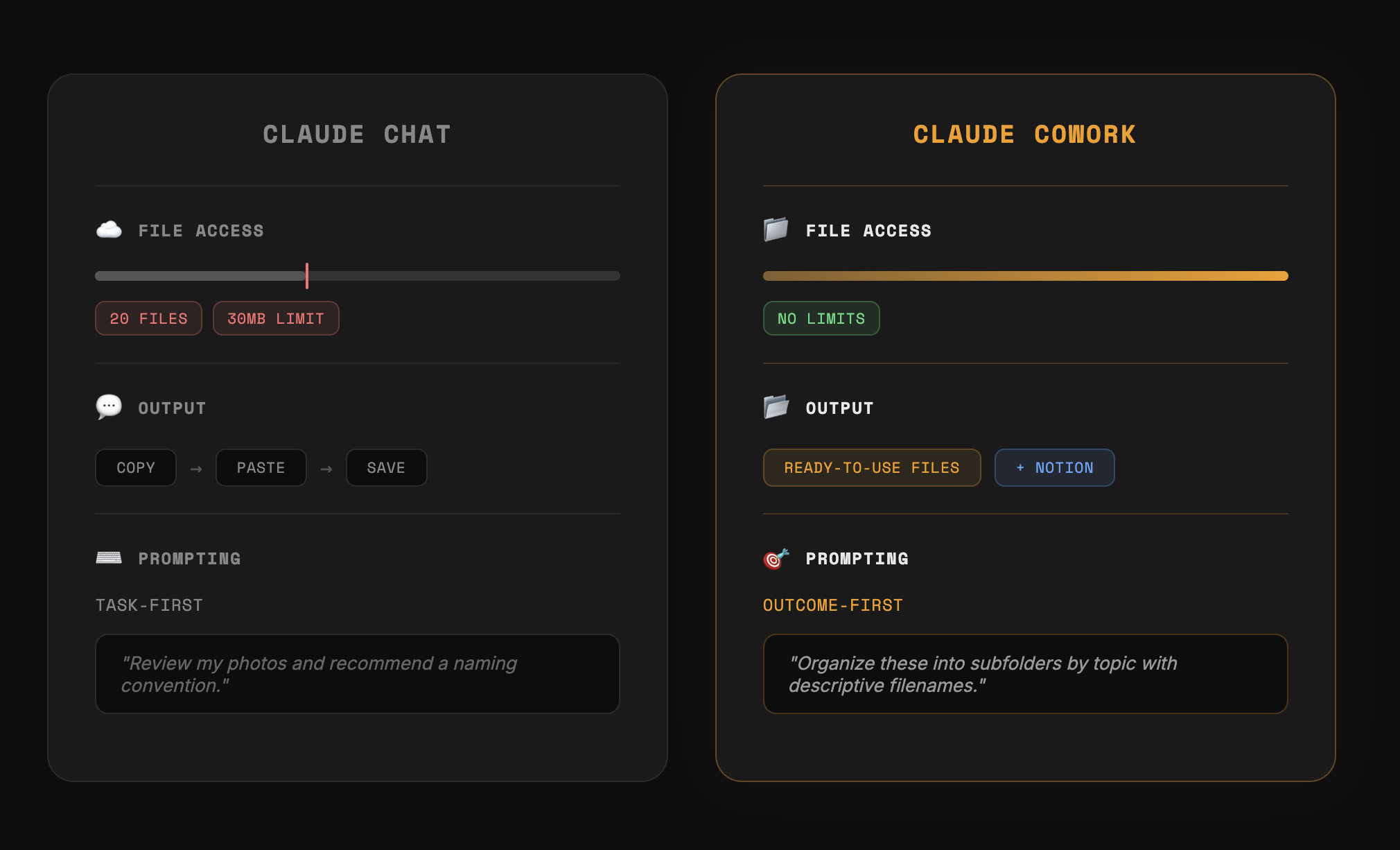
Put simply, there are three fundamental differences between Claude Chat (the chatbot) and Claude Cowork (the native desktop app):
1. File access and context window
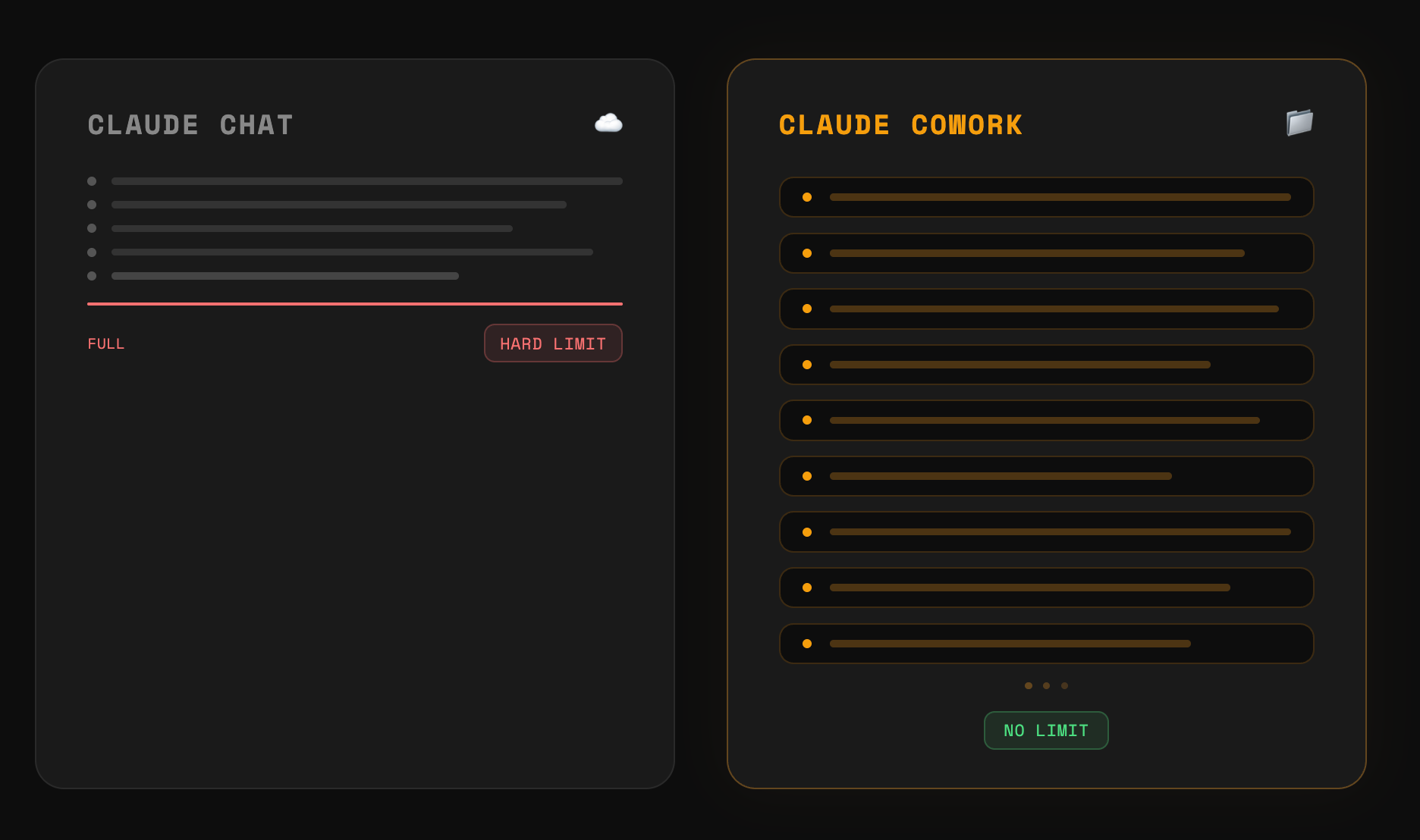
Chat has massive limitations since you need to upload files to the cloud (20 files per conversation, 30MB per file). But since Cowork accesses your local files, neither limitation applies!
Cowork also has a much larger context window, so you can do more work before triggering "compacting conversation."
2. Output delivery
Chat gives you a response in a chat window that you copy and download yourself. Cowork delivers ready-to-use files directly in your folder, and can also work inside external platforms like Notion.
3. Prompting style.
With Chat, we use task-first language:
- "Review my raw thumbnail photos and recommend a naming convention and folder structure I should use."
You get back a recommendation in text, then do the work yourself.
With Cowork, we use outcome-first language:
- "I have 15 raw thumbnail photos in this folder. I need them organized into subfolders by topic with descriptive filenames."
Cowork runs and 3 minutes later the work is done. If you're struggling with this, I've prepared a prompt template linked in the resources above.
Essential Settings
A few settings to get Cowork set up properly before we start.
- Under Settings, click the "Cowork" tab to add instructions that apply to Cowork only. I've put together a starter pack of instructions beginners can copy and paste immediately (linked in the resources above).
- These are basically guardrails that stop Cowork from touching your files without asking. Think of them like training wheels you can remove as you get more experienced.
- Under Settings > Capabilities, enable both memory features, set Tool access to "Load tools when needed," and enable all other features.
- Finally, create a folder called "Cowork Playground" in your Documents so everything stays contained. When you open a new conversation, point Cowork at that folder.
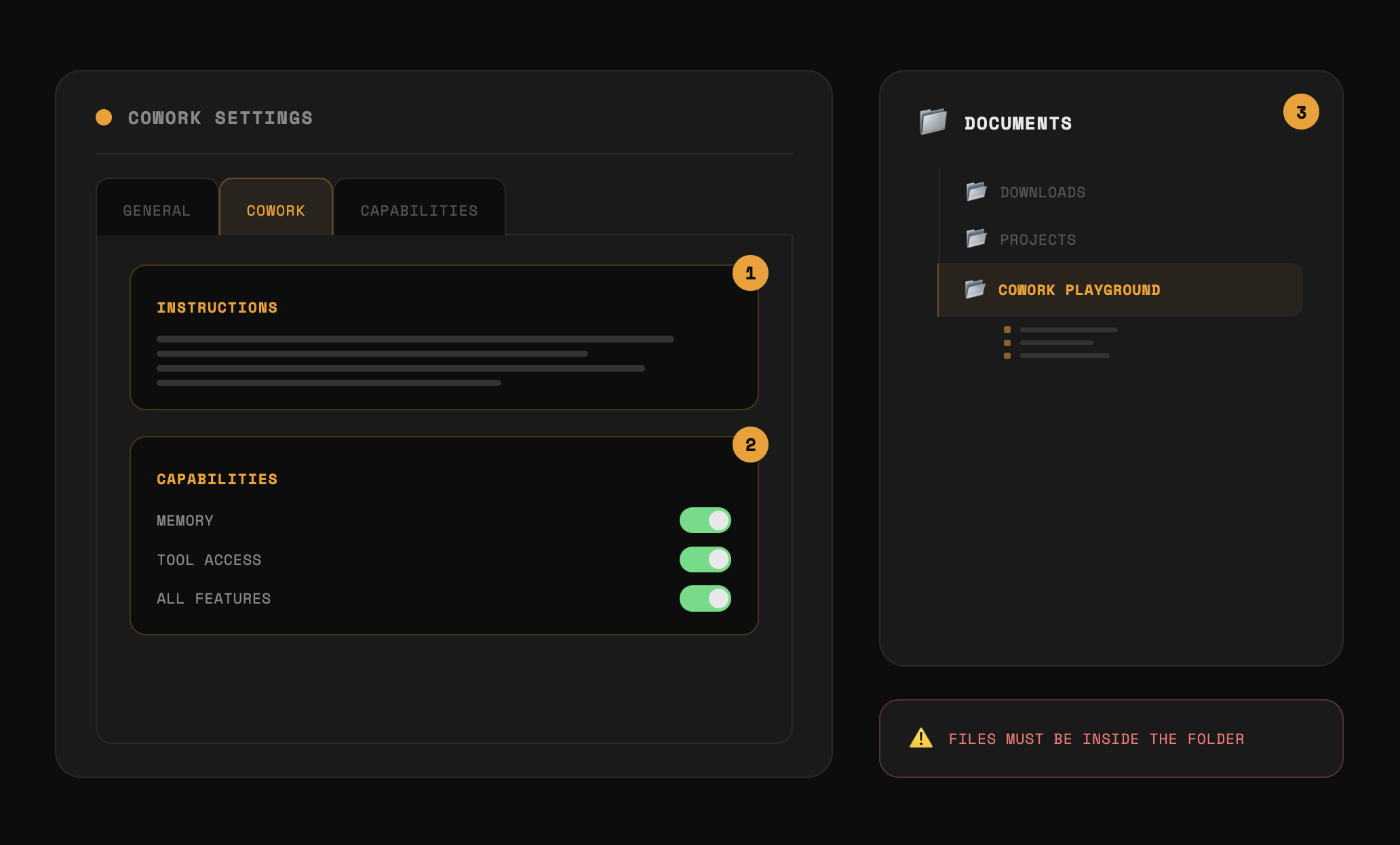
One thing to know: Cowork is strict about file access. If you drag a file from Downloads into Cowork, it can't read it. Files need to already be inside the Playground folder.
Capability #1: Creating and Editing Local Files
Cowork can create, edit, and organize files directly on your computer.
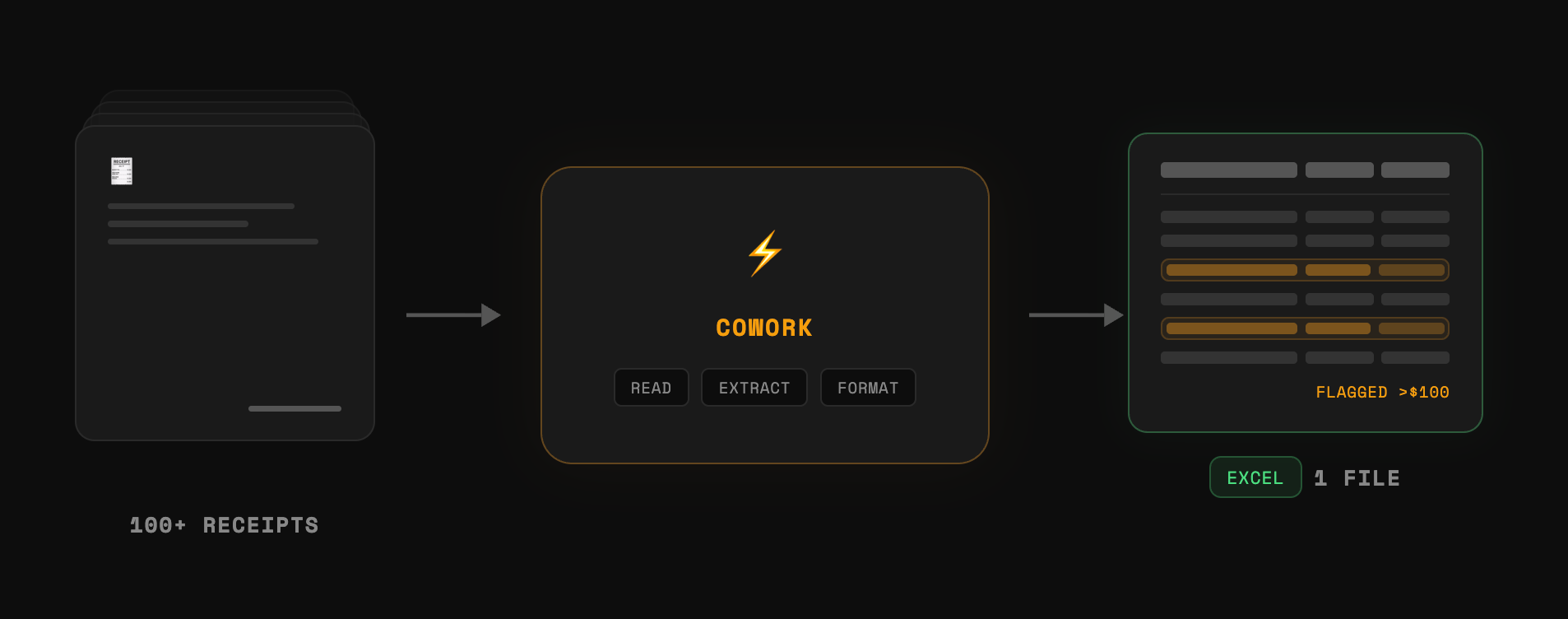
- For example: I added over 100 receipt photos into the Playground folder and told Cowork: "I need an expense report from the receipt photos in my Receipts folder. Excel spreadsheet with date, vendor, category, amount, and a totals row. If anything's blurry or unclear, mark it VERIFY."
Cowork read every image, extracted the information, and output a formatted Excel file directly in my folder with flagged rows to double-check. This isn't possible in Chat because of the 20-file limit, and even with fewer files, Chat would only give you the output in a chat window you'd still have to download yourself.
This same capability handles large file processing (splitting a 400MB+ PDF into chapters) and file conversion (rebuilding non-editable PowerPoint slides into editable text boxes). Anything that involves reading, transforming, and saving files locally.
Capability #2: Persistent Memory
This is the most important capability we'll cover, and it's only possible because of capability #1.
Chat stores memory online with a hard limit on how much it can hold. Cowork saves memory to actual files on your computer, meaning it can remember every decision, every preference, for as long as you need.
Try this yourself:
- Share a meeting transcript with Cowork and say: "Summarize this meeting transcript, limit to 200 words."
- Edit the output, then tell Cowork: "Compare your version with mine and save those preferences so you remember them next time."
Cowork figures out what you changed and writes those preferences to a claude.md file and a memory.md file. How those files work is more advanced than what we'll cover today.
Just know that every time you tell Cowork to remember something, it writes to these files, and the more it writes, the better Cowork gets at working the way you want.
Capability #3: Access Tools via Connectors
By default, Cowork can only see what's in your folder. Connectors let it reach into the tools you already use (Gmail, Google Drive, Notion) so it can read from them and work directly inside them.
To set this up: Customize tab > Connectors > click the plus icon. I recommend at least connecting Gmail, Google Drive, Google Calendar, and Notion.
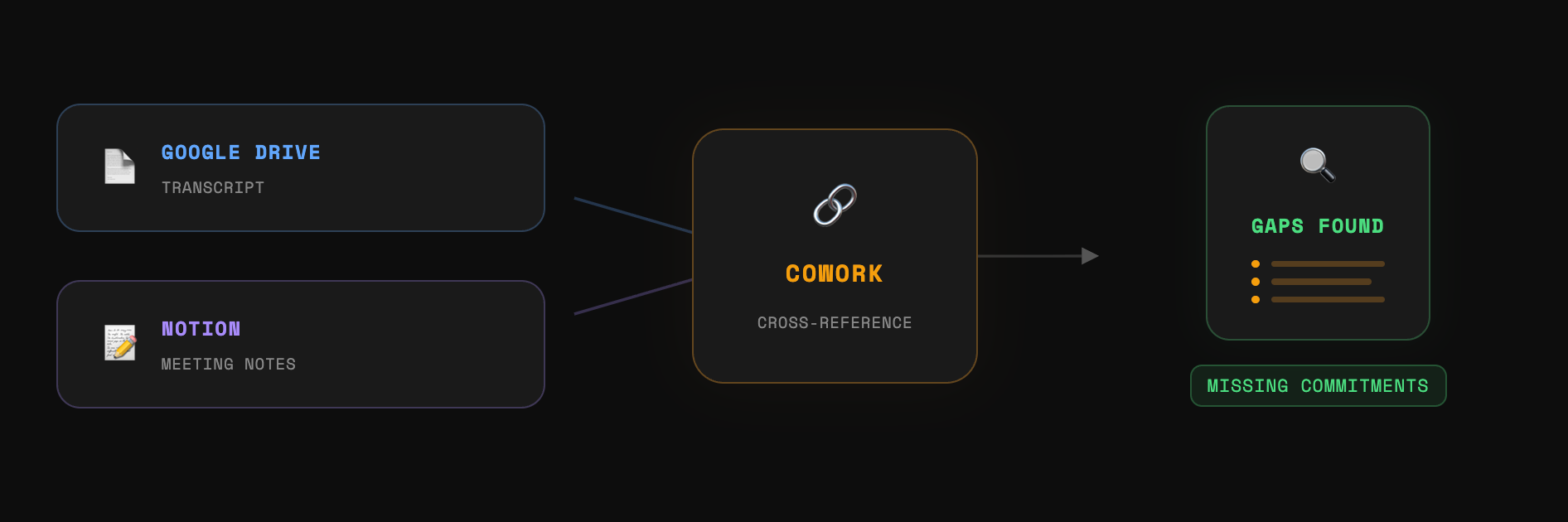
The real power is when multiple connectors work together. If your team takes meeting notes in Notion but auto-generates transcripts in Google Drive, you can tell Cowork:
- "Check the Gemini transcript against the meeting notes in Notion, and surface commitments that didn't make it into the notes."
Cowork pulls the transcript from Drive, pulls the notes from Notion, cross-references them, and tells you what's missing.
If you don't find the tool you need under Connectors, you can add a custom one through something called an MCP. Not covering that today, but just know the option exists.
Capability #4: Skills
Skills let you turn any multi-step workflow into a repeatable one-click action.
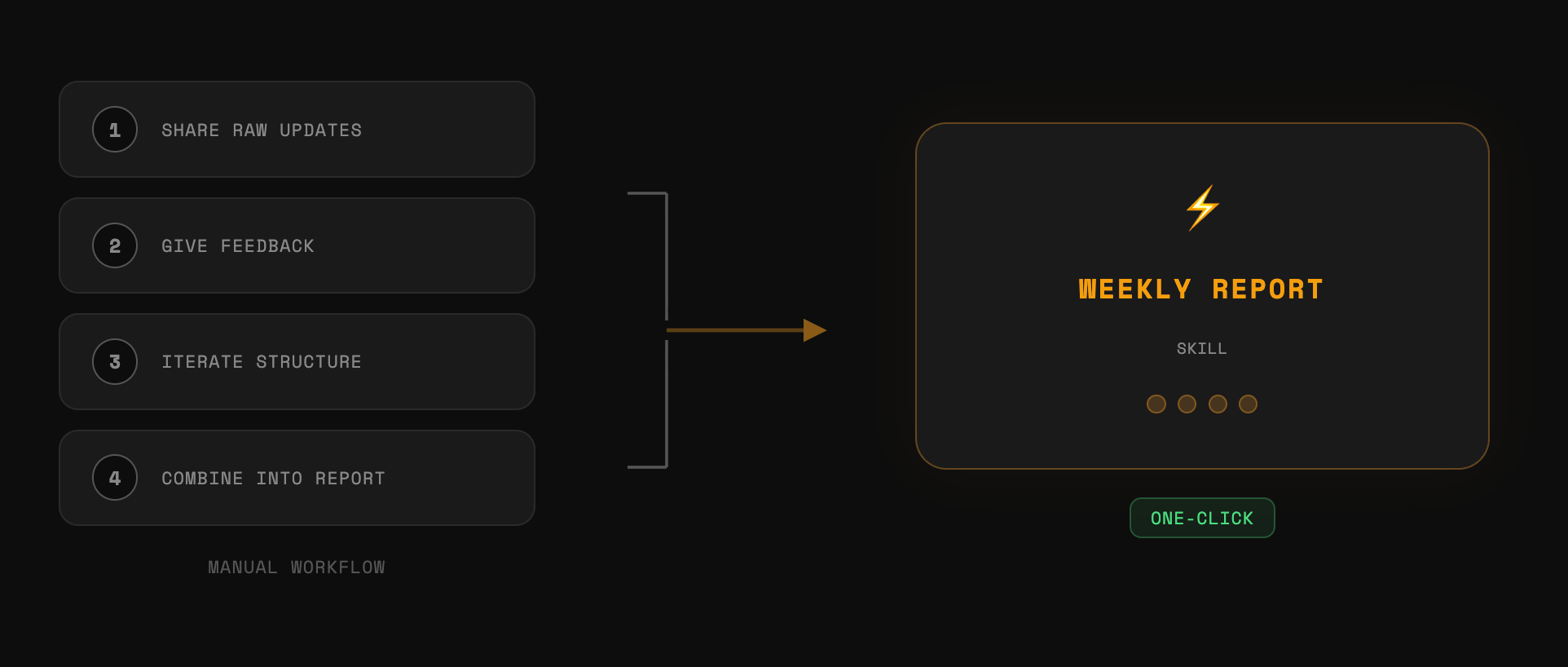
Here's a practical example: When I was at Google, different teams would send me their weekly updates in completely different formats, and I had to combine everything into one clean update for leadership. I shared three raw team updates with Cowork, gave feedback over a few rounds until the structure was right, then told it:
- "Now go back through our conversation and create a weekly report skill that captures this entire workflow."
After testing, I installed it via Customize > Skills > Upload a Skill. Now I have a weekly report skill I can trigger anytime.
Three things to know about Skills
- Make sure the skill-creator is enabled. Go to Customize > Skills and enable the skill-creator by Anthropic. While sites like skillhub.club offer templates, I recommend creating the first few yourself.
- Back up your skills. You can update a skill anytime, but you need to click "Copy" again to overwrite the previous version. Back up to Google Drive because skills don't transfer when you move computers.
- Don't create skills from scratch. Go through the entire workflow first, give feedback until you're happy with the output, then reverse-engineer that into a skill. Much more effective.
Capability #5: Cowork Projects
At the risk of massively oversimplifying, Cowork Projects and Chat projects are basically the same thing, except Cowork Projects come with all the capabilities we've already covered: local file access, persistent memory, connectors, skills, all of it.
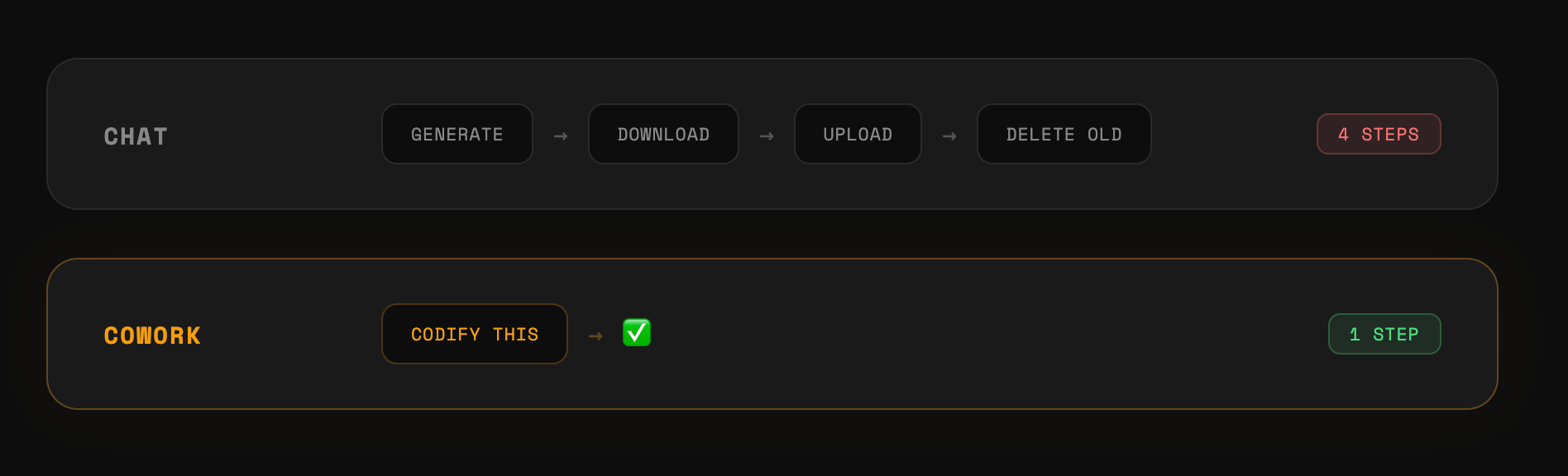
But there is one thing worth calling out: Cowork Projects can write to their own knowledge files directly. In a Chat project, saving a new principle means Claude generates a file, you download it, upload it, then delete the old version. In Cowork, you just say "codify this principle" and it writes directly to the instruction file.
Capability #6: Browser Extension
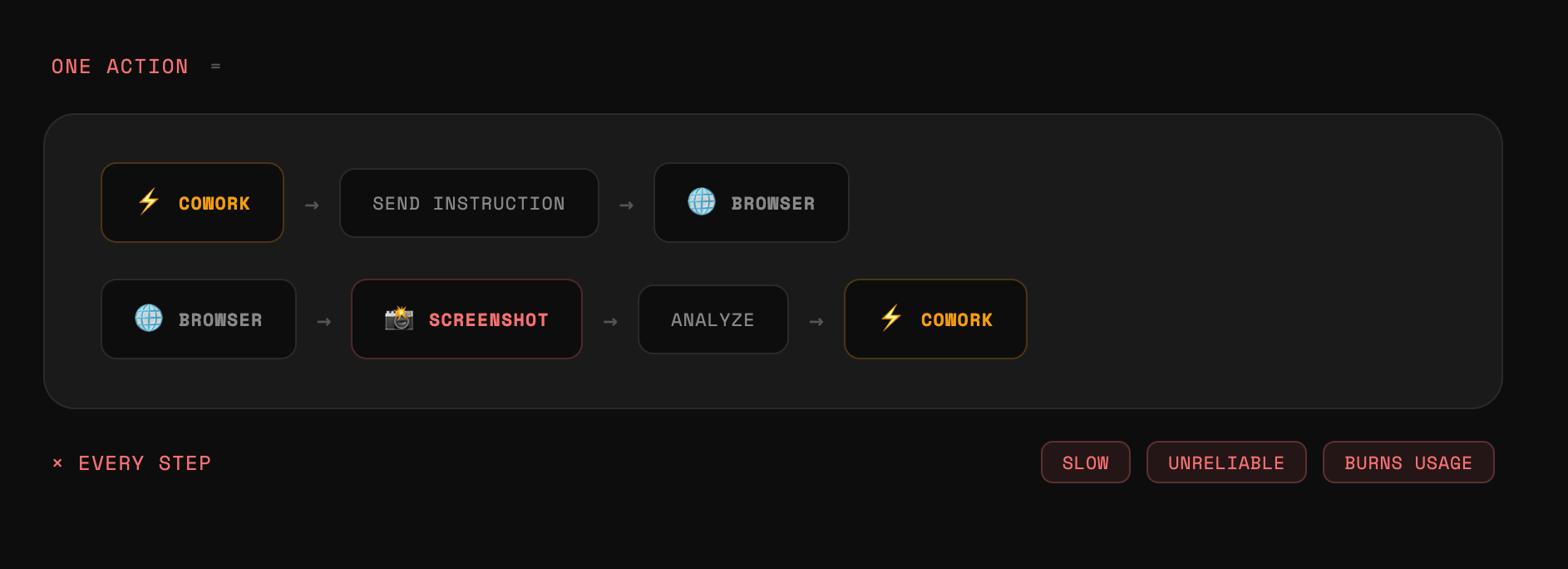
If you have the Claude extension installed on your browser, Cowork can theoretically hand off tasks to it. I say "theoretically" because I can't recommend the extension right now for three reasons:
- It's slow. Most interactions require a screenshot sent back to Cowork before it decides what to do next.
- It's unreliable. It often stops halfway through a task without finishing.
- It burns through your usage because it overthinks every step since it has to be super careful when controlling your browser.
One related weakness: while both Chat and Cowork can search the web, Chat gives you more control (toggle web search on/off mid-conversation). Cowork can't force a web search and often falls back on the unreliable browser extension.
Capability #7: Scheduled Tasks
Scheduled tasks aren't new (Gemini and ChatGPT have them), but Claude Cowork's version works flawlessly because of the capabilities we've already covered.
My inbox triage task runs every morning and the results are basically flawless. Here's why:
- Local file access (capability #1): Cowork took my inbox zero workflow and saved those rules in a markdown file.
- Connectors (capability #3): Cowork reads my emails through Gmail and maps them against my inbox zero rules.
- Persistent memory (capability #2): For the first week, I gave feedback on how I would have rephrased certain emails. Cowork remembers those corrections.
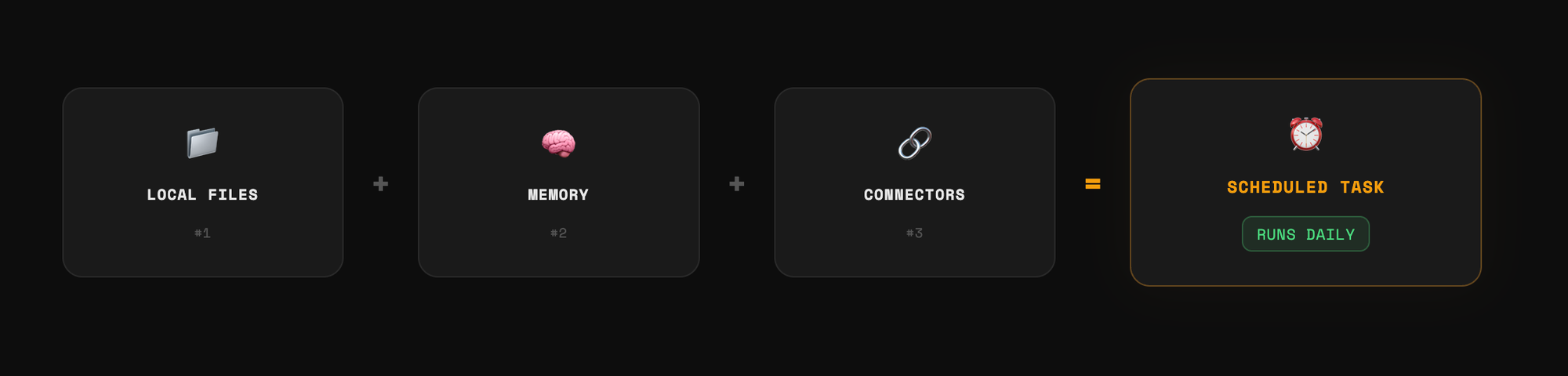
The capabilities compound. That's the whole point.
If you enjoyed this...
You might also like: My AI Playlist on YouTube!