|
AI
If You're Overwhelmed by AI Tools, Read This.
If you've checked out Part 1 of this two-part series, you're probably feeling pretty confident about when to reach for ChatGPT vs. Gemini vs. Claude (aka the "Everyday AI" tools).
In this guide, we're diving into the remaining two AI tool categories: Productivity AI and Creative AI. Let's get started!
Watch it in action
Resources
- AI Systems Academy: A systems-focused course teaching workflows that remain useful regardless of tool updates (waitlist available)
- Notion Course for Beginners: Build your own Command Center in Notion.
Google Workspace with Gemini
The superpower here is not the model itself. It is the native integration.
In plain English: Gemini is the only AI that can search and synthesize across your entire Google Workspace in a single query. Yes, you can technically connect ChatGPT and Claude to Google platforms, but those third-party connections work from the "outside." They can be unreliable and cannot access certain file types like Google Sheets.
Gemini does not need to connect because it already lives inside the ecosystem. Apps talk to each other seamlessly.
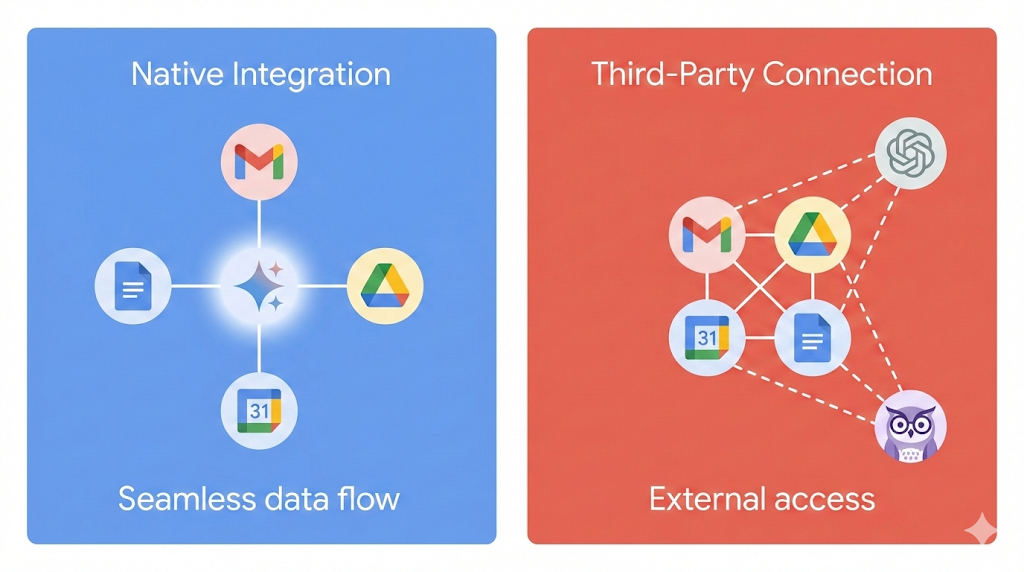
Real-world example: At Google, by the time a marketing campaign wrapped up, there would be over 50 meeting transcripts buried inside separate calendar invites, hundreds of pages of notes in shared docs, and maybe 200 email threads across different teams.
Summarizing all of that manually used to take a week or two. 😅
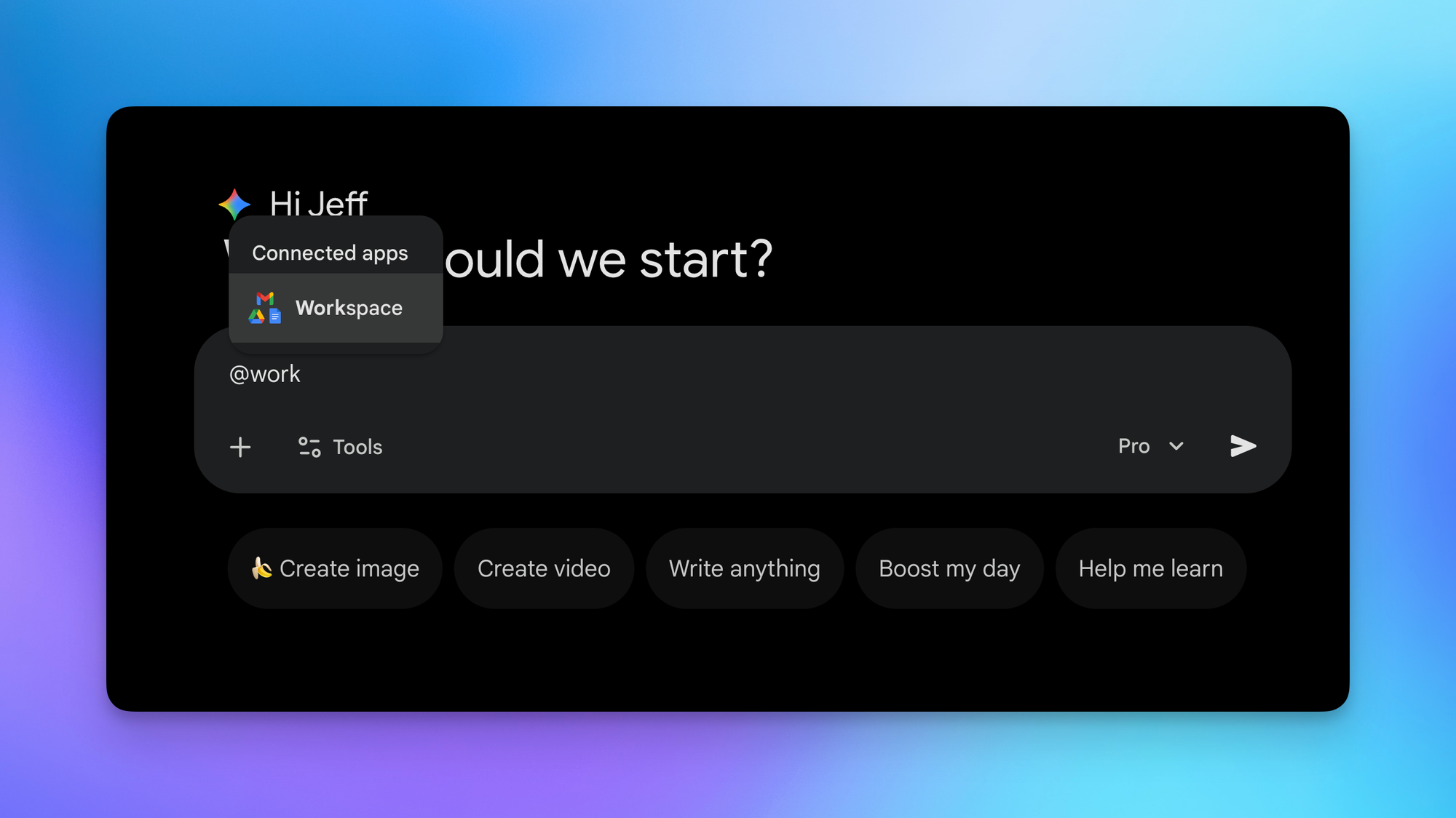
Now you can use the @Workspace extension and ask Gemini to identify all relevant documents and emails related to a project, analyze that information to understand the campaign's purpose and results, and draft a detailed debrief document. It pulls from Gmail, Drive, and Calendar in one query. That level of synthesis only works because the integration is native.
💡
Rule of thumb: If your work lives in Google Workspace and you need to pull from multiple sources at once, ask Gemini first.
Notion AI
Notion AI's superpower is its agentic capabilities. In plain English: it takes action inside your workspace instead of just answering questions.
For comparison, Gemini can draft something within an empty Google Doc, but it cannot create and populate documents or spreadsheets from scratch, let alone reorganize them.
Level 1: Notion AI can draft content from within an empty page, just like Google Docs. Basic capability confirmed.
Level 2: Say you have a database containing a job description page for an Operations Manager role, and you want to hire a Customer Success Manager. You can open Notion AI and type:
"Create a new job opening in this database for a customer success manager based on the Operations Manager page and the notes from the Customer Success Manager Role document. Status equals Active. Date Posted equals one year from today."
Notion AI picks up the structure, format, and tone of voice from your existing job description, creates a new page, and even adds a new "Active" tag within the Status property.
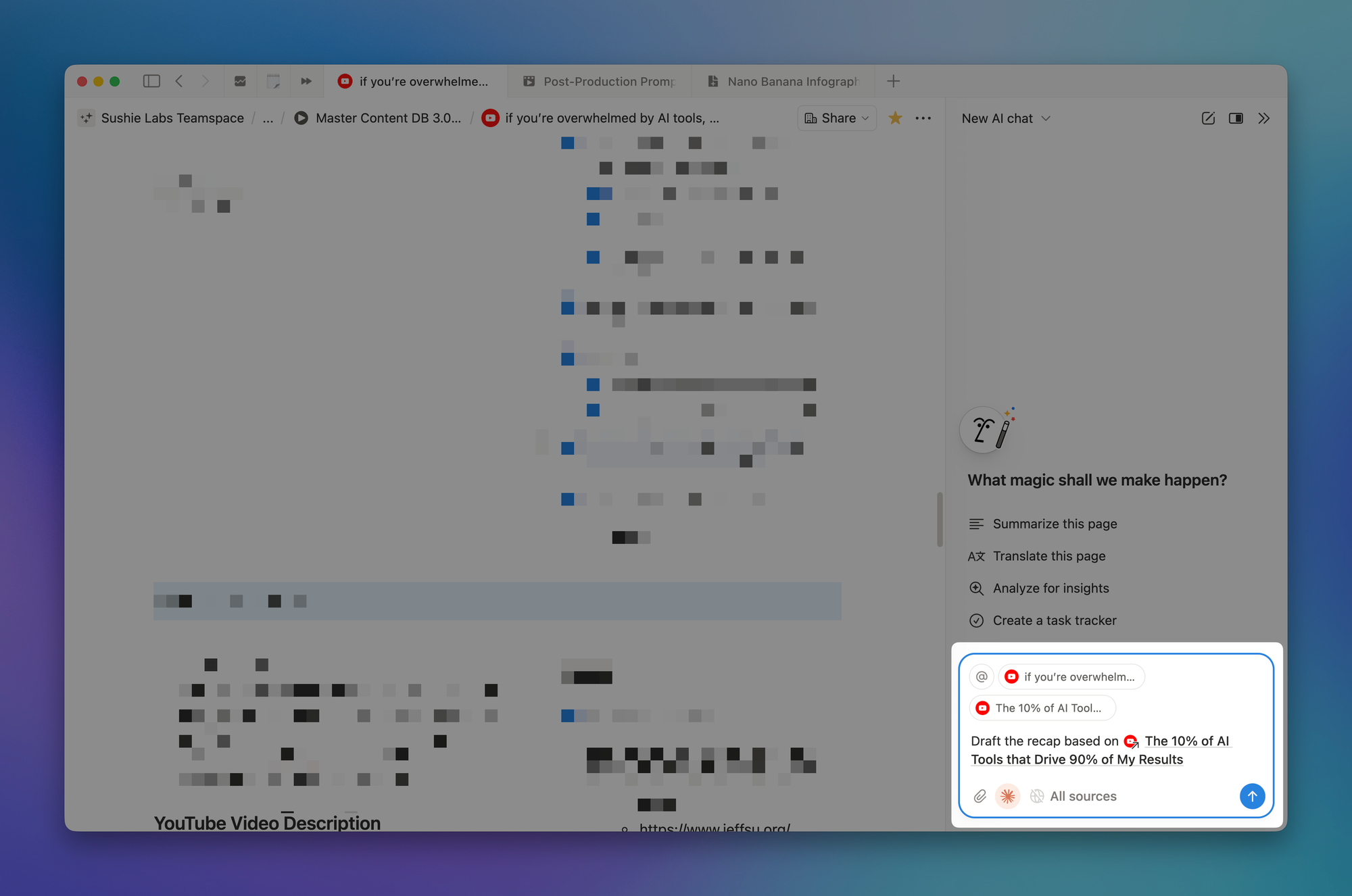
Level 3: Notion's relations property links pages across databases. If you retire an old Area page and create a new one, you can ask Notion AI to unlink all notes, resources, and projects from the old page and relink them to the new one. It handles bulk reorganization reliably.
Important caveat: Buying Notion AI does not mean you get three models for the price of one. Like Perplexity, Notion AI uses fine-tuned versions of ChatGPT, Gemini, and Claude optimized for the Notion workspace. They are not as powerful for everyday general use.
💡
Rule of thumb: If you need AI that can build and edit inside your workspace, and not just search it, Notion AI is currently the only option that actually takes action.
Wispr Flow
Wispr Flow's superpower is extremely accurate voice-to-text transcription. And that naturally leads to giving AI richer context than you would ever bother typing.
The transcription is not perfect, but it hits around 95 percent accuracy. Because it is so reliable, it makes a material impact on how you interact with AI.
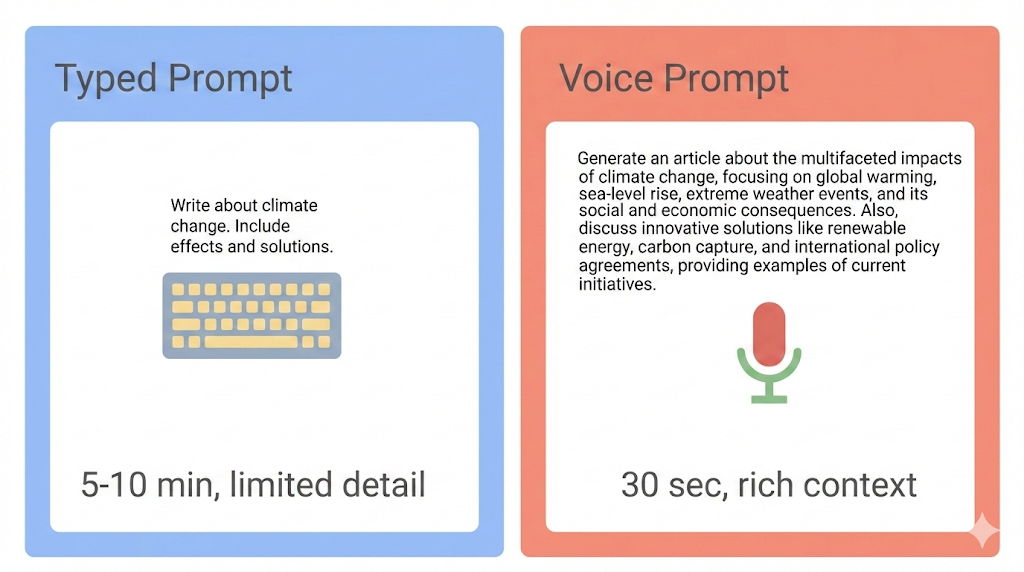
Example: Remember that marketing campaign recap prompt from the Google Workspace section? Typing that prompt out would take around 5 to 10 minutes, and you would probably write two paragraphs and think "this is good enough."
With voice prompting, you can talk and brain dump for 30 seconds, including all the details you would have otherwise skipped: specific teams involved, the timeline, the tone you want. You give more context because the friction of typing is gone.
Two massive caveats:
- First, the iPhone experience currently suffers because you need to swipe between Wispr Flow and the app you are using every time you activate it. If you are not a power user and you have an iPhone, this tool is hard to recommend right now.
- Second, the long-term moat is uncertain. It would not take much for OpenAI, Google, or Anthropic to improve their native voice modes to match this level of intelligent auto-editing. There are literally thousands of examples of big tech crushing startups by adding a feature into an existing product.
Midjourney
Midjourney's superpower is complete and total control over your image output. But that comes with a learning curve.
Think of the default camera app on your phone. Most other image tools work like Auto Mode: you point and shoot and 99 percent of people are happy with the results. Midjourney is the equivalent of Manual Mode, where you dial in the shot by changing settings like aperture, exposure, and styles.
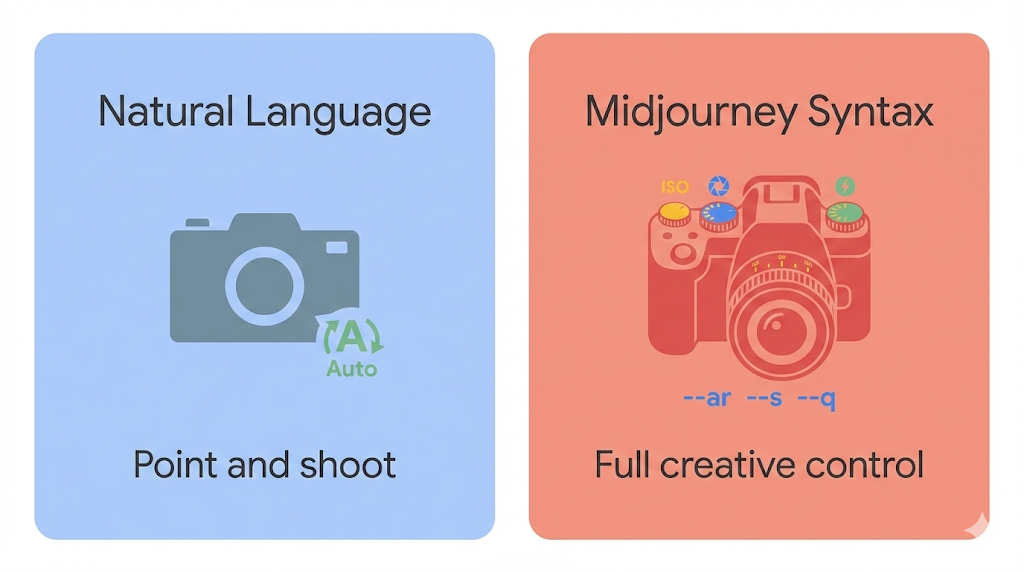
Just as most people have no idea what "aperture" means, most people have no idea what Midjourney's syntax means either.
Example comparison:
Natural language prompt: "A professional woman giving a keynote speech on stage, modern conference, dramatic lighting, photorealistic"
Same description with syntax: "A professional woman giving a keynote speech on stage, modern conference, dramatic lighting, photorealistic --ar 16:9 --style raw --stylize 50 --v 7 --sref [reference image URL] --no audience faces, text, logos"
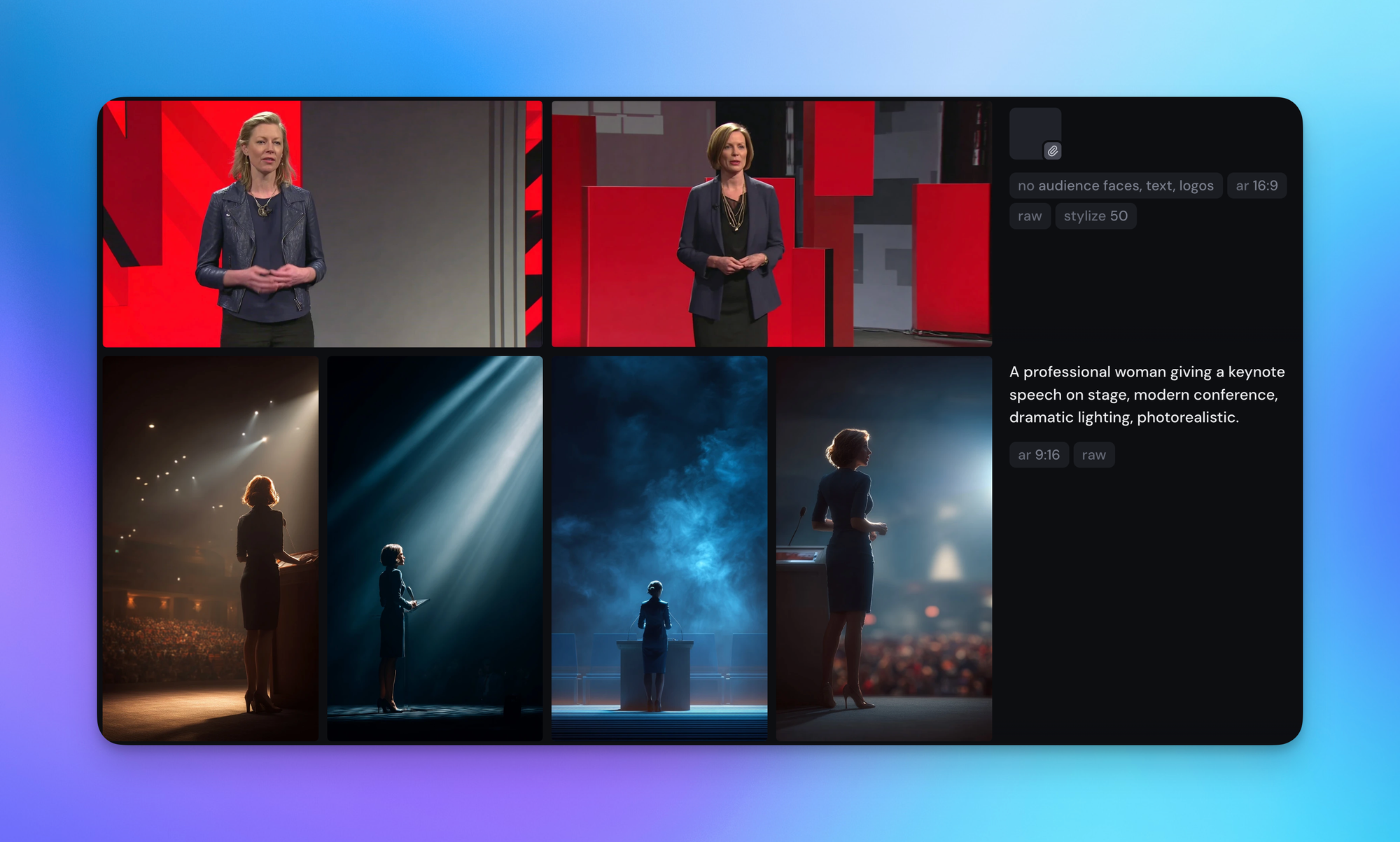
The extra parameters make a significant difference even when the initial description stays exactly the same. The 16:9 syntax sets the aspect ratio, the sref parameter locks in a visual style from a reference image, and the no parameter tells Midjourney to exclude specific elements.
Honest take: I pay for Midjourney but mostly use it for research, not generation. Since the platform attracts power users, the community gallery is an amazing resource for inspiration. I find what I like, then recreate it with a simpler tool.
💡
Rule of thumb: If you want maximum creative control and you are willing to learn the syntax instead of just chatting with a bot, Midjourney is the industry standard.
Nano Banana Pro
Google's Nano Banana Pro superpower is natural language precision editing. That means accurate text rendering and the ability to iterate without starting over.
If Midjourney is Excel, Nano Banana Pro is Google Sheets. It is simpler, uses natural language, and for most people, it is more than enough.
Example workflow:
- Enable the "Create images" feature in the Gemini app
- Say something like: "Create a minimalist infographic image that can be dropped into a slide with no further editing, based on the following description:" and paste your content
- The output is fine but busy, so continue with: "Remove the box at the very bottom. Apply Apple aesthetics and branding colors. Optimize for 1:1 square dimension."
Just like that, it is ready to share. You did not start from scratch. You stayed in the same conversation and continued iterating on the previous image.
💡
Pro tip: For 4K high resolution outputs, use Google AI Studio and link a credit card to pay for API usage. You can upload a photo, describe the image you want, set the resolution to 4K, and get mind-blowing results.
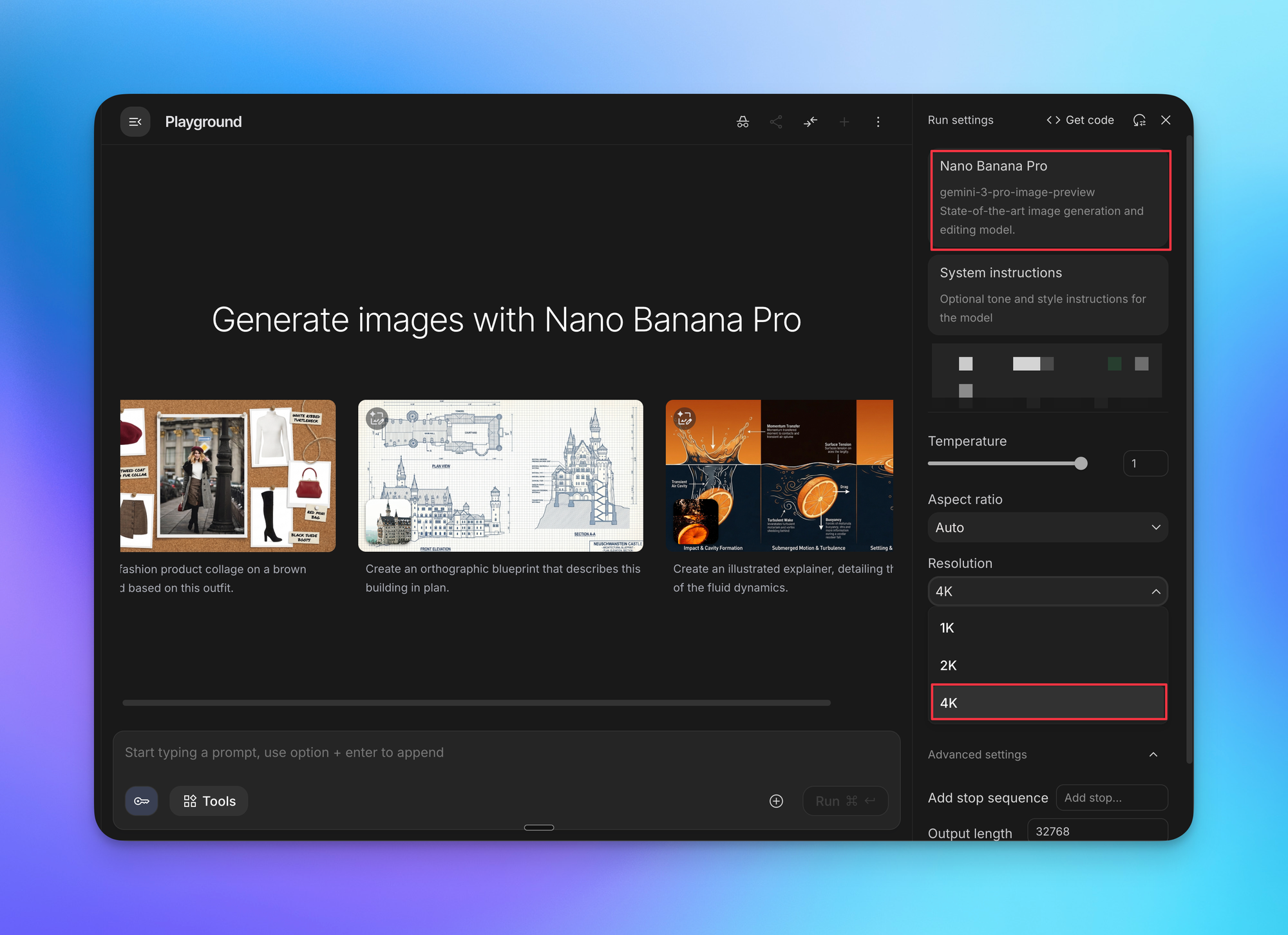
Rule of thumb: The Nano Banana Pro model works best for making precise edits, like changing text or colors, using plain English.
ChatGPT Image
OpenAI's GPT Image model superpower is memory. While Nano Banana Pro excels at precise edits on a single image, GPT Image excels at maintaining consistency across a sequence of images.
Example test:
Using the same prompt in both Gemini and ChatGPT to generate an anime image of two characters, both did a decent job with clearly different styles. Note the white strand of hair on the female character and the text style from ChatGPT's output.
Within the same chat threads, the next prompt that logically follows from the first produces consistent images from both models. So far, so good.
But when a third prompt asks for the same characters in a completely different context, Gemini starts to lose consistency. It becomes hard to tell which one is the female character. ChatGPT maintains consistency with the white strand of hair and text style.
By the fifth prompt, Gemini completely falls apart. The image was supposed to show the male character protecting the female character from a dragon, but Gemini mixed in elements from previous prompts, making the image nonsensical.
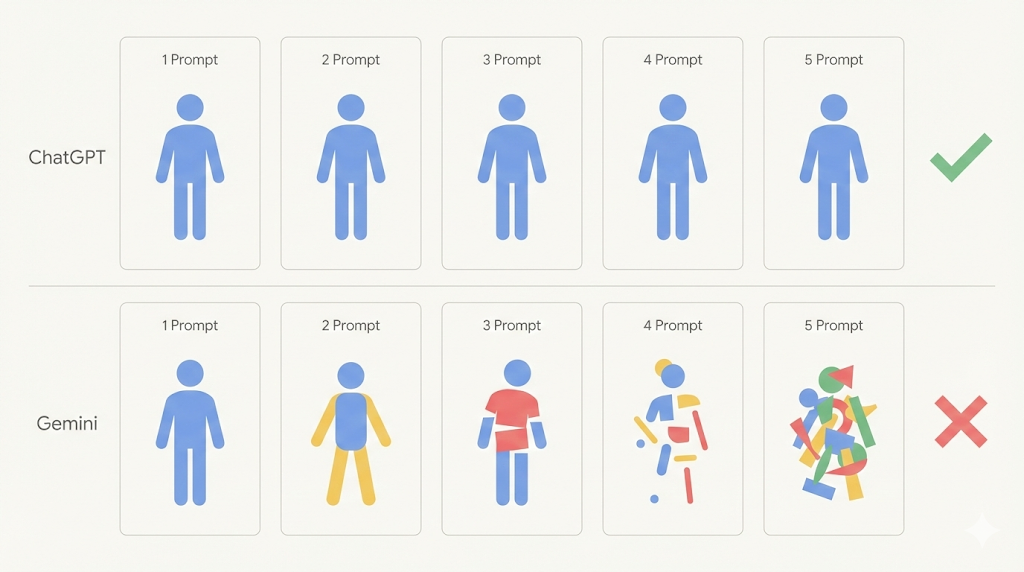
Real-world implication: If you are building training materials and need a mascot that appears across different scenarios, ChatGPT makes it easier to keep that character visually consistent across all of them.
💡
Rule of thumb: If you need multiple related images where characters or visual elements need to stay consistent, ChatGPT is the more reliable choice.
Google Flow
Google Flow's superpower is generating images and animating between them without ever leaving the app. The native image model inside Flow is Google's Nano Banana Pro.
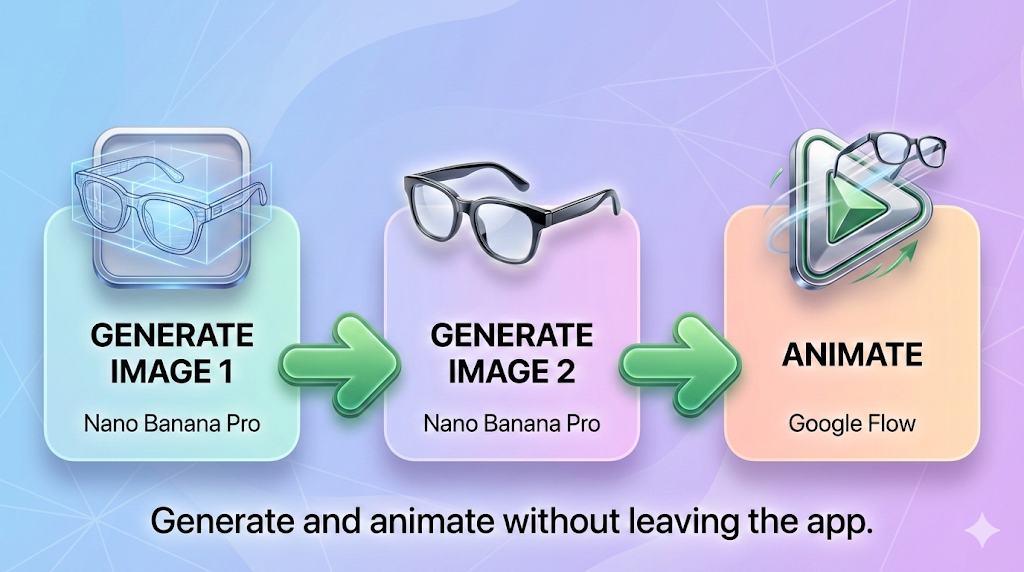
Example workflow:
- Generate static image number one: a technical wireframe sketch of smart glasses
- Generate static image number two: the finished product shot of those same glasses as a polished render with studio lighting
- Drop both images using the "Frames to Video" feature
- Add a simple prompt like "smooth transformation, static camera"
- Google Flow fills in the motion, and the wireframe materializes into the final product
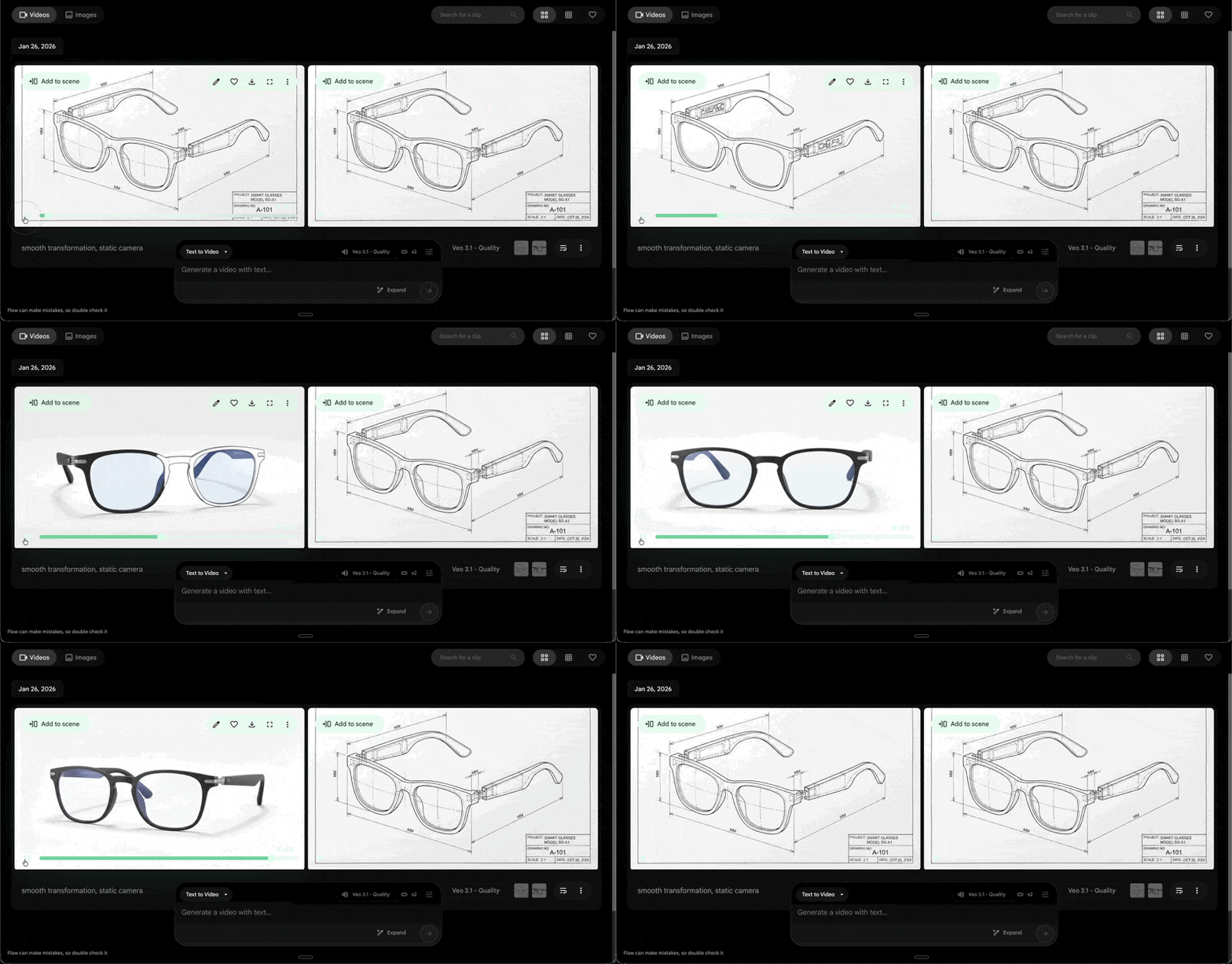
This kind of transformation used to require expensive software.
If you enjoyed this...
You might want to check out my AI Playlist on YouTube!
Whenever you're ready, here are some other ways I can help you:
🎯 Essential Power Prompts: You don't need 1000 random prompts. You need 15 proven ones you'll actually use. Optimized for real work across ChatGPT, Claude, and Gemini.
💻 The Workspace Academy: Never lose a file, task, or note again with my CORE workflow for Google Workspace. Adopted by over 10,000 Googlers.