|
AI
3 Habits That Will Take You From AI-Literate to AI-Native
Most professionals use AI at a "literate" level, knowing which tools to use and how to write a basic prompt. This guide moves you to the "AI-Native" level by introducing three specific workflow habits that integrate artificial intelligence directly into your daily operations.
Let's get started! 😁
Watch it in action
Resources
- AI Course (waitlist)
- My Essential Power Prompts
Moving from AI-Literate to AI-Native
Working with AI generally falls into three levels:
- Level 1 users are "AI-Curious," relying on free tools and only using them when stuck.
- Level 2 users are "AI-Literate," paying for models and maintaining a basic prompt library.
- Level 3 is the "AI-Native" user. These individuals have redesigned their entire workflow assuming an AI collaborator exists.
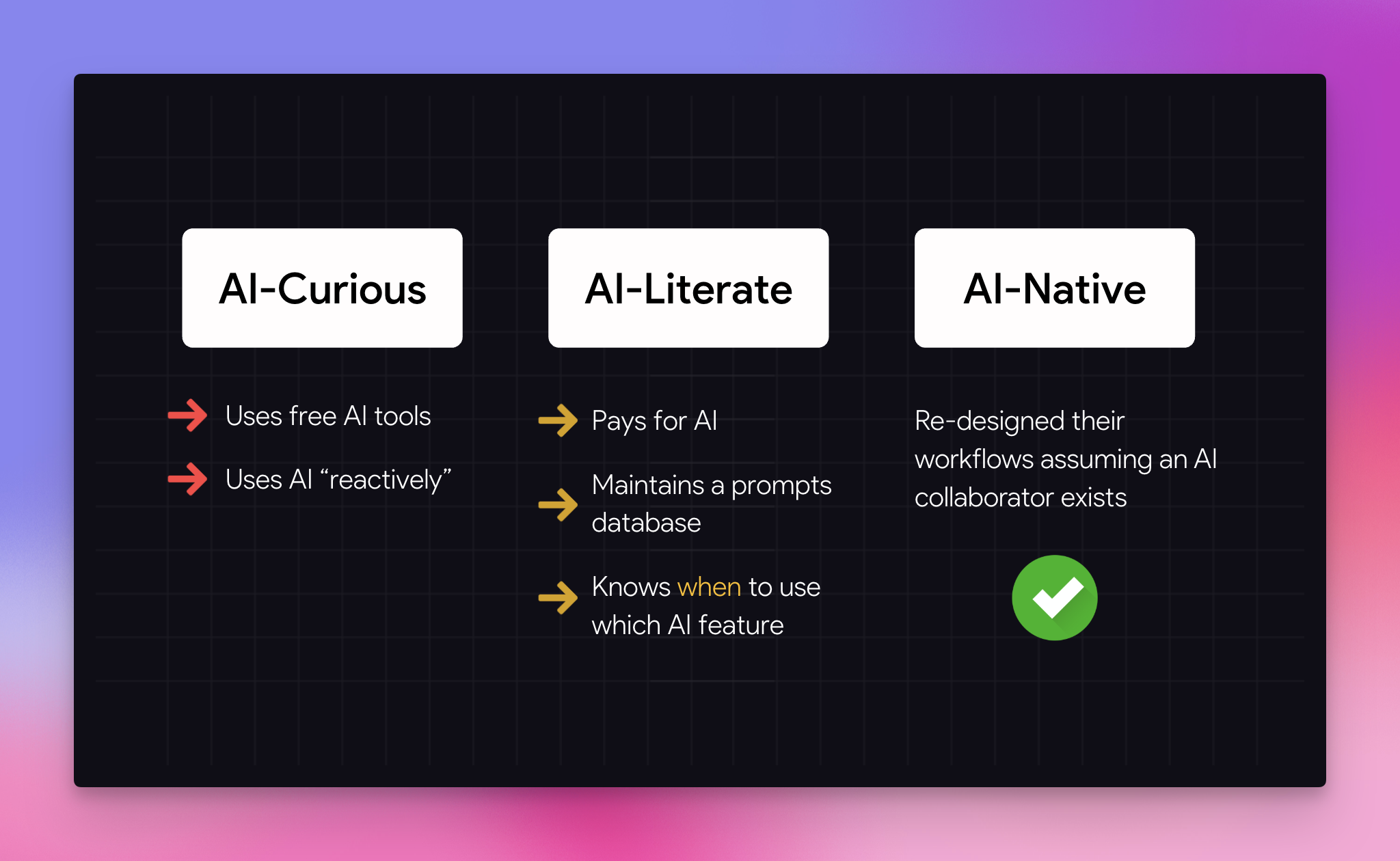
Most professionals get stuck at Level 2. To break through to Level 3, you need to adopt specific strategies that organize your information and optimize your planning.
Habit 1: Leave AI Breadcrumbs
The easiest habit to adopt is leaving "AI Breadcrumbs." Many people treat AI chats as disposable, one-off threads that become impossible to find later. Instead, you should create a hyperlink to the conversation and paste it directly into the document where you use the output.
💡
This follows a core productivity principle: Always organize information where you will use it, not where you found it.
How to implement this in Google Docs: If you are building a presentation, you might have a "Final Outline" tab for your content and a "Helpful Hints" tab for your resources.
- Ask the AI to optimize your prompt or brainstorm ideas.
- Once the AI generates a response, the URL usually transforms into a unique link.
- Select the URL, copy it, and return to your Google Doc.
- Type the name of the AI (e.g., "Gemini Chat"), press CMD/CTRL + K to insert a hyperlink, and paste the link.
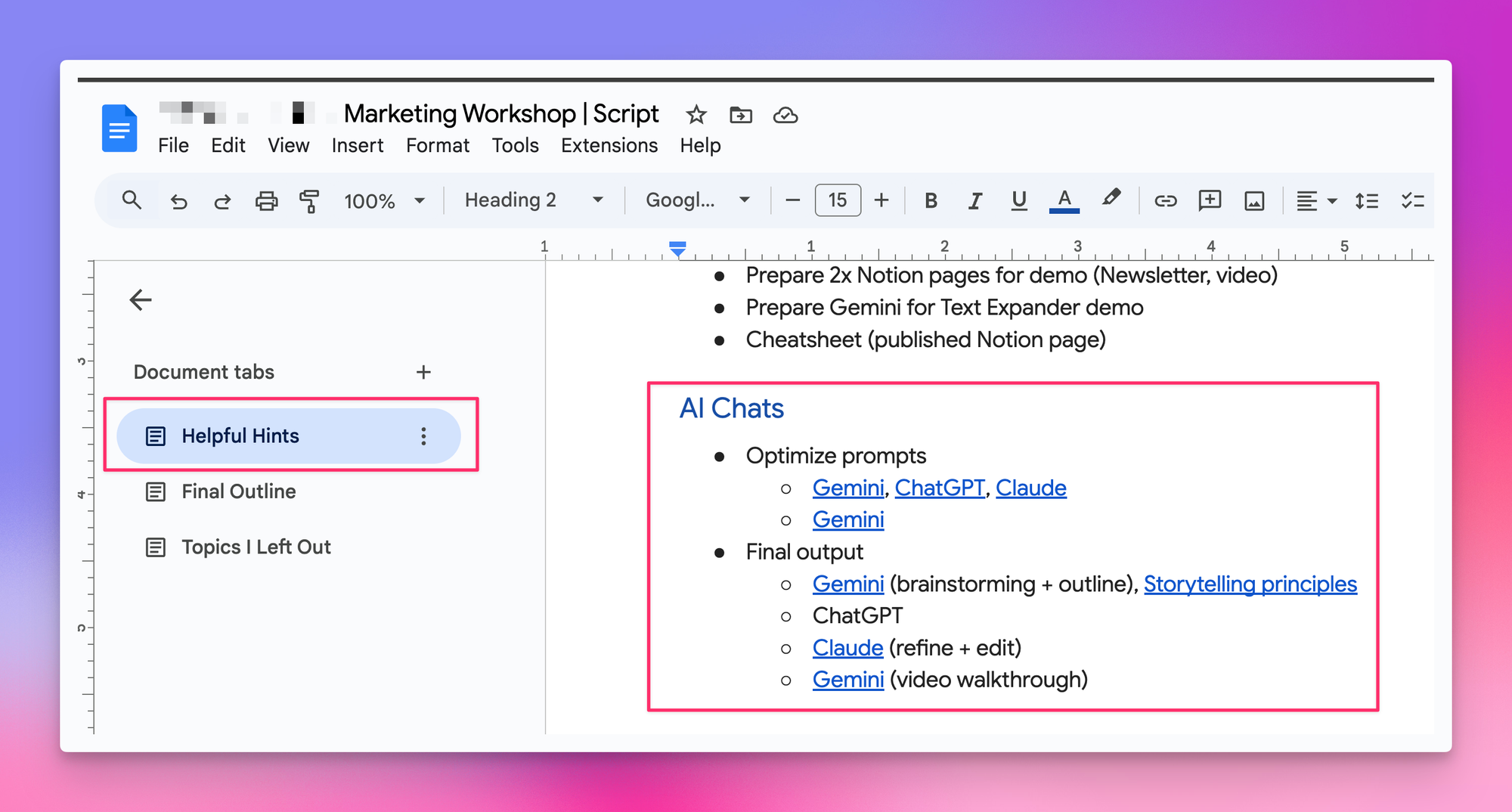
Why this matters: This allows you to pick up exactly where you left off, even days or weeks later. You should also add context notes next to each hyperlink. For example, note that "Chat A" was for brainstorming, while "Chat B" was used to refine the storytelling.
Rule of Thumb: If an AI conversation lasts more than 10 minutes or produces something you will reference again, anchor it to your workspace immediately.
Habit 2: Build an AI Swipe File System
This habit requires slightly more effort but delivers higher quality results. Instead of prompting AI with vague instructions like "write a business proposal," you provide a specific example from a curated library. This library is your "Swipe File."
The Workflow:
- Curate: Whenever you encounter excellent work in your field (a great email, a solid report, a strong slide deck), save it to a specific folder.
- Analyze: When you need to create new content, upload a relevant example from your swipe file to the AI.
- Prompt: Ask the AI to analyze the attached example, list the key patterns in structure and tone, and then apply those patterns to your new content.
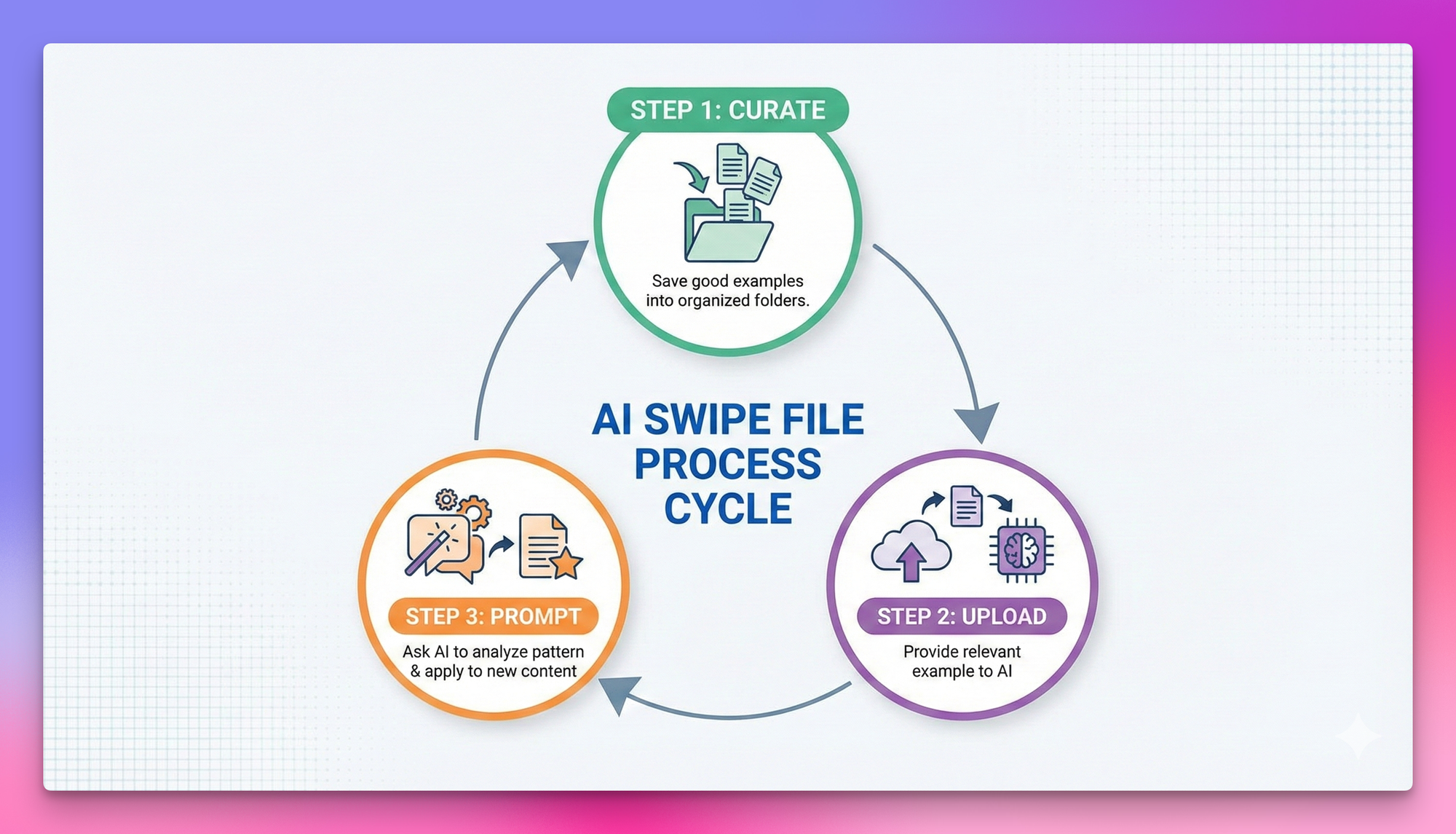
This technique is effective because it gives the AI a concrete picture of what "good" looks like. It allows tools like ChatGPT or Gemini to produce output that matches your professional standards rather than generating generic text.
💡
Pro Tip: Start narrow. Begin with just two or three use cases you perform repeatedly, such as presentations or emails. Organize your folders by "Use Case" rather than by source or date.
Habit 3: AI-First Task Planning
This habit is often the hardest to maintain but creates the biggest long-term impact. AI-First Task Planning involves planning your AI usage before you start a significant piece of work.
The Process:
- Break it down: Take a complex project and list every step and micro-task required to complete it.
- Assign roles: Decide whether to do each micro-task manually or use AI.
- Select the tool: If you choose AI, specify exactly which tool is best for that job.
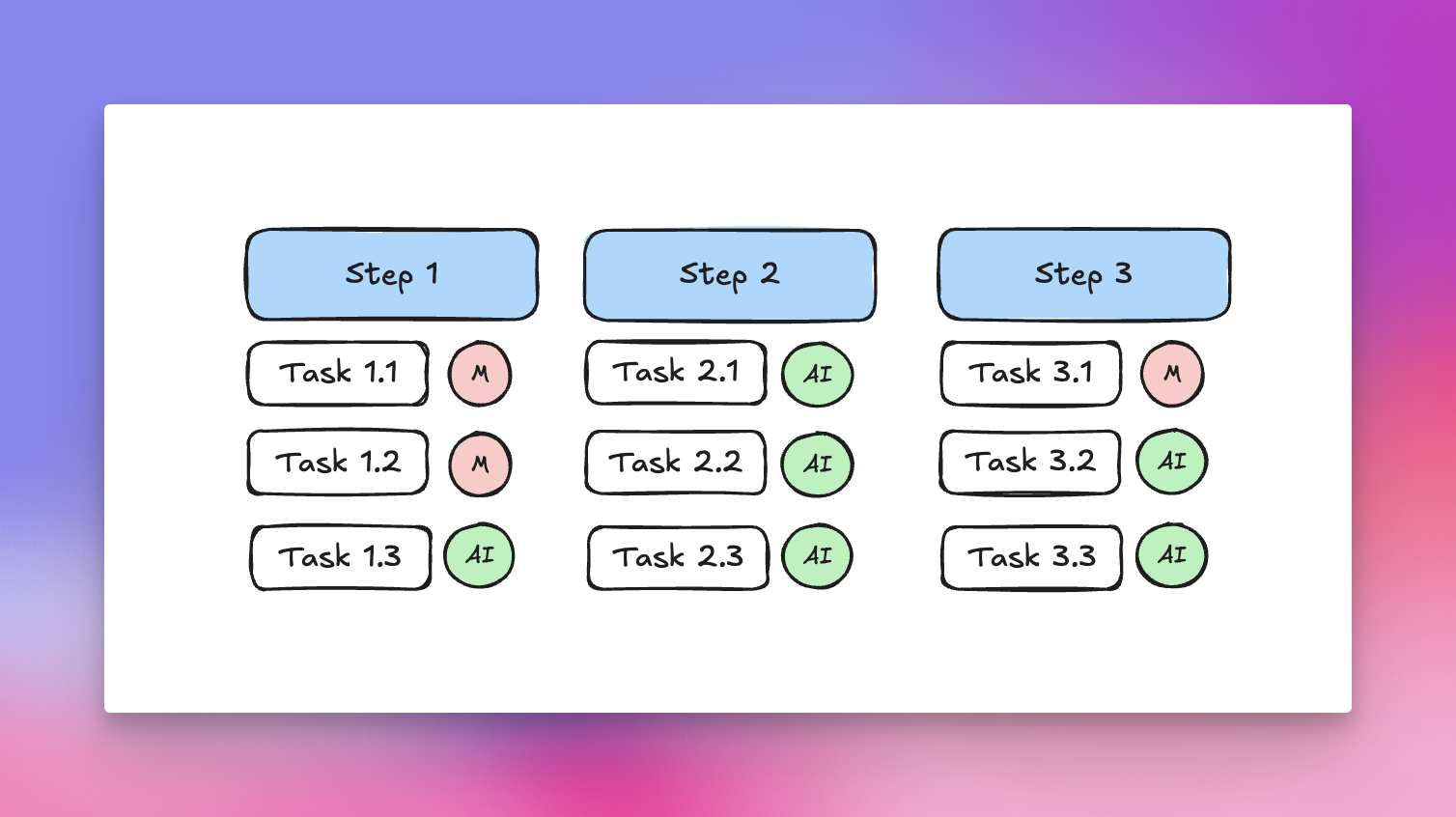
A Real-World Example: Imagine you are writing a weekly product newsletter.
- Step 1: Clarify goal and audience. You brain dump key information, benefits, and user details.
- Action: Manual. (The AI does not know your specific context or point of view).
- Step 2: Fact-check notes. You need to verify rollout dates and policy details.
- Action: AI (NotebookLM). (NotebookLM is ideal here because it has low hallucination rates when grounded in source documents).
- Step 3: Create a structured brief. You turn the fact-checked notes into a cohesive outline.
- Action: AI (Gemini App). (The standalone Gemini app is often better suited for creative writing tasks).
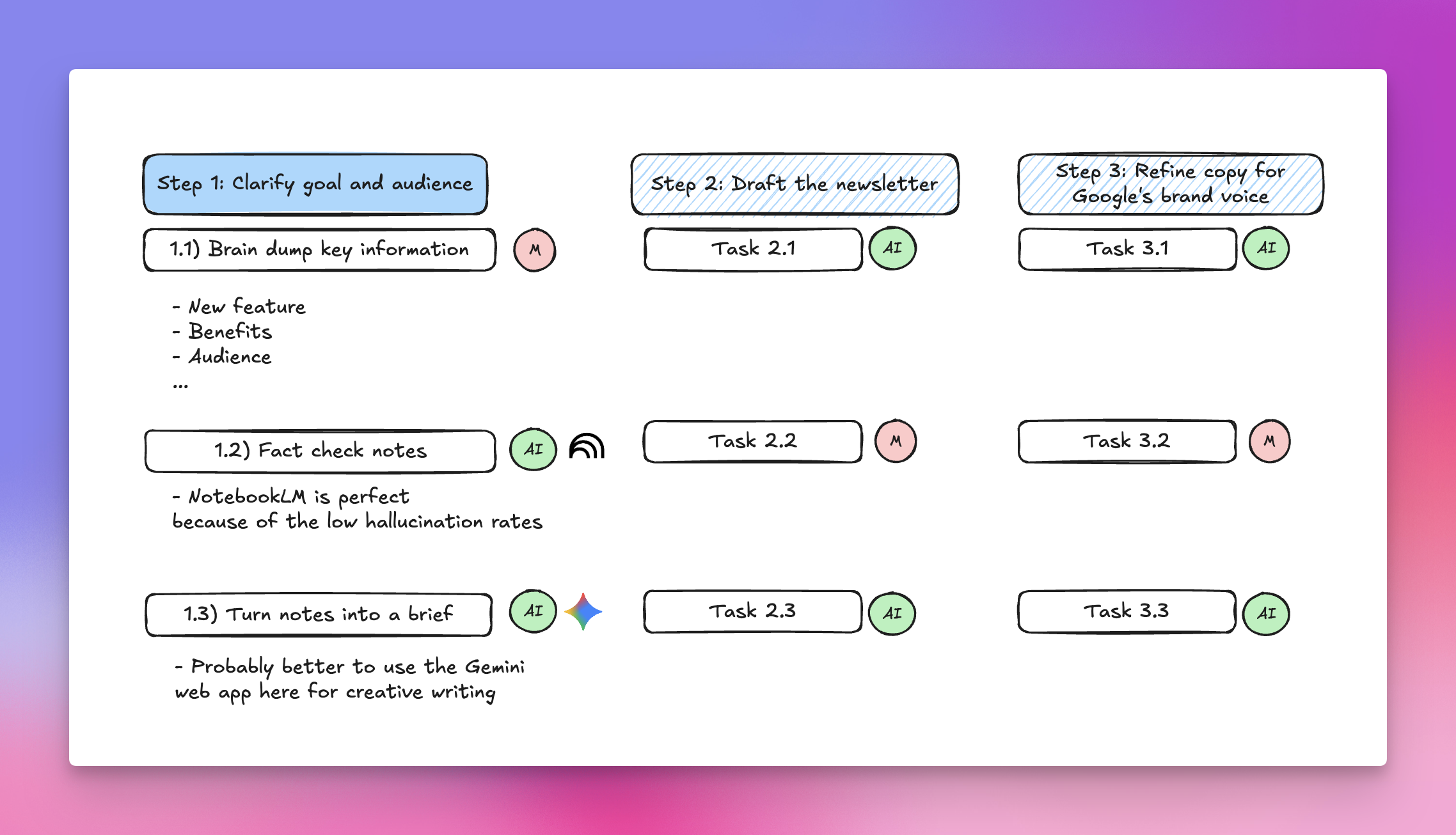
The Benefits: By mapping this out effectively, you cut decision fatigue and context-switching. You also increase quality and speed by matching the right AI tool to the right kind of work, rather than forcing one chatbot to do everything.
Rule of Thumb: For any project that will take more than an hour, spend five to ten minutes mapping the steps and tagging them as "AI" or "Manual."
Bonus: The Living Prompts Database
To tie these habits together, you must maintain a central Prompts Database. Whenever you write a prompt that generates a perfect result, save it. Organize this library by use case so you can reuse the prompt the next time you face a similar task.
Relying on memory to recreate a complex prompt usually results in lower-quality output. You do not need thousands of random prompts; you simply need 10 to 15 battle-tested ones that you can use every day.
If you enjoyed this...
You might want to check out my AI Playlist!