|
Gemini
| #243
Gemini: The one prompt I've used every week since 2024
Want to see these tips early? Subscribe to the newsletter!
Hey friends -
So let's just dive right in: I’ve been using this prompt regularly since 2024 and it still holds up today when it comes to editing my writing.
Here it is:
A Proofreading Prompt That Works on Everything
Act as a senior copywriter with over 20 years of experience writing [end state].
I want you to improve my writing. I'll share an excerpt and your task is to proofread the excerpt and provide recommendations based on the following criteria.
Break down each change and share the corresponding explanation for the edit before sharing the completed revised excerpt. Group these together using Headers for easy readability.
- Trim the fat: Each sentence serves a clear purpose without excess words.
- Improve the clarity of my writing so the reader can easily digest my message.
- Look for and correct all misspelled words and grammatical errors
- Use active voice throughout.
- Where possible, use shorter synonyms of longer words, break up excessively long sentences into short ones, keep paragraphs brief, and use effective transitions.
- Preserve as much of the original tone and style as possible, and do not add any filler content.
- Use an informal yet professional tone: Use contractions and casual phrases while maintaining credibility.
Here's the excerpt:
[insert excerpt]
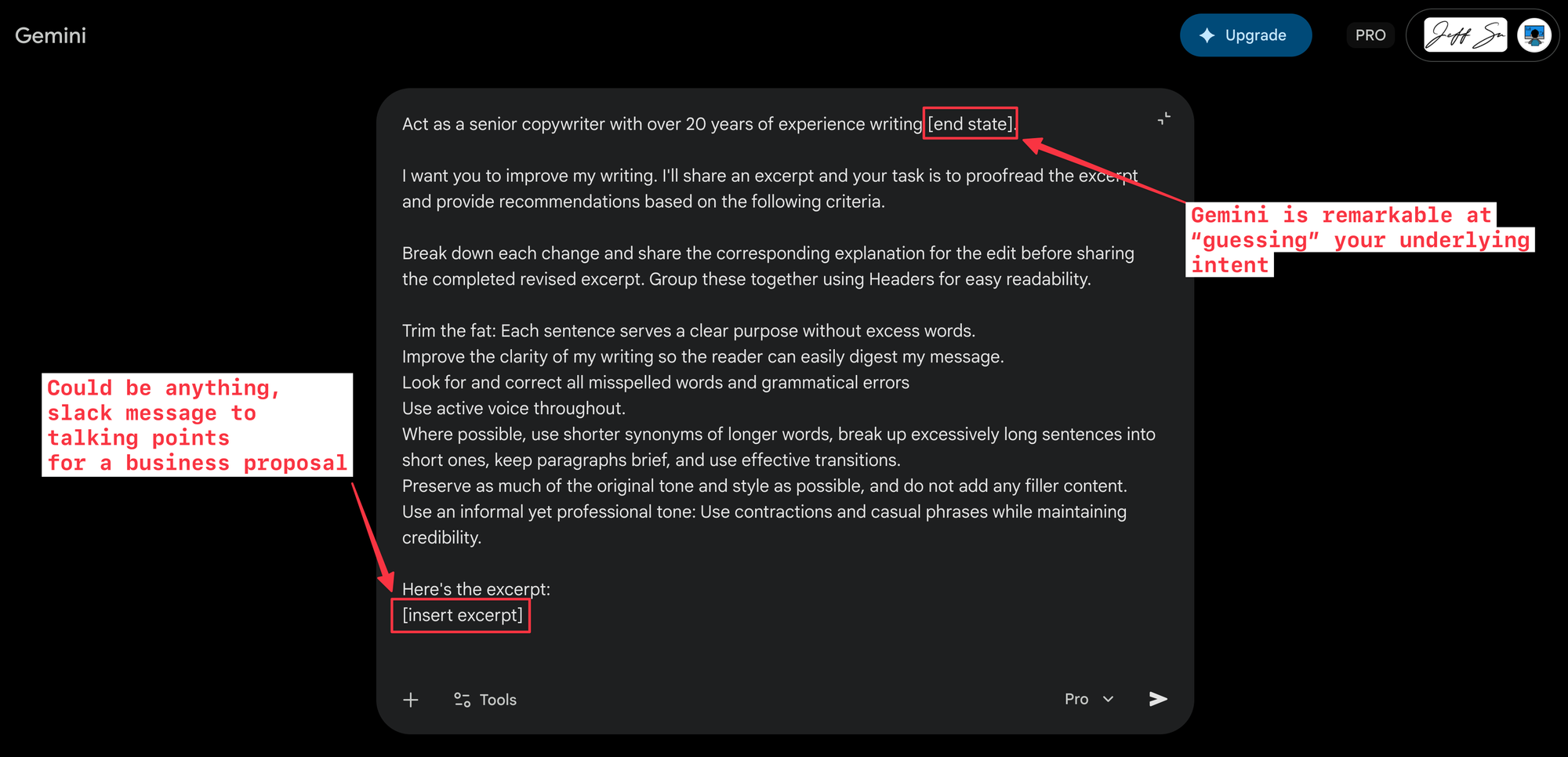
How to Use It
The key is the [end state] in the first line. Swap it out depending on what you're writing, and Gemini adapts its expertise accordingly:
- "high-converting landing pages" when you're writing marketing copy
- "executive status updates" for that email to your VP (you know the one who’s an anal control freak, not me though)
- "clear project proposals" when you need budget approval yesterday
- "empathetic customer responses" for client-facing teams
- "engaging LinkedIn posts" for when you want to sound like a thought leader without
actually being onetrying too hard
The criteria are ranked by priority:
- Conciseness comes first because trimming the fat is the single biggest upgrade you can make to any piece of writing.
- Grammar and active voice handle the mechanics.
- Tone preservation sits near the bottom because you want Gemini to prioritize cutting before it worries about matching your voice.
If you don't need all seven criteria, remove from the bottom up.
And because the prompt asks Gemini to explain each edit before showing the revision, you don't just get better writing. You get a mini editing lesson every time you use it. After a few weeks of this, you'll start catching the same patterns yourself (which is the whole point).
Pro Tips
💡
Save this as a text expander snippet. Raycast (Mac) or Beeftext (Windows) lets you type a keyword like
proofread and auto-expand the full prompt anywhere. Two minutes to set up, saves you hours.💡
Or create a Gemini Gem. Go to gemini.google.com/gems/create, paste this prompt as the custom instruction, and save. Now you have a dedicated proofreading assistant: paste in your text, get back a polished version. No extra apps required.
Try this on your next email and let me know how it goes! 😁
Whenever you're ready, here are some other ways I can help you:
💻 The Workspace Academy: Never lose a file, task, or note again with my CORE workflow for Google Workspace. Adopted by over 10,000 Googlers.
✅ Build Your Command Center in Notion: Plug-and-play dashboard that surfaces today’s priorities automatically and organizes your life in seconds. #1 rated Notion Course globally.