|
Gmail
| #238
Gmail: 3 tricks that are hiding in plain sight
Want to see these tips early? Subscribe to the newsletter!
Today I'm sharing 3 Gmail tricks that are genuinely (at least in my opinion) underused. Let’s dive right in! 😁
Tip #1: Edit the Subject Line Before Forwarding
When you forward an email, Gmail auto-fills the subject as "Fwd: [original subject]." Most people leave it and add a line in the body like "FYI, thought this was relevant."
That’s completely fine if you’re an underachiever (jk, I include friendly insults to prove to you I’m not using AI lol), but if you’re a productive and ambitious professional you don’t want to send a generic “Fwd: subject line.”
Here’s what you want to do instead
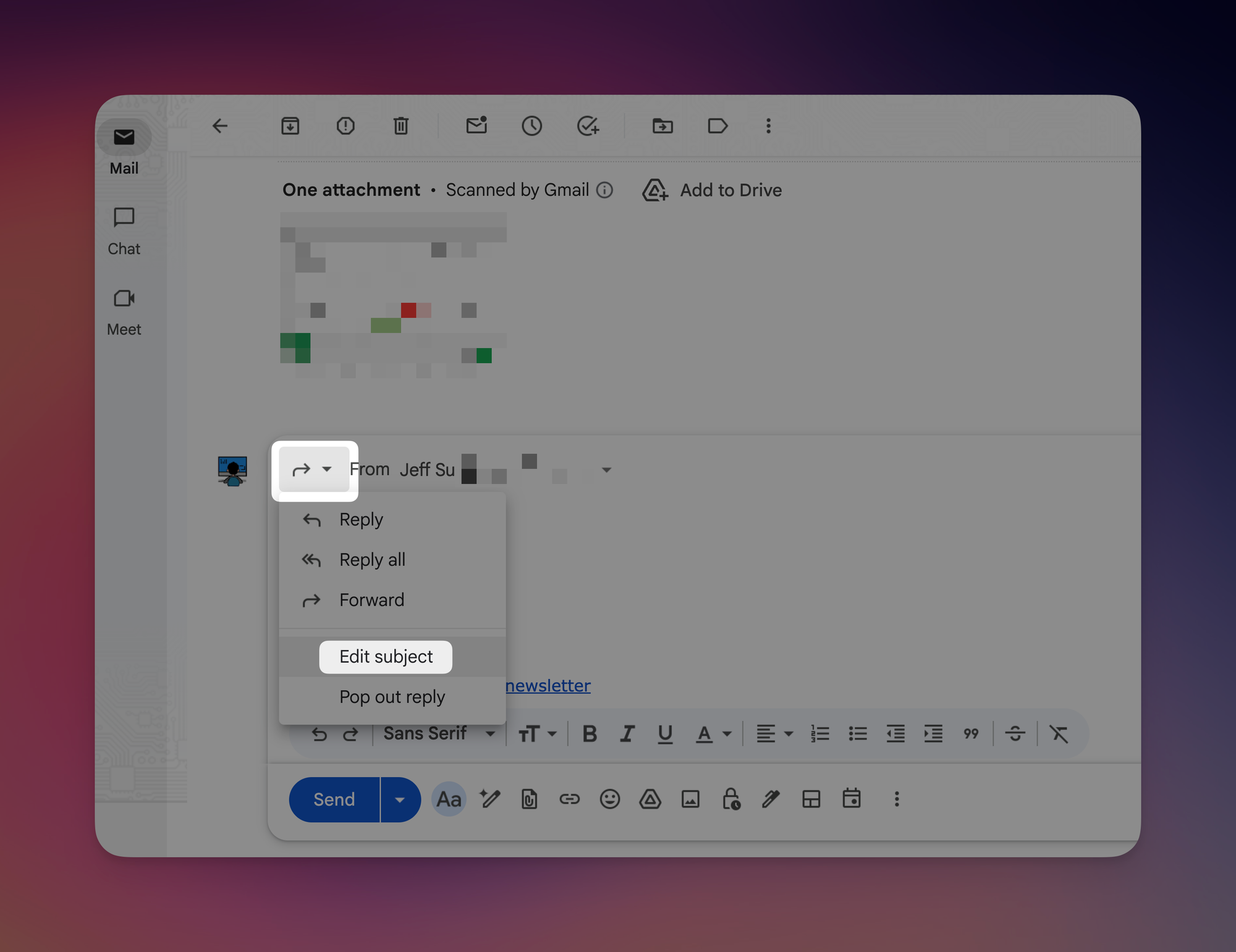
- Open the email and press F (or click Forward)
- In the compose window, click the down arrow to the left of the "To" field
- Select "Edit subject"
- Type something actually useful (e.g., "Action needed by Friday" or "Relevant to our Q3 plan")
- Send as normal
💡
Pro tip: Make sure Gmail keyboard shortcuts are enabled first: Settings > See all settings > General > Keyboard shortcuts > On. While you're there: R to reply, A to reply all, F to forward.
Tip #2: Block Spam When Unsubscribing Doesn't Work
Some companies send marketing emails through rotating aliases (e.g. deals@promo1.blacklapel.com, offers@promo2.blacklapel.com, and so on). So what ends up happening is you unsubscribe, block the sender, and they're back next week through a new address. 😡
The fix is filtering by domain instead of address:
- Click the search options arrow (the triangle icon on the right side of the Gmail search bar)
- In the From field, type “*@email.blacklapel.com” (the asterisk catches every alias within that domain)
- Click Create filter
- Select Skip the Inbox (Archive it), Mark as read, and optionally Delete it
- Click Create filter
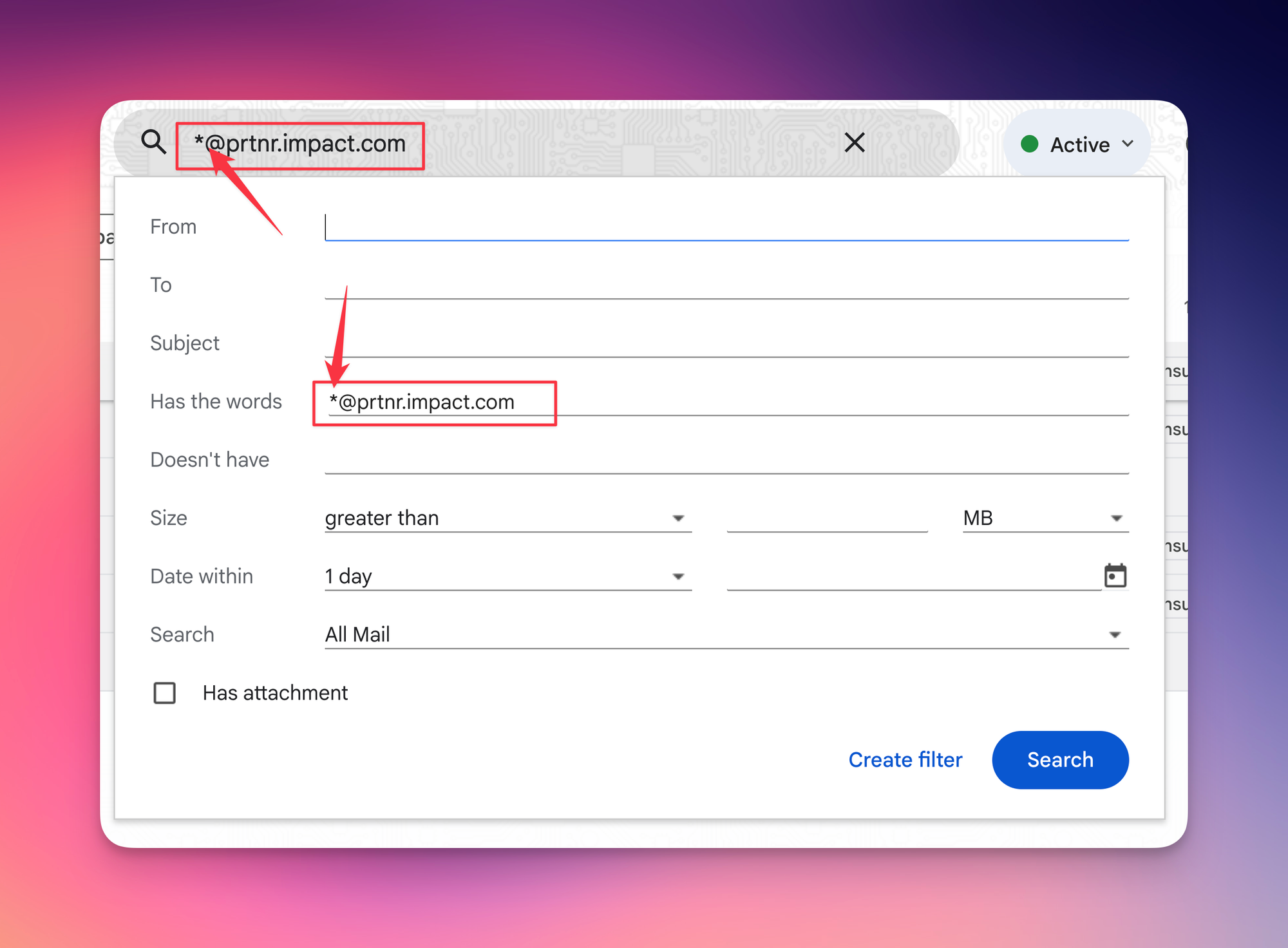
Anything from that domain gets auto-archived (or deleted) going forward. Works even when they switch aliases.
Tip #3: Send Emails You Can Take Back
Gmail's Confidential Mode lets you set an expiration date on an email and prevent the recipient from forwarding, copying, printing, or downloading it.
This is SUPER useful for passwords, sensitive documents, or anything you'd prefer didn't live in someone's inbox forever.
- Click Compose (or press C)
- Click the lock + clock icon at the bottom of the compose window
- Set your expiration date
- Send as normal
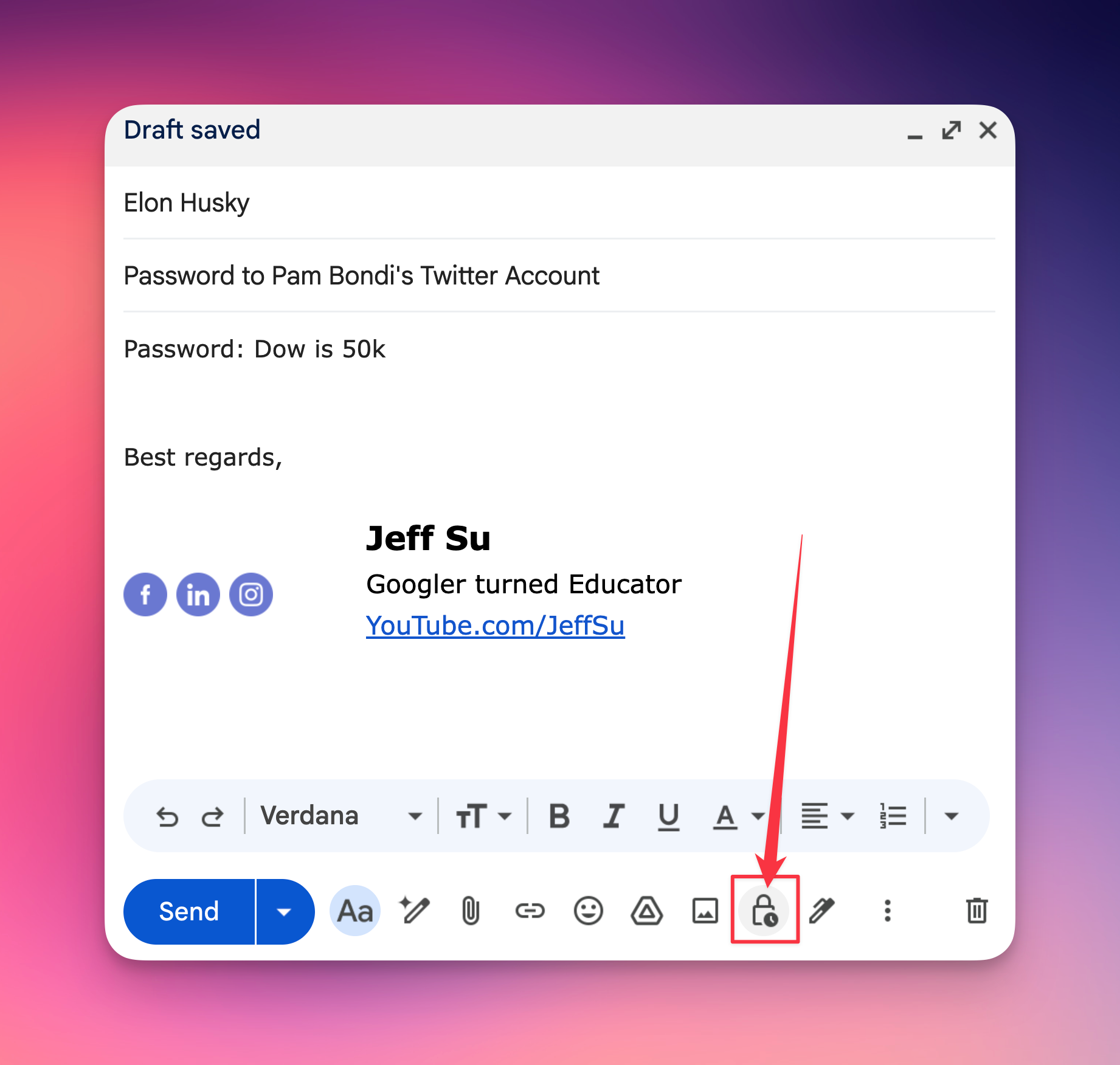
After the expiration date, the recipient loses access. You can also revoke it early from your Sent folder.
A couple of things to know
- Screenshots are still possible
- It doesn't encrypt the email; Google can still access it on their servers.
- If you're on a Google Workspace account, your admin needs to have Confidential Mode enabled (personal Gmail has it by default).
Bonus: My favorite keyboard shortcuts
- C = Compose
- R = Reply
- A = Reply All
- F = Forward
- B = Snooze
Try one of these this week and let me know how it goes! 😁
Whenever you're ready, here are some other ways I can help you:
💻 The Workspace Academy: Never lose a file, task, or note again with my CORE workflow for Google Workspace. Adopted by over 10,000 Googlers.
✅ Build Your Command Center in Notion: Plug-and-play dashboard that surfaces today’s priorities automatically and organizes your life in seconds. #1 rated Notion Course globally.