|
Gemini
| #232
Gemini: Your files + the entire web in one prompt
Want to see these tips early? Subscribe to the newsletter!
If you watched my latest Gemini video, you already know that the ‘@Workspace’ extension is incredible at parsing through all the relevant information across your Google Workspace platforms (Drive, Calendar, Gmail) to surface buried information that would have taken you hours to find and compile.
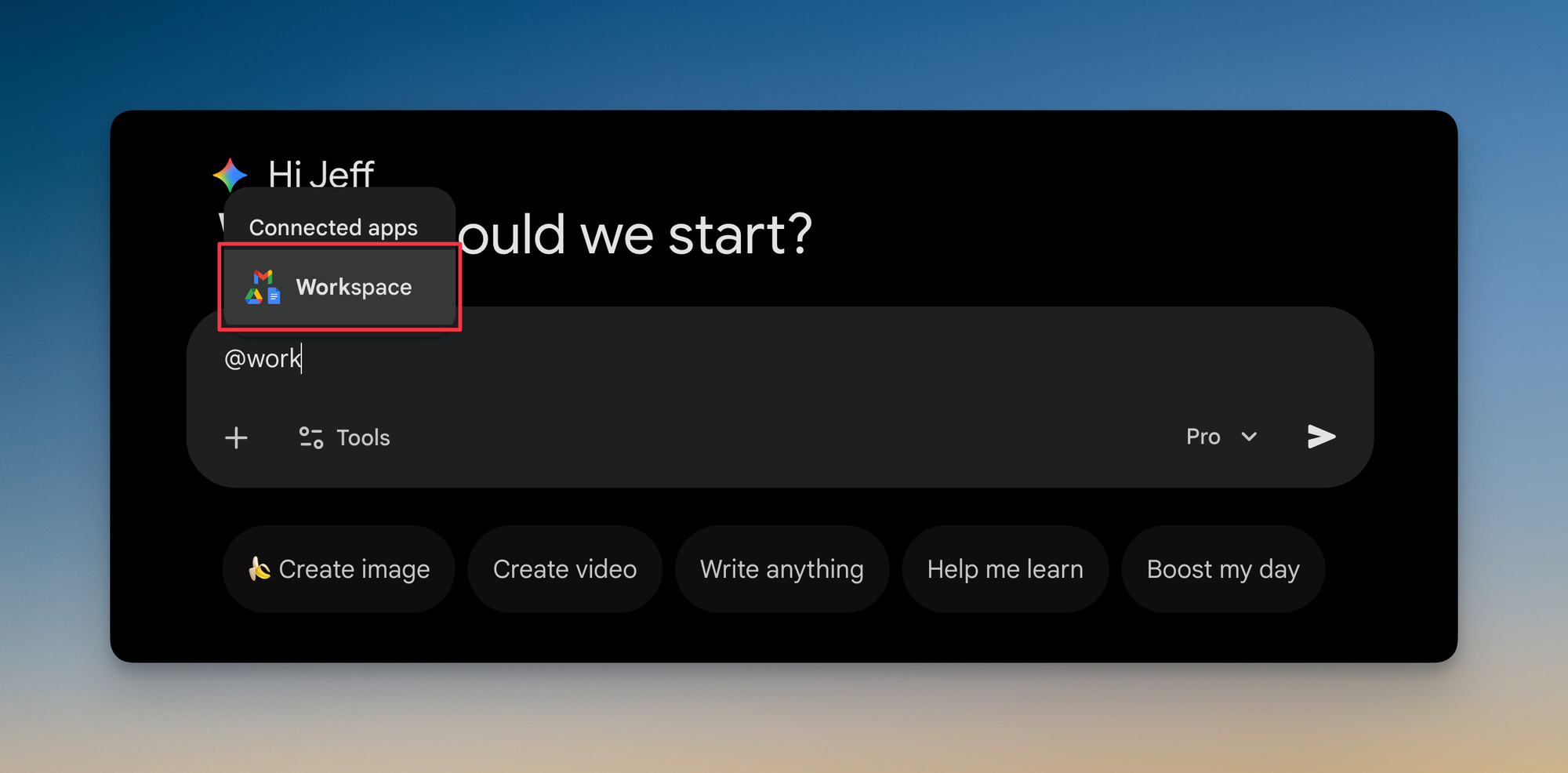
Today I want to show you how to take it a step further. 😉
Gemini’s current blind spot
The ‘@Workspace’ extension works amazingly well for finding and processing files you already have access to within Google Workspace.
But here's the limitation: it doesn't have access to external information on the web.
That means if you ask Gemini to analyze your Q3 marketing strategy, it can pull every relevant doc and email thread, but it has no idea what your competitors announced last week or what industry trends might be relevant.
Deep Research fills the gap
The Deep Research feature solves exactly this problem.
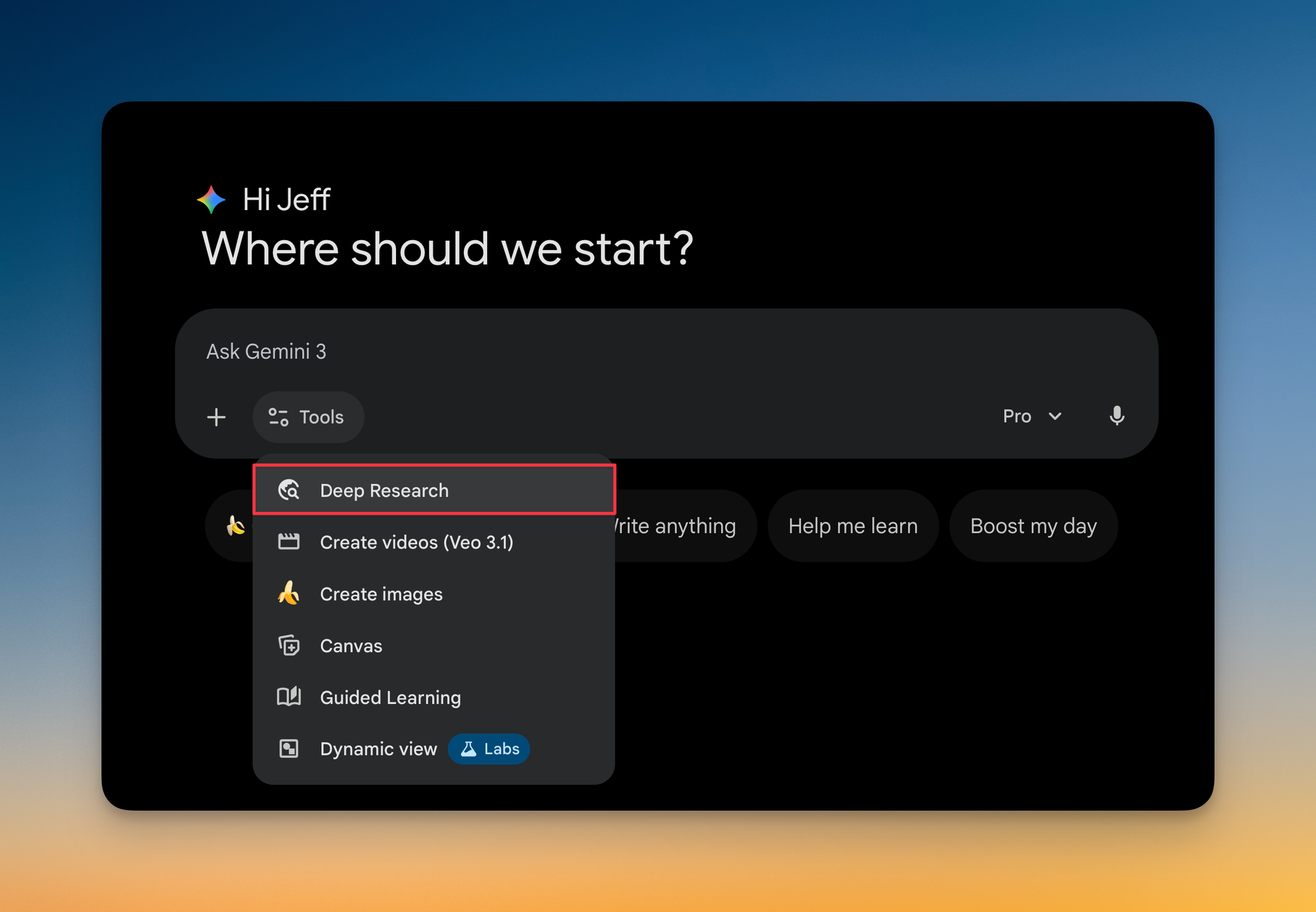
When you enable Deep Research, Gemini can now search the web to supplement your internal files with external context.
Let me walk you through a practical example.
An Onboarding Brief That Actually Helps
Imagine a new hire joins your team with zero context on any project or campaign you're currently running. You, being the proactive go-getter looking for that promotion next cycle 😉, decide to help them onboard.
Option 1 (Suboptimal)
You could use the @Workspace extension to generate a brief, but that brief would only contain information from files you have access to.
Option 2 (Optimized)
With Deep Research enabled, you can prompt Gemini to search the web for supplementary information, like what competitors are doing in this space, relevant industry benchmarks, or recent market shifts. The result is a comprehensive brief that gives your new teammate both the internal context and the external landscape they need to hit the ground running.
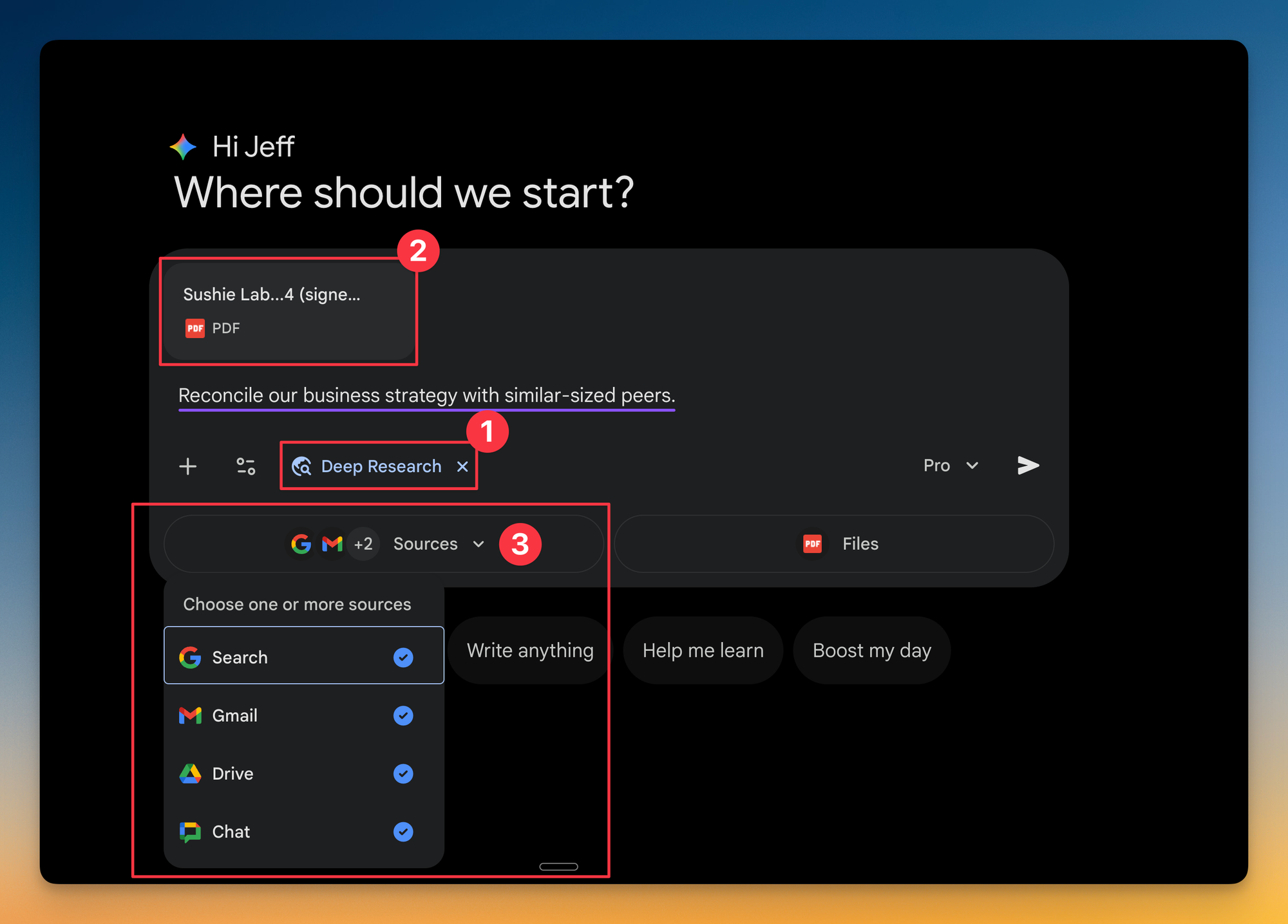
Recap
Here's the mental model you can walk away with:
- Without Deep Research, Gemini is either a web browser (ignorant of your company) or a file reader (ignorant of the world).
- With Deep Research enabled, it bridges both, allowing you to generate reports that are customized to your specific business reality while also incorporating what's happening externally.
Give this a try and let me know how it goes! 🚀
Whenever you're ready, here are some other ways I can help you:
💻 The Workspace Academy: Never lose a file, task, or note again with my CORE workflow for Google Workspace. Adopted by over 10,000 Googlers.
✅ Build Your Command Center in Notion: Plug-and-play dashboard that surfaces today’s priorities automatically and organizes your life in seconds. #1 rated Notion Course globally.