|
Google Calendar
| #231
Google Calendar: Turn Your Tasks Into Time Blocks (Finally)
When I first started working at Google and was "forced" to use only Google Workspace tools, one missing feature drove me absolutely crazy: I couldn't create tasks with time blocks in Google Tasks.
It seemed like the most obvious feature ever, since the entire point of effective time management is blocking off time as accurately as possible.
Well, Google finally fixed this. Here's how it works.
Create Tasks Directly From Your Calendar
Google Calendar now lets you reserve time for a task without leaving Calendar or duplicating your work.
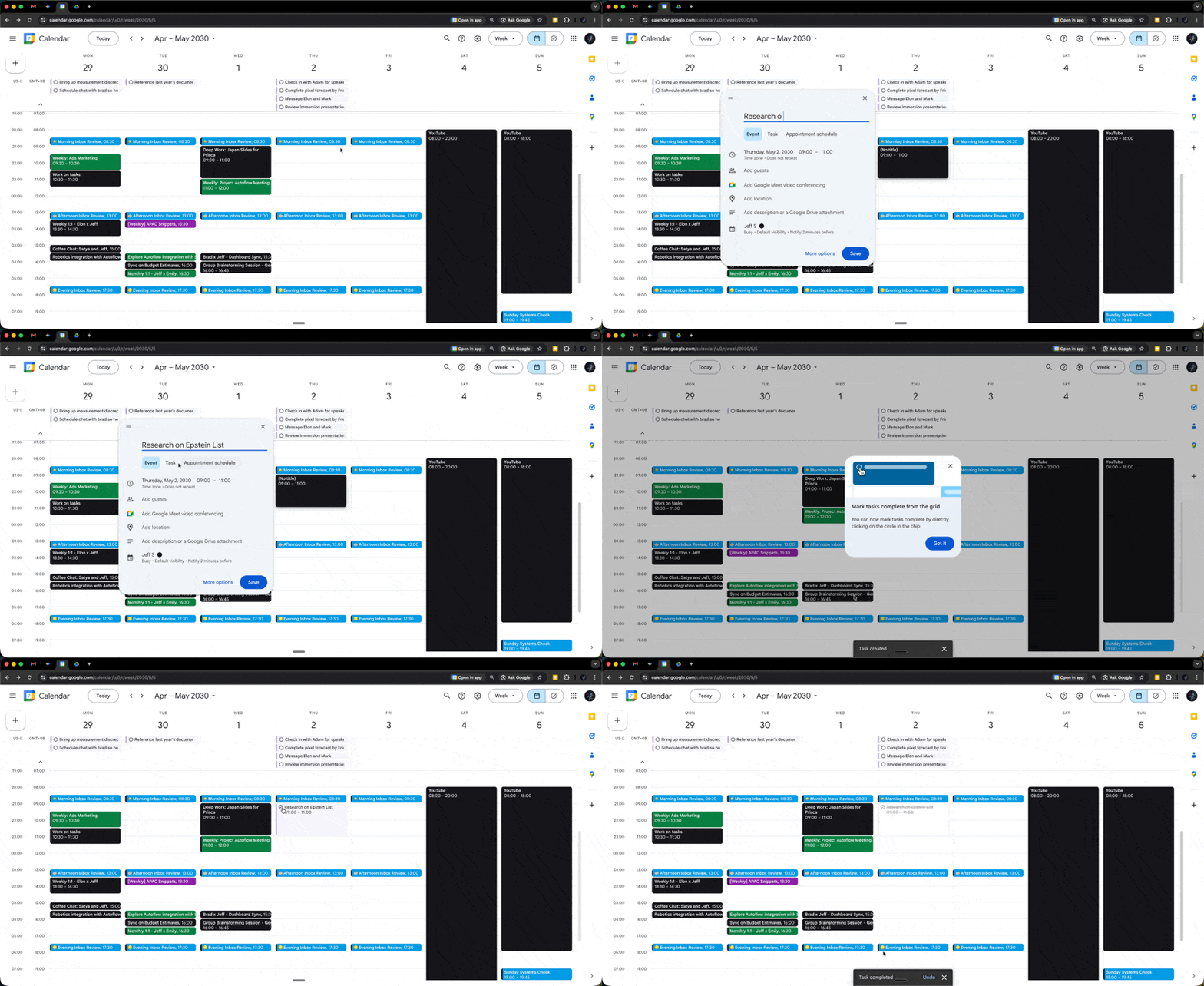
- Open Google Calendar and find an empty time slot when you want to work on something.
- Click the empty slot, then select "Task" from the options that appear (instead of "Event").
- Add your task name and any details. You can customize visibility settings and turn on "Do not disturb" to block interruptions.
- Save it. The task now appears both on your calendar (as blocked time) and in your Google Tasks list.
One Update, Everywhere
The magic happens when you complete the task. Mark it done in either Calendar or Tasks, and it updates everywhere. Until then, you'll get reminders so nothing slips through the cracks.
No More Context-Switching Tax
This eliminates the mental overhead of managing tasks in one place and time in another. You're doing both at once, which means the work you plan actually gets done.
Give this a try and let me know how it goes! 🚀
Whenever you're ready, here are some other ways I can help you:
💻 The Workspace Academy: Never lose a file, task, or note again with my CORE workflow for Google Workspace. Adopted by over 10,000 Googlers.
✅ Build Your Command Center in Notion: Plug-and-play dashboard that surfaces today’s priorities automatically and organizes your life in seconds. #1 rated Notion Course globally.