|
Google Apps
| #227
Google Contacts: Email Your Entire Family with One Word
Want to see these tips early? Subscribe to the newsletter!
Hey friends, I originally had a Google Gemini Deep Research prompt ready for today (one I spent weeks optimizing), BUT a subscriber sent in such an incredible tip for Google Contacts that I had to share it instead. Trust me on this one.
The Friction
Let’s say you need to send an email to a group of people you contact regularly.
- Maybe it's your team at work, your fantasy football league, the group chat that finally needs to move to email, or your entire extended family for holiday planning.
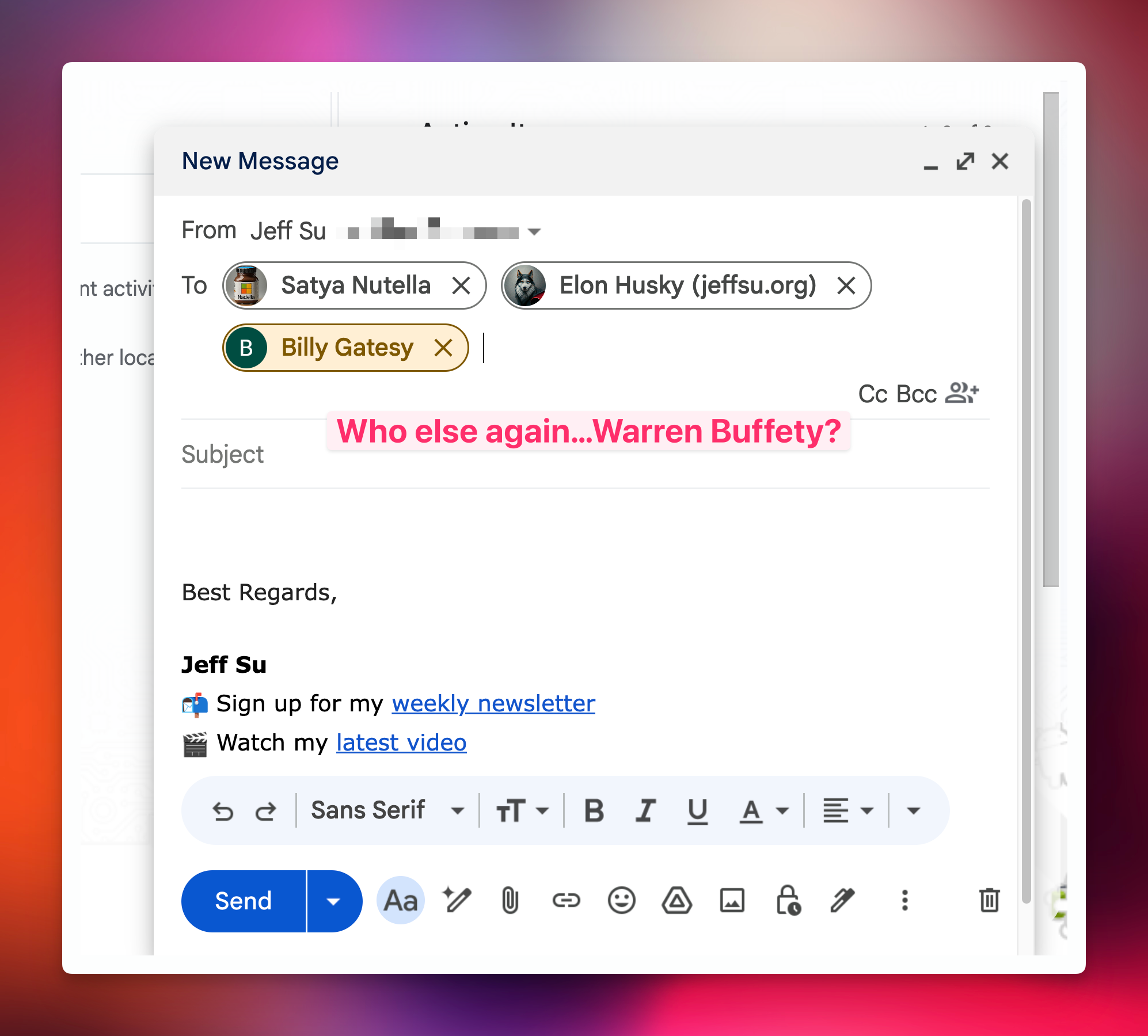
So you start typing names one by one into the "To" field. Five names in, you realize you forgot someone. Ten names in, you're questioning your life choices.
The standard workaround is to create a Google Group, but that requires admin access and feels like overkill for personal use cases.
The Fix: Contact Labels
Here's the trick: you can add labels to your contacts in Google Contacts, and Gmail will treat that label as a mailing list.
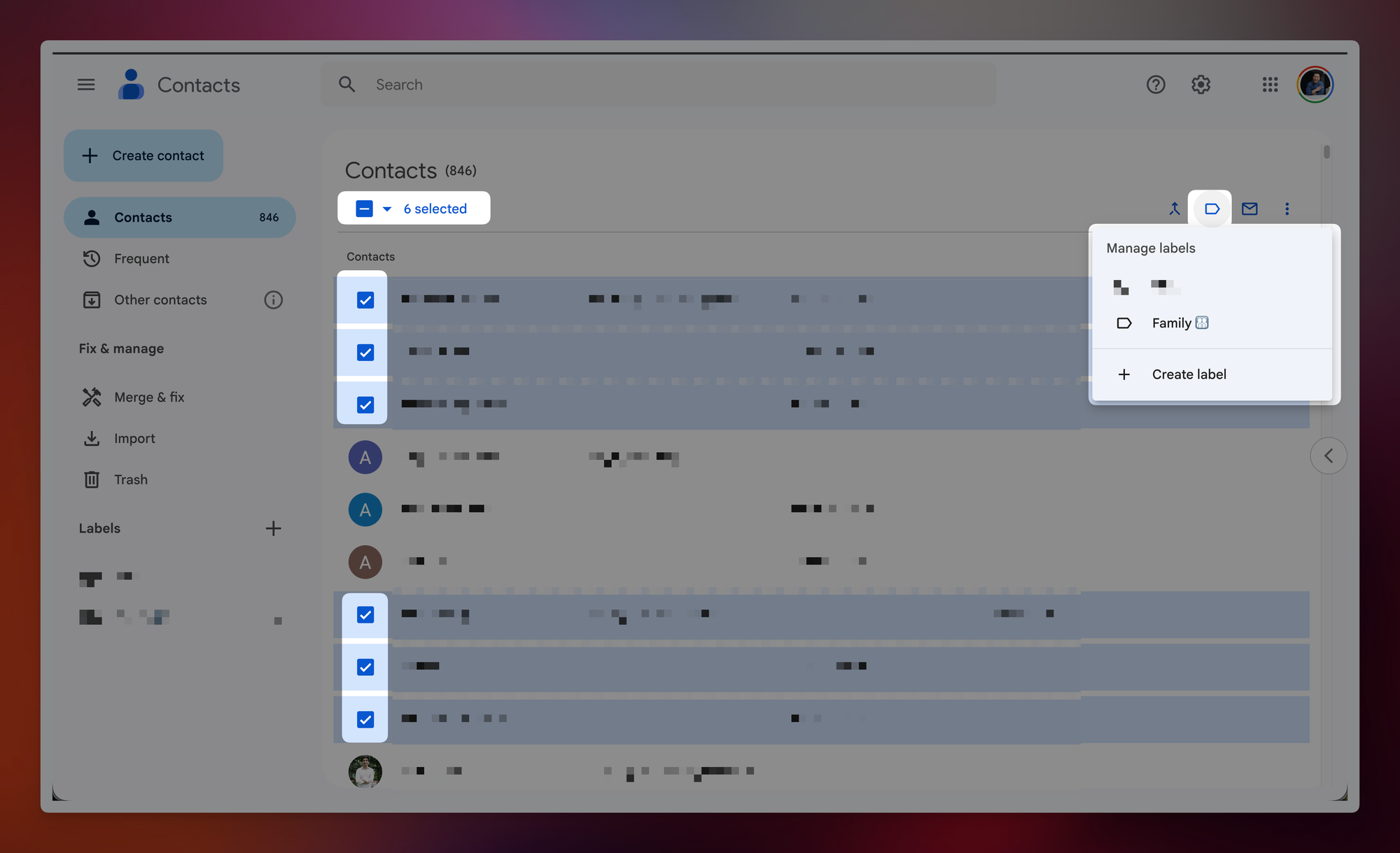
Step 1: Go to Google Contacts (contacts.google.com) and select the contacts you want to group together.
Step 2: Click the "Manage labels" icon and either assign an existing label or create a new one (e.g., "Family").
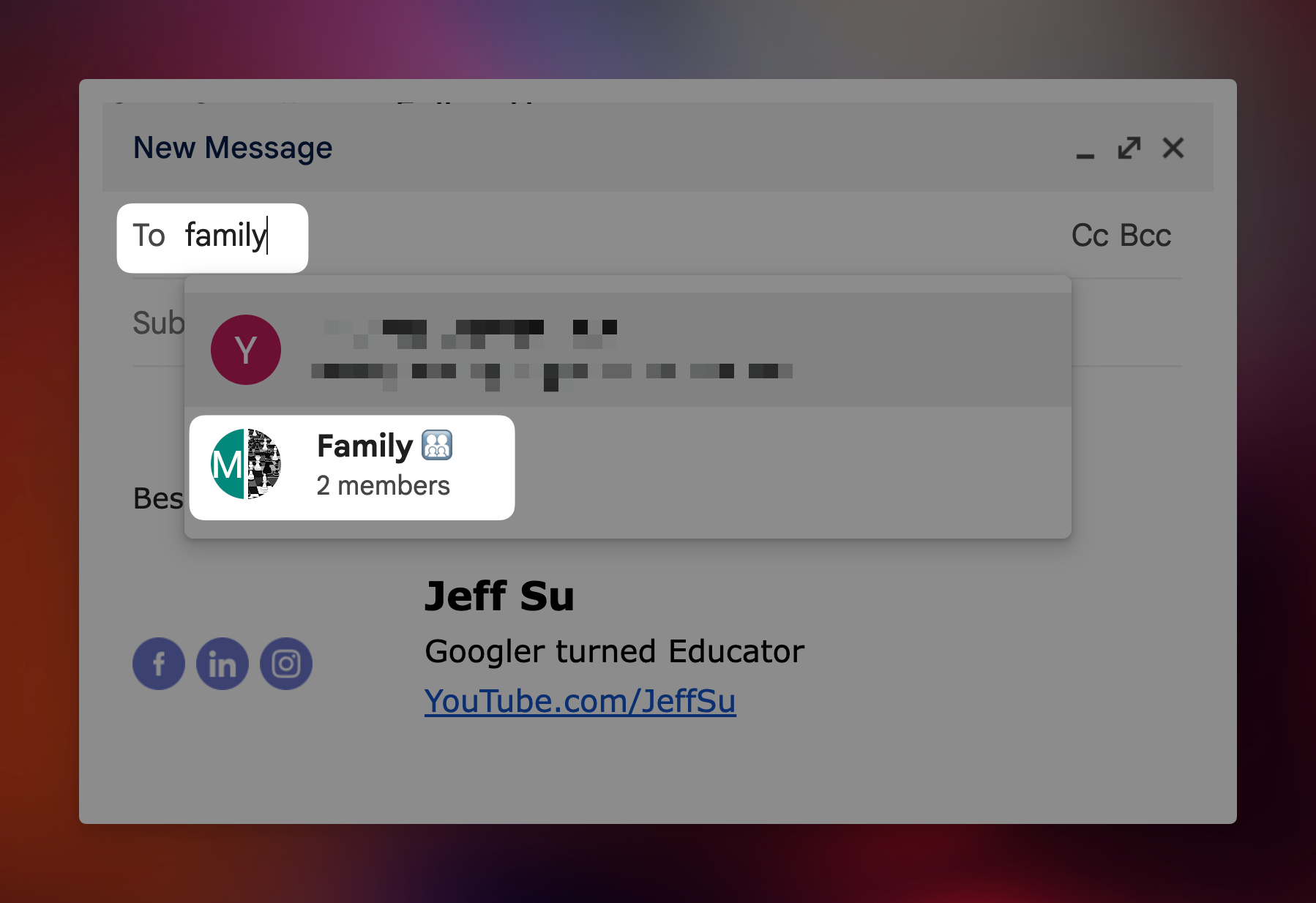
Step 3: Open Gmail and start composing a new email.
Step 4: (The magic) Simply type your label name, like "Family," directly into the "To" field. Gmail auto-expands it to include every single contact in that group.
Why This Matters
This eliminates the mental overhead of remembering who belongs in a group and manually adding them every time. Set it up once, and you're done forever. I created a "Family" label and now sending group updates takes about three seconds.
💡
Pro tip: This works for CC and BCC fields too. Create a label for stakeholders you always need to loop in, and you'll never accidentally leave someone off an important thread again.
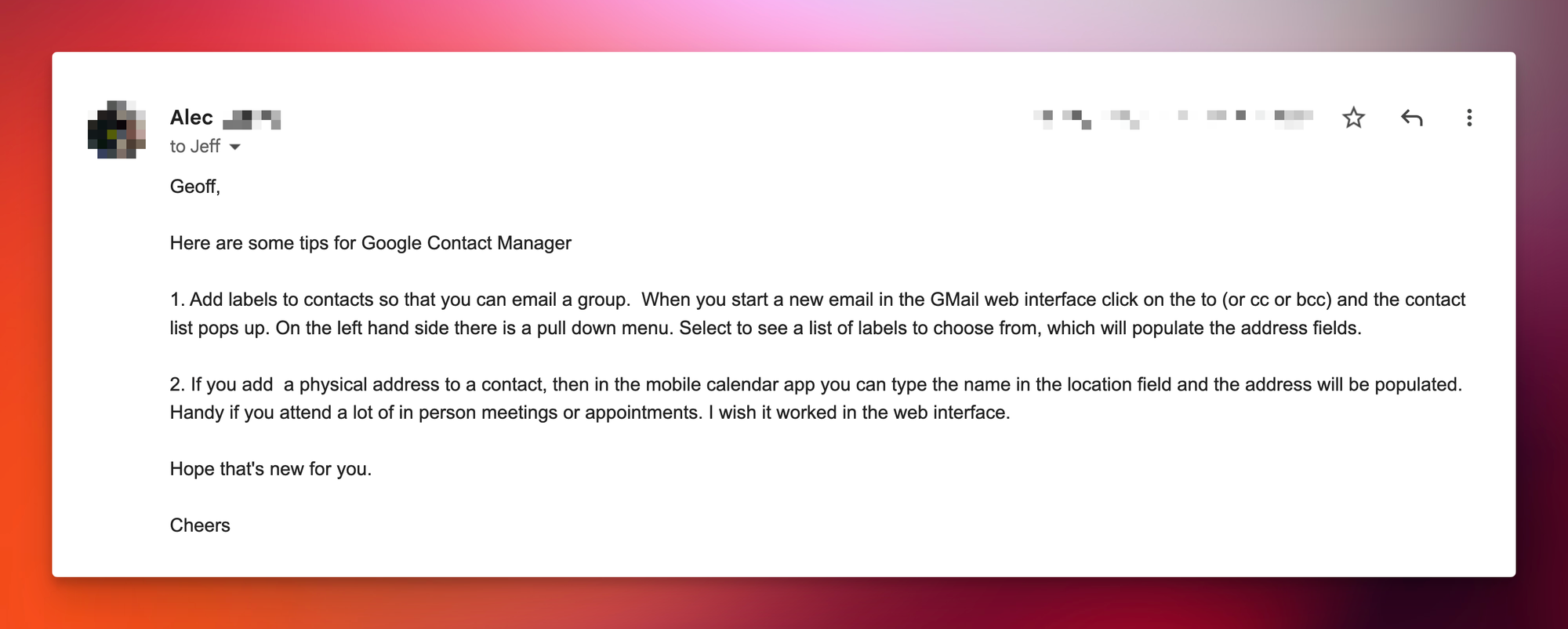
Massive thank you to Alec for sending this one in! 😁
Whenever you're ready, here are some other ways I can help you:
💻 The Workspace Academy: Never lose a file, task, or note again with my CORE workflow for Google Workspace. Adopted by over 10,000 Googlers.
✅ Build Your Command Center in Notion: Plug-and-play dashboard that surfaces today’s priorities automatically and organizes your life in seconds. #1 rated Notion Course globally.